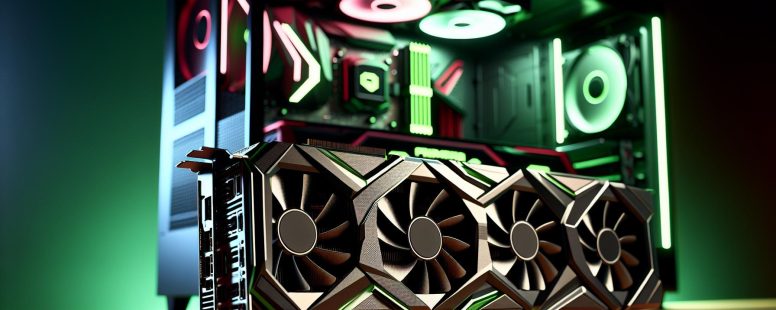
Picture this: you’re building your dream gaming rig or upgrading your workstation, but the ultimate question looms—NVIDIA or AMD? These two tech giants dominate the graphics card market, each promising cutting-edge performance and jaw-dropping visuals. But how do you decide which one truly fits your needs?
Choosing between NVIDIA and AMD isn’t just about specs; it’s about understanding their unique strengths. From NVIDIA’s groundbreaking ray tracing to AMD’s value-packed offerings, both brands bring something distinct to the table. Whether you’re chasing buttery-smooth gameplay or tackling demanding creative projects, knowing what sets them apart can make all the difference in crafting your perfect setup.
So, as you jump into this GPU showdown, get ready to uncover what makes these powerhouses tick—and more importantly, which one deserves a spot in your rig.
Overview Of Nvidia And AMD
NVIDIA and AMD are the two dominant players in the graphics card market, each catering to various performance needs and budgets. Their innovations have shaped gaming, professional visualization, and AI computing.
Brief History And Background
NVIDIA was founded in 1993 with a focus on GPU development for gaming and computation. Its breakthroughs include CUDA technology and the launch of GeForce GPUs in 1999, revolutionizing real-time graphics rendering.
AMD, established in 1969 as a semiconductor company, entered the GPU market after acquiring ATI Technologies in 2006. This move enabled AMD to compete directly with NVIDIA by integrating high-performance graphics solutions into its portfolio.
Market Position And Reputation
NVIDIA holds a strong lead in high-end GPUs due to features like DLSS (Deep Learning Super Sampling) and advanced ray tracing capabilities. GeForce RTX cards dominate AAA gaming performance benchmarks.
AMD is known for offering cost-effective alternatives without compromising competitive performance. Radeon RX-series GPUs appeal to budget-conscious gamers while excelling at energy efficiency and multi-threaded tasks like video editing.
Feature
NVIDIA
AMD
High-End GPUs
Superior ray tracing support
Affordable flagship options
Software Ecosystem
Robust tools like CUDA & DLSS
Open-source friendly drivers
Value For Money
Premium pricing
Budget-friendly solutions
Their reputations differ based on user priorities: NVIDIA is often viewed as innovation-driven, while AMD earns praise for affordability coupled with reliable performance.
Performance Comparison
NVIDIA and AMD GPUs differ significantly in performance across gaming and professional applications. Understanding these differences helps you choose the right card for your specific needs.
GPU Performance In Gaming
In gaming, NVIDIA excels with advanced features like DLSS (Deep Learning Super Sampling), which boosts frame rates by rendering at lower resolutions while upscaling intelligently to deliver sharp visuals. For instance, in titles like Cyberpunk 2077, NVIDIA’s RTX 40-series consistently achieves smoother gameplay at higher settings compared to AMD’s RX 7000 series.
AMD focuses on delivering high value through competitive pricing and robust performance at standard resolutions like 1080p and 1440p. Models like the Radeon RX 6700 XT offer excellent results without very costly, making them ideal for budget-conscious gamers. But, AMD cards typically lag behind NVIDIA when ray tracing is enabled or running intensive AAA games requiring real-time reflections and lighting effects.
If you’re targeting a balance between cost and power efficiency, AMD often emerges as the better choice for mid-range segments. Yet for enthusiasts seeking peak performance with cutting-edge technology, NVIDIA holds an edge.
Productivity And Professional Use
For productivity tasks such as video editing or CAD design, NVIDIA maintains dominance due to CUDA cores optimized for parallel computing. Applications like Adobe Premiere Pro leverage these cores effectively, resulting in faster export times on GPUs like the RTX A6000 compared to AMD’s PRO W6000 series. Also, creators benefit from NVIDIA Studio Drivers tailored for stability and application-specific enhancements.
AMD competes strongly where multi-threaded tasks are prioritized over single-core speed. Its RDNA architecture integrates well into workloads involving OpenCL-based software such as Blender or DaVinci Resolve. Professionals who rely heavily on these programs may find comparable performance from AMD cards at a lower price point than their NVIDIA counterparts.
For AI development workflows or machine learning models requiring tensor operations (e.g., PyTorch), NVIDIA dominates due to Tensor Cores found exclusively in its GPUs—a feature absent in current AMD offerings.
Features And Software
NVIDIA and AMD offer distinct features and software ecosystems that appeal to different user needs. Understanding these differences can help you select the right GPU for gaming or productivity.
Driver Support And Updates
NVIDIA provides frequent driver updates, optimizing performance for newly released games and addressing known issues. Its GeForce Experience software simplifies updating, offering game-ready drivers tailored for specific titles like Cyberpunk 2077. This ensures smoother gameplay and quicker access to new features.
AMD’s Radeon Software delivers competitive drivers with a focus on stability and usability. It includes tools like Radeon Boost, which dynamically adjusts resolution during fast motion to improve frame rates. Though updates are less frequent than NVIDIA’s, they often include significant enhancements for multiple games simultaneously.
Exclusive Features And Technologies
NVIDIA excels in proprietary technologies. Deep Learning Super Sampling (DLSS) uses AI-powered upscaling to boost frame rates while maintaining high visual quality in games like Control or Death Stranding. Tensor Cores enable groundbreaking applications in AI development, while CUDA cores dominate professional workloads involving rendering or simulations.
AMD focuses on open-source solutions. FidelityFX Super Resolution (FSR) offers an alternative to DLSS, compatible with both AMD and NVIDIA GPUs. Smart Access Memory enhances data transfer between CPU and GPU when paired with Ryzen processors, improving overall system performance in supported applications.
Pricing And Value
NVIDIA and AMD offer varying pricing strategies, catering to diverse budgets and performance requirements. Understanding these differences helps you evaluate which brand delivers better value for your investment.
Cost-Effectiveness For Gamers
AMD GPUs typically deliver higher cost-effectiveness for budget-conscious gamers. Cards like the Radeon RX 6600 XT or RX 6700 XT provide solid performance at 1080p and 1440p resolutions, often undercutting NVIDIA’s offerings in price. Features such as FidelityFX Super Resolution (FSR) enhance visuals without additional hardware costs, making AMD an attractive choice for affordable gaming setups.
NVIDIA targets gamers seeking premium features even on mid-range cards like the GeForce RTX 3060 Ti. While priced slightly above comparable AMD models, these cards include technologies like DLSS that improve frame rates in demanding titles. If you’re prioritizing long-term value through advanced features rather than upfront savings, NVIDIA delivers added benefits even though a higher initial cost.
Pricing For High-End Solutions
High-end GPU pricing reveals significant contrasts between NVIDIA and AMD. NVIDIA dominates this segment with flagship models like the GeForce RTX 4090 priced around $1,599 as of late 2023. These GPUs excel in ray tracing-intensive games and productivity tasks requiring AI acceleration due to their Tensor Cores.
AMD’s high-end options like the Radeon RX 7900 XTX are positioned at approximately $999, focusing on delivering competitive rasterization performance without matching NVIDIA’s advanced ray tracing capabilities. This price difference appeals to users who prioritize raw power over specialized features but can limit appeal for those seeking cutting-edge innovations.
Investing in high-performance GPUs depends on whether you need specific advantages like superior ray tracing or prefer a lower-cost solution with strong general-purpose performance.
Power Efficiency And Thermal Management
NVIDIA GPUs generally prioritize power efficiency in their high-end models. Cards like the GeForce RTX 4080 consume approximately 320W while delivering top-tier performance. In comparison, AMD’s Radeon RX 7900 XT consumes around 300W but often runs at slightly higher temperatures under load due to its design focus on raw performance over thermal optimization.
AMD emphasizes energy-efficient architectures in mid-range GPUs like the Radeon RX 7600, which operates at about 165W TDP (Thermal Design Power). NVIDIA counters this with cards like the GeForce RTX 4060 Ti, featuring a TDP of roughly 160W and advanced cooling solutions that maintain lower operating temperatures.
Thermal management strategies differ between brands. NVIDIA integrates features such as vapor chambers and axial fans in flagship models to dissipate heat efficiently during demanding tasks. For example, the Founders Edition designs optimize airflow for quiet operation even under heavy loads. AMD relies on robust heatsink designs and larger fan setups in premium models but may require third-party aftermarket coolers for enhanced temperature control.
In laptops, you’ll find AMD favoring low-power chips such as Ryzen-based APUs with integrated graphics, ensuring cooler operation and extended battery life. NVIDIA’s Max-Q technology balances performance and power consumption but leans heavier toward gaming-focused devices where peak GPU utilization is prioritized over energy savings.
When selecting a GPU, consider your usage scenario—gaming rigs benefit from NVIDIA’s targeted cooling innovations, while budget builds or compact systems might align better with AMD’s efficient yet simpler thermal approaches.
Community And Ecosystem
Both NVIDIA and AMD foster distinct communities and ecosystems, shaping user experiences through support networks, software integration, and developer partnerships.
Support And User Community
NVIDIA’s community benefits from a strong online presence, with forums like the NVIDIA Developer Zone providing resources for troubleshooting and optimization. Gamers often rely on GeForce Experience for updates and features like one-click game settings optimization. Developers also access extensive SDKs, such as CUDA Toolkit, to enhance productivity in machine learning or 3D rendering tasks.
AMD builds a loyal user base by emphasizing open-source contributions. Initiatives like GPUOpen offer tools for developers to optimize performance across platforms. Radeon Software integrates features like Adrenalin Edition’s in-game overlay for monitoring performance or adjusting graphical settings easily. Enthusiasts frequently engage on platforms like Reddit’s r/Amd or the AMD Community Hub to share tips and solutions.
The engagement levels differ; NVIDIA users benefit from structured corporate support while AMD users lean toward collaborative problem-solving within fan-driven spaces.
Compatibility With Modern Technologies
NVIDIA leads in integrating cutting-edge technology into its ecosystem. Features like DLSS use AI to upscale image quality without sacrificing frame rates, enhancing gameplay in visually demanding titles such as “Cyberpunk 2077.” Its RTX series GPUs incorporate Tensor Cores that accelerate AI-based applications beyond gaming—ideal if you’re working with neural networks or real-time ray tracing workflows.
AMD focuses on affordability while supporting modern standards. FidelityFX Super Resolution (FSR) competes with DLSS but lacks hardware-specific dependencies, making it more versatile across systems using either brand’s GPUs. Smart Access Memory boosts performance when combined with Ryzen CPUs by enabling faster data transfer between components—a feature especially practical for gamers seeking budget-friendly upgrades without compromising compatibility.
Understanding how these technologies align with your needs ensures an well-informed choice when selecting between brands’ ecosystems.
Conclusion
Choosing between NVIDIA and AMD depends on what matters most to you—performance, features, or budget. Each brand brings unique strengths to the table, catering to different needs and preferences. Whether you’re a gamer seeking cutting-edge technology or someone looking for reliable performance at a lower cost, understanding these differences ensures your investment aligns with your goals.
Evaluate your priorities carefully and consider how each option fits into your setup. By weighing factors like gaming performance, productivity capabilities, software ecosystems, and pricing strategies, you’ll be better equipped to make an well-informed choice that delivers the experience you’re looking for.
To provide the best experiences, we use technologies like cookies to store and/or access device information. Consenting to these technologies will allow us to process data such as browsing behaviour or unique IDs on this site. Not consenting or withdrawing consent, may adversely affect certain features and functions.
Functional
Always active
The technical storage or access is strictly necessary for the legitimate purpose of enabling the use of a specific service explicitly requested by the subscriber or user, or for the sole purpose of carrying out the transmission of a communication over an electronic communications network.
Preferences
The technical storage or access is necessary for the legitimate purpose of storing preferences that are not requested by the subscriber or user.
Statistics
The technical storage or access that is used exclusively for statistical purposes.The technical storage or access that is used exclusively for anonymous statistical purposes. Without a subpoena, voluntary compliance on the part of your Internet Service Provider, or additional records from a third party, information stored or retrieved for this purpose alone cannot usually be used to identify you.
Marketing
The technical storage or access is required to create user profiles to send advertising, or to track the user on a website or across several websites for similar marketing purposes.