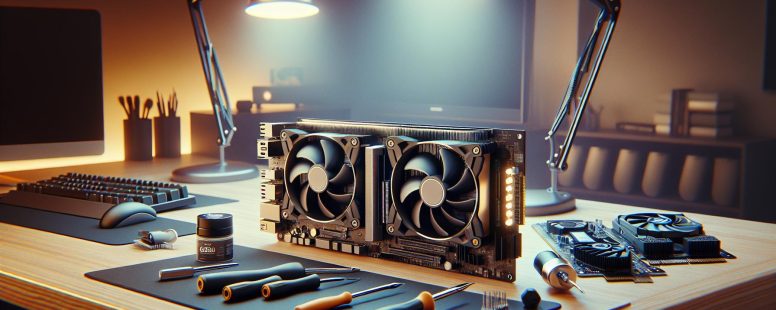
Imagine your computer as a bustling city. The CPU is like the meticulous city planner, managing tasks, making decisions, and ensuring everything runs smoothly. Meanwhile, the GPU is the construction crew, designed to handle repetitive, heavy-duty tasks with incredible speed and efficiency. While both are essential, their roles couldn’t be more different.
You might wonder why a computer even needs both. The answer lies in how they process information. The CPU excels at handling a few complex tasks at a time, perfect for everyday computing. On the other hand, the GPU shines when tackling massive amounts of data simultaneously, making it a powerhouse for gaming, video editing, and AI applications. Understanding the difference not only helps you choose the right hardware but also unlocks the full potential of your machine. Ready to dive deeper into how these two components shape your digital experience? Let’s explore.
Understanding CPUs And GPUs
CPUs and GPUs are integral to how computers process data. Each serves distinct functions, tailored to different computational tasks.
What Is A CPU?
The CPU, or Central Processing Unit, acts as the central command center of a computer. It’s is responsible for executing instructions from programs by performing arithmetic, logical, control, and input/output operations. CPUs excel at handling sequential tasks, making them ideal for general-purpose computing.
Modern CPUs, like the Intel Core i9 or AMD Ryzen 9, feature multiple cores and threads, enhancing their ability to multitask. For example, when you run a spreadsheet application, browse the web, and stream music simultaneously, the CPU allocates resources to ensure smooth performance.
While CPUs manage diverse tasks efficiently, their architecture focuses on processing a few complex operations at a time. This makes them less suitable for parallel processing workloads like rendering high-quality video or training AI models.
What Is A GPU?
A GPU, or Graphics Processing Unit, specializes in handling parallel tasks. Designed originally for rendering graphics, GPUs now power a range of applications, from machine learning to cryptocurrency mining.
GPUs contain thousands of smaller cores capable of breaking down large data sets into smaller pieces for simultaneous computation. For instance, NVIDIA’s RTX 4090 or AMD’s Radeon RX 7900 XT are designed to render intricate 3D gaming environments while supporting real-time ray tracing.
Unlike CPUs, GPUs prioritize throughput over latency, meaning they process vast amounts of data rapidly but cannot sequentially execute individual program instructions as efficiently. This makes GPUs vital for tasks like training neural networks, animating 3D assets, and simulating scientific calculations.
Key Differences Between CPUs And GPUs
Understanding the key differences between CPUs and GPUs helps you select the right hardware for specific tasks by analyzing their unique roles and functionalities.
Architecture And Design
CPUs consist of a few powerful cores optimized for sequential processing, making them suitable for single-threaded tasks like running an operating system or browsing. GPUs, on the other hand, have hundreds or thousands of smaller cores designed for parallel execution, enabling them to handle numerous calculations simultaneously. This architectural distinction allows GPUs to excel in repetitive and data-intensive processes like rendering graphics.
Modern CPUs, such as Intel’s Core i9 or AMD Ryzen 9 series, integrate advanced instruction sets to boost multitasking performance. GPUs, including NVIDIA’s RTX series or AMD’s Radeon line, leverage memory bandwidth and pipelines to maximize processing throughput, especilly in tasks like 3D rendering or machine learning.
Power And Performance
CPUs prioritize low-latency performance, handling a smaller number of instructions quickly and accurately. GPUs deliver higher throughput by processing parallel workloads, consuming more power for complex tasks like rendering frames in 4K or processing AI algorithms. This performance difference reflects their distinct goals.
Energy consumption varies based on the workload. A high-end CPU might consume 125W during multitasking, while GPUs like the NVIDIA RTX 4090 may peak above 450W under intensive graphics workloads. These trade-offs highlight the need to match power efficiency with task requirements.
Use Cases And Applications
CPUs operate as versatile processors, handling tasks such as coding, content creation, and software management. They’re ideal for applications requiring logical decision-making and sequential processing, like database management or word processing.
GPUs specialize in parallelism, making them indispensable in gaming, AI model training, and video editing. Examples include their use in deep learning frameworks like TensorFlow, where GPUs accelerate training by distributing tasks over multiple cores. They’re also dominant in cryptocurrency mining due to their ability to compute cryptographic hashes rapidly. For instance, mining rigs powered by AMD’s or NVIDIA’s GPUs outperform CPUs in blockchain-related computations.
Matching the CPU or GPU to its ideal application maximizes productivity and system efficiency.
Benefits Of CPUs And GPUs
CPUs and GPUs each offer unique benefits, optimizing performance for different computing needs. Understanding their advantages helps you determine which component aligns best with your tasks.
Advantages Of CPUs
CPUs excel in versatility and multitasking efficiency. They handle sequential tasks with precision, ensuring smooth operation in daily computing. For instance, when running an operating system, managing applications like web browsers, and executing software programs simultaneously, a CPU maintains control. Its smaller number of powerful cores ensures low-latency performance, crucial for decision-making and logical operations.
Modern CPUs, like AMD Ryzen 9 7950X and Intel Core i9-13900K, feature advanced architecture, such as simultaneous multithreading. This enhances multitasking capability, making CPUs ideal for everything from office productivity tools to software compilation. Their ability to handle diverse tasks makes them indispensable in environments where precision, speed, and flexibility matter most.
Advantages Of GPUs
GPUs stand out for their ability to process parallel workloads efficiently. Their architecture includes thousands of cores capable of performing repetitive calculations simultaneously. This makes GPUs essential for tasks like 3D rendering, gaming, and artificial intelligence. For example, gaming GPUs like NVIDIA’s GeForce RTX 4090 provide real-time ray tracing and rendering, delivering lifelike graphics in modern video games.
GPUs also play a significant role in data-intensive fields. In machine learning, GPUs train AI models by processing vast datasets faster than CPUs. Cryptocurrency miners use GPUs for hashing operations, leveraging their high throughput. The growing demand for virtual reality and augmented reality further emphasizes GPUs’ importance in accelerating immersive experiences.
Choosing Between A CPU And A GPU
Selecting between a CPU and a GPU depends on understanding your specific needs and use cases. Each component brings distinct strengths to your system, tailored for different types of tasks.
Factors To Consider
Evaluate workload requirements to identify whether a CPU or GPU suits your tasks better. CPUs excel at sequential task processing, ideal for activities like managing spreadsheets, browsing multiple tabs, and running office software. For example, a high-end CPU like the Intel Core i9-13900K handles complex instructions with efficiency, supporting demanding general-purpose computations.
Alternatively, tasks requiring parallel processing, such as gaming, video editing, and AI training, benefit from GPUs. A gaming enthusiast might see dramatic visual improvements with an NVIDIA RTX 4090, which powers real-time ray tracing in AAA titles. Similarly, GPUs like the AMD Radeon RX 7900 XT handle computational work in neural networks effectively because of their numerous cores optimized for simultaneous operations.
Also consider power consumption, thermal design, and compatibility. GPUs typically demand higher power and have thermal management needs, whereas CPUs are designed for balanced energy efficiency in most scenarios.
Balancing Performance And Cost
Weighing performance against budget helps determine the best value for your needs. High-performance CPUs, such as AMD’s Ryzen 9 7950X, are priced higher but deliver enhanced multitasking and overclocking potential, making them great investments for workstation setups. If cost is a concern, mid-range models like the Intel i5-13600K offer excellent general-purpose capabilities without significant financial strain.
In contrast, high-end GPUs offer unmatched processing power but can be expensive. For example, the NVIDIA GeForce RTX 4090, retailing above $1,500, is an excellent choice for professionals demanding maximum performance. For budget-conscious users, options like the NVIDIA GTX 1660 or AMD RX 6600 can still provide strong performance for gaming or light rendering tasks.
Strike a balance by prioritizing what’s most important for you—processing power, energy efficiency, or affordability—and researching benchmarks to understand real-world performance outcomes. By assessing your application needs and budget constraints, you can build a system that effectively meets your goals.
Conclusion
Understanding the differences between a CPU and a GPU helps you make smarter hardware decisions based on your specific needs. Whether you’re building a gaming rig, diving into AI development, or just upgrading your everyday computer, knowing how these components function allows you to optimize performance and efficiency.
By aligning your hardware choices with your workload, you can ensure your system delivers the power and speed required for your tasks. Investing in the right balance of CPU and GPU capabilities not only enhances your digital experience but also maximizes the value of your setup.
To provide the best experiences, we use technologies like cookies to store and/or access device information. Consenting to these technologies will allow us to process data such as browsing behaviour or unique IDs on this site. Not consenting or withdrawing consent, may adversely affect certain features and functions.
Functional
Always active
The technical storage or access is strictly necessary for the legitimate purpose of enabling the use of a specific service explicitly requested by the subscriber or user, or for the sole purpose of carrying out the transmission of a communication over an electronic communications network.
Preferences
The technical storage or access is necessary for the legitimate purpose of storing preferences that are not requested by the subscriber or user.
Statistics
The technical storage or access that is used exclusively for statistical purposes.The technical storage or access that is used exclusively for anonymous statistical purposes. Without a subpoena, voluntary compliance on the part of your Internet Service Provider, or additional records from a third party, information stored or retrieved for this purpose alone cannot usually be used to identify you.
Marketing
The technical storage or access is required to create user profiles to send advertising, or to track the user on a website or across several websites for similar marketing purposes.