Picture your computer as a high-speed racecar. Now, think of its storage drive as the engine fueling its performance. Would you settle for an average engine or opt for one that delivers lightning-fast speed and precision? This is where the debate between NVMe and SATA comes into play—two technologies that determine how quickly data moves within your system.
You might not notice it at first, but the type of storage drive you choose can transform everything from boot times to file transfers. NVMe promises blazing speeds and cutting-edge innovation, while SATA offers reliability and affordability. But what truly sets them apart? Understanding these differences could mean unlocking your device’s full potential or missing out on seamless performance.
Ready to dive deeper? Let’s unravel the key distinctions between NVMe and SATA so you can make an informed choice tailored to your needs.
Understanding Storage Technology: NVMe And SATA
NVMe (Non-Volatile Memory Express) and SATA (Serial Advanced Technology Attachment) represent distinct storage technologies with fundamental differences in performance, design, and usage. These terms often arise when selecting SSDs for personal or professional use.
NVMe: Performance-Focused Innovation
NVMe uses PCIe (Peripheral Component Interconnect Express) interfaces to deliver higher data transfer speeds. Supporting parallel data lanes, it processes multiple commands simultaneously. For example, an NVMe drive can reach read/write speeds of up to 7000 MB/s on the latest PCIe Gen4 platforms. Gamers and video editors benefit from these speeds through reduced loading times and faster rendering.
Unlike traditional protocols designed for spinning disks, NVMe is optimized for flash storage. Its low latency enhances responsiveness in tasks like database operations or real-time analytics.
SATA: Reliable And Cost-Effective
SATA drives are slower than NVMe but offer consistent reliability at a lower cost per gigabyte. With maximum speeds capped at 600 MB/s under the SATA III standard, they suit everyday applications such as document management or media playback.
SATA’s compatibility with older systems makes it a practical choice when upgrading legacy hardware. For instance, many laptops still use SATA-based connectors due to their widespread adoption over decades.
Key Differences At A Glance
Feature
NVMe
SATA
Interface
PCIe
Serial ATA
Maximum Speed
Up to 7000 MB/s
Up to 600 MB/s
Latency
Low
Moderate
Cost
Higher
Lower
Compatibility
Modern Systems
Legacy + Modern Systems
Key Features Of SATA
SATA technology, introduced in 2003, remains a reliable and cost-effective solution for storage needs. It’s widely adopted in both consumer and enterprise systems due to its simplicity and compatibility.
Speed And Performance
SATA drives offer maximum data transfer speeds of up to 600 MB/s. While significantly slower than NVMe’s capabilities, this speed suffices for everyday tasks like browsing, document editing, and streaming. For example, loading an operating system or transferring standard files functions seamlessly without noticeable delays. But if you’re handling large video files or high-performance applications, the limitations become apparent against NVMe’s performance edge.
Cost And Availability
SATA drives are more affordable compared to NVMe options. The lower manufacturing costs make them accessible for budget-conscious users or those upgrading older systems. For example, a 1TB SATA SSD can cost around $50-$60 as of late 2023, while a similar-capacity NVMe drive often exceeds $100. Their widespread availability ensures easy procurement at most electronics retailers or online marketplaces.
Compatibility And Use Cases
SATA excels in backward compatibility with legacy hardware that lacks PCIe support. This makes it ideal for extending the lifespan of aging desktops or laptops without requiring major upgrades. Its use cases include general-purpose computing and network-attached storage (NAS) setups where reliability takes precedence over speed demands.
Key Features Of NVMe
NVMe drives stand out for their superior speed, innovative design, and versatility. These features make them indispensable for high-performance computing tasks.
Speed And Performance
NVMe leverages the PCIe interface to achieve data transfer speeds up to 7000 MB/s. This is over ten times faster than SATA’s maximum of 600 MB/s. For example, loading a game that takes one minute on a SATA SSD might take less than ten seconds with an NVMe drive. High IOPS (Input/Output Operations Per Second) further enhance multitasking capabilities, enabling quick file transfers and seamless application performance.
The parallelism of NVMe allows multiple requests to be processed simultaneously. This benefits gamers and video editors by reducing latency during rendering or level loading. Also, its low power consumption under heavy workloads improves energy efficiency in laptops and workstations.
Cost And Availability
While NVMe drives cost more than SATA counterparts, prices have become increasingly competitive. A standard 1TB NVMe SSD ranges from $100-$150 compared to $50-$60 for SATA models of the same capacity. Even though this higher initial investment, the long-term performance gains often outweigh the price difference in demanding environments.
Availability continues expanding as NVMe becomes mainstream across manufacturers like Samsung and Western Digital. Entry-level options provide affordable upgrades without sacrificing much performance for casual users needing faster storage solutions.
Compatibility And Use Cases
NVMe compatibility depends on having a motherboard with PCIe slots supporting M.2 or U.2 connectors—common in modern systems but not guaranteed in older setups designed only for SATA interfaces. If your hardware lacks these ports, upgrading may require additional adapters or entirely new components.
Use cases include gaming rigs where fast load times are essential; multimedia production requiring swift access to large files; and enterprise servers handling massive databases efficiently due to optimized queue depths inherent in NVMe technology.
Major Differences Between NVMe And SATA
NVMe and SATA differ significantly in their design, performance metrics, and use cases. Understanding these differences helps you choose the right storage solution for your specific needs.
Speed And Bandwidth
NVMe offers data transfer speeds up to 7000 MB/s by leveraging the PCIe interface, which supports parallel data paths for faster communication. In contrast, SATA is limited to a maximum of 600 MB/s due to its older architecture and reliance on serial communication. For example, loading a high-resolution video project takes seconds with an NVMe drive but can take minutes with a SATA drive.
If you’re working with large files or demanding applications like gaming or 4K video editing, NVMe’s higher bandwidth provides smoother experiences. On the other hand, SATA suits everyday tasks like browsing or word processing where speed isn’t as critical.
Power Efficiency
Power consumption varies between NVMe and SATA drives under different workloads. NVMe drives consume slightly more power during active use due to their advanced capabilities but use less energy when idle because of optimized power states defined in the NVMe protocol.
SATA drives typically consume less power overall but lack dynamic efficiency adjustments found in newer technologies. If you’re building portable devices like laptops where battery life matters most, choosing between them depends on balancing performance against energy requirements.
Form Factors
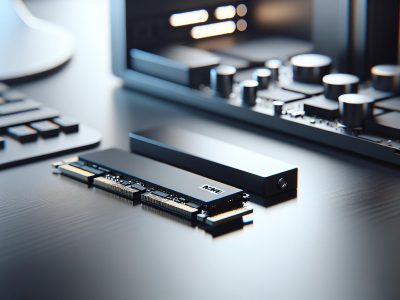
NVMe drives come in compact form factors such as M.2 and U.2 that integrate directly into motherboards without requiring physical cables. This saves space and enhances airflow inside computer cases—a benefit for small-form-factor PCs or custom builds prioritizing thermal management.
SATA drives are available in traditional 2.5-inch and 3.5-inch sizes that connect via separate cables for data transfer and power supply. While this makes them bulkier than M.2-based options, it also ensures compatibility with older hardware setups commonly used in desktops or servers.
Latency And Performance Impact
Latency defines how quickly a storage device responds to read/write requests from your system’s processor (CPU). With latency as low as 10 microseconds (μs), NVMe significantly reduces delays compared to SATA’s typical latency of around 500 μs—ideal for real-time applications like database management systems or high-frequency trading platforms.
Choosing Between NVMe And SATA: Which Is Right For You?
Selecting between NVMe and SATA depends on your specific usage scenario, budget, and system compatibility. Each option offers distinct advantages that cater to different needs.
1. Performance Needs:
NVMe suits tasks requiring high-speed data transfers, like gaming or video editing. With speeds up to 7000 MB/s, it drastically reduces loading times for large applications or files. SATA’s maximum speed of 600 MB/s is sufficient for general-purpose activities such as web browsing or document management but may lag during intensive workloads.
2. Budget Constraints:
If affordability matters more than speed, SATA is the better choice. A 1TB SATA SSD costs $50-$60 on average compared to the $100-$150 price range for a similar-capacity NVMe drive. Opting for SATA helps maximize storage capacity within limited budgets.
3. System Compatibility:
Older systems often lack PCIe slots required by NVMe drives but support SATA interfaces universally. For instance, if upgrading an older laptop or desktop without M.2 slots, SATA ensures seamless compatibility.
4. Power Efficiency:
NVMe consumes less power in idle states but uses more during active operations due to higher performance demands. In contrast, SATA maintains consistent power consumption levels across tasks, making it ideal for energy-conscious users managing everyday workloads.
5. Form Factor Considerations:
Compact M.2 form factors available with NVMe improve airflow and save internal space—critical in slim laptops or compact PCs where thermal management is crucial while bulky 2.5-inch SATA drives provide versatility when space isn’t a constraint.
Conclusion
Choosing between NVMe and SATA eventually depends on your priorities, budget, and system requirements. If speed and performance are critical for tasks like gaming or video editing, NVMe is the clear choice. But, if you’re focused on affordability or upgrading an older system, SATA offers reliable performance at a lower cost.
Both technologies have their strengths and cater to different needs. By understanding what each offers, you can select the storage solution that best aligns with how you use your computer.
To provide the best experiences, we use technologies like cookies to store and/or access device information. Consenting to these technologies will allow us to process data such as browsing behaviour or unique IDs on this site. Not consenting or withdrawing consent, may adversely affect certain features and functions.
Functional
Always active
The technical storage or access is strictly necessary for the legitimate purpose of enabling the use of a specific service explicitly requested by the subscriber or user, or for the sole purpose of carrying out the transmission of a communication over an electronic communications network.
Preferences
The technical storage or access is necessary for the legitimate purpose of storing preferences that are not requested by the subscriber or user.
Statistics
The technical storage or access that is used exclusively for statistical purposes.The technical storage or access that is used exclusively for anonymous statistical purposes. Without a subpoena, voluntary compliance on the part of your Internet Service Provider, or additional records from a third party, information stored or retrieved for this purpose alone cannot usually be used to identify you.
Marketing
The technical storage or access is required to create user profiles to send advertising, or to track the user on a website or across several websites for similar marketing purposes.