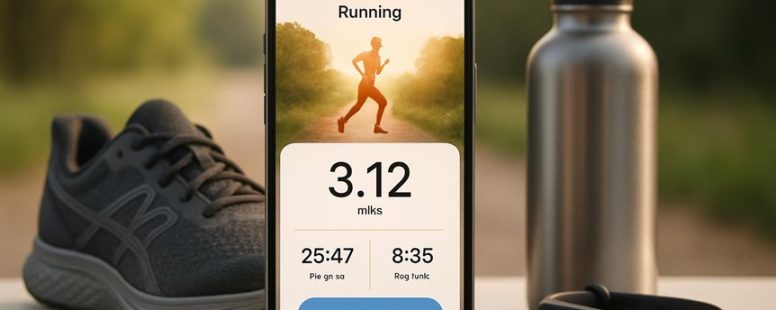
Starting a running journey can feel like stepping into uncharted territory, with your heartbeat pounding like a drum and your breath catching in your throat.
The right app transforms this challenge into an adventure—lighting the path, keeping you motivated, and turning every stride into a small victory.
Surprisingly, the best beginner apps do more than just track your stats; they nurture your confidence and make the process feel less like a grind and more like an inspiring dance.
Choosing the perfect fit is key—so let’s uncover what truly matters when selecting your first running companion.
Essential Features to Look for in a Running App for Beginners
A good running app for beginners should have a few key features. First, social features are very helpful. These let you share your progress, challenge friends, and stay motivated. For example, apps like Strava or Nike Run Club let you see how others are doing, which makes running more fun. Without these, running can feel lonely, especially when you are just starting out. Having a community makes you more likely to stick with it because you feel supported and accountable.
Second, easy tracking is important. The app should record your runs accurately and give simple feedback. You don’t want to get overwhelmed with complicated charts or confusing stats. Look for apps that show how far you ran, how fast, and how your time improves over time. Apps like Runkeeper or MapMyRun are good choices for beginners because they are straightforward and reliable.
Some people might worry that focusing on social features takes away from personal progress. True, community support helps but too much social pressure can be stressful. It’s best to find an app that balances sharing with privacy, so you don’t feel judged. Also, some apps with lots of features might feel overwhelming at first. Start with simple tools and add more as you get comfortable.
In the end, the best running app for beginners combines easy tracking with social support. These features help you stay motivated, improve, and feel part of a community. Don’t forget to try a few apps to see which one fits your style. Running is about feeling good and staying active. The right app can make that journey easier and more fun.
Choosing the Best Running App for Your Goals
Choosing the best running app depends on what you want to get out of it. If your goal is to build endurance, look for apps that track distance and time. If you want to improve your speed, find apps that measure pace and intervals. Some popular options like Strava and Nike Run Club offer both features, but they differ in user experience. Strava is great for social sharing and community support, while Nike Run Club is simple and easy to use. Make sure the app is easy to log runs so you stay motivated and consistent. A confusing or hard-to-use app might make you give up early. Remember, the right app should match your goals and feel comfortable to use. Trying out a few can help you see which one keeps you motivated to run more often.
Goal-Oriented Features
How to pick a running app that helps you reach your goals
If you want a running app that really helps you improve, look for goal-oriented features. These are the tools that keep you focused and motivated. Here’s what to check for:
Custom Goals – The app should let you set clear targets like distance, pace, or how often you run. For example, you might want to run 3 miles three times a week. Having specific goals makes your runs purposeful. Some apps like Strava or Nike Run Club let you customize your goals easily.
Real-Time Feedback – During your run, the app should give you updates about your pace, distance, or heart rate. This helps you know if you need to speed up or slow down. Apps like Runkeeper or MapMyRun provide live stats, so you can adjust on the spot.
Progress Reports – Weekly or monthly summaries show how much you’ve improved. They highlight your strengths and areas to work on. For example, you might see that your average pace has improved over four weeks. These reports keep you motivated to keep going.
Two sides to consider: Some apps may push too much focus on numbers, making running feel stressful. Others might not give enough feedback. Also, free versions often have limited features, so you might need to pay for full access.
Choosing an app with these goal features means you’re not just running aimlessly. You’re running smarter and making every step count toward your personal goals.
User-Friendly Interface
A user-friendly app is key to reaching your running goals. The best apps are simple to use and make it easy to start runs, check your progress, and set new goals. If an app feels confusing or frustrating, it can make you want to give up. Look for one with clear buttons and simple menus so you don’t waste time trying to figure out how to do things.
A good design also matters. Bright colors and clean layouts can make running more fun and motivate you to keep going. For example, some apps like Strava or Nike Run Club have easy-to-understand screens that help you stay focused on your run, not on fighting with the technology. But remember, too many features can clutter the screen and cause confusion. Find an app that balances helpful tools with simplicity.
Some people prefer apps with lots of options because they want detailed stats. Others just want something quick and straightforward. Think about what matters most to you. If you want to stay consistent and enjoy your runs, choose an app that feels natural to use and looks good on your phone. A simple, attractive app can make a big difference in helping you stay motivated and on track.
How Running Apps Help You Start Running
Running apps are a popular way to help new runners get started. They give clear plans that show you when to run and walk, which makes beginning less confusing. These apps also keep track of how many miles you run and how long you run, so you can see your progress easily. For example, Nike Run Club and Couch to 5K are well-known apps that help beginners stick with running.
Some people say these apps make starting easier because they give motivation and structure. But others warn that relying too much on an app can make you less aware of how your body feels. It’s good to use these tools, but don’t forget to listen to your own body.
Imagine you’re just starting to run and feel nervous. These apps act like a coach, guiding you step by step. They can also help if you’re busy and forget your goals. But remember, not all apps are perfect. Some may have bugs, or their plans might not fit your pace. So, it’s smart to try a few and see which one works best for you.
In the end, running apps can be a helpful tool, but they’re not magic. They give you a plan and track your progress, but you still need to stay motivated and listen to your body. If you’re ready to start running, picking the right app can make your first steps easier.
Motivation Through Guided Plans
Guided plans in running apps are a great way to help you stay motivated and stick to your goals. These apps tell you exactly what to do during each run, so you don’t have to guess or figure it out yourself. Here’s why they work well:
First, they break running into small, simple steps. This makes it easier to start and keeps you from feeling overwhelmed. For example, instead of telling you to run for 30 minutes right away, the app might suggest a walk-run plan that gradually increases running time.
Second, guided workouts give clear instructions. This helps you know exactly what to do and makes each run more purposeful. Imagine having a coach right next to you, telling you when to speed up or slow down.
Third, these apps include motivating features like reminders and cheers. They push you to keep going even when you don’t feel like it. For instance, a notification might say, “Great job! Keep it up!” which can boost your confidence.
Some people worry that guided plans might be too rigid or boring. But they’re helpful for beginners or anyone who needs structure. Still, if you’re very experienced, you might prefer customizing your runs instead.
In the end, guided plans in running apps like Nike Run Club or Strava can make building a running habit easier. They help you stay motivated, give clear directions, and break down your goals into manageable steps. If you want to start running without feeling lost or discouraged, these apps are a good choice. Just remember, they work best when you stick with them and stay consistent.
Tracking Progress Easily
Tracking your progress is a simple way to stay motivated when running. Many running apps, like Strava or Nike Run Club, make it easy by showing you clear numbers such as distance, pace, and time. Seeing these numbers helps you know how much you’re improving. Some apps also give you analysis of your runs, showing trends and areas to work on. This feedback can keep you accountable and excited to reach your next goal.
But there are limits. Not all apps are accurate, and some might give false or confusing info. Also, focusing too much on numbers can make running feel stressful instead of fun. If you want to keep running, understanding your progress is helpful but not everything.
Top Running Apps With Personalized Coaching
Running apps with personalized coaching are a great way to start running, especially if you want a plan that fits your pace and goals. Here are three of the best options based on how well they adapt to your progress and how easy they are to use:
Couch to 5K – This app is perfect for beginners. It creates simple workouts that change as you get stronger. For example, if you start walking more and jogging less, the app adjusts your schedule. It helps you go from sitting on the couch to running a 5K race in about nine weeks. Some people love how easy it is to follow, but others find it too slow once they get better.
Nike Run Club – This app gives personalized coaching plans from professional runners. It also has motivational messages and audio guides during runs. If you like feeling inspired or want advice from experts, this is a good choice. But, some users say it can be confusing to pick the right plan or might push you too hard if you’re a beginner.
Runkeeper – This app makes custom training plans based on your progress and how you feel. You can tell it if you’re tired or if you want to run longer distances. It tracks your runs and sends feedback to help you improve. Some people like how flexible it is, but others say the app can be buggy or overwhelming with features.
Choosing the right app depends on what you need. Do you want a simple plan that grows with you? Or do you want coaching from pros? Keep in mind, no app is perfect. Some may push you too much or not enough, so listen to your body. Running should be fun and safe, not stressful. Make sure to pick one that feels right for your lifestyle and goals.
Best Apps for Tracking Distance, Pace, and Progress
The best apps for tracking running distance, pace, and progress are ones that give accurate measurements and clear insights. They help runners see how far they go, how fast they run, and how they improve over time. Popular options like Strava and Runkeeper are known for their precise distance tracking and real-time stats. They also store your past runs so you can see your progress and stay motivated.
Some apps use GPS to measure your distance, so it’s important they work well in different environments. For example, if you run in a park with lots of trees, GPS signals might be weaker. Also, some apps include features like setting goals, creating training plans, and sharing your runs with friends. These features can make running more fun and help you stay consistent.
However, not all apps are perfect. Some may have bugs or inaccurate measurements. It’s a good idea to test a few and see which one feels easiest to use. Also, be careful of apps that promise too much but don’t deliver accurate data.
If you want to get serious about running, choosing an app that offers precise distance measurement and clear pace tracking is a smart move. It helps you run smarter and reach your goals faster. Just remember, no app can replace good training and listening to your body. Using the right tools can make a big difference, but they are only part of the journey.
Running Apps That Boost Motivation and Accountability
Running apps that focus on motivation and accountability help you stay consistent. They do more than just track your distance and speed. They give you ways to stay inspired and keep you on track. Here’s what makes a good app for runners:
Community Challenges: Joining group goals or races makes running more fun. It pushes you because you want to do better than others or reach a shared goal. For example, some apps let you compete with friends or join worldwide challenges, making running feel like a team effort.
Progress Sharing: Posting your runs or milestones can motivate you. When friends comment or cheer, it makes you want to keep going. Sharing victories, big or small, keeps your spirits high and your goals clear.
Accountability Reminders: Some apps send friendly messages or alerts to remind you to run. These nudges help on days when you feel lazy or tired. They act like a coach giving you gentle pushes to stay consistent.
There are good and bad sides to these features. Community challenges can be motivating, but sometimes they make you push too hard and risk injury. Sharing progress boosts motivation but can also cause pressure if you’re not hitting your goals. Reminders help you stay consistent, but too many can feel annoying or pushy.
If you want to stick with running, pick an app that helps you stay motivated without overwhelming you. Apps like Strava, Nike Run Club, and Runkeeper are popular choices. They offer social features and reminders, but you should choose what feels right for you.
Affordable and Free Beginner Running Apps
Finding a good running app that won’t cost you a lot is easy. Many free and inexpensive options can help beginners start running without feeling overwhelmed. These apps are designed to guide you step by step so you can build your stamina safely. For example, they often include features like tracking your runs, setting simple goals, and inviting you to join challenges suitable for beginners.
Some popular apps like Nike Run Club and Couch to 5K offer free plans that connect you with other runners. This makes running less lonely because you can share tips and get encouragement. These apps also give real-time feedback on your pace and distance, helping you stay motivated. You don’t need a fancy subscription to enjoy these features.
However, some free apps may have limited coaching or ads that interrupt your workout. They work well if you want basic tracking and community support but might lack personalized training plans. If you’re looking for very customized advice, you might want to consider paid options later.
For most beginners, these free or low-cost apps are a great way to start running without stressing about money. You just need your phone, a pair of shoes, and some motivation. Are you ready to hit the trail?
Tips to Get the Most From Your Running App
Using your running app effectively is key to reaching your goals. Here are simple steps to get the most out of it:
Check your running form. Many apps, like Nike Run Club or Strava, have feedback features or even video options. These help you see if you’re running with good posture and proper stride. Good form makes running easier and can stop injuries. Imagine trying to run with bad posture — it makes everything harder and tires you faster. Using your app to correct your form can make a big difference.
Set clear and realistic goals. Don’t just say, “I want to run faster.” Break it down into small targets, like running three times a week for 20 minutes. Apps like MapMyRun let you customize your plans. Starting with goals that match your current fitness level helps you stay motivated and avoid overdoing it. If your goal is too big, you might get discouraged or hurt. Better to progress step by step.
Prevent injuries by staying smart. Use your app’s reminders for warm-up exercises, cool-down stretches, and rest days. For example, apps like Runkeeper can send alerts to remind you to rest or stretch. Listening to your body is crucial. If you ignore pain or fatigue, you risk setbacks. But some apps may push you too hard or forget to remind you about rest — so stay aware of your limits.
To provide the best experiences, we use technologies like cookies to store and/or access device information. Consenting to these technologies will allow us to process data such as browsing behaviour or unique IDs on this site. Not consenting or withdrawing consent, may adversely affect certain features and functions.
Functional
Always active
The technical storage or access is strictly necessary for the legitimate purpose of enabling the use of a specific service explicitly requested by the subscriber or user, or for the sole purpose of carrying out the transmission of a communication over an electronic communications network.
Preferences
The technical storage or access is necessary for the legitimate purpose of storing preferences that are not requested by the subscriber or user.
Statistics
The technical storage or access that is used exclusively for statistical purposes.The technical storage or access that is used exclusively for anonymous statistical purposes. Without a subpoena, voluntary compliance on the part of your Internet Service Provider, or additional records from a third party, information stored or retrieved for this purpose alone cannot usually be used to identify you.
Marketing
The technical storage or access is required to create user profiles to send advertising, or to track the user on a website or across several websites for similar marketing purposes.