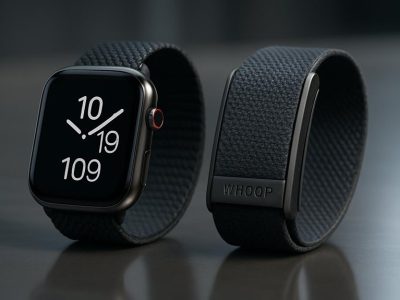
Picture turning your Apple Watch into the ultimate fitness companion, seamlessly tracking every mile, heartbeat, and personal best. You’ve probably heard of Strava—a favorite among athletes and casual fitness enthusiasts alike—but does it truly sync with the sleek functionality of your Apple Watch? The answer might surprise you.
Whether you’re chasing a new running record or just want to log a peaceful bike ride, combining Strava with your Apple Watch could unlock features that make tracking effortless and fun. From GPS mapping to detailed performance insights, this pairing has the potential to elevate your workouts in ways you didn’t expect. But how well do they work together? Let’s jump into what makes this duo tick—and whether it’s worth integrating them into your fitness routine.
Overview Of Strava And Apple Watch
Strava, a popular fitness app, integrates seamlessly with the Apple Watch to provide advanced tracking capabilities. It enables you to monitor activities like running, cycling, and swimming directly from your wrist. The Apple Watch’s built-in GPS and heart rate sensor enhance Strava’s data accuracy.
By connecting your watch to Strava, you gain access to detailed performance metrics. These include pace analysis, elevation gain for outdoor workouts, and split times for intervals. For example, if you’re training for a marathon, this combination lets you evaluate each run’s progress without additional devices.
Strava supports features unique to the Apple Watch ecosystem. You can view real-time stats during activities using the always-on Retina display in newer models or sync completed sessions automatically with your iPhone. This ensures that all workout data is stored consistently across devices.
Social interaction on Strava adds another layer of engagement. With an active community of users sharing routes and achievements via segments or challenges, the experience becomes more motivating when paired with Apple’s fitness hardware.
The integration process is simple but requires authorization through both platforms’ settings menus before syncing begins. Following these steps creates a continuous flow of data between your watch and Strava’s cloud services without manual uploads or delays.
Compatibility Between Strava And Apple Watch
Strava works seamlessly with the Apple Watch, enabling you to track fitness activities directly from your wrist. This integration combines Strava’s advanced analytics with the Apple Watch’s powerful hardware for an enhanced workout experience.
How Strava Integrates With Apple Watch
The integration process involves syncing your Strava account with the Apple Health app and granting permissions on both platforms. After connecting, recorded workouts sync automatically between devices without needing manual uploads.
You can use the official Strava app on your Apple Watch to start and stop activity tracking independently of your iPhone. The watch uses its built-in GPS, eliminating reliance on external devices during outdoor activities like running or cycling. For indoor workouts, such as treadmill runs or swimming sessions, data is equally accurate when paired through this ecosystem.
Supported Features On Apple Watch
The combination supports various features designed to optimize fitness tracking:
GPS Tracking: Measures routes and distances accurately for outdoor activities.
Heart Rate Monitoring: Tracks intensity levels using the watch’s sensor.
Workout Metrics: Displays real-time stats like pace, elevation gain, split times, and calorie estimates.
Offline Usage: Enables independent functionality without requiring your phone nearby.
Activity Syncing: Transfers completed session details automatically to the iPhone app for review or sharing.
This compatibility benefits users training across different disciplines by consolidating performance insights in a single platform while offering convenience through wearable technology.
Setting Up Strava On Apple Watch
Strava integrates efficiently with the Apple Watch, providing a reliable way to track and analyze your fitness activities. Follow these steps to set up Strava on your device for seamless activity monitoring.
Installation And Pairing Process
Start by downloading the Strava app on both your iPhone and Apple Watch. Ensure you’re logged into the same account on both devices. Open the Watch app on your iPhone, navigate to “Available Apps,” and locate Strava. Tap “Install” to add it to your watch.
Once installed, launch Strava on the Apple Watch and grant permissions for location access and motion data. Connect your Strava account with Apple Health through the settings menu in the iPhone app. This connection enables automatic syncing of workout metrics like heart rate, distance, and calories burned.
If issues arise during pairing, verify that Bluetooth is active and that both devices are running updated software versions. Restarting either device often resolves connectivity problems.
Configuring Strava For Workouts
Customize workout preferences directly from the app’s settings on your watch or phone. Select activity types such as running or cycling based on what you’ll track most frequently. Adjust data fields displayed during workouts—for instance, include real-time pace if you’re training for a marathon or elevation gain if you’re focusing on trail runs.
Enable audio cues if you’d like progress updates mid-workout without checking your screen. Use offline mode for areas with poor network coverage; this ensures GPS tracking remains accurate even when disconnected.
Pros And Cons Of Using Strava With Apple Watch
Using Strava with an Apple Watch combines advanced fitness tracking with convenience. While the integration offers several benefits, it also has a few drawbacks worth noting.
Advantages
Enhanced Tracking Accuracy: The Apple Watch’s GPS and heart rate monitor improve Strava’s performance metrics. You can analyze pace, elevation gain, and heart rate zones in real-time during activities like running or cycling.
Standalone Functionality: The official Strava app on the Apple Watch operates independently of your iPhone. This means you can leave your phone behind during workouts while still recording data accurately.
Automatic Syncing: Completed sessions sync seamlessly between the Apple Health app and Strava without manual uploads. For example, your morning run tracked by the watch appears instantly in your Strava feed.
Social Features Integration: Being part of Strava’s community adds motivation through features like leaderboard challenges and route sharing. Synchronizing these aspects with your watch enhances both social engagement and goal-setting.
Customizable Workouts: Adjust settings directly within the app to tailor activities for specific goals. Options include enabling audio cues for progress updates or selecting preferred data fields displayed on-screen.
Limitations
Battery Drainage: Continuous GPS usage during long workouts significantly reduces battery life on the Apple Watch, especially older models like Series 3 or 4.
Limited Offline Capabilities: While offline mode allows basic activity tracking, some advanced features require internet connectivity to function optimally after syncing sessions later on.
Data Inconsistencies: Occasional discrepancies occur between metrics recorded by the watch compared to other devices due to sensor calibration differences.
Subscription Costs: Accessing premium features such as detailed segment analysis or training plans necessitates a paid subscription on Strava beyond free-tier offerings.
User Experience And Performance
Using Strava with your Apple Watch offers a seamless experience, combining advanced fitness tracking with user-friendly features. The integration enhances workout monitoring and makes activity tracking intuitive.
Tracking Accuracy
Strava leverages the Apple Watch’s built-in GPS and heart rate sensor to provide precise data. You can monitor metrics like distance, pace, elevation gain, and heart rate variability during activities such as running or cycling. For example, while training for a marathon, you could compare split times directly on your watch without relying on external devices. But occasional discrepancies in GPS routes might appear when signal strength is weak.
The synergy between Strava’s software algorithms and the watch’s hardware ensures accurate performance insights even in challenging environments like dense forests or urban areas. If you’re navigating steep trails or crowded streets, you’ll still get reliable stats reflecting your effort levels.
App Responsiveness
The Strava app on the Apple Watch responds quickly to input commands. Starting or ending an activity takes just a tap on the screen or rotation of the Digital Crown. Real-time updates display smoothly on the Retina display without noticeable lag—for instance, current speed adjusts instantly as you pick up pace during a sprint interval.
Conclusion
Pairing Strava with your Apple Watch can transform how you approach fitness tracking. With features like accurate GPS, heart rate monitoring, and real-time stats, this integration offers everything you need to monitor progress effectively during workouts. Whether you’re training for a race or simply staying active, the seamless syncing and social engagement on Strava add an extra layer of motivation.
While there are minor drawbacks like battery usage and subscription costs for premium features, the overall experience is packed with value. By combining Strava’s powerful app with the versatility of your Apple Watch, you’re set to achieve smarter and more enjoyable workouts every time.
To provide the best experiences, we use technologies like cookies to store and/or access device information. Consenting to these technologies will allow us to process data such as browsing behaviour or unique IDs on this site. Not consenting or withdrawing consent, may adversely affect certain features and functions.
Functional
Always active
The technical storage or access is strictly necessary for the legitimate purpose of enabling the use of a specific service explicitly requested by the subscriber or user, or for the sole purpose of carrying out the transmission of a communication over an electronic communications network.
Preferences
The technical storage or access is necessary for the legitimate purpose of storing preferences that are not requested by the subscriber or user.
Statistics
The technical storage or access that is used exclusively for statistical purposes.The technical storage or access that is used exclusively for anonymous statistical purposes. Without a subpoena, voluntary compliance on the part of your Internet Service Provider, or additional records from a third party, information stored or retrieved for this purpose alone cannot usually be used to identify you.
Marketing
The technical storage or access is required to create user profiles to send advertising, or to track the user on a website or across several websites for similar marketing purposes.