Did you know that nearly 60 percent of new piano players give up within their first year? Choosing the right beginner keyboard can feel like finding a hidden treasure—one that transforms your musical journey from a daunting climb into an exciting adventure.
The right features don’t just make learning easier; they ignite your passion and keep your fingers eager to explore. Surprisingly, a well-chosen keyboard can also boost your confidence, turning every practice session into a step closer to mastery.
Think of it as planting the seed for a lifelong love of music—nurture it wisely, and watch your skills blossom.
Key Features Every Beginner Keyboard Should Have
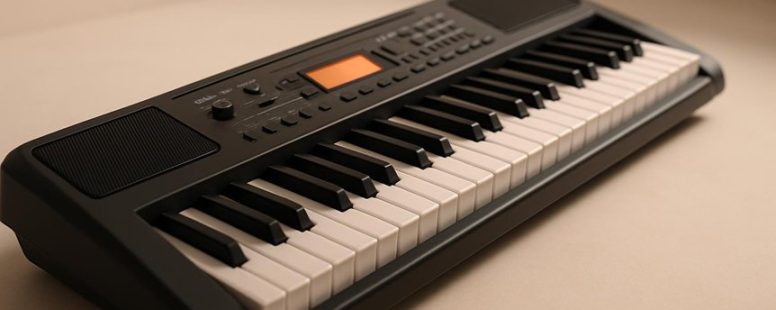
A beginner keyboard should have a few key features to help you learn and enjoy playing. First, it’s important to understand the different types of keyboards. For example, a full-size keyboard with weighted keys feels similar to a real piano and is good if you want to practice serious skills. Smaller keyboards, like 61-key models, are more portable and easier to carry around.
The most important specs to look for are touch sensitivity and the number of keys. Touch sensitivity means the keys respond to how hard you press, which helps you play songs with expression. Having at least 61 keys gives enough range for most beginner songs without making the keyboard too big or heavy. Some keyboards also have built-in learning features like metronomes or lesson modes that can help you practice better.
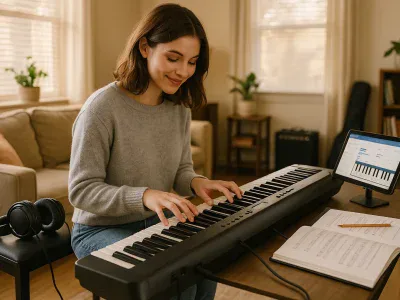
Connectivity options are also worth checking. USB or MIDI support allows you to connect your keyboard to learning apps or computers, which can boost your progress. Brands like Yamaha, Casio, and Roland offer beginner-friendly models with these features.
Keep in mind, some features can be more useful than others. For instance, built-in learning tools are helpful but not necessary if you prefer using apps or lessons outside the keyboard. Also, a cheaper keyboard might lack touch sensitivity or enough keys, which could slow down your learning.
In the end, choosing a keyboard with the right size, touch sensitivity, and connectivity will make learning more fun and less frustrating. Think about what features match your goals and budget, and don’t rush to buy the most expensive model. A good beginner keyboard should support your growth without overwhelming you.
How to Choose the Best Beginner Keyboard: What Matters Most
Choosing the best beginner keyboard means knowing what really matters. Here are the key factors to consider:
1. Sound quality
A keyboard that sounds good makes practicing more fun and keeps you motivated. Cheap keyboards often have a dull or tinny sound, while better ones like the Yamaha PSS-F30 or Casio SA-76 produce clearer tones. If the sound doesn’t inspire you, it’s harder to stick with learning.
2. Keyboard types
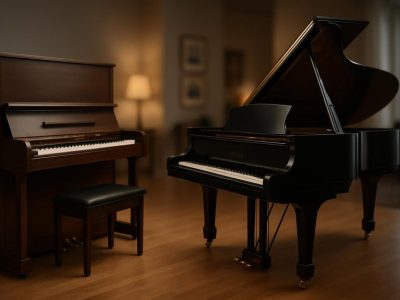
Decide whether you want a full-size, portable, or digital piano. Full-size keyboards have 88 keys like real pianos, great if you want to learn classical music. Portable keyboards are smaller and lighter, perfect for taking to lessons or trips. Digital pianos usually have weighted keys that feel more like a real piano, which helps if you’re serious about playing.
3. Key action
This means how the keys respond when pressed. Weighted keys that mimic a real piano are best for serious learners. If the keys feel plastic and light, it’s harder to develop proper finger strength. Some beginner models like the Alesis Recital have semi-weighted keys, which is a good middle ground for new players.
4. Budget
You don’t need to spend a lot to start. Entry-level keyboards can cost as little as $100, but avoid the cheapest options that sound bad or feel cheap. Look for a balance between affordability and quality. For example, the RockJam 61 offers decent sound and features at a low price but might not last years. If you can spend more, brands like Yamaha and Casio often have better durability and sound.
How Built-In Learning Tools Boost Your Beginner Keyboard Skills
Built-in learning tools are a simple way to help beginners get better at playing the keyboard. These tools include interactive lessons that make practicing more fun and less boring. For example, some keyboards from brands like Yamaha or Casio have built-in games or step-by-step guides that show you where to place your fingers.
Real-time skill tracking is another helpful feature. It shows you how well you’re playing right now and keeps a record of your progress. This helps beginners see if they are improving and what areas need more practice. For instance, if you miss notes often, the tool can point that out so you can focus on those parts.
Some people think these tools make practice easier and more motivating. But others warn that relying only on built-in tools might limit your learning. You still need to practice with a teacher or use external resources to get better faster. Also, some tools may not be very detailed or may not cover advanced skills.
To get the most from these tools, start with small lessons each day. Follow the steps, watch your progress, and keep practicing. These features can turn learning the keyboard from a frustrating task into a clear and even fun experience. Have you tried any built-in learning tools before? Did they help you stay motivated?
Interactive Lesson Features
Interactive features in beginner keyboards help you learn faster and easier. Instead of just listening to lessons, built-in tools like tutorials and games make practicing more fun and effective. Here’s why they matter:
They break big songs into small steps, so you don’t get overwhelmed.
They give quick feedback, helping you fix mistakes right away. This stops bad habits before they start.
Games and challenges turn practice into a fun activity, making you want to keep going.
Progress trackers show how much you’ve improved, which makes you feel more confident.
Some people worry that relying on these tools might limit your ability to learn on your own. It’s true that they are helpful, but don’t forget to practice without them sometimes. They are great for quick progress, but real skill comes with steady practice outside the lessons.
If you want to get better at playing keyboard, don’t ignore these built-in features. They’re designed to help you learn smarter, not harder. Just be sure to balance using them with other practice methods.
Real-Time Skill Tracking
Real-time skill tracking is a feature on beginner keyboards that shows you how you’re playing right now. It gives instant feedback, pointing out mistakes as they happen. This helps you fix errors immediately, so you don’t keep practicing the same problem. Having quick responses like this makes practicing more fun and keeps you motivated. It also helps you avoid bad habits that can be hard to break later.
Progress tracking is another useful tool. It saves how much you’ve improved over time and shows you where you’ve gotten better and what still needs work. Seeing your progress in a simple chart or list can push you to practice smarter. For example, if you notice you’re improving in playing scales but still struggle with chords, you can focus more on chords next time.
Some people worry that relying too much on these tools might make you lazy or dependent. But if used right, they can make practice more efficient. Still, they are not a magic fix. You still need consistent effort and patience to get better.
5 Budget-Friendly Beginner Keyboards That Sound Great
Choosing a budget-friendly beginner keyboard that sounds good can be simple if you know what to look for. The best options are keyboards that provide decent sound quality, are easy to use, and can grow with your skills. For example, brands like Yamaha, Casio, and Alesis offer models that fit these needs.
Some key features to consider are the number of keys, built-in sounds, and helpful features like lesson modes or recording options. For example, the Yamaha PSS-F30 is small and easy to use, perfect for beginners. Casio’s SA-76 offers a lot of sounds for its price, making it a good choice for experimenting. Think about what sound quality and features matter most to you—some cheaper keyboards might not have the best sound or feel, but they can still help you learn.
It’s good to know that these keyboards are not just short-term tools. Many models, like the Alesis Harmony 61, have features that help you improve and try new styles as you get better. However, some budget keyboards might lack touch sensitivity or have limited sounds, which can be a problem if you want to develop more advanced skills.
Affordable Quality Sound
Affordable Quality Sound for Beginner Keyboards
A good-sounding keyboard doesn’t need to cost a lot. If you want a beginner keyboard that sounds great without spending too much, here’s what to look for:
First, choose keyboards with high-quality sampled sounds. These are recordings of real instruments, which sound more natural than synthesized tones. For example, Yamaha and Casio often make keyboards with good samples. Cheap keyboards might have fake or robotic sounds, so check reviews or try the sounds yourself if you can.
Second, pick models that offer multiple instrument voices. This means you can switch from piano to strings or drums easily. It’s fun and helps you learn different music styles. Some keyboards, like the Alesis Harmony series, have a variety of voices built-in.
Third, see if the keyboard has built-in speakers. Good speakers make clear and balanced sound, so you can hear yourself clearly while playing. If you plan to practice alone, built-in speakers are a must. But if you want better sound, you might want to connect to external speakers later.
Finally, consider keyboards with touch-sensitive keys. These keys respond to how hard you press, giving you more control over volume and expression. This feature is common in more expensive models but some budget options like the Casio CTK series have it too.
Some people warn that cheaper keyboards may have lower sound quality or fewer features. But many affordable models deliver impressive tones that can inspire you to practice more. Just remember, if you want professional sound, you might need to spend more or upgrade later.
Beginner-Friendly Features
Sound quality is important, but beginner-friendly features are what really help you practice better and faster. The most important feature is key sensitivity. This means how well the keyboard responds when you press the keys. A keyboard that reacts to your touch makes playing feel natural. It also helps you learn proper finger techniques.
Many beginner keyboards, like the Yamaha PSS-F30 or Casio SA-76, include helpful features such as built-in lessons, a metronome to keep time, and a headphone jack. These tools help you practice without distractions and give you quick feedback. For example, when you use headphones, you can focus more on your playing instead of bothering others.
Some people worry that extra features make keyboards more expensive or complicated. But if you pick a model that balances sound quality with easy-to-use features, you will find it easier to stay motivated and improve. Just remember, cheaper keyboards might not respond as well to touch, and some features may be limited.
In short, choosing a beginner keyboard with good sound and helpful features can give you a strong start. It might not be the fanciest, but it will make learning more fun and less frustrating. Do you really need all the bells and whistles right away, or just a simple tool that helps you play better? Think about what matters most for your practice.
Versatile Keyboard Options
A beginner digital piano should fit your budget without losing quality or options. Here’s what to look for when choosing one:
Sound quality is key. Good, clear sounds make practicing more fun and help you stay motivated. Fake or tinny tones can make learning feel dull. Brands like Yamaha and Casio are known for their authentic sounds, but always try before you buy.
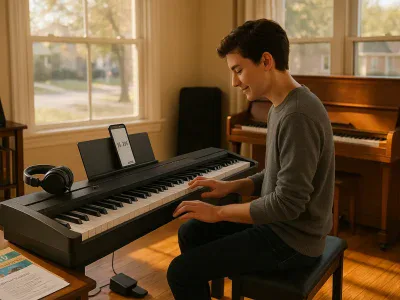
Connectivity options matter. Being able to connect via USB or Bluetooth lets you use music apps or online lessons easily. This can make learning more interactive. Some models even let you connect to your phone or tablet for extra features.
An ergonomic design is important. A comfortable keyboard and easy-to-reach controls help you play longer without hurting your hands or back. Check if the keys feel natural and if the stand is adjustable.
Look for versatile keyboard types. Weighted or semi-weighted keys mimic real piano feel. They help you build finger strength and good technique. If you only plan to practice casually, semi-weighted keys might be enough. For serious learners, weighted keys are better but often cost more.
Some folks might say “just pick the cheapest” or “all keyboards are the same,” but that’s not true. A good beginner keyboard can make a big difference in your progress. Be cautious of models that sound cheap or have limited features. Always read reviews and, if possible, test the keyboard yourself.
Best Weighted and Semi-Weighted Beginner Keyboards
Weighted and semi-weighted keyboards are common choices for beginners. Here’s what you need to know to pick the right one for you.
A weighted keyboard feels like a real piano. It has heavy keys that push back when you press them. This helps build finger strength and makes practicing more like playing an acoustic piano. If you want to learn piano properly or plan to play serious music, a weighted keyboard is the best choice. Brands like Yamaha and Casio make good weighted models for beginners.
Semi-weighted keyboards feel lighter but still give some feedback when you press the keys. They are easier to play if you want to switch between different sounds or styles. These keys are good for people who want versatility and don’t want the heavy feel of a real piano. They are also usually cheaper and lighter, making them easier to carry around.
Some people might think that weighted keys are too heavy or tiring for beginner fingers. That’s a fair point. But if you want to get used to real piano playing, they are worth the effort. On the other hand, semi-weighted keys are more forgiving and better for quick, fun playing.
In short, if piano technique is your goal, go for a weighted keyboard. If you want a flexible instrument you can play easily and learn different sounds, a semi-weighted keyboard is a good pick. Both types have their pros and cons, so think about what suits your style best.
Portable and Compact Beginner Keyboards for Playing on the Go
A portable keyboard is a small, easy-to-carry instrument that lets you practice music anywhere. It is useful for beginners who want to play on the go. These keyboards are light, small, and often run on batteries, making them perfect for travel.
Here are some important features to look for in a portable beginner keyboard:
Small size that easily fits in a bag or backpack. For example, brands like Yamaha PSS-F30 or Casio SA-76 are compact enough to carry around.
Built tough enough to handle being moved around. Some models have sturdy plastic or rubber edges to prevent damage.
Long battery life so you can play for hours without needing to find an outlet. Many models use AA batteries or rechargeable packs.
Easy to connect to headphones or speakers. This helps you practice quietly or share your music with friends.
Some people prefer lightweight keyboards that slide into their bag easily. Others want longer battery life for extended practice sessions. Keep in mind that some cheap models might not last long or might have low sound quality.
If you are thinking about buying one, read reviews to find out how durable and portable each model really is. Also, check how long the batteries last and if it has good sound options. Remember, a small keyboard can be a great tool for beginners, but it might not have all the features of a full-sized piano.
Are you ready to find a lightweight, portable keyboard that fits your needs? It can make practicing fun and flexible, whether you’re on a trip or just practicing in your room.
Caring for Your Beginner Keyboard: Maintenance Tips to Know
Taking good care of your beginner keyboard is important if you want it to last longer and play better. The first step is to clean it regularly. Dust and crumbs can make keys stick or cause problems with sound. To clean, wipe the keys gently with a soft, damp cloth once a week. Every month, use compressed air to blow out dust from hard-to-reach places.
It’s also smart to keep your keyboard safe from extreme temperatures and spills. If you spill juice or water on it, turn off the keyboard right away and dry it. Exposure to heat or moisture can damage the electronics inside.
Some people say it’s enough just to keep it clean, but others believe that checking for loose keys or worn-out parts every few months helps. If you notice a key sticking or making noise, it might need fixing.
To provide the best experiences, we use technologies like cookies to store and/or access device information. Consenting to these technologies will allow us to process data such as browsing behaviour or unique IDs on this site. Not consenting or withdrawing consent, may adversely affect certain features and functions.
Functional
Always active
The technical storage or access is strictly necessary for the legitimate purpose of enabling the use of a specific service explicitly requested by the subscriber or user, or for the sole purpose of carrying out the transmission of a communication over an electronic communications network.
Preferences
The technical storage or access is necessary for the legitimate purpose of storing preferences that are not requested by the subscriber or user.
Statistics
The technical storage or access that is used exclusively for statistical purposes.The technical storage or access that is used exclusively for anonymous statistical purposes. Without a subpoena, voluntary compliance on the part of your Internet Service Provider, or additional records from a third party, information stored or retrieved for this purpose alone cannot usually be used to identify you.
Marketing
The technical storage or access is required to create user profiles to send advertising, or to track the user on a website or across several websites for similar marketing purposes.