Best Alternatives to Fl Studio
Thinking about breaking free from FL Studio’s familiar rhythm? Imagine discovering a toolkit that not only matches your creative beat but also whispers secrets of deeper soundscapes.
When I ventured beyond FL Studio, LMMS caught my eye with its friendly interface, like a welcoming handshake for beginners.
But as I delved deeper, I found alternatives packed with power and versatility—hidden gems that can transform your music making into a journey of discovery.
Surprisingly, some options even offer free versions that rival professional setups, opening doors you never knew existed.
Let’s explore these standouts and see which one could turn your musical dreams into reality.
How to Choose an FL Studio Alternative
Choosing an FL Studio alternative can be tricky with so many options out there. The key is to know what makes software good for you.
First, focus on how quickly you can work. You want a program that loads fast and doesn’t have confusing menus. If it takes forever to find tools, you’ll waste time instead of making music. For example, Ableton Live is popular because it’s simple to start with and helps you stay creative without getting stuck.
Second, consider how much you can experiment. Good software should have enough tools and features to try new ideas. Some programs like Logic Pro offer many plugins and effects, which can be great for creative freedom. But, if a program feels cluttered or hard to understand, it might slow you down when you want to be inspired.
Another thing to think about is plugin compatibility. Will your favorite VST plugins work with the new software? If not, you might lose some of your tools. Also, check if you can customize the interface or shortcuts. This helps your workflow stay smooth.
Some people prefer free or cheaper options like Tracktion or Cakewalk because they save money. Others want high-end features and are willing to pay more. Both are okay, but you need to pick based on what fits your style and budget.
Remember, the best choice is the one that helps you make music faster and gives you space to be creative. Test a few programs, see which one feels right, and don’t settle just because it’s popular. Your perfect fit might be something unexpected.
Just be careful — some claims about ease of use or features can be exaggerated. Always try a demo first. And keep in mind, no software is perfect. Sometimes you might need to compromise or learn new workflows.
Best Free FL Studio Alternatives
Free FL Studio Alternatives: What You Need to Know
If you want good music-making software without paying, there are some free options that can do the job. These free digital audio workstations (DAWs) are open source or free to download and use. They can be a great choice if you are just starting or want to save money.
Some popular free options include LMMS, Ardour, and Cakewalk. These programs are similar to FL Studio in features like recording, editing, and mixing music. But they each have their own strengths and weaknesses.
For example, LMMS is easy to learn and has a lot of built-in sounds and plugins. It works well for beginners who want to make beats or electronic music. Ardour is more professional and good for recording live instruments or complex projects. Cakewalk by BandLab is powerful and offers many features that match paid DAWs.
However, keep in mind that free programs might not have all the features of FL Studio. Some can be tricky to set up or less stable. Also, they may not have as many plugins or sound packs. So if you need very advanced tools, paid options might still be better.
Top Free DAWs
Free digital audio workstations or DAWs are software tools that help you make music without spending any money. If you want something that can compete with FL Studio, here are some good options.
First, Cakewalk by BandLab is a strong choice. It has professional features and is easy to use. Many users say it feels like a paid program but is free. It’s great if you want high-quality music tools without paying.
Second, Tracktion Waveform Free offers a sleek look and unlimited tracks for audio and MIDI. This means you can layer many sounds at once. It is good for complex projects but might be a little tricky for beginners.
Third, GarageBand is only for Mac users. It gives solid features for free and is simple enough for beginners. If you own an Apple computer, GarageBand might be the easiest way to start making music.
When you compare these options, think about what you need. Do you want many tracks? Easy-to-use tools? Or professional features? Each DAW has its strengths and weaknesses. For example, Cakewalk is powerful but might be overwhelming for new users. GarageBand is simple but less advanced for big projects.
These free DAWs show you don’t need to buy expensive software to create good music. They are great for beginners and budget-conscious creators. Just remember, free software might have limits. Sometimes, paid programs offer more features or better support. So, pick the one that fits your goals best.
Open Source Options
Open source DAWs are free music-making programs that you can change and improve. Unlike paid options, open source software is built by a community of users who share their work. This means you can customize the program to match how you make music. You can even help develop it if you want.
Popular open source DAWs like Ardour and LMMS give you powerful tools without costing anything. They also have active communities where you can ask questions or get help. For example, if you get stuck while learning how to use LMMS, other users will likely share tips online.
Some people might wonder if open source tools are good enough as alternatives to paid programs like FL Studio. The truth is, they are flexible and can work just as well for many users. But, they may not have all the extra features or easy-to-use interfaces that paid programs offer. So, if you’re a beginner, you might need more patience or help from the community.
On the other hand, open source DAWs give you full control over your music software. You can see how it works inside and even change things if you want. This transparency is rare in paid software where you just accept what they give you. Plus, open source programs can grow with you because you can add new features or fix problems yourself.
Still, open source software isn’t perfect. It might lack some advanced features or plugins that paid DAWs have. Also, because it depends on a community of volunteers, updates might be slow or inconsistent.
In the end, open source DAWs are a good choice if you want a free, customizable tool and don’t mind some extra effort. They’re worth trying out if you want more control over your music-making process. Just remember, they might not be as polished or easy to use as paid options. Still, many musicians find they can do just as much with open source tools—sometimes more, because they can tinker and improve them.
Affordable FL Studio Alternatives
Affordable FL Studio Alternatives
If you want a music production software that costs less but still works well, there are good options out there. These budget-friendly DAWs (digital audio workstations) give you the tools you need without costing a lot. They often include features like multi-track recording, MIDI support, and built-in effects, which are usually only found in expensive programs.
Many of these options also offer free versions or payment plans, so you can try them out before buying. This helps you see if the software fits your needs without wasting money. Choosing a cheaper DAW doesn’t mean sacrificing quality. If you are serious about making music but don’t want to spend too much, trying these affordable alternatives can be a smart move. They can help you start creating music today without breaking the bank.
Beginner-Friendly FL Studio Alternatives
If you want to start making music but find FL Studio too complicated, there are some good beginner options. These programs are simple to use and can help you learn quickly.
GarageBand is a great choice for beginners. It is made by Apple and works on Mac computers and iOS devices. GarageBand has an easy-to-understand layout, and you can just drag and drop sounds to make music. This makes it easy to focus on being creative instead of figuring out technical stuff. For example, if you want to make a beat or a simple song, GarageBand can help you do it fast.
Ableton Live Intro is another simple option. It is known for its clear design and useful tools that help you learn music making. It is perfect for beginners who want to try out different sounds and ideas. Some people say it has a short learning curve, so you can start making music without wasting time. But keep in mind, Ableton Live Intro has fewer features than the full version, so if you want to grow, you might need to upgrade later.
Cakewalk by BandLab is a free program for Windows users. It has a clean look and many features that can help you learn and improve. It is a good choice if you want a free, easy-to-use DAW that can grow with you. Some beginners might find it a little overwhelming at first, but there are plenty of tutorials online to help.
All these options – GarageBand, Ableton Live Intro, and Cakewalk – are good for people just starting out. They are simple enough to learn quickly but still powerful enough to grow with your skills. Keep in mind, no program is perfect. GarageBand is only for Apple users, Ableton has limited features in its intro version, and Cakewalk works only on Windows. So, choose what fits your device and your style best. Starting with one of these can make learning music a fun and less frustrating experience.
Pro DAWS With Advanced Features
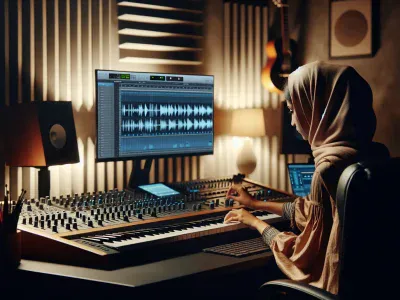
A pro-level digital audio workstation (DAW) is a software that helps musicians and producers create music with high-quality tools. Unlike basic programs, these advanced DAWs have features that make music making faster and easier. For example, they can handle complex song arrangements and work well with many plugins. This means you can shape sounds precisely and try out new ideas without limits.
Some popular advanced DAWs include Ableton Live, Logic Pro X, and Cubase. These platforms allow you to automate effects, mix tracks professionally, and master your music with high standards. They are designed to help you work more efficiently and creatively. If you want your music to sound polished, investing in a DAW with these features is a good choice.
However, not everyone needs all the bells and whistles. Some beginners might find these DAWs overwhelming and expensive. If you are just starting out, a simpler program might be better. But if you’re serious about making music and want more control over your sound, advanced DAWs are worth the effort.
In simple terms, a good DAW is like having a professional studio right on your computer. It gives you the tools to craft your ideas into finished tracks. Just remember, more features mean a steeper learning curve. Be sure to choose a DAW that matches your skill level and goals.
Best DAWs for Beatmaking & Looping
The best DAWs for beatmaking and looping are those that have clear features to help you create music easily. First, look for a DAW that has strong tempo mapping and beat visualization. This makes building grooves simple and accurate. For example, Ableton Live and FL Studio are popular because they show your beat patterns clearly and let you change tempos smoothly.
Next, choose a DAW that comes with genre-specific tools. For beatmakers, having built-in drum machines, synth plugins, and sample packs can really speed up your work. Programs like Reason or Maschine from Native Instruments are great because they have lots of ready-to-use sounds and loops.
Sound design is easier when you can tweak audio effects in real time. Think about using a DAW like Logic Pro or Cubase that lets you adjust effects while listening. This helps you find the perfect sound faster. But, keep in mind that some DAWs are more complex and might take longer to learn if you’re just starting out.
If you like working with others, pick a DAW that supports collaboration easily. For example, Studio One and Ableton Live have features that let people share projects and work together online. That way, you can make music with friends or collaborators without too much hassle.
In the end, a good DAW for beatmaking and looping should be powerful enough to handle your style and simple enough to make your workflow smooth. Some options are more beginner-friendly, while others are better for advanced users. It’s worth trying a few to see which one feels right for you. Remember, the best DAW is the one that helps you focus on making beats, not fighting the software.
Cross-Platform FL Studio Alternatives
Cross-platform DAWs like Ableton Live, Reaper, and Bitwig Studio are good options if you want music software that works on different computers. Unlike FL Studio, which mainly runs on Windows, these programs can run on Windows, macOS, and even Linux. This means you can switch between devices without losing your work or having to learn new software all over again.
Some people think that using cross-platform DAWs helps keep your workflow smooth. For example, if you start a song on a Windows PC at home and want to finish it on a Mac at school, these DAWs make it easy to move your projects around. They also have features that are similar to FL Studio, so you won’t miss out on tools you need.
But there are some things to watch out for. Not all cross-platform DAWs are perfect for every user. For example, Ableton Live is popular but can be expensive. Reaper is cheaper but may have a steeper learning curve. Plus, some features you love in FL Studio might not be in these alternatives. So, it’s good to check if the software has exactly what you need before switching.
If you want to keep working without being tied to one system, trying a cross-platform DAW could be a smart move. It helps you stay creative no matter what computer you’re using. Just make sure to do some research and find the one that fits your style best.
Choosing the Right FL Studio Alternative for You
Choosing the right FL Studio alternative means finding a program that matches what you need. The first thing to check is how each option helps you work faster and easier. Does it make your music creation smoother or make you work harder? Look for simple interfaces and features you can change to fit how you make music. If you like working with friends or other artists, pick a platform that makes sharing files and ideas simple. Also, think about your money, what kind of computer you have, and the style of music you make. Trying free demos can help you see which one feels best and sparks your creativity. The best alternative is the one that works with your style, helps you make music faster, and makes sharing ideas easier without adding extra hassle.

- Pme Competitors - October 10, 2026
- Best Lv Cologne - October 10, 2026
- Top VCUG Alternatives in Medical Imaging - October 10, 2026
by Ellie B, Site Owner / Publisher