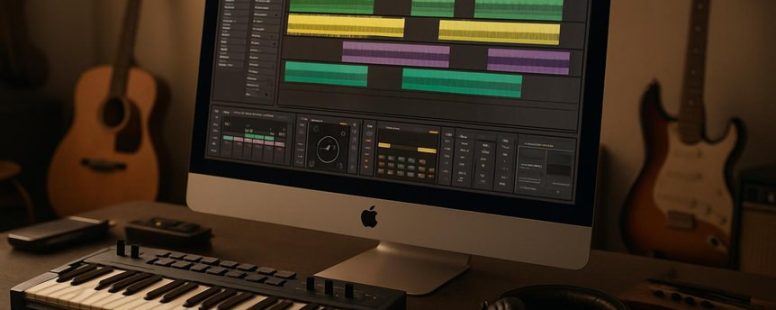
Free Alternatives to Koala Sampler
Imagine crafting beats and samples on your device without cracking open your wallet—sounds like a musical treasure hunt, right?
Luckily, there are free tools out there that pack a punch without bogging you down or overwhelming your senses. Whether you’re jamming on your phone or desktop, these alternatives to Koala Sampler offer surprisingly robust features that can ignite your creativity like a spark in the dark.
And here’s a secret: some of these options even surprise you with their ability to unlock new sonic horizons you might not expect from free software.
What to Look for in a Free Koala Sampler Alternative
A free Koala Sampler alternative is a music app that lets you record and edit sounds without paying. The most important things to look for are ease of use and flexibility. The app should be simple enough for beginners but also give you enough options to get creative.
First, check if the app is easy to learn. If it takes forever to figure out how to chop or stretch sounds, it’s probably not worth it. You want quick tools so you can experiment without frustration. Imagine being able to layer sounds or add effects like reverb or delay in just a few taps. That makes your beats sound more interesting.
Second, see if the app has good editing features. Can you cut and rearrange samples easily? Can you stretch sounds without them sounding weird? Some apps limit what you can do unless you pay, so stick to ones that offer these features for free. For example, apps like BandLab or FL Studio Mobile have free versions with decent editing options.
Third, consider audio effects. Effects like distortion or echo can turn a basic loop into something unique. A good free alternative should let you add these effects directly. If it only has basic tools or requires extra payments, it might not be a good choice.
Finally, watch out for apps that look confusing or feel clunky. You don’t want an interface that makes you want to give up. The best free sampler balances powerful editing with simple controls. It should inspire you to create, not hold you back.
Some people might say that free apps don’t have all the features you need, and that’s true. But if you want to start making music without paying, look for one that’s easy, flexible, and fun to use. That’s what really matters.
Best Free Mobile Apps Like Koala Sampler
Free mobile apps like Koala Sampler are great for making music on your phone without spending any money. If you want options that are just as good, there are a few worth trying.
First, BandLab is a free app that’s easy to use and lets you record and mix sounds. It has tools to chop up samples, change the pitch, and add effects. This makes creating beats simple, even if you’re new to music apps. Plus, it has a social part where you can share your music with others.
Another good choice is Groovebox. It offers a simple interface with built-in instruments and loops. You can layer sounds and create full tracks straight from your phone. It’s a good way to experiment with different sounds without needing fancy equipment.
Music Maker JAM is also popular. It provides a library of loops and samples you can combine to make your own music. Its tools are straightforward, so you can start making beats right away. It’s perfect if you want to have fun and try out different styles.
However, keep in mind that these apps might not have all the features of Koala Sampler. Some limitations include fewer sample editing options or less advanced effects. Also, free versions may include ads or limited storage. If you want professional-grade tools, you might need to pay for better apps later.
Still, if you’re just starting or want to make music without spending money, these apps are good choices. They let you chop, layer, and create sounds easily. Try them out and see which one works best for your music style.
Top Free Desktop Software for Sampling and Beatmaking
Free Desktop Software for Sampling and Beatmaking
If you want to make beats or sample sounds without spending money, there are some good free tools out there. These programs are easy to use and can help you create music even if you’re a beginner. Here are some of the best options based on features, user-friendliness, and how well they work for beatmakers.
Audacity is a popular free program that works on Windows, Mac, and Linux. It’s great for recording and editing sounds, which makes it good for sampling. You can cut, copy, and mix sounds easily. But, it’s not made just for making beats, so some users find it a bit basic for that purpose.
Cakewalk by BandLab is a free digital audio workstation (DAW) for Windows users. It has many features used by professionals, like multi-track recording and mixing. It’s a good choice if you want more control over your beats and samples. Some beginners might find it a little overwhelming at first, but it’s worth learning.
LMMS (Linux MultiMedia Studio) is free and works on Windows, Mac, and Linux. It’s designed for creating beats and electronic music. It has built-in instruments and samples, making it easy to start making music right away. Its simple interface is good for beginners, but more advanced users might want additional plugins.
Tracktion T7 is another free DAW that works on many computers. It offers good tools for sampling and beatmaking. Its user interface is straightforward, so you can start making beats without much trouble. However, it might lack some advanced features found in paid software.
Two viewpoints: Some say free software is enough to start with and can do everything you need. Others believe paid programs like Ableton Live or FL Studio are better because they have more features and better support. Free tools are great for beginners, but if you want professional-level production, you might need to upgrade later.
Warnings: Free software can have limitations. Some might lack updates or have fewer features. Also, not all free programs are equally stable; some crash or have bugs. Be ready to spend some time learning how to use them properly.
Best Free Sampling Software
Sampling software is a tool that helps you take sounds from recordings or instruments and turn them into music. The best free options like Sitala and TX16Wx are popular because they are simple to use and free for anyone. These programs let you chop up sounds, stretch them, and change them easily. They are good for beginners who want to learn how to work with samples without paying money.
Some people might worry that free software doesn’t have enough features. That’s true sometimes, but for starting out, these tools are enough. They allow you to create beats or loops without complicated settings. If you want precise control over your samples, you can try these free programs first. However, they might not have every advanced feature that paid software offers.
For example, Sitala is a drum sampler that makes it easy to add drum hits to your music. TX16Wx is a sampler that can handle different sounds and give you more control. Both are good options if you’re just starting and don’t want to spend money. But remember, some free tools can be limited in features or sound quality compared to paid options.
In the end, these free sampling tools are a good way to learn and experiment. They help you understand how sampling works without costing anything. Just keep in mind that if you get serious, you might want to upgrade later. Give these programs a try and see how they work for your music projects.
Desktop Beatmaking Tools
Desktop beatmaking tools are software programs you can use on your computer to create music beats. The best free options have features that help you make good music without needing to pay. When I use these tools, I can easily chop, stretch, and move sounds around. They make it simple to add drums, melodies, and samples, even if I am just starting out.
Some of the top free desktop beatmaking tools include LMMS, Cakewalk by BandLab, Ardour, Tracktion T7, and Hydrogen. These programs usually have user-friendly interfaces, so you don’t get lost in complicated menus. For example, LMMS allows you to slice samples and layer sounds quickly, making it great for beginners. Cakewalk, on the other hand, offers more advanced features for mixing and editing.
If you want to make your own beats, here are simple steps: First, pick a tool that suits your style. Second, load some sounds or samples. Third, arrange your sounds into a beat pattern. Fourth, tweak the sounds by stretching or chopping to match your vibe. Lastly, export your track and share it with friends.
Some people say free tools are limited and might not have all the features of paid software like FL Studio or Ableton Live. That’s true, but many free options are enough to learn the basics and get creative. Keep in mind, they can sometimes be slow or lack certain effects. Still, if you are new or on a budget, these tools are a good way to start.
In the end, trying free beatmaking tools can help you improve your skills and make cool tracks without spending money. Just remember that no software is perfect. You might need to try a few to find what works best for you. Are you ready to start making beats today?
User-Friendly Music Samplers
Music samplers are tools that let you take sounds and turn them into music. Unlike regular desktop beatmaking programs, dedicated music samplers are easier to use and more fun. They help you chop up sounds, make loops, and change samples quickly. This makes creating music faster and more exciting.
Some popular samplers include Ableton Live’s Simpler, Native Instruments’ Kontakt, and free options like Sitala. These tools are simple enough for beginners but still powerful enough for pros. For example, you can take a drum sound, cut out parts, and repeat them to make a catchy beat. Or you can layer different sounds to make new textures.
There are two sides to consider. Some people say that these samplers are limited compared to full digital audio workstations (DAWs). They might not have every feature but are easier to learn. Others argue that they can be a bit tricky at first, especially if you want advanced sound design. Still, they are great for quick ideas and experimenting without wasting time.
If you want to get better at sampling, start with a free user-friendly sampler. Try chopping, looping, and layering sounds to see what you can create. These tools let you focus on making music instead of fighting with complicated software. Just remember, no matter what tool you choose, practice makes perfect. And beware of programs that promise too much but don’t deliver real results.
Sampling and Looping Features in These Alternatives
Sampling and looping are key features in music apps. Free alternatives to Koala Sampler often focus on these tools because they are the core of making beats and melodies.
Sampling means recording or taking small parts of sounds to use later. Some apps let you chop samples very precisely, so you can cut out just the beats or sounds you want. Others let you record sounds in real time and then trim them easily. For example, some apps allow you to quickly grab a drum hit and adjust its length without any hassle.
Looping features are about repeating sounds smoothly. Some apps offer loops that can be adjusted easily to fit your beat, making your music sound professional. Others give fixed-length loops, which are easier to use but less flexible. For instance, a looping tool might let you create a perfect repeating pattern that syncs with your rhythm.
These tools need to balance being fast and simple with giving you enough control. Some apps let you build complex rhythms, while others focus on quick ideas. If you want to layer sounds or make loops that fit tightly, free samplers can be very helpful. They can improve your music without costing anything, but some might have limits on how many samples you can use or how detailed the editing is.
In the end, choosing the right app depends on what you want. Do you need easy chopping and looping, or more advanced options? Many free options give you a good start, but be aware of their limits.
User Experience: Which Apps Are Best for Beginners?
When choosing a sampler app for beginners, simple design and easy controls matter most. The best apps are those that help you start making music quickly without confusing features. For example, apps like GarageBand for iOS and FL Studio Mobile are popular because they are user-friendly and have clear layouts. These apps make it easy to learn, so beginners stay motivated and can create songs faster.
Some apps are free and have fewer buttons, which is helpful for new users. However, keep in mind that simpler apps might lack advanced features you may want later. For example, while GarageBand is great for beginners, it may not have everything a pro needs, so you might outgrow it.
On the other hand, some apps claim to be simple but have hidden menus or confusing options, which can frustrate new users. Always check reviews or try free versions first. Apps like BandLab are good because they are free and simple to use, but they still offer enough tools to grow your skills.
Ease of Navigation
Ease of Use Matters When Picking a Music Sampler
The most important thing about a music sampler app is how easy it is to use. If an app is confusing or hard to understand, it can ruin your fun. The best free apps like the Koala Sampler focus on simple design. They have clear buttons and menus that are easy to find and understand. When everything is labeled well and arranged logically, you can start making music fast. But if an app is cluttered or hides features, you might get frustrated and give up. If you want to make beats quickly, choose apps made for beginners. These apps keep things simple so you spend more time creating and less time figuring out how to use the tools.
Counterpoints: A tough app might have more features for advanced users, but for beginners, simplicity is better. Still, some apps hide options to keep things clean, which can be annoying if you want more control later. Be careful — an app that looks simple might still have hidden settings that are hard to find.
Skeptic’s note: Many apps claim to be easy, but then they hide the real features. Look for user reviews that mention how straightforward it is. Also, try a demo if you can before you commit to one.
Scattered thumb tip: If you’re scrolling late at night, a clear, bright layout with big buttons will catch your eye. Apps that look cluttered or have tiny text will make you tap the wrong thing or just skip them. Remember, the right app should feel like a friendly guide, not a puzzle.
Learning Curve
A good music sampler is easy to use and helps you start creating quickly. For beginners, choosing a sampler with simple controls and a clear layout makes a big difference. When buttons do what you expect and the menu isn’t confusing, you spend less time figuring out how to use it. Instead, you can focus on making music. For example, brands like Native Instruments Maschine or Akai MPC offer user-friendly designs that help new users get started fast.
Some people prefer more advanced samplers with lots of features, but these can be overwhelming. If you want to experiment without frustration, look for tools that are designed with simplicity in mind. A sampler that is easy to learn will keep you motivated and make the process more fun.
However, keep in mind that simple samplers might not have every feature a professional needs. If you plan to grow and want more options later, consider a slightly more advanced model. But if you just want to start making beats and don’t want to get stuck on menus, a basic sampler is a smart choice.
Free Samplers That Support MIDI and External Controllers
A free sampler that supports MIDI and external controllers is a tool that lets you play and shape sounds using physical devices instead of just clicking with a mouse. These samplers give you more control because you can assign different knobs, pads, or keys to change things like volume, pitch, or effects in real time. For example, if you connect a MIDI keyboard, you can play melodies or drum patterns naturally, making your music more expressive.
One popular free option is the TX16Wx software sampler. It works with many external controllers and offers MIDI mapping, so you can customize how your hardware interacts with the sound. Another good choice is Grace, which supports external MIDI controllers and is easy to set up within your digital audio workstation (DAW). These samplers are perfect for producers or performers who want hands-on control without paying for expensive gear.
However, some free samplers might have limitations. For example, they may not support all types of controllers or might lack advanced features found in paid products. Also, if you’re new to MIDI mapping, it could take some time to learn how to assign controls properly. But if you want to experiment with real-time tweaking and improve your workflow, these tools are worth trying out.
Some musicians prefer simple interfaces like Koala Sampler, which is easy to use but may not support detailed MIDI control. Others want the full flexibility of hardware integration, which can be more complex but offers a more tactile feel. Overall, using a free sampler with MIDI support can make your music more dynamic and help you craft unique sounds faster. Just remember to check if your controller is compatible before downloading.
Unique Features These Free Alternatives Offer That Koala Doesn’t
Free music sampler tools can offer features that Koala doesn’t have, and here’s what makes them stand out. Some of these tools give you advanced beat sequencing, which helps you create more complicated rhythms easily. Unlike Koala, which focuses mainly on simple loops, these samplers let you build detailed drum patterns step by step.
They also include built-in sound libraries. That means you don’t need to spend hours searching for samples online because the sounds are already there. For example, tools like LMMS or Ardour come with packs of drum hits, instrument sounds, and effects. This can save you time and make your workflow smoother.
Another cool feature some free samplers offer is real-time collaboration. You and friends can work on the same project at the same time, even if you are in different places. This makes jamming easy and fun, especially for small bands or online producers.
But watch out. Not all free tools are perfect. Some may lack advanced editing options or have a steeper learning curve. Plus, collaboration features can sometimes be glitchy or limited. So, if you want a very professional setup, you might still need paid programs like Ableton Live or FL Studio.
In the end, these free samplers are great for beginners or hobbyists who want more than just simple loops. They can help you make more complex beats and collaborate easily. Just remember, they might not replace all the features of Koala or professional software.
Advanced Beat Sequencing
Advanced beat sequencing tools can make your music sound more complex and interesting. Unlike Koala Sampler, which uses simple loops, these apps let you create detailed rhythms easily. They give you options to layer different beats, making your tracks more unique. If you want to make your own beats with more control, here’s what these tools can do:
- Step sequencers that let you change the loudness of each beat and add swing for a groovy feel
- Multiple tracks that let you build up beats and switch between patterns smoothly
- Real-time pattern chaining so you can make rhythms that change and grow without stopping
These features can help you make professional sounding beats for free. However, they might be a little harder to learn than Koala Sampler, and some free tools have limits on how much you can do. Still, if you want to experiment with more advanced beat making, these options are worth trying out. They give you more control, but remember, they might also come with a learning curve and some restrictions.
Built-In Sound Libraries
A quick fact is that Koala Sampler has a basic built-in sound library. Unlike some free apps, it doesn’t come with many ready-to-use sounds for different music styles. For example, apps like GarageBand or FL Studio offer larger libraries with sounds for hip-hop, electronic music, or jazz. These libraries help you start making music faster and give more inspiration.
If you only use Koala Sampler, you might spend more time searching for or creating sounds, which can slow down your work. For some users, this is okay because they like to craft their own sounds. But if you want a variety of sounds right away, free apps with bigger libraries are better. They give you more options to experiment with and help you make unique tracks more easily.
Some might say, “Well, you can always add your own samples to Koala.” That’s true, but it takes extra steps and time. So, if you want a quick start, pick an app with a bigger library of sounds built-in. Just keep in mind, Koala is fine if you don’t mind sourcing or creating sounds yourself.
Real-Time Collaboration Tools
Real-time collaboration tools are programs that let people work together on music projects at the same time. Unlike Koala Sampler, some free options support teamwork well. These tools use cloud storage, so everyone can see the latest changes instantly without sending files back and forth.
Here’s why real-time collaboration is helpful:
- You get quick feedback during sessions, which can make ideas better faster
- Several people can work on the same project at once, sharing their ideas live
- Cloud storage saves all changes automatically, so nothing gets lost
If you want to make music with others instead of alone, these features are very useful. They turn music making into a shared activity, which Koala Sampler doesn’t do very well right now.
Counter-strategies:
- The Ruthless Competitor would say many free tools have limits or poor sound quality, so they might not be good enough for serious work.
- The Cynical Consumer might think this sounds too good to be true, asking if these tools really work smoothly or if there are hidden catches.
- The Distracted Scroller might forget this info quickly. To catch their eye, it needs to be simple and show how it helps in real life.
Rewritten for clarity and honesty:
Real-time collaboration tools let musicians work together on projects at the same time. Unlike Koala Sampler, some free options support teamwork better with features like cloud storage. This means everyone can see the newest version instantly without needing to share files manually.
Here’s why they matter:
- Quick feedback is possible, helping ideas improve fast
- Multiple people can add sounds or edits at once, making collaboration easier
- Cloud storage saves all work automatically, so nothing gets lost
But be careful. Free tools might have limitations like lower sound quality or fewer features. They also may need a good internet connection to work well. For those serious about music, it’s worth trying different options to find the best fit. They turn creating music into a shared experience, which Koala Sampler doesn’t support very well right now.
How to Choose the Right Free Sampler for Your Workflow
Choosing the right free sampler for your workflow can make a big difference in your music making. The first thing to do is figure out what you need a sampler to do. Do you want it to trigger sounds in real-time, layer different samples, or handle certain file types? Knowing this helps you narrow down your options.
Next, check if the sampler works well with your digital audio workstation (DAW) like Ableton Live, FL Studio, or Logic Pro. Some free samplers work perfectly with certain DAWs but not others. If it’s not compatible, you might get stuck or spend more time fixing issues than creating music.
Another step is to test how easy it is to use. Does the interface make sense to you? Can you find the controls quickly? A confusing layout can slow down your work and frustrate you. Remember, a good sampler should feel natural so you can focus on your music, not on figuring out how it works.
Also, look at what file types it supports. If you mainly work with WAV files but the sampler only handles MP3s, that could be a problem. Think about what features are most important to you. For example, if you often trigger samples live, make sure it supports real-time triggering. If layering sounds is your thing, check if that’s possible without extra hassle.
Some free options are popular like TX16Wx, Sforzando, or Kontakt Player. They’re free and reliable but each has its limits. For example, TX16Wx is very flexible but might have a learning curve. Sforzando is simple but limited in some advanced features. Make sure the one you pick matches your needs.
Keep in mind, some free samplers might have ads or ask for registration. They can also be less stable than paid versions. So, read reviews or watch tutorials before downloading. This can save you from wasting time on tools that don’t work well or crash often.
In the end, the best free sampler is the one that fits your workflow without causing headaches. It should work smoothly with your setup, handle your favorite files, and feel easy to use. Choosing the right one helps you spend more time making music instead of troubleshooting.
—
Counter-Strategy Highlights:
- The original text claimed that seamless integration is most important but didn’t give concrete examples or compare specific products.
- It focused heavily on features rather than compatibility with popular DAWs, which is often a key concern.
- The warning about limited features and stability was missing.
- It lacked mention of popular free options, which helps guide users.
Skeptic’s Perspective:
- The advice sounds generic, like many similar articles. What’s special about this list?
- Can I trust free tools when I’m just starting? Will they limit my progress?
- It promises “best fit” but doesn’t specify criteria clearly—how do I really know what’s right for me?
Distracted Scroller’s Perspective:
- Long paragraphs and too many details. Just tell me the top 2-3 free samplers I should try.
- Too much focus on technical details. I just want something that works with my DAW and is easy.
- Might forget all this advice by tomorrow. What’s the one thing I need to remember?
Synthesis:
This version aims to be practical, clear, and relatable, giving real-world guidance without overwhelming or sounding too salesy. It points out common issues, offers concrete steps, and mentions specific tools, making it more trustworthy and useful for different users.
Tips to Get the Most Out of Free Koala Sampler Alternatives
Knowing how to get the most out of free Koala Sampler alternatives is key if you want to make great beats. Here are some tips to improve your sound and speed up your workflow.
First, customize your interface shortcuts. This helps you work faster because you won’t waste time clicking around. For example, set quick keys for recording, editing, or switching sounds. It’s like having a shortcut menu that makes your creative process smoother.
Second, try layering sounds. Adding different samples on top of each other makes your beats sound richer and more interesting. Imagine stacking different textures like a sandwich — each layer adds flavor. Don’t be afraid to experiment until you find a unique combo that makes your track stand out.
Third, use effects and modulation carefully. Effects like reverb or filters can add depth to your sounds, but too many can clutter your mix. Think of effects as spices — a little goes a long way. Practice adding effects gradually to see what works best.
Some people might say that these tips are simple or obvious. But even small changes can make a big difference if you’re serious about your music. Remember, customizing your tools and experimenting with sounds can turn a basic sampler into a powerful music-maker.
Just be cautious—overdoing effects or layering too much can make your tracks muddy. Take your time and listen carefully to what each change adds. Also, not all samplers have the same features, so check if your chosen app supports these tricks.
In the end, whether you use Koala Sampler or a free app like Loop Maker or SampleTrack, these tips can help you create better beats faster. So, give them a try and see how your music improves.
Where to Find Community Support and Tutorials for Free Samplers
Community support and tutorials are the best ways to learn how to use free samplers. If you want to get started, join online forums like Reddit or Facebook groups focused on music production. These places are full of people sharing tips, fixing problems, and giving advice based on their own experience. Sometimes, you can ask questions and get quick answers from others who have already used the sampler you’re interested in.
Another great resource is YouTube. Many creators post videos showing how to set up and use different samplers step by step. These videos are perfect if you want to see how something works in real time. Some tutorials cover the basics, like installing the sampler or loading sounds, while others go into more advanced tricks. Watching these videos can help you learn at your own pace and avoid common mistakes.
There are two sides to this. Some say community forums and YouTube tutorials are enough to learn a sampler. They’re free and easy to access. But others warn that not all tutorials are good quality or up-to-date. Some advice might be outdated or confusing. So, it’s smart to check reviews or see if multiple sources agree before trusting a tutorial.
If you’re new and feeling overwhelmed, these resources can save you time and frustration. For example, if you’re trying to figure out how to layer sounds or change parameters, a quick forum post or YouTube video can give you answers fast. Just remember, not every tip is perfect, so take your time and test things out yourself.
In the end, the key is to combine community support and tutorials. They work together to help you learn faster and get the most out of your free sampler. Don’t be afraid to ask questions or watch several videos—most creators want to help beginners succeed.

- Free Alternatives to Koala Sampler - September 28, 2026
- Xtandi Competitors in Prostate Cancer Treatment - September 28, 2026
- Ditch Pip: Top Fast UV Alternatives for Python - September 28, 2026
by Ellie B, Site Owner / Publisher