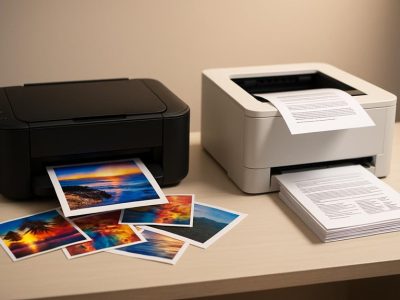
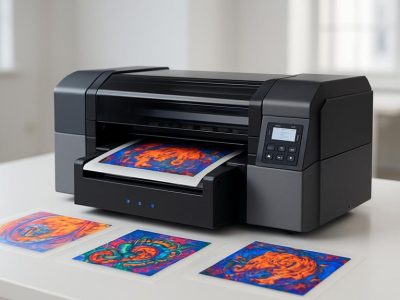
Picture crisp documents sliding smoothly from your printer, colors bursting with vibrancy or text sharp and clear enough to impress. Choosing between Epson and HP isn’t just about picking a brand—it’s about finding the perfect partner for your printing needs. Each offers unique strengths that can transform your home office or creative projects in unexpected ways.
You might wonder which one delivers better quality, reliability, or value. What if the answer depends on how you use your printer or the kind of printing you do? Immerse to discover the surprising benefits and hidden features that set Epson and HP apart, helping you make a confident choice tailored just for you.
Epson vs HP Printers: An Overview
Choosing between Epson and HP printers requires understanding their core strengths and how they fit different needs. You’ll find each brand offers distinct advantages shaped by reputation, market presence, and product variety.
Brand Reputation and Market Presence
Epson’s reputation hinges on precision and innovation, especially in inkjet technology. It commands respect in creative fields like photography and graphic design due its high-resolution capabilities and reliable color accuracy. For example, Epson’s SureColor series consistently receives praise for producing vibrant prints that professionals trust. HP, conversely, dominates office environments with a reputation for versatile, user-friendly printers that excel in speed and network integration. Businesses often choose HP for its robust customer service and ease of use across wireless and cloud platforms. Both brands have millions of satisfied users worldwide, demonstrating their influence and reliability, though what works for your creative studio might not perfectly fit your home office.
Product Range and Printer Types
Epson leads with specialized options geared towards artists and photographers, featuring models like the EcoTank series, which revolutionizes cost efficiency with refillable ink tanks. These models cut down on ink expenses drastically, a crucial factor if you print in volume. HP offers a broader spectrum, from compact home printers to large multifunction devices designed to handle scanning, copying, and faxing alongside printing. This versatility lets you tailor your purchasing to precise needs, such as choosing a laser printer for crisp text documents or an all-in-one solution that balances multiple tasks. Whether you lean toward Epson’s expert inkjets or HP’s multifunction versatility, your choice depends on how your printing demands align with their technology—considering factors like print volume, color fidelity, and total cost of ownership.
Brand
Strengths
Ideal For
Notable Models
Unique Features
Epson
Precision color, ink efficiency
Photographers, artists
SureColor, EcoTank
Refillable ink tanks, high DPI
HP
Speed, versatility, connectivity
Office, home multitaskers
OfficeJet, LaserJet
Multifunction devices, wireless/cloud ready
By weighing Epson’s commitment to color quality against HP’s operational flexibility, you’ll discover which aligns better with your printing habits. Think about your daily volume, print type, and whether you prioritize vibrant imagery or straightforward document production—your perfect printer fits inside these priorities, not outside them.
Key Factors to Consider When Choosing a Printer
Choosing a printer involves balancing print quality, cost, speed, and durability. Each factor impacts your printing experience differently, guiding you toward the best Epson or HP model for your needs.
Print Quality and Performance
Print quality defines how finely details appear and how vibrant colors turn out. Epson excels in this area, especially with its PrecisionCore technology that delivers sharp images and rich color gradients. Photographers and designers often rely on Epson SureColor series to capture subtle tones and highlight contrasts, making prints almost lifelike. HP offers solid performance too, focusing on versatile output suitable for both text and images. HP’s PageWide technology produces consistent results across various paper types. If your work demands photo-grade output, Epson might satisfy your standards better. But if you print mixed documents daily, HP’s balanced performance keeps your workflow smooth.
Ink and Toner Costs
Ink and toner expenses quickly add up, making cost-efficiency a key concern. Epson’s EcoTank series revolutionizes this aspect by using refillable ink tanks, drastically reducing per-page costs compared to traditional cartridges. Users report up to 90% savings on ink over the printer’s lifetime. Meanwhile, HP’s LaserJet toner cartridges last longer yet carry a higher upfront price. While toner’s longevity benefits high-volume printing, inkjet cartridges may suit occasional users even though regular replacements. Analyze how many pages you print monthly and factor in ink costs per page; doing so helps avoid surprises on your budget.
Speed and Efficiency
Speed influences your daily productivity, especially in office settings where time is money. HP printers typically claim faster print speeds, averaging 20–30 pages per minute with crisp first-page-out times. Their multifunction devices also integrate photocopying, scanning, and faxing seamlessly, boosting office workflow. Epson competes with respectable speeds but emphasizes precise color printing, which may slow outputs slightly. For heavy document printing, HP’s pace minimizes wait times; for quality-sensitive tasks, Epson trades speed for higher fidelity. Match printer speed with your workload to optimize efficiency.
Durability and Build Quality
Durability ensures your printer withstands frequent use without frequent breakdowns. HP lasers usually feature robust construction rated for thousands of pages monthly, ideal for busy office environments. Epson’s build quality varies by model—EcoTank printers are designed for endurance and cost savings but might lack ruggedness for industrial use. User reviews suggest HP devices sustain performance under heavy loads, while Epson units excel in controlled, creative settings. Evaluate your usage patterns and prefer models with proven reliability to maintain uninterrupted printing.
Factor
Epson Strengths
HP Strengths
Example Models
Print Quality
PrecisionCore inkjet, rich color range
PageWide tech, versatile print types
Epson SureColor, EcoTank; HP OfficeJet
Ink/Toner Costs
EcoTank refillable tanks, low per-page cost
Long-lasting toner, cost-effective at volume
Epson EcoTank; HP LaserJet
Speed/Efficiency
High-fidelity prints, moderate speeds
Fast print speeds, multifunction integration
Epson SureColor; HP OfficeJet
Durability/Build
Durable in creative contexts, cost-efficient
Robust for heavy office usage
Epson EcoTank; HP LaserJet
These factors shape how well a printer meets your unique demands. You control the choice by weighing each aspects according to your printing habits and priorities. The decision between Epson and HP eventually hinges on what counts most—whether it’s vibrant prints, running costs, speed, or lasting reliability.
Comparing Epson and HP Printers
Choosing between Epson and HP printers means looking beyond just brand names. Each delivers distinct strengths tailored to different needs, making this decision about your specific printing habits. Here’s a detailed comparison to help clarify what each brand offers.
Print Quality Comparison
Epson’s print quality often stands out because of its PrecisionCore technology. This technology produces sharper images and richer colors, especially noticeable in photo and art prints. It excels at capturing fine details and subtle color gradients, making it perfect if you want gallery-worthy photos. In contrast, HP printers use PageWide technology, which balances quality with speed. While it may not rival Epson in photographic depth, it produces consistently crisp text and graphics suitable for office documents and casual images. If your printing demands balance between vibrant visuals and text clarity, knowing this will direct your choice.
Cost of Ownership Analysis
Ink costs can surprise many. Epson’s EcoTank series revolutionizes this by replacing cartridges with refillable tanks, lowering your per-page cost dramatically. Picture printing thousands of pages without replacing ink often — that’s practical for heavy users. Yet, if high-volume text printing is your priority, HP’s LaserJet printers come with longer-lasting toner cartridges. Even though upfront costs tend to be higher, the toner yields more pages before needing replacement. It’s worth considering your monthly printing volume and type—color or black and white—to see which model stretches your budget better without frequent interruptions.
User Experience and Ease of Use
In terms of user experience, HP tends to be slightly ahead. Its multifunction devices often boast intuitive touchscreens, wireless connectivity, and mobile app integration that ease printing from smartphones or tablets. Setting up HP printers typically happens quickly, with guided steps that reduce guessing. Epson printers, while offering sophisticated features, might challenge first-time users with more intricate setup or maintenance procedures. Still, both brands have earned praise for durability and reliable operation. Ask yourself if convenience is king for your daily tasks or if you prefer investing time upfront for superior print outputs.
Available Features and Technology features, HP focuses on versatility. Multifunction models combine printing, scanning, copying, and faxing in one device, ideal for office environments managing diverse workloads. Many HP printers also support duplex (double-sided) printing, enhancing efficiency and conserving paper. Epson emphasizes specialized tech for artistic and photo printing, including advanced color calibration and wide-format capabilities. Some Epson models cater directly to creatives wanting museum-grade prints. Considering your usage context—business routine or creative project—identifying these features aligns your printer choice with actual needs.
Aspect
Epson
HP
Print Technology
PrecisionCore inkjet, EcoTank refillable tanks
PageWide inkjet, LaserJet toner
Print Quality
High photo and art detail
Balanced text and graphics
Ink/Toner Cost
Low per-page cost with refillable tanks
Higher upfront cost but longer-lasting toner
Speed
Moderate, prioritizes quality
Faster print speeds suitable for offices
Setup & User Interface
Slightly complex, tailored for creatives
Intuitive touchscreen, mobile integration
Features
Color calibration, wide-format options
Multifunction (print/scan/copy/fax), duplex
This breakdown shows that picking Epson or HP deeply connects to your print volume, quality demands, and workflow. You value vivid color depth, Epson may deliver; prefer quick office tasks, HP could suit better. Understanding these trade-offs empowers smart, cost-effective decisions.
Picture printing your next family photo album or crucial project documents with confidence about quality and cost. Don’t hesitate to examine specific models closely before buying; it’s these details that transform simple printing into an efficient, satisfying experience.
Which Printer Suits Different Needs?
Choosing between Epson and HP depends largely on your specific printing needs. Each brand targets different users, balancing quality, cost, and functionality in unique ways.
Home Use and Casual Printing
For everyday home use, Epson EcoTank printers stand out due to their refillable ink tanks that drastically lower per-page printing costs, especially when you print occasionally but want high-quality output. If you mostly print documents, recipes, or family photos, Epson’s models keep ink expenses minimal, avoiding costly cartridge replacements. Conversely, HP’s DeskJet series offers quick, straightforward setup with reliable wireless connectivity, ideal if you prioritize hassle-free printing over ultra-low ink costs. HP’s devices also tend to feature user-friendly touchscreens and mobile app controls, making printing from your phone or tablet effortless. So, if you want convenience with decent image quality, HP fits well; but if you want to save money long term, Epson EcoTank could be favorable.
Small Business and Office Use
Small businesses usually demand speed and multifunction capability, areas where HP shines bright. HP’s LaserJet and OfficeJet Pro models deliver fast print speeds—up to 40 pages per minute on some LaserJets—critical for busy offices needing quick outputs without compromising quality. Their multifunction options combine scanning, copying, and faxing, reducing device clutter and improving workflow. Epson offers its workforce series targeting office use with reliable precision and EcoTank efficiency, but they are generally slower than HP. Businesses printing high volumes might find HP’s toner cartridges more cost-effective over time even though higher upfront costs. So, if your office requires speed, multifunction features, and durability, HP might edge out Epson; yet Epson’s ink-saving tech appeals to those aiming to cut operational costs.
Photo Printing and Creative Work
If your focus lies in photo printing or creative projects, Epson dominates with specialized inkjet tech. Epson’s SureColor series employs advanced PrecisionCore print heads and pigment-based inks to produce vibrant, long-lasting prints suitable for professional artists and photographers. Those who value color accuracy and fine detail find Epson an unmatched choice. HP offers decent photo printing, especially with its Envy Photo line, which includes features like borderless printing and wireless connectivity. But, its color depth and archival quality typically trail Epson’s photographic output. For creative users who print posters, artwork, or photo albums regularly, investing in Epson assures superior artistic results. Would you rather sacrifice speed for vivid colors and archival quality? Then Epson’s photo printers fulfill that niche remarkably.
User Category
Recommended Brand
Key Features
Example Models
Cost Considerations
Home Use
Epson / HP
EcoTank cost efficiency, HP mobile ease
Epson EcoTank ET-2760, HP DeskJet 3755
Lower ink costs (Epson), ease of use (HP)
Small Business
HP / Epson
High-speed, multifunction, durability
HP LaserJet Pro M404, Epson Workforce WF-3720
Toner longevity (HP), ink saving (Epson)
Photo & Creative
Epson
PrecisionCore, pigment inks, color depth
Epson SureColor P700
Superior print quality, ink costs higher
Deciding between Epson and HP centers on your priorities as well as your willingness to balance upfront costs against ongoing expenses and output quality. Considering your specific use scenario and print volume shapes the smartest choice. Which printer aligns closely with your daily demands and creative ambitions?
Conclusion
Choosing between Epson and HP comes down to what fits your printing needs best. If you prioritize exceptional print quality and cost-effective ink solutions, Epson is a strong contender. On the other hand, if speed, multifunction features, and ease of use are your top priorities, HP might be the better match.
Your decision should reflect how you plan to use your printer—whether for creative projects, everyday home printing, or high-volume office work. By focusing on what matters most to you, you’ll find a printer that offers the right balance of performance, efficiency, and reliability.
To provide the best experiences, we use technologies like cookies to store and/or access device information. Consenting to these technologies will allow us to process data such as browsing behaviour or unique IDs on this site. Not consenting or withdrawing consent, may adversely affect certain features and functions.
Functional
Always active
The technical storage or access is strictly necessary for the legitimate purpose of enabling the use of a specific service explicitly requested by the subscriber or user, or for the sole purpose of carrying out the transmission of a communication over an electronic communications network.
Preferences
The technical storage or access is necessary for the legitimate purpose of storing preferences that are not requested by the subscriber or user.
Statistics
The technical storage or access that is used exclusively for statistical purposes.The technical storage or access that is used exclusively for anonymous statistical purposes. Without a subpoena, voluntary compliance on the part of your Internet Service Provider, or additional records from a third party, information stored or retrieved for this purpose alone cannot usually be used to identify you.
Marketing
The technical storage or access is required to create user profiles to send advertising, or to track the user on a website or across several websites for similar marketing purposes.