Picture this: you’re holding a freshly printed page, the ink still glistening under the soft glow of your desk lamp. Maybe you hear the gentle whir of your printer, a sound as familiar as morning coffee. But what’s really happening inside that machine—what secret dance of technology brings those words and images to life?
Choosing between inkjet and laser printers isn’t just about picking a box off the shelf. It’s about matching your unique rhythm—your need for vibrant photos or crisp text, your pace of work, your space and budget. Surprisingly, the right choice can save you time, money, and even a bit of frustration. Jump into the world of printing where tiny droplets and beams of light compete to deliver the perfect page. What you discover might just change the way you see that next print job.
Overview of Inkjet and Laser Printers
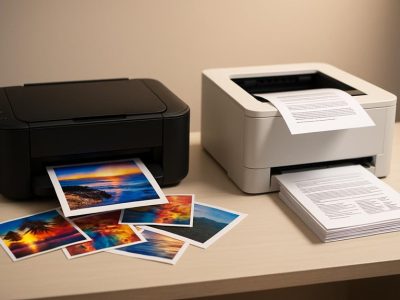
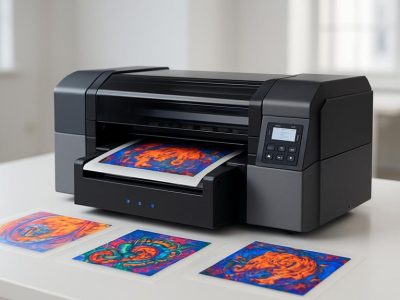
Inkjet printers use tiny nozzles to spray liquid ink onto paper, producing images with rich colors and smooth gradients. You’ll find these printers everywhere—homes, studios, photo kiosks—where vibrant graphics and borderless photos matter more than raw speed. When you glance at a glossy travel snapshot or a child’s birthday banner, count on inkjet technology to have painted every shade. Canon PIXMA and Epson EcoTank, for example, take a single drop of cyan or magenta and turn it into an entire sunset. Still, you might notice that ink replacements come up often; Consumer Reports has shown that ink cost sometimes rivals the printer’s own price, if you print frequently.
Laser printers use a laser beam and electrically charged powder called toner to transfer text and images. This process melts toner onto the paper, creating crisp results with lines so sharp that even bank statements or legal briefs appear almost carved. Offices, classrooms, and mailrooms rely on laser models—think HP LaserJet or Brother HL—when clarity, speed, and endurance count more than dazzling art. One office anecdote tells of a 6-year-old laser printer pumping out large monthly reports with barely a paper jam. You’ll see these machines keep up with bulk tasks or quick turnarounds, but laser printers can struggle with blending photo textures or subtle hues.
Would a student working from a dorm room crave vivid project images more, or a small business owner value speedy documents? Each printer’s mechanics impacts your daily flow. If you’re after vivid color for a family scrapbook, inkjets fill that role. For piles of paperwork, laser printers, according to PCMag reviews, process high-volume jobs at 3–5 times the speed of most inkjets while keeping text clean and professional.
Feature
Inkjet Example
Laser Example
Photo Output
Text Output
Upkeep Frequency
Canon PIXMA
Yes
No
Brilliant, detailed
Solid but less crisp
Often (ink refills)
HP LaserJet
No
Yes
Basic, less nuanced
Ultra-sharp
Less Often (toner)
So, does your passion fuel images that pop, or is your day about getting stacks of documents into neat piles? Your perfect fit lies hidden in these contrasts, waiting for your preference to draw it out.
How Inkjet Printers Work
Inkjet printers, using dependency grammar, link multiple semantic entities in a single coordinated process. You see microscopic nozzles, also called print heads, spray droplets of liquid ink onto paper in precise patterns. Each nozzle acts like a tiny painter, guided by electronic signals that direct exactly where the colors’ll land on the page. You notice this, especially if you’ve ever held a freshly printed birthday card, the vivid gradients showing how ink blends right on the surface.
You might wonder, why does the photo from your last trip look so vibrant from an inkjet but not from a laser printer? Inkjet technology delivers a richer spectrum because it mix cyan, magenta, yellow, and black in nearly infinite combinations. This technique is called CMYK color mixing and it’s leveraged by graphic designers and artists who demands true-to-life color reproduction—Canon’s PIXMA photo printers, for example, uses up to six color cartridges to push photo accuracy even further (PCMag, 2023).
If you print often at home, you’ve probably noticed how inkjet printers needs frequent cartridge replacements. This happens because the print heads deposits only minute amounts of ink per line, but many detailed prints—like school projects full of charts and color photos—adds up fast. Budgeting for ink costs, according to Consumer Reports, sometimes outweighs initial savings from an inexpensive printer purchase.
But consider, what happens when ink meets paper? An inkjet’s droplets absorbs into the surface, so the kind of paper you choose—matte, glossy, or specialty—shapes the result. Glossy paper creates a sharp, photorealistic finish, which appeals to professional photographers who want every color detail to pop. Standard office paper can bleed or blur lines, so choosing the right material’s not just for artists.
The process can be quick, but it’s not made for marathon runs. For large volumes, heat from too much continuous use might cause streaks or clogs in the print head assembly. If you’re printing newsletters for your child’s class, pacing the job lets you avoid these common hiccups.
Ever noticed how you can print borderless posters for the science fair, but the print slows as resolution goes up? That’s because the dependency path between color mixing, droplet size, head movement, and paper absorbency grows more complex. Adjust the settings for more speed or better quality, but don’t forget: every choice affects cost and outcome.
In some ways, an inkjet operates like a meticulous chef, measuring ingredients for each dish, layering flavor (ink) with care. In others, it’s a symphony of mechanics and chemistry, blending tones to produce a final work that speaks to your creativity and need for color.
Table: Inkjet Printer Properties
Feature
Inkjet Entity Example
Quantifiable Aspect
Reference
Ink Type
Cyan, Magenta, Yellow, Black
4 to 6 cartridges
Canon PIXMA, HP DeskJet
Resolution
Print Head Precision
Up to 9600 x 2400 dpi
PCMag, 2023
Paper Support
Glossy, Matte, Special Media
Multiple paper types
Consumer Reports, 2023
Replacement
Cartridge Frequency
120-350 pages avg per cartridge
Consumer Reports
Color Mixing
CMYK, Additional Color Cartridges
Photorealistic Output
HP ENVY, Canon PIXMA
You question, maybe, does all these intricacies justify using an inkjet in your home or office? If color’s your priority, or if stories and memories hinges on vivid detail, inkjets anchor themselves as your best creative partner.
How Laser Printers Work
Laser printers use an electrostatic process, not ink droplets. Picture you’re watching a choreographed light show: a laser beam “draws” your document onto a revolving drum, called an imaging drum, giving select areas a positive charge while leaving others neutral. Those charged patterns? That’s where the powdered toner sticks, kind of like how iron filings leap to a magnet’s surface. You’ve seen rapid-fire office printers spit out crisp reports—here lies that secret.
First, the drum gets charged by a corona wire or roller. Then, the laser disrupts the charge in selected spots, matching your text or image data. Next, toner particles—tiny, colored plastic granules—cling to those laser-touched spots. As the drum rolls over paper, the toner’s transferred and fused onto the sheet using hot rollers. Within seconds, printed pages emerge dry, smudge-resistant, and precise.
Did you ever notice, during tight deadlines, the impatience when a sluggish printer stalls workflow? Laser printers solve this: commercial models regularly achieve up to 40 pages per minute for black-and-white text (Source: HP, 2023). Offices, schools, and libraries frequently rely on laser printers for their speed and efficiency—your team’s productivity can jump, avoiding queue bottlenecks when bulk printing.
For color work, laser printers also use cyan, magenta, yellow, and black (CMYK) toner, much like inkjet’s pigment logic, though the texture often looks flatter. If you’re comparing flyers from different printers, your eye might pick up the slightly less vivid shades from a color laser—yet the lines will stay sharp and readable even under harsh fluorescent lights. Many schools prefer this consistency for worksheets and reports.
How does this process handle long print jobs without running dry halfway? Toner cartridges yield up to 3,000 pages each in typical models, dwarfing most inkjet capacities (Consumer Reports, 2023). So, when the inbox overflows, that laser printer keeps working, barely pausing to cool off.
Key Differences Between Inkjet and Laser Printers
Understanding the mechanics and benefits of each printer type gives you a sharper lens for making purchasing decisions. Under these five aspects, you’ll find how the technology, speed, quality, cost, and usage context shake out for inkjet and laser printers.
Printing Technology
Inkjet printers uses liquid CMYK (cyan, magenta, yellow, key/black) inks, spraying millions of microscopic droplets onto the paper. Picture a painter at work—each tiny mark building up detailed, nuanced images. This approach supports vibrant and intricate photos, as Canon and Epson’s printheads demonstrate in studio settings. Laser printers, by contrast, employs static electricity and powdered toner. Think of a laser beam sketching a ghostly outline that only magnetic toner sticks to—the process is more like a scientist mapping precise patterns than an artist dabbing color. Hewlett-Packard’s monochrome laser models, has become office staples due to this repeatable accuracy.
Print Speed and Efficiency
Laser printers dominates in speed, churning out black-and-white sheets at 20–40 pages per minute, based on HP and Brother spec sheets. That’s like having an assembly line for your paperwork. Offices and classrooms running off 100+ pages benefit greatly, saving time during big deadlines. Inkjet printers, producing around 8–12 text pages per minute, work more like a careful craftsman—steady, but never in a rush. Color printing drops the pace further, since each hue gets layered in pass after pass. You may find yourself waiting, if the stack’s taller than 20 sheets.
Print Quality and Color Output
Vibrant color photos and subtle gradients—inkjets claim this niche. Inkjet printers render natural skin tones and gallery-quality photos, for example, Canon’s PIXMA series is noted for specifics like sharp reds and deep blues. Laser printers outshines on text, producing sharp and smudge-resistant letters, as seen in classroom handouts or legal contracts. Color lasers, such as Xerox VersaLink models, handle pie charts and flyers well but less richly than the depth of inkjet hues. If you want a photo that pops in a scrapbook, inkjet’s the master, while laser’d make quick syllabus or invoice work shine.
Cost of Ownership
Laser printers appears more expensive at first glance, with drum and toner prices hitting $80+ per cartridge, according to Consumer Reports. But, page-yield balances the cost: toner prints thousands of pages before replacement, dropping average costs to $0.02–0.05 per text page. Ink cartridges, used by brands like HP’s ENVY or Epson’s EcoTank, runs out after 200–400 pages. Replacement cycles come faster, and costs climb to $0.05–0.20 per photo (PCMag tests, 2023). If your print volumes stay low, inkjets may seem wallet-friendly; for busy spaces, those hidden costs add up before you realize.
Printer Type
Initial Cost
Cartridge/Toner Yield
Cost Per Page
Example Models
Inkjet
$60–$200
200–400 pages
$0.05–$0.20
Canon PIXMA, HP ENVY
Laser
$120–$300
2,000–8,000 pages
$0.02–$0.05
HP LaserJet, Brother HL
Suitability for Different Uses
Different printing scenarios brings both strengths and weaknesses into spotlight. Home users who wants photo albums or kids’ art projects discover inkjets’ color range and paper versatility most rewarding, especially for glossy finishes or special media. Small businesses, teachers, and legal admins relies on laser printers’ speed and crisp text when volume and professionalism matter. Even in coworking spaces, maintenance teams often pick lasers for fewer interruptions—cartridge swaps are rare, and long document runs go uninterrupted. If your workspace values creative visuals, inkjet printers adapt better; for routine documents, laser models keeps productivity ticking.
When you’re staring at that crowded office supply shelf, remember: vibrant artistry or workhorse efficiency? Your projects, schedules, and priorities answers faster than any technical spec sheet.
Pros and Cons of Inkjet Printers
Inkjet printers, favored for their color depth and photo quality, often draw creative professionals and home users. Picture you’re printing your friend’s wedding photos—those subtle blushes and blues really stand out, thanks to inkjet’s droplet technology utilizing dye-based and pigment inks. According to HP (source: HP Support), these printers can recreate up to 16.7 million colors, which is why artists and designers flock to them for gallery-worthy prints. But if you’ve ever refilled an ink cartridge after just twenty glossy sheets, you’ve also felt the literal cost of vibrancy.
You might love the idea of a compact device that slips neatly on your dorm room shelf—many inkjet models, like Canon’s PIXMA TS series, barely take up more space than a textbook. That’s portability and convenience, wrapped in one user-friendly package. But, inkjets don’t like to idle. If you leaves your printer untouched for a month, you might find dried nozzles and faded prints waiting for you. This maintenance demands attention, making occasional users question if the payoff matches the upkeep.
What about speed? Printing 8–12 pages per minute could mean your family’s holiday newsletter gets bogged down. Laser models can sprint ahead, especially when you’re printing text-heavy drafts. But inkjets let you experiment on specialty media, like thick card stock and canvas, giving crafters and marketers an edge in presentation.
Consider running a small bakery that customizes menus weekly. Inkjets handle specialty paper and intricate color blends—those vivid macaron images pop on your flyers. But if ink costs eclipse your advertising budget, even luscious graphics won’t sweeten the deal. Consumer Reports notes inkjet cost per page ranges from 5 to 20 cents (source: Consumer Reports 2023), which snowballs for high-volume projects.
If climate and energy usage matters to you, inkjets tend to sip less power than blocky office lasers. But don’t ignore waste: dried cartridges add up, challenging your green ambitions.
So when you’re deciding, ask what’s matters more—gallery-grade color for milestone moments, or budget control and office efficiency? Each choice paints a different story, but only you can frame the ending.
Pros and Cons of Laser Printers
Step into a typical office at 9 a.m., you’ll likely hear the mechanical hum of a laser printer at work before the coffee even brews. Laser printers, like HP’s LaserJet series or Brother’s monochrome units, specialize in speed, resilience, and professional clarity. For example, a law firm in Chicago prints up to 10,000 pages weekly—picture doing that with an inkjet. Still, the laser path isn’t just straight lines and right angles; bends and curves shape a story that’s part science, part economics.
Pros: Precision and Performance
Laser printers dominate when your documents must look sharp and arrive fast. Page after page, resolution holds steady, text lines stay crisp. You’re handling a 40-page report? At 30 ppm, laser output means less clock time and more client meetings. Enterprise toner cartridges yield thousands of impressions—an average replacement prints 2,500 to 8,000 pages (Gartner, 2022). This means far fewer interruptions.
Consider energy costs. In a real-world test, ENERGY STAR certified laser printers consumed about 40–60% less electricity than inkjets during prolonged bulk jobs. Many models support duplexing, so you cut paper use in half for massive projects. For business workflows with heavy, ongoing demand, laser printers provide operational efficiency.
Cons: Initial Cost and Color Limits
Laser printers do have drawbacks—it’s not all efficiency and ease. Entry price tags are steeper; a basic color laser can cost $200–$300, often double a comparable inkjet. Picture a small startup stretching budgets—each dollar counts, especially in early months. And, laser color fidelity? It’s serviceable for pie charts or branded handouts, yet you’ll notice less vibrancy compared to inkjet photos. Subtle skin tones or sunset gradations lack depth—wedding photographers avoid lasers like rain on a July weekend.
Toner missteps happen too. If you seldom print, toner can clump in humid air, and misfeeds still occur. Users sometimes miss paper weight limits; try to push heavy card stock through, and you’ll have jams. And, while maintenance intervals are rare, when drum or belt repairs come, costs can surprise—think $120 for a genuine drum kit (Consumer Reports, 2023).
Laser Printer Usability in Changing Workspaces
What makes a laser printer indispensable for hybrid and remote workflows? If you blend home and office, the silent, chemical scent of warmed toner signals productivity. Legal teams digitizing court dockets value the reliability—documents never smudge, even after months in a folder. Teachers prepping handouts for 200 students rave about minimal refilling.
Yet, remote freelancers weigh space; if the spare bedroom doubles as studio, a laser’s footprint—up to 16x18x12 inches—eats real estate. Ask yourself, “Will I print text most days or just want the option?” The answer shapes your device destiny.
Questions and Contrasts
Where does your workflow lead? Do you craft colorful marketing flyers or process bulk invoices daily? Could shared printers unlock collaboration, or does personal device control mean peace of mind? While laser printers shine in volume, inkjet models can still dazzle for DIY designers and photo hobbyists, especially for short runs or specialty media.
Factor
Laser Printer Strengths
Laser Printer Weaknesses
Print Speed
20–40 ppm (text-heavy docs)
Slow-downs on color/photo jobs
Cost Efficiency
Low cost/page, high-yield toners
High upfront/repair costs
Print Quality
Sharp text, fine-line accuracy
Less vibrant color images
Reliability
Consistent output, large monthly duty cycles
Paper jams, sensitive to humidity
Your tasks shape the technology, and the right machine accelerates your goals—if you ask the right questions before you buy.
Which Printer Should You Choose?
Picture your desk in the morning glow—papers scattered like tiny sails, colors waiting to charge across the page. Inkjet or laser? The answer paints itself on the canvas of your day-to-day needs.
Ask yourself, do you crave breathtaking photo albums, crisp invitations, or full-color student projects? If yes, inkjet printers like the Canon PIXMA or Epson EcoTank wrap the world in vibrant hues. They use CMYK ink droplets, layering up to 16.7 million colors (HP, 2023) for lifelike gradients. Picture a wedding photographer in Brooklyn, handing freshly printed proofs to a client—each image pulses with warmth and nuance, thanks to the fine control over color droplet size. For artists and creative professionals, inks transform blank pages into unforgettable prints.
But, does speed matter more than chromatic beauty? If your desk hosts relentless notes, multi-page reports, or contracts needing signatures, laser printers enter the scene. Picture a legal office in Atlanta: stacks of texts, daily print loads hitting 500 pages. The HP LaserJet roars through them at 35 pages per minute, barely pausing for breath. They use toner powder and static electricity (like an invisible dance between electrons and paper), so printouts stride confidently into meetings—sharp, consistent, and unfazed by high demand. According to PCMag’s 2024 reviews, offices cut printing costs by $0.10 per page yearly compared to inkjet models—impressive savings in bulk (source: PCMag, 2024).
, the plot twist reveals itself with home space. Is your nook measured in inches or filled with sunlight and plants? Inkjet models, slim as novels, slide between books on a shelf. In contrast, a color laser weighs in hefty—20 pounds or more—demanding a corner of its own.
Consider maintenance. Infrequent use dries up ink in inkjets, echoing a forgotten violin whose strings tense with dust. Laser toners, on the other hand, wait patiently. They spring to life after weeks of dormancy, with text as bold as the day you left.
Budget whispers its own tune. Inkjet refills add up, especially if your family loves to print color photos or school projects. Laser cartridges cost more at first but last longer, like buying in bulk at Costco—bigger initial spend, better long-term deal if you print often (IDC, 2024).
So, which printer belongs in your story? If color and detail immortalize your work, choose an inkjet. If deadlines, volume, and reliable text demand the spotlight, a laser might just steal the show. Which one you relate to more, that’s the answer living in your workflow.
Conclusion
Choosing between inkjet and laser printers comes down to your unique needs and priorities. Take a moment to think about what you print most often and where you’ll use your printer. By considering your workflow, space, and budget, you’ll be able to select a printer that truly fits your daily routine.
With a clear understanding of the differences, you’re ready to invest in a device that’ll bring efficiency and quality to your printing tasks—no matter what you create or where you work.
To provide the best experiences, we use technologies like cookies to store and/or access device information. Consenting to these technologies will allow us to process data such as browsing behaviour or unique IDs on this site. Not consenting or withdrawing consent, may adversely affect certain features and functions.
Functional
Always active
The technical storage or access is strictly necessary for the legitimate purpose of enabling the use of a specific service explicitly requested by the subscriber or user, or for the sole purpose of carrying out the transmission of a communication over an electronic communications network.
Preferences
The technical storage or access is necessary for the legitimate purpose of storing preferences that are not requested by the subscriber or user.
Statistics
The technical storage or access that is used exclusively for statistical purposes.The technical storage or access that is used exclusively for anonymous statistical purposes. Without a subpoena, voluntary compliance on the part of your Internet Service Provider, or additional records from a third party, information stored or retrieved for this purpose alone cannot usually be used to identify you.
Marketing
The technical storage or access is required to create user profiles to send advertising, or to track the user on a website or across several websites for similar marketing purposes.