Picture holding a sleek device that fits perfectly in your hands yet opens up a world of endless possibilities. You might wonder whether an iPad or a tablet suits your lifestyle better. Both promise convenience and power but differ in ways that could transform your daily routine.
From vibrant displays that bring colors to life to intuitive interfaces that respond like an extension of yourself, choosing the right device isn’t just about specs—it’s about how it feels in your hands and fits into your world. Ready to uncover which option truly matches your needs? Let’s jump into the surprising benefits and hidden features that set iPads and tablets apart.
Design and Build Quality
Design and build quality define how an iPad or a tablet feels in your hands and fits into your daily routine. These aspects impact usability, durability, and overall satisfaction with your device.
iPad Design Features
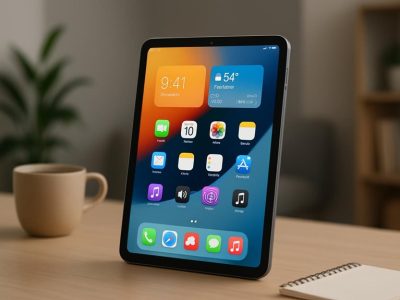
Apple crafts iPads with a focus on minimalist elegance and durability. Every iPad comes with an aluminum unibody chassis, creating a sturdy feel while maintaing lightweight portability. The smooth edges and flat back ensures a comfortable grip during extended use, whether you’re drawing, reading, or scrolling. Apple uses high-quality glass for the display with oleophobic coating that resists fingerprints, keeping your screen cleaner for longer. Real-world users often remark on how the consistent build quality across iPad generations reflects Apple’s precision engineering. For example, the iPad Pro’s slim bezels and edge-to-edge Liquid Retina display enhance immersive viewing, even in bright sunlight — a feature rare among tablets. Touch and feel go hand in hand as iPads integrate well with Apple Pencil, making artistic workflows seamless and precise on a device that feels professional yet approachable.
Tablet Variety in Design
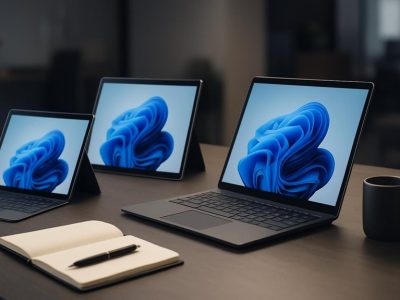
Unlike iPads, tablets come in a wide spectrum of designs, reflecting the diverse preferences and budgets from brands like Samsung, Microsoft, Amazon, and Lenovo. This variety means you’ll find tablets with plastic or metal bodies, glossy or matte finishes, and sizes ranging from 7 to 13 inches or more. Some tablets favor lightweight and budget-friendly designs with flexible plastic casings, offering portability at the expense of premium feel. Others, like the Samsung Galaxy Tab S series, adopt premium metal builds with curved edges and high-resolution AMOLED screens that rival Apple’s Retina display. The diversity caters to specific needs: a rugged tablet for fieldwork may stress durability over elegance, while a convertible or 2-in-1 tablet blends laptop and tablet design elements for productivity. But, this range can be confusing if you seek uniform quality — some tablets may use cheaper materials leading to less durability or a bulkier feel. Reviewing user feedback and professional ratings is vital since design quality varies drastically within the tablet ecosystem.
, how much does the tactile experience influence your choice? Does a sleek, seamless iPad appeal more than the customizable options of tablets? Whichever device you choose, goes beyond looks—build quality shapes how your device adapts to your lifestyle, withstands everyday wear, and supports your tasks without fail. Embrace this consideration to ensure your purchase delight you every day.
Operating System and User Experience
Choosing between an iPad or another tablet hinges largely on their operating systems and how they shape your everyday interaction with the device. The OS sets the tone for usability, app availability, customization, and even security. Let’s walk through the distinctive user experiences offered by each.
iPadOS Advantages
iPadOS gives you a seamless and uniform experience across all Apple devices. It’s tuned specially for iPads, making multitasking smooth and intuitive, whether you’re juggling Split View windows or dragging files between apps—features that usually come in handy for work and creativity. Apps tend to be optimized for iPadOS, offering full use of the hardware power and screen real estate, which means artists get detailed brushes in Procreate, and gamers enjoy fluid high-fps gameplay. Apple’s frequent updates keep it secure and packed with enhancements, but your experience thrives if you rely on Apple’s ecosystem, like using AirDrop or Handoff between an iPhone and iPad. That said, the system’s restrictions on customizing the home screen or default apps may frustrate you if you prefer a more personalized environment.
Android and Other Tablet OS Options
Android tablets, powered by Google’s versatile OS, deliver a more open playground for customization and widget placement. You can tweak launchers, swap default apps, and access file systems freely, which might appeal more if you like to tailor your device extensively. The Google Play Store, plus third-party stores, offers millions of apps, but unlike iPadOS, not all of them shine on tablets; some remain phone-centric with awkward interfaces. Brands like Samsung enhance Android with their own features—Samsung DeX, for example, switches your tablet into a desktop-like environment for productivity. Also, tablets running Windows or Chrome OS exist, blending mobile flexibility with desktop familiarity, but their performance can vary widely depending on the device.
Feature
iPadOS
Android & Others
Customization
Limited home screen tweaks
Extensive; launchers, widgets
App Optimization
High; tablet-specific apps
Variable; often phone-focused
Ecosystem Integration
Strong Apple device linkage
Broad compatibility, less seamless
Multitasking Features
Advanced; Split View, Slide Over
Present but less polished
Security Updates
Regular, timely
Varies by manufacturer
Thinking about these factors: do you value a tight ecosystem and smooth, consistent app behavior or a flexible OS that lets you bend the interface to your will? Could the promise of better multitasking or artistic apps tip the scales? Or might the chance to customize every icon and widget shake up how you use your device daily? The OS permanently shapes your interaction beyond specs, nudging you toward whichever device fits your digital habits best.
Performance and Hardware
Performance and hardware shape how smooth and efficient your device runs. Comparing iPads and tablets highlights differences in processing power, graphics capabilities, memory, and overall build that affect your daily use, from gaming to multitasking.
iPad Performance Specs
Apple’s iPads often feature cutting-edge processors like the A14 Bionic or M1 chips, designed with both performance and energy efficiency. These chips deliver fast app launches, fluid multitasking, and powerful graphics, ideal for tasks like video editing, 3D design, or gaming. Paired with up to 16GB of RAM in models like the iPad Pro, you experience minimal lag even with multiple apps open. The iPad’s optimized hardware-software integration maximizes battery life, giving you up to 10 hours of active use, according to Apple, which means you rarely need to pause your work or play. Also, Apple’s Metal graphics framework ensures crisp visuals and responsive touch input, enhancing user interaction. Real-world tests by TechRadar confirm iPads maintain consistent performance under heavy loads, unlike some tablets that throttle CPU speed to prevent overheating.
Tablet Performance Comparison
Tablet hardware varies widely since they run on multiple platforms, mainly Android and Windows. Snapdragon and MediaTek processors power many mid-range tablets, offering decent performance for streaming, casual gaming, and browsing, but can struggle with intensive apps. High-end tablets like Samsung’s Galaxy Tab S8 run on the Snapdragon 8 Gen 1 chip, competing closely with iPads in benchmarks for speed and graphics. But, Windows tablets prioritize versatility over raw speed, balancing notebook-like productivity and touch interface capabilities, which sometimes impacts performance. Android tablets usually come with 3GB to 8GB of RAM, which affects multitasking ability—more RAM typically means smoother app switching and better resource management. Battery life ranges from 8 to 12 hours, depending on brand and usage; yet, some budget tablets fall short due to less efficient hardware.
You might wonder, “Which device handles daily multitasking better?” The iPad’s hardware and iPadOS integration work harmoniously to keep apps responsive and fluid. Tablets from other manufacturers can provide flexibility but occasionally sacrifice speed for affordability or feature sets. For instance, the Samsung Galaxy Tab series supports S Pen input and DeX mode, transforming the tablet into a desktop-like experience, but this versatility impacts hardware design and battery consumption.
Device Type
Processor Examples
RAM
Battery Life
Graphics
iPad
A14 Bionic, M1
Up to 16GB
Up to 10 hours
Apple Metal
Android Tablet
Snapdragon 8 Gen 1, MediaTek
3GB – 8GB
8 – 12 hours
Varies
Windows Tablet
Intel Core i3/i5, Snapdragon
4GB – 16GB
7 – 10 hours
Integrated GPU
Consider your primary device use. Do you prioritize battery longevity and app fluidity, or value customization and varied hardware options? The hardware inside your device directly influences what you can achieve seamlessly and enjoyably. While iPads often lead in raw performance and ecosystem polish, tablets offer tailored experiences for different needs and budgets.
Would you sacrifice some performance for flexibility, or prefer a device that just works without fuss? Balancing these factors shapes the answer to which is better—an iPad or a tablet.
App Ecosystem and Software Availability
App ecosystem and software availability often make or break your experience with an iPad or a tablet. This section dives into how each device supports your daily app habits, impacting productivity, entertainment, and creativity.
Apps Optimized for iPad
Developers frequently prioritize iPad compatibility due to Apple’s controlled environment, ensuring apps run smoother and appear sharper on Retina displays. For instance, creative software like Procreate and LumaFusion deliver exceptional performance exclusively on iPads, maximizing hardware and software integration. You’ll notice multitasking capabilities like Split View feel intuitive because iPadOS tailors these functions precisely to the hardware.
While Android tablets have plenty of apps, many lack dedicated optimizations, causing UI glitches or awkward scaling on larger screens. iPads getting consistent updates and developer attention means apps not only look better but function seamlessly. If you require reliable performance for graphic design, video editing, or digital note-taking, iPads present a clear advantage.
Tablet App Compatibility
In contrast, tablets powered by Android offer wider app availability through the Google Play Store, including apps that sometimes aren’t on iOS. But, many apps designed for smartphones must be stretched or adjusted to fit tablet displays, leading to inconsistent experiences. Popular productivity apps like Microsoft Office function well, but the interface sometime feels less cohesive compared to iPad versions.
Also, Android’s openness lets manufacturers preload custom apps and services that might perfectly suit niche audiences or emerging tech enthusiasts. But this flexibility can introduce fragmentation where app quality and security vary dramatically among devices. Careful app selection on a tablet becomes crucial to avoid bugs or compatibility issues.
Both platforms cater differently: iPads offer a curated, polished app ecosystem aligned closely with hardware capabilities, while tablets promise diverse app choices with trade-offs in uniformity and optimization. Deciding between superior app refinement or broad software access hinges on priorities like creative work, gaming, or everyday multitasking.
Device Type
App Ecosystem Characteristics
Examples
Impact on User Experience
iPad
Curated, optimized, seamless integration
Procreate, LumaFusion
Smooth multitasking, enhanced graphics
Android Tablet
Broad availability, varied optimization
Microsoft Office, Kindle
Wider app access, occasional UI glitches
Choosing the right app ecosystem shapes how hard or smooth using your device feels each day. Picture having powerful creative tools that never freeze or apps with clunky interfaces disrupting flow—isn’t a seamless process preferable? Understanding these software dynamics empowers you to pick a device matching your digital lifestyle.
Price and Value for Money
Understanding the cost differences between an iPad and a tablet provides clear insight into the value each device delivers. Examining pricing tiers and budget options helps you decide which device fits your financial and functional needs.
iPad Pricing Tiers
Apple’s pricing structure for iPads spans several models designed to cater to distinct user demands. The base-level iPad (10th generation) starts at around $449, offering solid performance and essential features for everyday users. The iPad Air, at roughly $599, balances power and portability with features like the M1 chip and Liquid Retina display, ideal for creative work or multitasking. For intensive tasks, the iPad Pro costs between $799 and $1,599 depending on screen size and storage, packing M2 or M1 Pro chips for professional-grade performance.
You see, while iPads come with a premium price tag, the device longevity and strong resale value (Apple devices retain up to 70% of their original value after a year, according to BankMyCell) make them appealing for users prioritizing durability and ecosystem integration. The uniform pricing also simplifies purchase decisions if you value reliability over hunting for discounts.
Tablet Cost Range and Options
The tablet market offers a dynamic array of price points from as low as $50 for budget models to upwards of $1,000 for premium counterparts like the Samsung Galaxy Tab S9 or Microsoft Surface Pro. Brands like Amazon provide affordable tablets (Fire series around $100) that excel in media consumption but lag in performance and app optimization. Mid-range tablets, priced between $250 and $500, strike a balance with decent screens and processing power, often targeting casual users or students.
You face inconsistency in this segment, as different manufacturers and operating systems affect quality and software support. Some devices run outdated Android versions or lack timely updates, which impacts security and app compatibility. Price often reflects these trade-offs, making it crucial to assess whether a low-cost tablet meets your specific requirements or if investing more upfront aligns better with your expectations.
Device Category
Price Range (USD)
Target User
Key Features
Entry-Level iPad
$449 – $479
General users, students
Reliable OS, decent performance
Mid-Range iPad Air
$599 – $749
Creatives, multitaskers
M1 chip, high-res display
High-End iPad Pro
$799 – $1,599+
Professionals, power users
M2/M1 Pro chips, large storage options
Budget Tablets
$50 – $150
Casual use, media consumption
Basic apps, limited performance
Mid-Range Tablets
$250 – $500
Everyday users, students
Good balance of speed and display
Premium Tablets
$600 – $1,000+
Power users, creatives
Advanced features, pen support
Choosing between an iPad and a tablet often means evaluating your budget against the value each model brings. Even though iPads generally cost more, their superior hardware integration and software ecosystem can justify the expense if your activities demand higher reliability or performance. Tablets offer flexibility and choice for tighter budgets but may compel compromises in build quality or app compatibility.
So, what’s your priority—investing in a device that grows with you or selecting an affordable entry point to digital access? Your answer shapes not only your wallet’s outcome but also how effectively your device enhances your digital life.
Battery Life and Portability
Battery life and portability rank among the most critical factors when choosing between an iPad or a tablet. Your decision hinges on how long you can use the device away from a charger and how easily it fits into your daily carries.
iPad Battery Performance
iPads deliver consistent battery life, often lasting about 10 hours of mixed-use per charge, according to Apple’s official specifications. This endurance suits you for all-day productivity, heavy media consumption, or creative tasks like sketching. The efficient integration between iPadOS and Apple’s custom silicon, exemplified by the M1 or A14 Bionic chips, optimizes power consumption without sacrificing performance. For example, if you’re an artist working on Procreate or a student attending virtual classes all day, the iPad rarely leaves you scrambling for an outlet. The aluminum unibody design also contributes to light weight and durability, increasing your comfort during extended use or travel.
But, you faces trade-offs; the iPad’s battery, while robust, doesn’t exceed industry leaders in tablets by dramatic margins. Also, the inability to swap batteries means once your battery health declines over years, repairs or replacements affect your device’s life cycle and portability.
Tablet Battery Comparison
Tablets span a broad range of battery capacities and endurance. Low-cost options might provide 6-8 hours of use, which suffices for casual browsing or streaming but falls short for marathon sessions. Premium Android tablets like Samsung Galaxy Tab S8 or Microsoft Surface Pro line push the limits around 11 to 14 hours, sometimes surpassing iPad longevity depending on workload and configuration.
One key consideration involves the variability in battery life between brands and models; you must always check real-world reviews rather than rely on manufacturer claims alone. Some tablets let you swap the battery or carry spare units, enhancing portability for extended outdoor or work sessions. Others weigh significantly more, impacting your total carry weight and comfort.
Picture heading to a remote location where charging points are scarce: the tablet offering higher capacity and optional battery replacements could trump an iPad’s sleek design. But if your lifestyle prioritizes seamless integration, software stability, and moderate usage, iPads deliver effortless portability and dependable battery life.
Device Type
Typical Battery Life
Weight Range
Swappable Battery
Ideal Use Case
iPad
~10 hours
1.0 – 1.5 pounds
No
Daily use, creative work, travel
Mid-range Tablets
6 – 8 hours
Varies 0.9 – 1.7lbs
Sometimes
Casual use, budget-friendly
High-end Tablets
11 – 14 hours
1.2 – 2.0 pounds
Occasionally
Professional work, long trips
Balancing battery life and portability depends heavily on how you value uninterrupted use against device bulk and ecosystem fit. Don’t just ask which lasts longer but consider scenarios you frequently encounter: commuting, remote work, or extended creative sessions. These insights help you pick the device aligning best with your rhythm.
Conclusion
Choosing between an iPad and a tablet comes down to what fits your lifestyle and priorities best. If you value seamless performance, a polished app ecosystem, and strong device integration, an iPad might be the better match. On the other hand, if customization, a wider range of hardware options, and budget flexibility matter more, a tablet could serve you well.
Eventually, your decision should reflect how you plan to use the device daily. Consider what features enhance your productivity, creativity, and entertainment without compromise. When you focus on your unique needs, picking the right device becomes a straightforward and rewarding choice.
To provide the best experiences, we use technologies like cookies to store and/or access device information. Consenting to these technologies will allow us to process data such as browsing behaviour or unique IDs on this site. Not consenting or withdrawing consent, may adversely affect certain features and functions.
Functional
Always active
The technical storage or access is strictly necessary for the legitimate purpose of enabling the use of a specific service explicitly requested by the subscriber or user, or for the sole purpose of carrying out the transmission of a communication over an electronic communications network.
Preferences
The technical storage or access is necessary for the legitimate purpose of storing preferences that are not requested by the subscriber or user.
Statistics
The technical storage or access that is used exclusively for statistical purposes.The technical storage or access that is used exclusively for anonymous statistical purposes. Without a subpoena, voluntary compliance on the part of your Internet Service Provider, or additional records from a third party, information stored or retrieved for this purpose alone cannot usually be used to identify you.
Marketing
The technical storage or access is required to create user profiles to send advertising, or to track the user on a website or across several websites for similar marketing purposes.