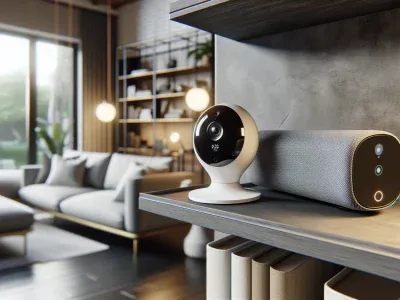
Picture walking into your home, and with just a simple voice command, the temperature adjusts to your perfect comfort level. Seamless integration between smart devices has transformed the way you interact with your living space. But pairing two major players in the smart tech world—Ecobee and Google Home—you might wonder if they truly work together as effortlessly as you’d hope.
Smart thermostats like Ecobee promise energy efficiency and convenience, while Google Home offers a hub for hands-free control of your devices. The idea of combining these two can sound like a match made in tech heaven. But does this duo deliver on its potential? Understanding how these systems connect could unlock an enhanced experience that makes managing your home’s climate smarter than ever. Let’s explore whether Ecobee and Google Home are compatible—and what that means for you.
Overview Of Ecobee And Google Home
Ecobee is a smart thermostat brand known for energy-efficient temperature management. Its devices include features like remote sensors, scheduling options, and app-based controls. These capabilities optimize your home’s comfort while reducing energy costs.
Google Home serves as a voice-activated assistant that integrates with various smart home devices. It enables hands-free control over compatible products like lights, speakers, and thermostats through spoken commands. By connecting to the Google Assistant ecosystem, it simplifies tasks and enhances automation.
Both systems focus on convenience and efficiency within smart homes. With Ecobee’s intelligent climate regulation and Google Home’s versatile command interface, they address common needs in modern living spaces. For example, using voice commands with Google Assistant lets you adjust an Ecobee thermostat without lifting a finger—ideal when multitasking or relaxing at home.
Compatibility between these platforms extends beyond basic functionality. You can create routines combining multiple actions; say “Goodnight” to lower the thermostat via Ecobee while dimming lights simultaneously through Google Home-connected bulbs. This interconnectedness highlights their potential for streamlining daily activities.
While each system operates independently, pairing them maximizes their usability in integrated environments like apartments or houses equipped with IoT (Internet of Things) technology.
Compatibility Between Ecobee And Google Home
Ecobee smart thermostats integrate seamlessly with Google Home, enabling efficient voice control for home climate management. This compatibility enhances user convenience by combining advanced thermostat features with the intuitive functionality of Google’s voice assistant.
Setting Up Ecobee With Google Home
To connect Ecobee and Google Home, link your Ecobee account to the Google Home app. Start by opening the app, selecting “Add Device,” then choosing “Works with Google.” Search for “Ecobee” in the list of compatible devices and log in using your credentials. Once linked, assign the thermostat to a room for better organization within your smart home ecosystem.
Ensure that both devices are connected to the same Wi-Fi network during setup. If any issues arise, restarting both devices or updating their firmware might resolve connectivity problems. Proper setup ensures you can use voice commands effectively.
Features Available When Integrated
Integration between Ecobee and Google Home enables various functionalities:
Voice Commands: Adjust temperature settings by saying phrases like “Hey Google, set my thermostat to 72 degrees” or “What’s the current temperature?”.
Routines: Create routines such as lowering temperatures at night while dimming lights simultaneously for energy efficiency and comfort.
Status Updates: Receive updates on indoor conditions through simple queries like “Is my home too warm?”.
Energy Reports: Access insights on energy usage through reports available via integrated apps.
Using these features optimizes daily tasks while promoting sustainable living practices.
Benefits Of Using Ecobee With Google Home
Enhanced Voice Control
Using Ecobee with Google Home simplifies temperature adjustments through voice commands. For instance, you can say, “Hey Google, set the thermostat to 72 degrees,” without reaching for your phone or standing up. This hands-free feature is particularly helpful when you’re busy cooking or relaxing on the couch.
Energy Efficiency Optimization
Combining Ecobee’s energy-saving algorithms with Google’s routines enables better energy management. You could create a routine to lower the thermostat and turn off lights simultaneously when leaving home, reducing unnecessary energy consumption.
Seamless Smart Home Integration
Integrating Ecobee with Google Home connects it with other smart devices like lights and smart plugs. For example, you might pair your Ecobee thermostat adjustment with closing smart blinds to maintain room temperature efficiently during sunny hours.
Real-Time Updates And Insights
Google Assistant provides real-time updates from your paired Ecobee device about indoor conditions like current temperature and humidity levels. These insights help you monitor and adjust settings promptly for optimal comfort.
Customizable Routines For Convenience
Ecobee’s integration lets you design tailored routines via the Google Home app that align with daily habits—for instance, setting a “Good Night” routine that lowers the temperature while dimming bedroom lights at bedtime.
Improved Multi-Zone Management
If you’ve installed multiple Ecobee thermostats in different rooms, using them with Google Home streamlines zone control by enabling centralized voice commands for specific areas of your house—like adjusting only the living room’s climate settings on demand.
Sustainability And Cost Savings
Potential Limitations And Challenges
Ecobee’s integration with Google Home offers convenience but comes with certain constraints. Understanding these challenges helps set realistic expectations.
Limited Feature Availability
Not all Ecobee features are accessible via Google Home voice commands. For instance, advanced settings like configuring comfort profiles or managing HVAC accessories may require using the Ecobee app directly. This limitation reduces the overall functionality available through voice control.
Dependence on Consistent Connectivity
Both devices rely on stable Wi-Fi to communicate effectively. If network connectivity is unstable, you might experience delays or failures in executing voice commands, impacting usability during critical moments like extreme weather conditions.
Compatibility Issues with Older Devices
Some older Ecobee models may not fully integrate with Google Home due to firmware requirements or software restrictions. Ensuring your device supports this compatibility avoids potential frustration during setup and operation.
Privacy Concerns
Voice assistants like Google Home store and process user data to improve performance. Using them alongside Ecobee raises privacy-related questions about how much data is shared between platforms and whether it’s securely managed according to user preferences.
Complex Routine Configuration
Setting up custom routines that combine multiple actions can be challenging for less tech-savvy users due to intricate configurations required within the Google Home app interface.
Regional Restrictions
Certain features may vary depending on your geographic location, as both services occasionally limit functionalities based on regional availability or regulations, potentially reducing system capabilities where you live.
Addressing these obstacles involves ensuring strong connectivity, verifying device compatibility before purchase, and reviewing privacy policies for well-informed choice-making about smart home integrations.
Tips For A Seamless Integration
Ensure Device Compatibility
Confirm that your Ecobee thermostat model supports Google Home integration. Most recent Ecobee models, like the Ecobee SmartThermostat with voice control and the Ecobee3 Lite, work well with Google Home devices.
Use a Stable Wi-Fi Connection
Keep both devices connected to the same reliable Wi-Fi network for uninterrupted communication. Unstable networks can disrupt commands and delay responses.
Update Firmware Regularly
Check for updates on both your Google Home device and Ecobee thermostat. Outdated firmware may cause connectivity problems or limit functionality.
Customize Voice Commands
Create specific names for your devices in the Google Home app to simplify voice commands. For example, name your thermostat “Living Room Thermostat” to avoid confusion when issuing instructions.
Explore Routine Automation
Set up routines in the Google Home app to automate tasks involving multiple devices. For instance, combine lowering the temperature with turning off lights when saying “Goodnight.”
Review Privacy Settings
Adjust privacy settings on both platforms to manage data sharing preferences effectively while protecting personal information.
Test Functionality After Setup
Verify integration by testing basic commands like “Hey Google, set the thermostat to 72 degrees.” Troubleshoot if commands don’t execute as intended or if there are delays in response time.
Consult Support Resources If Needed
Use official support channels from Ecobee or Google if issues persist during setup or operation, ensuring smooth integration between these systems.
Conclusion
Ecobee and Google Home offer a powerful combination for creating a smarter, more efficient living environment. By linking these devices, you can enjoy seamless voice control, energy-saving routines, and enhanced convenience tailored to your daily habits. While there are some limitations to consider, such as advanced features requiring the Ecobee app or potential setup challenges, the benefits often outweigh these minor drawbacks.
With proper setup and maintenance, this integration can transform how you manage your home’s comfort while contributing to sustainable living practices. If you’re ready to simplify your smart home experience, pairing Ecobee with Google Home is a step worth exploring.
To provide the best experiences, we use technologies like cookies to store and/or access device information. Consenting to these technologies will allow us to process data such as browsing behaviour or unique IDs on this site. Not consenting or withdrawing consent, may adversely affect certain features and functions.
Functional
Always active
The technical storage or access is strictly necessary for the legitimate purpose of enabling the use of a specific service explicitly requested by the subscriber or user, or for the sole purpose of carrying out the transmission of a communication over an electronic communications network.
Preferences
The technical storage or access is necessary for the legitimate purpose of storing preferences that are not requested by the subscriber or user.
Statistics
The technical storage or access that is used exclusively for statistical purposes.The technical storage or access that is used exclusively for anonymous statistical purposes. Without a subpoena, voluntary compliance on the part of your Internet Service Provider, or additional records from a third party, information stored or retrieved for this purpose alone cannot usually be used to identify you.
Marketing
The technical storage or access is required to create user profiles to send advertising, or to track the user on a website or across several websites for similar marketing purposes.