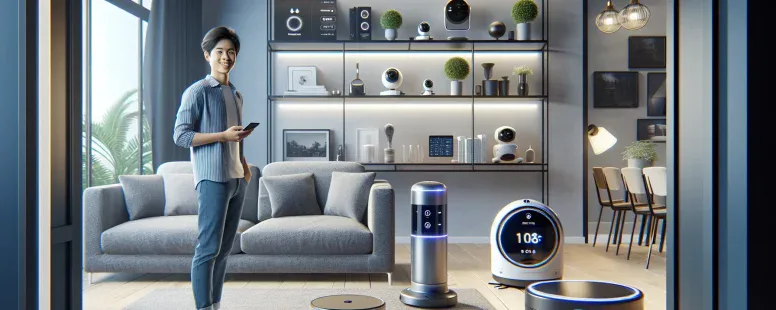
Picture controlling your home with just a few words—lights dimming, cameras activating, and doors locking seamlessly. Smart technology has transformed the way you interact with your space, making convenience the ultimate luxury. If you’re exploring smart devices like Eufy for your home, you might be wondering: does it play well with Alexa?
The idea of syncing these two powerful systems is exciting. It opens up possibilities for hands-free control and a more connected living experience. But how well do they integrate? Whether you’re new to smart tech or looking to expand your setup, understanding this compatibility can help you make smarter decisions for your home automation journey.
Overview Of Eufy And Alexa
Eufy offers a range of smart devices, including security cameras, robotic vacuums, and smart lights, designed to enhance home automation. These devices integrate seamlessly with Alexa, Amazon’s AI-powered voice assistant. By linking your Eufy account with the Alexa app, you can control compatible devices using simple voice commands.
For example, you can say, “Alexa, show me the living room camera,” to stream footage from an Eufy security camera on an Echo Show device. Similarly, ask Alexa to start or stop a Eufy RoboVac without needing manual intervention.
The integration supports routines that combine multiple actions into one command. Set a morning routine where Alexa turns on your Eufy smart bulbs and reads the day’s weather forecast simultaneously. This compatibility extends convenience and efficiency in managing your connected devices.
Ensure both apps are updated before setting up the connection since outdated versions may cause issues during pairing.
Compatibility Between Eufy And Alexa
Eufy devices integrate seamlessly with Amazon Alexa, enabling voice command functionality and smart home automation. By linking your Eufy account in the Alexa app, you can control supported devices effortlessly.
Supported Eufy Devices
Not all Eufy products are compatible with Alexa, but many popular options are. These include:
Eufy Security Cameras: Models like the eufyCam 2C and Indoor Cam 2K support live streaming through Alexa-enabled screens such as Echo Show.
RoboVac Series: RoboVac 15C Max or RoboVac G30 Edge allows start/stop cleaning commands via voice.
Smart Lights: Bulbs and light strips from Eufy’s smart lighting range integrate for on/off and brightness adjustments.
Ensure compatibility by checking product specifications before purchasing. Newer models typically offer broader integration than older versions.
Features Available With Alexa Integration
Alexa integration unlocks several features that simplify device management:
Voice Commands: Control functions like powering devices on/off or adjusting settings using simple phrases. For instance, say “Alexa, show me the front door camera” to view live footage.
Routine Automation: Group multiple actions into a single command—such as turning off lights and starting a vacuum when you say “Goodnight.”
Real-Time Notifications: Receive alerts about detected motion or completed tasks directly through your Echo devices.
Multi-Room Management: Use Alexa to manage multiple Eufy devices across different rooms without switching apps manually.
Keep both the Eufy Security app and Alexa updated to avoid technical hiccups during pairing or usage of these features.
Setting Up Eufy With Alexa
Connecting your Eufy devices to Alexa expands the functionality of your smart home. This integration allows you to control compatible devices using voice commands or within the Alexa app.
Step-By-Step Guide
Install Required Apps: Download and install both the Eufy Security app (or EufyHome app for RoboVacs) and the Amazon Alexa app from your mobile device’s app store. Ensure they’re updated to their latest versions.
Link Accounts: Open the Alexa app, navigate to “Skills & Games,” and search for “Eufy Security” or “EufyHome.” Enable the appropriate skill, then sign in with your Eufy account credentials.
Discover Devices: Once linked, tap on “Discover Devices” in the Alexa app or say, “Alexa, discover my devices.” Wait as it scans for connected Eufy products like cameras or vacuums.
Assign Device Names: Use descriptive names during setup (e.g., “Living Room Camera” or “Bedroom Light”) so that voice commands are intuitive.
Test Commands: Verify connectivity by issuing a command such as, “Alexa, show me [Device Name]” for cameras or “Alexa, turn on [Device Name]” for lights.
Create Routines: In the Alexa app under “Routines,” group actions like turning off multiple lights when you say, “Goodnight.”
Troubleshooting Common Issues
Devices Not Discoverable: Confirm that both apps are updated and ensure all involved devices are powered on and connected to Wi-Fi before running another discovery scan.
Account Linking Fails: Double-check login details used during account linking match those registered in the Eufy system.
Voice Commands Don’t Work: If commands fail repeatedly after proper setup, verify that device names set in both apps are consistent without duplicates across services.
Compatibility Problems: Check if non-responsive models support Alexa by reviewing product specifications online or through user manuals provided by Anker’s official site.
Benefits Of Using Eufy With Alexa
Combining Eufy smart devices with Alexa transforms your home automation experience by offering enhanced control, convenience, and efficiency. This integration enables seamless interaction with your devices through intuitive voice commands.
Enhanced Convenience
Integration between Eufy and Alexa simplifies managing multiple smart devices in your home. Instead of reaching for your phone or using physical controls, you can issue voice commands from any room. For example, say “Alexa, show me the front door camera” to view a live feed on an Echo Show or compatible screen device instantly.
Automation routines further enhance convenience by grouping tasks together. Create a routine like “Good Night” that turns off Eufy smart lights, arms security cameras, and adjusts other connected devices simultaneously when you give the command. Managing various actions as a single task saves time and eliminates repetitive steps.
Voice-Controlled Functionality
Voice control offers hands-free operation of compatible Eufy products via Alexa-enabled devices like Echo Dot or Echo Studio. Control RoboVac models efficiently by saying, “Alexa, ask RoboVac to start cleaning,” allowing uninterrupted focus on other activities while the vacuum operates autonomously.
Security features also benefit significantly from this functionality. Receive alerts for motion detection on your eufyCam directly through Alexa notifications or ask specific inquiries such as “Alexa, is there motion detected in the backyard?” This real-time interaction keeps you informed without requiring manual app navigation.
Limitations Of Eufy And Alexa Integration
Eufy and Alexa integration offers significant convenience, but certain limitations affect functionality. Understanding these constraints helps you make the most of your smart home setup.
Feature Restrictions
Not all Eufy devices support full Alexa functionality. For instance, some older RoboVac models lack voice-command compatibility for advanced features like spot cleaning or scheduling. Similarly, specific security cameras may not stream live feeds directly through Alexa-enabled displays.
Limited Routine Customization
While routines enhance automation, customization can be limited by device capabilities. For example, combining multiple actions involving non-compatible Eufy products within a single routine might cause errors or inconsistent execution.
Account Linking Issues
Successful integration depends on accurate account linking between Eufy’s app and the Alexa app. If login credentials mismatch or updates are pending in either app, pairing issues can arise.
Network Dependence
Both devices require stable Wi-Fi connections to function seamlessly together. Temporary network disruptions lead to delayed command responses or loss of connectivity with linked devices like cameras and lights.
Privacy Concerns
Enabling voice controls involves data sharing between platforms, raising potential privacy concerns for some users who prioritize data security over convenience in their home automation systems.
Region-Specific Features
Certain Alexa functions compatible with Eufy devices may only be available in specific regions due to software restrictions or unsupported language options for voice commands.
Conclusion
Eufy’s compatibility with Alexa provides a seamless way to enhance your smart home experience. By linking these devices, you can enjoy hands-free control, streamlined routines, and greater convenience in managing everyday tasks. Whether it’s monitoring security cameras or automating multiple actions with a single command, this integration adds significant value to your connected living setup.
Before diving in, always check device specifications for compatibility and keep your apps updated for smooth performance. With the right setup and understanding of its capabilities and limitations, combining Eufy with Alexa can transform how you interact with your home.
To provide the best experiences, we use technologies like cookies to store and/or access device information. Consenting to these technologies will allow us to process data such as browsing behaviour or unique IDs on this site. Not consenting or withdrawing consent, may adversely affect certain features and functions.
Functional
Always active
The technical storage or access is strictly necessary for the legitimate purpose of enabling the use of a specific service explicitly requested by the subscriber or user, or for the sole purpose of carrying out the transmission of a communication over an electronic communications network.
Preferences
The technical storage or access is necessary for the legitimate purpose of storing preferences that are not requested by the subscriber or user.
Statistics
The technical storage or access that is used exclusively for statistical purposes.The technical storage or access that is used exclusively for anonymous statistical purposes. Without a subpoena, voluntary compliance on the part of your Internet Service Provider, or additional records from a third party, information stored or retrieved for this purpose alone cannot usually be used to identify you.
Marketing
The technical storage or access is required to create user profiles to send advertising, or to track the user on a website or across several websites for similar marketing purposes.