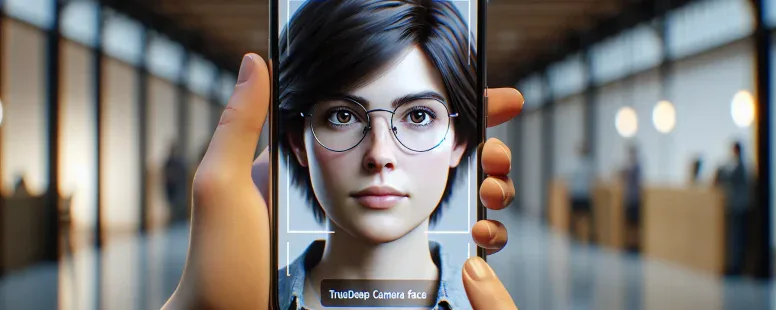
Picture unlocking your phone effortlessly with just a glance—no passwords, no fingerprints, just the unique map of your face. Face ID has revolutionized convenience and security, but how it truly works? Specifically, does it recognize you when your eyes are closed? It’s a question that sparks curiosity and raises concerns about privacy and safety.
Whether you’re half-asleep or simply testing its limits, understanding how Face ID interacts with something as subtle yet vital as eye movement can be fascinating. Could this feature leave your device vulnerable in unexpected ways? Or is there more to its design than meets the eye? Let’s explore the mechanics behind this cutting-edge technology and uncover whether closed eyes make all the difference.
Understanding Face ID Technology
Face ID uses advanced biometric authentication to identify users, offering a seamless and secure way to access devices. It’s designed to adapt and function reliably under various conditions.
How Face ID Works
Face ID relies on a TrueDepth camera system that maps your face in 3D using over 30,000 infrared dots. It creates a depth map combined with an infrared image, ensuring accurate recognition even in low-light settings. Machine learning enables it to adapt as your appearance changes over time, such as growing facial hair or wearing glasses.
The system checks specific features like the spacing between eyes and facial contours. For instance, if you’re wearing sunglasses that block infrared light, Face ID may not work unless they’re transparent enough for the technology to detect your eye region.
Security Features Of Face ID
Security is enhanced through liveness detection, which ensures the presence of a real person instead of a static image or mask. Apple implemented “Attention Awareness” requiring users’ eyes open and focused on the device for full functionality—reducing risks from unauthorized unlocking during sleep or unconsciousness.
Data processing occurs locally on the Secure Enclave chip within your device. This prevents sensitive facial data from being uploaded to external servers for additional privacy protection.
The Eye-Detection Mechanism
Face ID incorporates a sophisticated eye-detection mechanism to enhance security and usability. This system ensures that your device recognizes you only when you’re actively engaged with it.
The Role Of Eyes In Face ID
Eyes play a critical role in Face ID’s functionality. Apple’s “Attention Awareness” feature requires users to have their eyes open and directed toward the screen during authentication. By analyzing eye position, gaze direction, and blinking patterns, Face ID confirms user attention before unlocking the device or authorizing transactions. For instance, if you’re wearing sunglasses with certain infrared-blocking coatings, Face ID may not function properly because it can’t detect your eyes.
This approach bolsters security by preventing unauthorized access when someone attempts to unlock a device while the owner is asleep or unconscious. It also improves usability by reducing accidental activations, ensuring actions occur intentionally.
Does Face ID Work With Eyes Closed?
Face ID doesn’t authenticate users with closed eyes under default settings due to its reliance on “Attention Awareness.” If your eyes are shut—whether asleep or blinking for an extended moment—the system interprets this as a lack of engagement and denies access. Apple’s focus on liveness detection combines 3D facial mapping with real-time eye activity analysis to differentiate between living subjects and static images.
But, disabling “Require Attention for Face ID” in settings bypasses this restriction, allowing the technology to work even without direct eye contact. While convenient in specific scenarios like accessibility needs, this adjustment reduces overall security levels and increases vulnerability risks if others attempt unauthorized access.
Real-World Testing
Testing Face ID with closed eyes reveals its practical implications for security and usability. These scenarios highlight how the technology responds under various conditions.
Scenarios Where Eyes Are Closed
Face ID’s behavior changes based on settings and user states. When “Require Attention for Face ID” is active, the system doesn’t authenticate users whose eyes are shut. It ensures that only an alert, focused gaze can unlock the device or approve actions like payments or app access.
In real-life tests, attempts to unlock a phone while asleep or unconscious fail consistently if attention detection remains enabled. For instance, even when someone holds the device directly in front of your face while you’re sleeping, it won’t grant access due to inactive eye engagement.
But, disabling this setting alters outcomes. With “Attention Awareness” off, successful authentication occurs even with closed eyes because the mechanism bypasses gaze verification. Although convenient in some cases—such as accessibility needs—it introduces risks by making devices accessible without confirming active participation from you.
Results And Observations
Results demonstrate a clear link between Face ID’s accuracy and its reliance on eye-tracking features. Default settings prioritize security by rejecting attempts where visual interaction is absent; this prevents misuse when you’re not alert or aware of surroundings.
Observations show that bypassing attention requirements diminishes safety measures significantly. Devices unlocked with closed eyes become vulnerable to unauthorized use during periods like sleep or medical emergencies unless additional precautions (e.g., physical passcodes) are implemented alongside biometric methods.
Tests also reveal consistency across lighting conditions due to TrueDepth camera performance and infrared dot mapping capabilities. Whether in dim environments or bright daylight, Face ID maintains high recognition standards but adheres strictly to programmed safeguards when evaluating user presence through open-eye confirmation processes.
Privacy And Security Concerns
Face ID’s reliance on biometric authentication raises valid concerns about privacy and security, especially about its interaction with closed eyes.
Potential Risks With Eyes Closed
Allowing Face ID to function with closed eyes can create significant vulnerabilities. If an unauthorized individual attempts access while you’re unconscious or asleep, the absence of “Attention Awareness” safeguards could enable them to unlock your device without resistance. For instance, a colleague or roommate might exploit this flaw to retrieve sensitive data stored on your phone.
Disabling the “Require Attention for Face ID” option compromises liveness detection accuracy by ignoring critical eye-tracking metrics like blinking patterns and gaze direction. This adjustment increases susceptibility to spoofing attacks using high-resolution photos or masks resembling your face. According to research by Forbes (2019), some facial recognition systems were successfully deceived under similar conditions when their attention-based features were disabled.
But, accessibility considerations partially justify these risks. Users with visual impairments may find it challenging to maintain direct eye contact during authentication processes. By deactivating strict attention requirements, devices become easier for such individuals to use even though reduced overall security.
Improvements And Future Updates
Future updates could integrate enhanced algorithms that balance usability and safety more effectively. Adaptive machine learning models might refine liveness detection by incorporating subtle physiological signals, such as pupil dilation or micro-expressions, instead of solely relying on open-eye verification.
Apple’s patent filings suggest ongoing exploration into multi-factor authentication methods combining Face ID with additional layers like voice recognition or gesture-based inputs. These innovations would mitigate existing flaws by requiring multiple independent confirmations before granting access.
Manufacturers could also introduce customizable privacy settings enabling users granular control over specific biometric parameters based on their unique needs—for example, toggling between strict “Attention Awareness” protocols and less restrictive alternatives designed for accessible use cases without completely disabling key protections against unauthorized intrusions.
Conclusion
Face ID’s reliance on open-eye detection ensures a strong balance between security and usability. While the option to disable “Require Attention for Face ID” may offer convenience, it significantly reduces protection against unauthorized access. By keeping this feature active, you maintain higher security standards and safeguard your device from potential vulnerabilities.
As technology evolves, enhanced biometric solutions could further refine the balance between accessibility and safety. For now, understanding how Face ID interacts with eye movement helps you make informed decisions about using this powerful feature responsibly.
To provide the best experiences, we use technologies like cookies to store and/or access device information. Consenting to these technologies will allow us to process data such as browsing behaviour or unique IDs on this site. Not consenting or withdrawing consent, may adversely affect certain features and functions.
Functional
Always active
The technical storage or access is strictly necessary for the legitimate purpose of enabling the use of a specific service explicitly requested by the subscriber or user, or for the sole purpose of carrying out the transmission of a communication over an electronic communications network.
Preferences
The technical storage or access is necessary for the legitimate purpose of storing preferences that are not requested by the subscriber or user.
Statistics
The technical storage or access that is used exclusively for statistical purposes.The technical storage or access that is used exclusively for anonymous statistical purposes. Without a subpoena, voluntary compliance on the part of your Internet Service Provider, or additional records from a third party, information stored or retrieved for this purpose alone cannot usually be used to identify you.
Marketing
The technical storage or access is required to create user profiles to send advertising, or to track the user on a website or across several websites for similar marketing purposes.