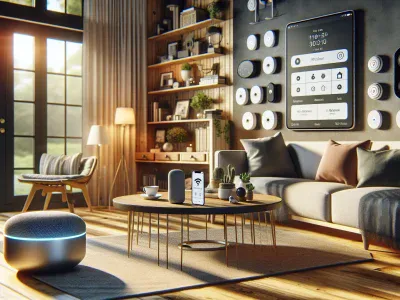
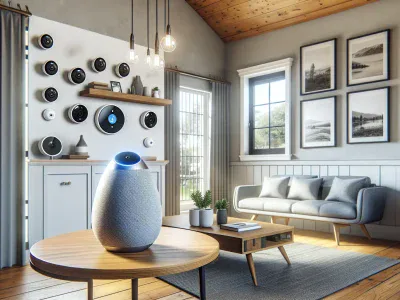
Picture transforming your home into a seamless hub of smart security and effortless control. You’ve got SimpliSafe safeguarding every corner, but what if you could take it a step further? Picture using just your voice to check on your system, arm it before heading out, or integrate it with other devices—all through Google Home. Sounds like the ultimate convenience, doesn’t it?
As smart homes become more advanced, compatibility between devices is no longer just a luxury—it’s essential. If you’re wondering whether SimpliSafe plays well with Google Home and how this pairing could elevate your home security experience, you’re not alone. Let’s explore how these two technologies work together to simplify and enhance the way you protect what matters most.
Overview Of SimpliSafe And Google Home
SimpliSafe and Google Home integration offers a seamless way to manage your home security using voice commands. Understanding each system’s capabilities helps you maximize their combined potential.
What Is SimpliSafe?
SimpliSafe is a wireless home security system designed for easy installation and use. It includes devices such as entry sensors, motion detectors, indoor cameras, and panic buttons. These components connect to a base station that communicates alerts via Wi-Fi or cellular networks.
You can control SimpliSafe through its mobile app or integrate it with smart assistants like Google Assistant. For example, you might arm the system by saying, “Hey Google, arm my SimpliSafe,” giving you hands-free convenience.
An Introduction To Google Home
Google Home operates as a smart speaker powered by Google Assistant to control connected devices through voice commands. It supports various functions like playing music, setting reminders, providing weather updates, and managing compatible smart home systems.
With Google Home linked to services like SimpliSafe, you enhance automation in your daily life. For instance, after integrating both platforms in the app settings, asking “Hey Google, is my house secure?” provides real-time status updates on your security setup.
Compatibility Between SimpliSafe And Google Home
Linking SimpliSafe with Google Home offers enhanced control over your home security setup through voice commands and integration capabilities. This connection simplifies system management for a more seamless smart home experience.
Can SimpliSafe Integrate With Google Home?
SimpliSafe integrates with Google Home using the Google Assistant app. Once connected, you can use voice commands to arm your system or check its status. For instance, saying “Hey Google, arm SimpliSafe to away mode” activates the security system without manual interaction.
The integration requires an active Wi-Fi network and a linked SimpliSafe account. You’ll need to grant permissions during setup for synchronization between devices. But, disarming the system via voice isn’t supported due to safety concerns, minimizing unauthorized access risks.
Features Enabled By Integration
Integration enables several functionalities that improve convenience and efficiency in managing security systems:
Voice Control: Use simple commands like “Hey Google, is my house armed?” to confirm the system’s status.
Real-Time Updates: Receive notifications on events such as motion detection or triggered alarms directly through your smart speaker.
Routine Automation: Combine actions in routines; for example, pairing “Goodnight” mode with arming your alarm at bedtime.
Cross-Device Management: Monitor other connected devices alongside SimpliSafe via a unified platform within the Google ecosystem.
While integration offers practical benefits, some features may have limited accessibility depending on regional availability or specific device compatibility settings.
Setting Up SimpliSafe With Google Home
Connecting your SimpliSafe system to Google Home creates seamless control over your home security through voice commands. Follow the outlined steps and troubleshooting tips below for a smooth setup process.
Step-By-Step Integration Guide
Open the Google Home App
Access the app on your smartphone or tablet, ensuring you’re signed in with the same Google account linked to your devices.
Add SimpliSafe as a Service
Navigate to “Settings” > “Works with Google” > “Manage services.” Search for “SimpliSafe” in the list of compatible devices.
Link Your Accounts
Log into your SimpliSafe account, authorizing access to connect it with Google Assistant. Ensure both accounts use valid credentials during this step.
Assign Devices To Rooms
Place connected devices like entry sensors or cameras within specific rooms using the app’s interface for better organization and voice-command functionality.
Test Voice Commands
Verify integration by trying commands such as “Hey Google, arm SimpliSafe to home mode.” Adjust settings if responses don’t align with expectations.
Common Issues And Troubleshooting
Connection Errors: Confirm active Wi-Fi networks for both systems before retrying the setup process.
Unresponsive Commands: Check device compatibility through official support pages if certain features don’t work as intended.
Incorrect System Status: Refresh linked accounts under service management options within the apps if status updates seem delayed.
Benefits Of Using SimpliSafe With Google Home
Pairing SimpliSafe with Google Home enhances your smart home experience by combining robust security features with hands-free convenience. This integration streamlines everyday tasks and improves how you interact with your home security system.
Enhanced Home Automation
Using SimpliSafe with Google Home simplifies managing multiple devices through centralized voice control. You can use commands like, “Hey Google, arm my security system,” to activate protection without accessing the app or control panel. Integrating these systems into routines adds further convenience; for example, setting a bedtime routine that simultaneously arms your alarm, dims lights, and adjusts the thermostat.
Voice recognition ensures personalized responses for each family member’s preferences. If one person prefers different device settings during nighttime routines, Google’s multi-user support accommodates that seamlessly.
Improved Security Functionality
Linking SimpliSafe to Google Home provides real-time status updates and alerts via voice or app notifications. Asking questions like “Is my front door locked?” gives you instant answers without needing physical checks. Integration also allows motion detection alerts from cameras or sensors to be communicated across connected devices in your ecosystem.
While disarming the system isn’t possible for safety reasons, arming options ensure ease of use while maintaining strict protocols against unauthorized access. Geo-fencing capabilities can complement this setup by reminding users to arm their systems when leaving predefined zones.
Potential Limitations To Consider
When integrating SimpliSafe with Google Home, it’s important to understand potential limitations that might affect functionality and user experience.
Compatibility Constraints
SimpliSafe works with Google Assistant but lacks full compatibility across all devices. For example, older SimpliSafe hardware versions don’t integrate seamlessly with Google Home. Only the newer models like the SimpliSafe Gen 3 system support this integration effectively. Ensure your setup includes compatible devices before attempting installation.
Regional availability can also limit access to certain features. If you’re in a region where Google services or specific SimpliSafe functionalities are restricted, you might not fully use the integration’s capabilities.
Feature Gaps Or Missing Functions
Disarming your SimpliSafe system via voice commands isn’t supported due to security concerns. While you can arm it or check its status, tasks requiring higher security measures remain manual for safety reasons.
Advanced automation options like custom routines may be limited compared to other smart home ecosystems. You can’t create complex multi-step processes involving both systems without additional third-party tools or workarounds. For instance, scheduling a sequence where lights turn off and the alarm arms simultaneously might need extra configuration outside of native app settings.
Conclusion
Pairing SimpliSafe with Google Home offers a seamless way to enhance your home security and automation experience. With voice control, real-time updates, and streamlined device management, this integration simplifies everyday tasks while keeping your home secure. While certain limitations like disarming restrictions and compatibility constraints exist, the benefits far outweigh these challenges for most users. By understanding the setup process and potential limitations, you can make the most of this powerful smart home combination.
To provide the best experiences, we use technologies like cookies to store and/or access device information. Consenting to these technologies will allow us to process data such as browsing behaviour or unique IDs on this site. Not consenting or withdrawing consent, may adversely affect certain features and functions.
Functional
Always active
The technical storage or access is strictly necessary for the legitimate purpose of enabling the use of a specific service explicitly requested by the subscriber or user, or for the sole purpose of carrying out the transmission of a communication over an electronic communications network.
Preferences
The technical storage or access is necessary for the legitimate purpose of storing preferences that are not requested by the subscriber or user.
Statistics
The technical storage or access that is used exclusively for statistical purposes.The technical storage or access that is used exclusively for anonymous statistical purposes. Without a subpoena, voluntary compliance on the part of your Internet Service Provider, or additional records from a third party, information stored or retrieved for this purpose alone cannot usually be used to identify you.
Marketing
The technical storage or access is required to create user profiles to send advertising, or to track the user on a website or across several websites for similar marketing purposes.