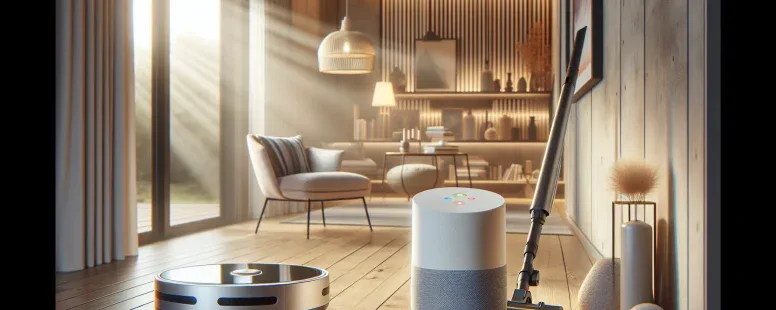
Picture controlling your home with just your voice—lights dimming, cameras activating, and devices syncing seamlessly. If you’re exploring smart home options, you’ve likely come across Eufy and wondered how well it integrates with Google Home. In a world where convenience is king, compatibility between these two can make or break your smart home experience.
Eufy offers an impressive lineup of devices designed to simplify daily life, but does it truly play nice with Google’s ecosystem? Understanding how these platforms work together could unlock new levels of automation for you. Whether you’re aiming for hands-free control or a fully connected household, uncovering this synergy might be the key to elevating your home’s intelligence.
What Is Eufy And Its Features?
Eufy is a smart home brand by Anker Innovations, known for its range of devices designed to simplify daily tasks. It includes products like security cameras, robotic vacuums, and smart doorbells.
Key Features Of Eufy Devices
Smart Integration: Eufy devices integrate with platforms like Google Home and Amazon Alexa. For example, you can control the Eufy RoboVac using voice commands via Google Assistant.
Privacy-Focused Design: Many Eufy products store data locally instead of on cloud servers. This ensures enhanced privacy without recurring storage fees.
High Performance: Devices like the RoboVac offer strong suction power up to 2,000 Pa for efficient cleaning across various surfaces.
Easy Setup: Most products feature user-friendly installation processes. For instance, the Eufy Video Doorbell sets up in under 15 minutes with step-by-step guidance from the app.
Popular Eufy Products
Eufy RoboVac Series: These robotic vacuums handle cleaning tasks autonomously and are compatible with Google Home for hands-free operation.
Eufy Security Cameras: Models like the eufyCam 2 Pro provide HD video recording and local storage options while integrating seamlessly into smart ecosystems.
Eufy Smart Scale C1: Tracks weight, body fat percentage, and other metrics while syncing data with apps like Apple Health or Fitbit.
Eufy Lumos Smart Bulbs: These Wi-Fi-enabled bulbs allow users to adjust brightness or color temperature through voice commands or mobile apps.
Google Home Compatibility With Eufy
Eufy devices integrate seamlessly with Google Home, enabling voice-controlled automation and enhanced smart home functionality. This compatibility simplifies daily tasks by connecting various Eufy products to a single platform.
Eufy Devices That Work With Google Home
Numerous Eufy devices support Google Home integration. These include robotic vacuums like the RoboVac series (e.g., RoboVac 11S), security cameras such as the eufyCam 2C, smart doorbells like the Video Doorbell Dual, and lighting solutions including Lumos Smart Bulbs. For example, you can use voice commands through Google Assistant to start your RoboVac or adjust Lumos Smart Bulb brightness.
Ensure you confirm device compatibility before purchasing since not all older models offer full integration with Google Home. Most recent releases from Eufy’s product lineup come equipped with this feature.
Setting Up Eufy With Google Home
Integrating your Eufy device with Google Home follows a straightforward process:
Install Apps: Download both the “Google Home” app and the “EufyHome” app on your smartphone.
Link Accounts: Open the “Google Home” app, navigate to “Add,” then choose “Set up device” followed by “Works with Google.” Search for “EufyHome,” log in using your existing account credentials.
Voice Commands Configuration: Assign devices to specific rooms in the app for better control via voice commands such as “Hey Google, clean my living room.”
If issues arise during setup, ensure stable Wi-Fi connectivity and verify that firmware updates are complete on all devices involved.
Benefits Of Integrating Eufy With Google Home
Integrating Eufy devices with Google Home enhances your smart home ecosystem by optimizing automation and providing effortless control over various tasks. This integration simplifies daily routines while increasing convenience and efficiency.
Enhanced Smart Home Automation
Eufy devices integrated with Google Home create a unified system that streamlines smart home operations. For example, you can set up automation scenarios where your Eufy RoboVac starts cleaning when you say, “Hey Google, start vacuuming,” or schedule your Lumos Smart Bulbs to adjust brightness based on the time of day. These automations save both time and energy by eliminating manual intervention.
The integration also enables cross-device coordination. If paired with other compatible devices, like Nest Thermostats or Philips Hue lights, you can design customized routines such as dimming lights, adjusting room temperature, and activating security cameras simultaneously for movie nights or bedtime settings.
This seamless collaboration between platforms ensures smarter energy use and enhances comfort within your living spaces.
Hands-Free Control And Voice Commands
With voice commands through Google Assistant, controlling Eufy devices becomes effortless. You can lock doors using a Eufy Smart Lock by saying, “Hey Google, lock the front door,” or check live feeds from eufyCams directly on displays like Nest Hub without needing physical interaction.
For multitasking moments—cooking in the kitchen or managing household chores—you gain hands-free access to essential functions. This feature reduces dependency on smartphones while improving accessibility for individuals with mobility challenges.
Voice control also supports group actions; linking multiple Eufy products under one command lets you execute complex tasks instantly. For instance: “Hey Google, secure my house” could turn off lights, arm security cameras, and lock doors simultaneously for added convenience and peace of mind.
Potential Limitations And Challenges
Integrating Eufy devices with Google Home offers convenience, but certain limitations and challenges might impact the overall experience. Understanding these can help you make informed decisions.
Compatibility Issues
Not all Eufy devices support Google Home integration. Older models, like early versions of RoboVac or non-smart security cameras, may lack the necessary firmware for compatibility. For example, an older RoboVac 11S doesn’t integrate with Google Assistant voice commands.
Regional restrictions may also affect functionality. Some features available in specific countries might not work universally due to differences in software updates or service availability. Checking device specifications and compatibility charts on official websites ensures your chosen product aligns with your needs.
Certain advanced features might not transfer seamlessly between Eufy’s native app and Google Home. For instance, while you can turn Lumos Smart Bulbs on/off using Google Assistant, adjusting color temperature or brightness often requires the dedicated EufyHome app.
Troubleshooting Common Problems
Syncing issues are common during initial setup processes. If linking fails between the EufyHome app and Google Home, verify that both apps run their latest versions before troubleshooting further steps like rebooting devices or resetting network settings.
Network connectivity problems arise when routers operate on incompatible frequencies—Google Home prefers a 2.4 GHz Wi-Fi band over 5 GHz options for many smart home integrations. Ensuring consistent internet speed minimizes interruptions in device performance.
Conclusion
Eufy’s compatibility with Google Home offers a practical way to enhance your smart home experience. With seamless integration, convenient voice control, and the ability to automate everyday tasks, you can create a more efficient and connected household. While some limitations exist, understanding device compatibility and setup requirements ensures you get the most out of this powerful pairing.
By combining Eufy’s innovative features with Google Assistant’s hands-free capabilities, you’ll enjoy greater convenience, accessibility, and customization in managing your smart devices. Whether it’s cleaning with the RoboVac or adjusting lighting with Lumos Smart Bulbs, integrating these platforms simplifies life at home.
To provide the best experiences, we use technologies like cookies to store and/or access device information. Consenting to these technologies will allow us to process data such as browsing behaviour or unique IDs on this site. Not consenting or withdrawing consent, may adversely affect certain features and functions.
Functional
Always active
The technical storage or access is strictly necessary for the legitimate purpose of enabling the use of a specific service explicitly requested by the subscriber or user, or for the sole purpose of carrying out the transmission of a communication over an electronic communications network.
Preferences
The technical storage or access is necessary for the legitimate purpose of storing preferences that are not requested by the subscriber or user.
Statistics
The technical storage or access that is used exclusively for statistical purposes.The technical storage or access that is used exclusively for anonymous statistical purposes. Without a subpoena, voluntary compliance on the part of your Internet Service Provider, or additional records from a third party, information stored or retrieved for this purpose alone cannot usually be used to identify you.
Marketing
The technical storage or access is required to create user profiles to send advertising, or to track the user on a website or across several websites for similar marketing purposes.