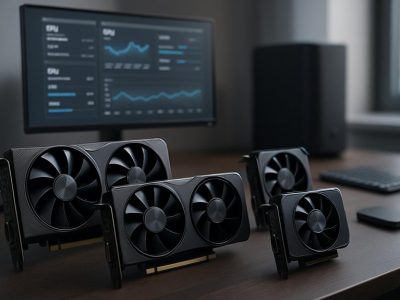
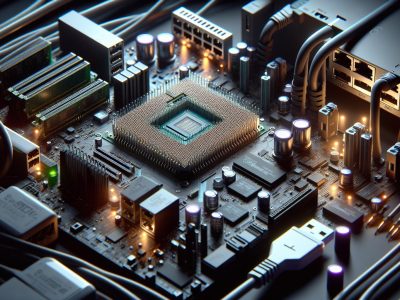
Imagine your computer as a bustling city. RAM is like the central hub, managing day-to-day traffic and ensuring everything runs smoothly. VRAM, on the other hand, is the specialized express lane, designed to handle the high-speed demands of graphics and visuals. Both are crucial, but they serve entirely different purposes in your system’s performance.
When you’re multitasking, streaming videos, or gaming, understanding the difference between these two can be a game-changer. Why does your favorite game lag even though having plenty of RAM? Or why do graphic-intensive tasks demand VRAM? These questions aren’t just for tech enthusiasts—they directly impact how you experience technology every day.
Knowing how RAM and VRAM work together can help you make smarter decisions when upgrading your system or troubleshooting performance issues. Let’s jump into their unique roles and uncover what sets them apart.
What Is VRAM?
VRAM, or Video Random Access Memory, stores image data that your GPU (Graphics Processing Unit) needs to render visuals efficiently. This type of memory directly handles tasks like displaying textures, shadows, and other graphics elements used in games, rendering software, and visual applications.
Key Functions Of VRAM
Store Graphics Data: VRAM holds graphical information like textures, shader data, and frame buffers. For example, a 4K gaming monitor drives higher VRAM usage due to detailed image rendering needs.
Enhance Performance Speed: It provides rapid access to graphical data, which reduces latency and improves frame rates. If VRAM is insufficient, your system taps general RAM, leading to slower performance.
Support Higher Resolutions: It enables systems to handle increased resolutions effectively, including 1080p, 1440p, and 4K visuals. For high-quality visual outputs, VRAM capacity plays a critical role.
Handle Complex Visuals: Advanced applications like CAD software and 3D rendering rely on VRAM for processing detailed designs and models.
Common Types Of VRAM
GDDR (Graphics Double Data Rate): GDDR5, GDDR6, and GDDR6X dominate the current GPU market. Each iteration improves bandwidth and data rates, enhancing image processing in modern AAA games.
HBM (High Bandwidth Memory): Used in high-end GPUs like AMD Vega, HBM ensures lower power consumption while offering massive bandwidth for tasks like machine learning and 3D rendering.
DDR (Dual Data Rate): Standard DDR memory serves integrated GPUs, but it’s slower and less suited for demanding visual tasks.
Specialized VRAM types differ in price and performance. For example, GDDR6 balances efficiency and cost, while HBM targets intensive computational workloads.
What Is RAM?
Random Access Memory (RAM) serves as your computer’s short-term memory. It’s designed to store data that’s actively used or processed, enabling faster access compared to permanent storage solutions like hard drives or SSDs. RAM directly impacts your system’s performance in tasks like browsing, gaming, or running multiple applications.
Primary Purpose Of RAM
RAM’s main purpose is to provide temporary storage for data and processing instructions. This temporary nature allows it to quickly retrieve and write data needed by your CPU. For instance, when you open a web browser, the browser’s data gets loaded into RAM for quicker access compared to loading it repeatedly from your hard drive. This speed boost promotes smoother multitasking and efficient software execution.
If your system lacks sufficient RAM, processes slow down because it starts using slower storage alternatives like a page file. Upgrading RAM, especially for resource-intensive applications, often leads to noticeable performance improvements.
Different Types Of RAM
Different RAM types exist to meet varying performance needs and compatibility requirements. Dynamic RAM (DRAM) is the most common type, with Synchronous DRAM (SDRAM) being a faster variant synchronized to your system’s clock speed. DDR (Double Data Rate) RAM, such as DDR3, DDR4, or DDR5, represents modern advancements offering higher data rates and lower power consumption.
Specialized RAM types, like LPDDR (Low-power DDR) found in mobile devices, focus on energy efficiency. ECC (Error-Correcting Code) RAM, used in servers, detects and corrects data errors for enhanced reliability. Understanding which RAM type aligns with your device ensures better performance and compatibility. For example, DDR5 offers higher bandwidth but may require motherboard upgrades.
Choosing the right RAM impacts your system’s capability to manage complexity, whether you’re editing videos or managing large datasets. Ensure compatibility with your system’s configuration before upgrades.
Key Differences Between VRAM And RAM
VRAM and RAM play distinct roles in computer performance, focusing on different operational needs. Understanding their differences helps you pinpoint the right upgrades or configurations for specific tasks.
Role In Computer Performance
VRAM handles graphics-intensive tasks by storing image data required for rendering visuals. It’s directly accessible by the GPU, which speeds up graphical computations and reduces latency in image rendering. For example, playing a 4K video, editing high-resolution images, or using rendering software like Blender relies on sufficient VRAM.
RAM supports a broader range of system-wide operations. It temporarily stores data for active applications and the operating system, enabling efficient multitasking. Running multiple tabs on a browser, running software like Microsoft Word, and switching between heavy applications rely on your system’s RAM capacity to avoid slowdowns.
Usage In Gaming And Graphics
VRAM usage dominates in gaming and professional graphics workloads. Modern games with detailed textures, complex environments, and dynamic lighting need adequate VRAM to ensure smooth gameplay and prevent graphical glitches. Graphics processing tools like Photoshop or After Effects also depend on VRAM for real-time performance.
RAM supports backend processes related to gaming and general application use. While gaming, RAM assists with loading maps, managing AI, and processing physics calculations. In creative software, RAM handles non-graphic components, like managing project elements or executing background commands, ensuring smoother workflows.
Memory Capacity And Speed
VRAM usually has lower capacity compared to RAM but offers higher bandwidth. For instance, GPU models like NVIDIA’s RTX 3060 come equipped with up to 12GB GDDR6 VRAM, which optimizes read-write speeds specifically for graphical performance.
RAM offers higher storage capacities, commonly ranging between 8GB to 64GB in personal computers. Modern DDR4 RAM provides speeds from 2400MHz to 3600MHz, which directly impacts application loading times and overall system responsiveness. The larger capacity becomes essential for tasks like database querying or running virtual machines that demand robust memory allocation.
Use Cases For VRAM And RAM
Understanding the specific use cases of VRAM and RAM enhances your ability to optimize system performance and select the right hardware. Each plays a distinct role in handling tasks.
VRAM Applications
VRAM focuses on supporting graphics-related activities. Its primary function involves storing textures, frame buffers, and assets utilized by GPUs for rendering images and videos. Activities like gaming, 3D modeling, and video editing benefit significantly from ample VRAM. For example, a game rendering at 4K resolution demands more VRAM to store high-resolution textures and prevent frame drops. Similarly, VRAM is critical in professional software like Blender or Adobe Premiere Pro, enabling efficient processing of graphical datasets and reducing rendering time.
Virtual Reality and AI training systems also capitalize on VRAM’s capability to handle complex graphical computations. For instance, VR headsets rely on VRAM to deliver immersive environments with low latency. AI-driven applications like image recognition leverage models relying on GPUs and dedicated VRAM to process large image datasets. Choosing GPUs with sufficient VRAM capacity aids smooth system operation when these intensive demands arise.
RAM Applications
RAM supports the broader range of computing operations by temporarily storing data for rapid access. Everyday activities like web browsing, document editing, and multitasking depend on effective RAM allocation. Opening multiple browser tabs or running simultaneous applications, such as Microsoft Office and Spotify, illustrates its importance. Low RAM during such use cases slows system responsiveness and inhibits efficiency.
High-performance tasks, including software development, large-scale simulations, and virtual machines, require extensive RAM capacities. Developers running multiple IDEs and debugging tools rely on RAM for seamless task completion. Also, when editing high-resolution photos in Photoshop or processing audio tracks in professional software, sufficient RAM ensures real-time responsiveness. Systems with incompatible or lower RAM allocations often face bottlenecks under these conditions.
Gaming and streaming setups also benefit from RAM’s multitasking abilities. For instance, playing resource-intensive games while live-streaming relies heavily on RAM to manage simultaneous processes effectively. RAM upgrades, in such scenarios, positively impact performance by improving data transfer rates and reducing load times in non-graphical tasks.
Which One Matters More For Your Needs?
The relevance of VRAM or RAM depends entirely on the tasks you’re tackling. For graphics-heavy activities like video editing, 3D rendering, or gaming, VRAM carries more weight. It’s designed to communicate directly with the GPU and handle large textures, shaders, and rendering tasks. For instance, if you’re playing a game at 4K resolution, having at least 6GB to 8GB of VRAM, such as GDDR6, can prevent lag and ensure detailed visual output. Meanwhile, insufficient VRAM may cause stuttering or force the application to lower graphics settings.
RAM is indispensable for overall system functionality and multitasking. For professionals dealing with code compilation, data analysis, or design software, higher RAM capacity ensures smooth execution. If your system has less than 8GB of RAM, you’ll likely experience slowdown when running multiple applications or browser tabs. Modern operating systems like Windows 11 often use around 4GB of RAM just for basic functionality, leaving less room for other active processes.
Everyday users can prioritize RAM if their work involves common tasks like web browsing, document editing, or multimedia streaming. But, accelerates VRAM plays a significant role for content creators, VR developers, or gamers who need high-fidelity visuals. A system combining 16GB of RAM and 8GB of VRAM might balance both needs effectively for diverse use cases.
Keep in mind, if you’re working with older hardware, upgrading RAM might offer a noticeable boost in performance. VRAM upgrades are typically tied to replacing the GPU, which makes it critical to assess your primary use case and budget before deciding.
Conclusion
Understanding the roles of VRAM and RAM is essential for tailoring your system to fit your needs. Whether you’re gaming, editing videos, or simply multitasking, knowing how these components impact performance helps you make smarter upgrade choices.
By evaluating your primary tasks and budget, you can prioritize the right component for optimal efficiency. While VRAM is crucial for graphics-heavy activities, sufficient RAM ensures smooth overall system operation. Balancing these elements ensures a seamless and responsive computing experience.
To provide the best experiences, we use technologies like cookies to store and/or access device information. Consenting to these technologies will allow us to process data such as browsing behaviour or unique IDs on this site. Not consenting or withdrawing consent, may adversely affect certain features and functions.
Functional
Always active
The technical storage or access is strictly necessary for the legitimate purpose of enabling the use of a specific service explicitly requested by the subscriber or user, or for the sole purpose of carrying out the transmission of a communication over an electronic communications network.
Preferences
The technical storage or access is necessary for the legitimate purpose of storing preferences that are not requested by the subscriber or user.
Statistics
The technical storage or access that is used exclusively for statistical purposes.The technical storage or access that is used exclusively for anonymous statistical purposes. Without a subpoena, voluntary compliance on the part of your Internet Service Provider, or additional records from a third party, information stored or retrieved for this purpose alone cannot usually be used to identify you.
Marketing
The technical storage or access is required to create user profiles to send advertising, or to track the user on a website or across several websites for similar marketing purposes.