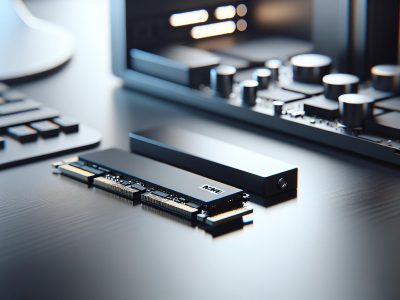
Picture your computer as a high-speed race car, and its storage is the engine driving its performance. Wouldn’t you want the fastest, most efficient engine possible? That’s where SSDs and NVMe come into play. Both are game-changers in data storage, but understanding their differences can feel like deciphering tech jargon.
You’ve probably heard how SSDs revolutionized speed compared to traditional hard drives, but NVMe takes things up a notch. It’s not just about faster boot times—it’s about unlocking unparalleled efficiency for everything from gaming to professional workloads. Knowing which suits your needs could mean the difference between good performance and jaw-dropping speed.
So, what sets these two apart? Is it all about speed or something more? Let’s break it down so you can make an informed choice that fits your digital lifestyle perfectly.
What Is An SSD?
An SSD, or Solid State Drive, is a storage device that uses flash memory to store data. Unlike traditional hard drives, it has no moving parts, making it faster and more reliable.
How SSDs Work
SSDs use NAND flash memory cells to store digital information in an efficient way. Data gets written and read electronically through integrated circuits rather than spinning disks found in HDDs. This design allows for quicker boot times, shorter application load times, and smoother multitasking.
Most SSDs connect via SATA (Serial ATA) interfaces, similar to HDDs but with higher transfer speeds. Some use other protocols like NVMe for even faster performance when paired with compatible hardware.
Key Features Of SSDs
Speed: Typical read/write speeds of SATA SSDs range from 500 MB/s to 600 MB/s, significantly outperforming the 50-150 MB/s rates of traditional hard drives.
Durability: Without mechanical components, SSDs withstand physical shocks better than hard drives.
Energy Efficiency: Lower power consumption extends battery life in laptops compared to HDD-based systems.
Compact Design: Sizes like M.2 or 2.5-inch make them ideal for slim devices such as ultrabooks and tablets.
Silent Operation: The absence of moving parts eliminates noise during operation entirely.
What Is NVMe?
NVMe (Non-Volatile Memory Express) is a communication protocol specifically designed for solid-state drives. It leverages the high-speed potential of flash memory by connecting directly to the CPU through PCIe (Peripheral Component Interconnect Express) lanes. This enables faster data transfer and reduced latency compared to older protocols like SATA.
How NVMe Works
NVMe operates using parallelism, which allows it to handle multiple data requests simultaneously. Traditional storage protocols rely on a single command queue with limited depth; NVMe, but, supports 64K queues with up to 64K commands per queue. This structure maximizes performance, especially during heavy workloads like video editing or gaming.
The protocol communicates directly with the system’s processor via PCIe interfaces instead of slower SATA connections. For instance, while SATA SSDs typically offer maximum speeds of around 600 MB/s due to interface limitations, NVMe SSDs can exceed 7,000 MB/s depending on the model.
Key Features Of NVMe
High-Speed Performance
NVMe drives deliver exceptional read/write speeds ranging from 2,000 MB/s to over 7,500 MB/s in advanced models. These speeds drastically reduce boot times and improve application responsiveness.
Low Latency
By reducing delays between data requests and processing, NVMe enhances overall efficiency in demanding tasks such as database management or large-scale simulations.
Scalability
With support for thousands of simultaneous command queues and commands per queue, NVMe scales effortlessly for enterprise environments requiring high-performance storage solutions.
Energy Efficiency
Optimized power consumption ensures better battery life for portable devices like laptops utilizing NVMe technology without compromising speed.
Compact Form Factors
Most NVMe drives come in M.2 or U.2 form factors, making them ideal for modern thin laptops or compact desktop builds where space-saving components are essential.
Key Differences Between SSD And NVMe
SSD and NVMe differ significantly in terms of speed, cost, and compatibility. Understanding these differences helps you choose the right storage solution for your specific needs.
Speed Comparison
NVMe drives outperform traditional SSDs significantly. While most SATA-based SSDs offer read/write speeds around 500-600 MB/s, NVMe drives deliver speeds starting at 2,000 MB/s and reaching over 7,500 MB/s. This speed boost is crucial for tasks like video editing or gaming where large data transfers happen frequently.
For example, loading a high-resolution game with an NVMe drive takes seconds compared to longer wait times with an SSD. The parallelism of NVMe allows handling multiple requests simultaneously—like opening several applications without lag. In contrast, SATA-based SSDs rely on older protocols that limit their data transfer capabilities.
Cost Comparison
SSDs are generally more affordable than NVMe drives but come with trade-offs in performance. A 1TB SATA-based SSD costs roughly $50-$100 as of late 2023, while a similar capacity NVMe drive ranges from $90-$150 depending on brand and speed specifications.
If you’re building a budget-friendly system or upgrading an older device, choosing an SSD offers good value for basic tasks such as web browsing or standard office work. On the other hand, investing in an NVMe drive provides long-term benefits if you prioritize faster performance for professional workloads or resource-heavy applications.
Compatibility And Use Cases
Compatibility depends on your system’s hardware configuration. Most laptops and desktops support SATA interfaces used by standard SSDs; but, only newer systems equipped with PCIe slots can accommodate NVMe drives effectively.
Use cases also vary: SSDs suit everyday computing needs like storing documents or casual gaming due to their reliability and affordability. Meanwhile, professionals working in fields like graphic design benefit from the superior speed of NVMe when dealing with large file sizes or rendering projects efficiently.
Pros And Cons Of SSDs
SSDs offer a wide range of benefits and limitations that can impact their suitability for different users and use cases.
Advantages
Speed Enhancement
SSDs provide faster data access compared to traditional hard drives, with typical read/write speeds of 500-600 MB/s. This reduces boot times, application loading delays, and improves multitasking performance. For example, an operating system installed on an SSD boots in under 20 seconds, enhancing productivity.
Durability
With no moving parts, SSDs resist physical shocks better than HDDs. Devices equipped with SSDs are less likely to fail due to drops or vibrations during travel.
Energy Efficiency
SSDs consume less power than HDDs because they lack mechanical components. This energy efficiency extends battery life in laptops by up to 30%, making them ideal for mobile users.
Compact Design
The small form factor of SSDs fits modern slim devices like ultrabooks and tablets without compromising storage capacity or speed.
Silent Operation
Unlike the audible spinning disks in HDDs, SSDs operate silently due to their solid-state architecture.
Disadvantages
Higher Cost Per GB
Even though decreasing prices over time, SSDs remain more expensive per gigabyte compared to HDD alternatives—for instance, $50-$100 for a 1TB SATA-based model versus $20-$40 for a similar-sized hard drive (as of late 2023).
Limited Lifespan (Write Cycles)
NAND flash memory used in SSDs has finite write cycles before wearing out; typically between 3K-5K program/erase cycles per cell depending on the type (e.g., TLC or QLC). Heavy usage may accelerate this degradation.
Storage Capacity Constraints
While high-capacity models exist (e.g., 4TB), budget-friendly options generally offer lower storage sizes compared to affordable HDD counterparts—potentially limiting large-scale data storage needs like backups or media libraries.
Performance Variations by Interface Type
Pros And Cons Of NVMe
NVMe offers unparalleled speed and efficiency for demanding tasks, yet it comes with certain constraints that may affect its suitability based on your needs.
Advantages
Superior Speed
NVMe drives achieve read/write speeds from 2,000 MB/s to over 7,500 MB/s, significantly reducing boot times and application load times. For instance, a video editor handling 4K footage can experience seamless playback and faster renders compared to using SATA SSDs.
Low Latency
By directly connecting to the CPU through PCIe lanes, NVMe minimizes latency during data transfers. This is particularly beneficial in high-frequency trading systems or gaming environments where milliseconds impact performance.
Parallel Data Handling
With support for 64K queues and up to 64K commands per queue, NVMe processes multiple data requests simultaneously. In enterprise settings such as database management or cloud computing services, this capability enhances operational efficiency.
Compact Design
NVMe drives are available in M.2 form factors that fit ultra-thin laptops and compact desktops without occupying much space while providing exceptional performance.
Energy Efficiency
Optimized power consumption extends battery life for portable devices relying on heavy workloads like graphic design software or virtual machines.
Scalability For Enterprises
NVMe seamlessly scales across platforms supporting advanced storage solutions like RAID configurations for large-scale operations requiring redundancy and reliability.
Disadvantages
Higher Cost Per GB
While traditional SSDs cost $50-$100 per terabyte (TB), NVMe drives range between $90-$150 per TB due to their advanced technology which might not justify casual users’ requirements like web browsing or media streaming only.
Compatibility Limitations
Legacy systems lacking PCIe slots can’t use the full potential of NVMe drives; they require modern motherboards with dedicated M-keyed connectors designed specifically for these devices.
Thermal Management Challenges
High-performance levels often produce excess heat requiring adequate cooling solutions such as heatsinks or thermal pads—without them overheating risks stability issues under prolonged use cases like AI training models execution sessions lasting hours nonstop cycles repetitively!
Which One Should You Choose?
Your choice between SSD and NVMe depends on your specific needs, budget, and system compatibility. Each option offers distinct advantages tailored to different use cases.
Speed Requirements
If speed is a top priority, NVMe provides significantly faster read/write speeds, often exceeding 7,000 MB/s. This makes it ideal for tasks like video editing, 3D rendering, or gaming where large files need rapid processing. For everyday use like browsing the web or light productivity tasks, SATA-based SSDs with speeds around 500-600 MB/s are sufficient.
Budget Constraints
SSDs generally cost less than NVMe drives when comparing the same storage capacity. If you’re looking for an affordable upgrade from a traditional hard drive without needing extreme speed boosts, an SSD is cost-effective. But; if you want long-term performance gains and have a higher budget of $90-$150 per terabyte (for example), investing in NVMe may be worthwhile.
System Compatibility
NVMe requires PCIe slots for optimal performance and isn’t compatible with older systems lacking this feature. Before choosing NVMe drives ensure your device supports them by checking motherboard specifications or user manuals.
Use Case Scenarios
For casual users focused on general computing tasks—like streaming shows downloading files—an SSD offers more than enough functionality at lower costs. On other hand professionals dealing with intensive workloads benefit greatly from faster data transfer capabilities offered by NVMes especially during multitasking heavy applications.
Conclusion
Choosing between an SSD and NVMe drive depends on your priorities, whether it’s performance, budget, or system compatibility. If you’re handling demanding tasks like video editing or gaming, NVMe drives offer unmatched speed and efficiency. For everyday use or casual computing, SATA-based SSDs provide a reliable and cost-effective solution.
Understanding your system’s hardware capabilities is essential to ensure compatibility with the storage option you select. By aligning your choice with your specific needs, you can maximize performance while staying within budget.
To provide the best experiences, we use technologies like cookies to store and/or access device information. Consenting to these technologies will allow us to process data such as browsing behaviour or unique IDs on this site. Not consenting or withdrawing consent, may adversely affect certain features and functions.
Functional
Always active
The technical storage or access is strictly necessary for the legitimate purpose of enabling the use of a specific service explicitly requested by the subscriber or user, or for the sole purpose of carrying out the transmission of a communication over an electronic communications network.
Preferences
The technical storage or access is necessary for the legitimate purpose of storing preferences that are not requested by the subscriber or user.
Statistics
The technical storage or access that is used exclusively for statistical purposes.The technical storage or access that is used exclusively for anonymous statistical purposes. Without a subpoena, voluntary compliance on the part of your Internet Service Provider, or additional records from a third party, information stored or retrieved for this purpose alone cannot usually be used to identify you.
Marketing
The technical storage or access is required to create user profiles to send advertising, or to track the user on a website or across several websites for similar marketing purposes.