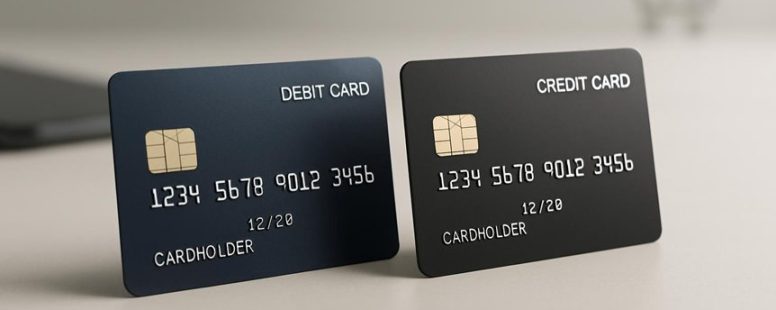
Imagine clicking “buy” on a sleek online store, your heart pounding with anticipation. A friend once watched funds vanish instantly from a debit card during a major purchase, only to face a tangled web of disputes that stretched on for weeks.
Credit cards, meanwhile, often act like sturdy shields, offering stronger fraud protection but sometimes at the cost of delayed refunds. As you navigate the digital checkout aisle, understanding how each method guards your money can feel like decoding a secret map—uncovering surprises along the way.
Surprisingly, one option might give you a hidden edge in keeping your finances safe and sound. Ready to discover which card suits your shopping style best?
Debit vs Credit for Online Purchases: Which Protects You Best?
Debit and credit cards are the main options when you shop online. The best choice depends on how much protection you want. Credit cards usually offer better fraud protection because they limit how much you can be responsible for if someone steals your info. They also have easier ways to dispute charges if you didn’t buy something or if there’s a problem with your order. For example, if someone uses your credit card fraudulently, you might only be responsible for $50, or even nothing, depending on your card.
Debit cards take money directly from your bank account. If someone uses your debit card illegally, the money can leave your account right away. That can be a big problem if you don’t notice the fraud quickly. Disputing charges on a debit card can take longer and may not protect you as much. So, if you want to avoid losing money fast, credit cards are often safer for online shopping.
Some people prefer using alternative payment options like PayPal or digital wallets because they add extra layers of protection and don’t share your bank info directly. But be aware that international fees can be different for debit and credit cards, especially if you’re shopping from abroad. This might increase your costs or risks.
In choosing between debit and credit for online shopping, think about your comfort with risk and how often you buy things. If you want strong fraud limits and easy disputes, go with a credit card. If you’re okay with faster access to your money and are careful, a debit card could work. Just remember, each has its own good and bad sides.
How Debit and Credit Differ for Online Purchases
Debit and credit cards are both used for online shopping, but they work differently. Here’s what you need to know.
First, the main difference is how they pay for your purchases. A debit card pulls money directly from your bank account right when you buy something. Imagine using cash—you see the money leave your wallet immediately. A credit card, on the other hand, lets you buy now and pay later. It creates a separate balance that you need to pay off at a later time, sometimes with interest.
Second, the protections for online shopping vary. Credit cards often give you better protection if something goes wrong. For example, if you get a faulty item, your credit card company can help you get a refund more easily. Debit cards can also protect you, but the process might take longer because it depends on your bank’s rules.
Third, both cards work with digital wallets like Apple Pay or Google Pay. Using these can make shopping faster. Credit cards sometimes offer extra rewards or cashback when you buy online, making them a popular choice for frequent shoppers. But keep in mind, using credit cards can lead to debt if you forget to pay your bill.
Some people prefer debit because it helps them stick to a budget. Others choose credit for the rewards and extra protections. Both have their pros and cons, so think about what matters most to you before shopping online.
Which Protects You More in Online Fraud Outcomes?
Credit cards usually protect you more from online fraud than debit cards. They have clearer rules for refunds and lower liability if someone uses your card without permission. If your credit card is stolen, you might only be responsible for $50 or less, and many companies waive even that. With debit cards, your liability can be higher if you don’t report the theft quickly. For example, if someone uses your debit card fraudulently and you don’t report it within two days, you could be responsible for up to $500 or more.
Chargeback timelines are also different. Credit card companies often give you more time—up to 60 days or more—to dispute charges. Debit cards usually have shorter periods, sometimes just 30 days. That means you need to act fast if you see suspicious activity.
Limitations exist too. Credit cards might have higher credit limits, which can be risky if someone steals your info. But they also give you better protection overall. Debit cards are linked directly to your bank account, so if fraud happens, your money could be at greater risk until the issue is sorted out.
Fraud Protection Limits
Fraud protection limits are different for debit and credit cards. Knowing these limits can help you choose the best card to protect yourself online. Debit cards usually have lower limits for each transaction and total recovery amount. This means if someone steals from your debit card, you might lose less money, but it also depends on how quickly you report the fraud. Credit cards often have higher limits, which can protect you better if fraud happens. For example, Visa and Mastercard typically offer stronger liability protection on credit cards, especially if you report suspected fraud fast.
Reporting your fraud quickly is very important because most policies have time limits. If you notice suspicious activity and don’t report it within the time frame, your chances of getting money back may decrease. For example, some banks allow you to report fraud within 60 days for full protection.
Security features like encryption and identity checks also help protect your data. When your card data travels securely, it’s harder for hackers to steal your information. Banks like Chase and Bank of America use these features to keep your online shopping safe. However, even with these protections, no system is perfect. You should always check your account activity regularly and stay aware of your limits.
Liability Differences Online
Liability differences online mean how each card brand and bank handle fraud claims and protections when you shop on the internet. The main difference is how quickly and easily you can get your money back if someone steals from you.
A credit card usually offers better protection. If you see fraud on your credit card statement, you can often report it and have the charge removed faster. Many credit cards have zero-liability policies, meaning you won’t be responsible for unauthorized charges. This makes online shopping feel safer because the bank takes most of the risk.
A debit card is linked directly to your checking account. If someone uses it fraudulently, your money can be taken right out of your account quickly. Sometimes it takes longer to get your money back. Some banks and card companies offer protections, but the process can be slower, and you might lose access to funds in the meantime.
Both types of cards use security steps like verifying your identity and encrypting transactions. But the rules about liability can differ. For example, Visa and Mastercard generally have clear policies that protect you against fraud, but the speed of refunds and the amount you’re responsible for can vary.
To stay safe online, review your bank or credit card issuer’s rules about fraud. Use strong passwords, verify your devices, and check your statements often. If you see a suspicious charge, report it right away. Remember, while both card types provide some protection, credit cards often give you an easier and faster way to fix problems. Still, always read your terms because protections vary by issuer.
Chargeback Timelines Variances
Chargeback timelines are important because they decide how fast you learn if your fraud claim is accepted and when you get your money back. Understanding these timelines can help you choose the best card for your needs.
With debit cards, banks often respond quickly because they can put a hold on the merchant right away. But if your dispute needs more investigation, it can take longer to get a refund. For example, if you buy something online with your debit card and notice fraud, the bank might hold the merchant’s money fast, but it could take days or weeks to finish the investigation.
Credit cards usually have longer dispute processes but can offer better protection in some cases. They often give more time to report issues and may have extended periods to file a claim. For instance, credit cards like Visa and Mastercard have specific timelines, such as reporting within 60 days of the statement date, and can provide stronger protection if fraud happens.
Some people prefer debit cards for quick responses, but they might not offer the best long-term protection. Others choose credit cards for stronger rules and longer windows to dispute charges. However, if an investigator needs more time, the process can slow down regardless of the card type.
Knowing these timelines helps you decide where to shop and how to keep your receipts and records. If you notice fraud, acting fast can make a big difference. Both types of cards have their strengths and limits, so understanding the differences helps you stay protected.
Online Spending: How Debit and Credit Limit Your Impulse Buying
Debit and credit limits are tools that control how much people spend online. A debit card has a set spending limit, which means you can only spend what’s in your bank account. This makes it harder to buy things you don’t really need because you can’t go over that limit. For example, if your debit card limit is 200 dollars, you won’t be able to buy a 300-dollar gadget.
Credit cards are different. They give you a borrowing amount called a credit limit. This lets you buy more than you have in your bank account, which can lead to bigger purchases. But if you’re not careful, it can also make you spend more than you should, increasing debt over time. Some people see this as a safety net, while others worry it encourages impulsive buying.
There are two sides to this. On one hand, debit limits can stop you from spending too much and help you save money. On the other hand, credit cards can give you flexibility and rewards, but they also tempt you to overspend. For example, a person might think twice before buying a new phone with their debit card, but might get carried away with their credit card because it feels less real money.
Debit Impulse Limits
Debit impulse limits are rules that set a maximum amount you can spend online before you need to think twice. These limits help prevent accidental overspending. For example, if your limit is $50, you won’t be able to buy something more expensive unless you change the setting.
These limits push you to make smarter choices about your money. If you want to stay in control, use alerts that notify you when you’re close to your limit. That way, you can stop and think before making a big purchase.
You can also change your limits based on your age, the device you’re using, or the type of store. For instance, you might set a lower limit for online shopping on your phone and a higher one for trusted sites. This helps match your spending habits with your limits.
Some people find these limits helpful because they stop impulsive buys. But others might see them as a restriction, especially if they forget to adjust settings or turn off alerts. Always check your card’s rules and features to see what works best for you.
Credit Spending Padding
Credit spending padding is a simple way to keep your online shopping in control. It means setting aside a little extra room in your credit limit so you don’t overspend or buy things you might regret later. Think of it like a safety buffer that helps you avoid surprises on your credit report.
If you use credit cards like Visa or Mastercard, padding can give you more flexibility. For example, if your card has a limit of $1,000, you might decide to only spend $900. That extra $100 acts like a cushion, so if an unexpected charge comes up, you won’t go over your limit. This helps keep your credit utilization low, which is good for your credit score. High utilization, like using more than 30 percent of your limit, can hurt your score. So leaving some room helps you stay in good shape.
Some people think padding is like delaying a purchase. Instead of buying right away when you see something tempting, you wait a little. This gives you time to think if you really need it. For example, if you see a new game or dress online, you might add it to your cart but wait a day before buying. It’s like giving your brain a pause button.
But there are some warnings too. If you set your padding too high, you might miss out on good deals or forget to use your full credit limit. Also, if you’re not careful, padding can become an excuse to avoid spending when you really should. It’s best to find a balance that helps you stay in control but still enjoy shopping.
Some people prefer debit cards because they deduct money directly from their checking account. They don’t have to worry about overspending since they only spend what they have. But padding with credit can be helpful because it lets you plan your spending and avoid last-minute surprises. Just remember, using too much credit or not paying on time can hurt your credit score, so use padding wisely.
In short, credit padding is a smart tool to help you shop online without regrets. It’s about being thoughtful with your money — not restricting yourself too much. By setting a little extra room and taking time to decide, you can shop more confidently and keep your finances healthy.
Online Purchase Barriers
Online shopping can be tricky when payment methods slow you down. Both debit and credit cards can create obstacles that stop you from making quick purchases. These problems aren’t just about spending limits but also about how fast you can finish a trusted transaction and get help if something goes wrong. Good customer service is needed when extra steps are necessary, and how quick a website processes your payment can make you decide to buy or leave.
Here are three common barriers I’ve seen:
Automatic holds on funds or unsettled authorizations delay the checkout process. For example, banks sometimes put a temporary hold on your money when you buy online, even if the payment is approved. This can make it take longer to complete your order, especially if you need that money for something else.
Verification steps can interrupt the shopping flow, especially on mobile phones. These steps include entering a PIN, sending a code to your phone, or answering security questions. They slow you down and can be frustrating when you’re in a hurry.
Support responses are not always consistent when problems happen. Sometimes customer service is quick and helpful, but other times they take a long time or give unclear answers. This inconsistency can make you lose trust in the store or payment process.
Knowing about these barriers helps me shop more calmly and confidently. Some stores and banks work to make payments faster and smoother, but others still have these common issues. If you want a better online shopping experience, look for stores with clear payment processes and good customer support.
Dispute and Chargeback Procedures: A Step-by-Step Guide
A dispute and chargeback is a way to get your money back if a purchase goes wrong. Here’s a simple step-by-step guide to help you through the process.
First, collect proof of what you bought. This includes receipts, screenshots of the website or app, timestamps showing when the purchase happened, and any details about the product or service that was incorrect or not delivered. Having clear evidence makes your case stronger.
Next, contact the merchant directly. Call or email the store or company where you made the purchase. Explain the problem and ask for a fix or refund. Keep notes of your conversations and save any responses. Sometimes, talking to the merchant can resolve the issue faster.
If the merchant does not fix the problem, it’s time to file a dispute with your bank or credit card company. Use their online portal or call their customer service line. Be ready to explain what went wrong and send your proof. Make sure to keep records of all your communications with your bank or card issuer too.
Throughout this process, it is very important to keep your mobile device and online accounts secure. Use strong passwords, enable two-factor authentication, and regularly check your bank statements for unfamiliar charges. If you notice suspicious activity, change your passwords immediately and report it.
Pay attention to deadlines. Dispute windows can be short, often around 60 days from the date of the transaction. Missing these dates can mean losing your chance to get your money back.
Finally, be patient. Your bank or card issuer will review all the evidence and make a decision. This can take from 30 to 90 days. While waiting, stay calm and keep copies of all your documents handy.
Fees and Rewards Online: What Debits and Credits Really Cost
Choosing between debit or credit for online shopping depends on understanding the true costs and rewards. Here’s what you need to know to spend smarter and get real value from your purchases.
First, compare fees. Look beyond the advertised rates. For example, check if your bank charges annual fees, withdrawal costs, or foreign transaction fees. A card might say no foreign fee, but hidden charges could still add up. Some cards have small annual fees that are worth it if they give better rewards or lower costs.
Second, understand rewards. Not all points or cash back are equal. Find out how rewards convert across different programs. For example, a reward from a Visa might be worth more when used at certain stores. Also, see if there are limits on how much you can earn — like caps on cash back or points. If you shop a lot, these caps can stop you from earning the full bonus.
Third, consider digital currency and mobile wallets. Using services like Apple Pay or Google Pay can change how fast your payments settle. Sometimes refunds take longer when paying with digital money. For example, if you buy with a mobile wallet, it might take extra days for the merchant to process a refund, which can be frustrating.
Lastly, be aware that rewards vary by network, merchant, and exchange rates. You might see a bonus offer online, but in reality, you may not get the full amount. Always read the fine print to understand what you’re really earning.
Security Features You Can Rely On Today
Security features for online shopping are more reliable than ever. Here’s what you can depend on today.
First, digital wallets like Apple Pay and Google Pay use tokenization. This means they replace your actual card number with a unique code. So, when you buy something, your real card info isn’t shared with the store. This keeps your details safer if a website gets hacked.
Second, biometric authentication adds extra protection. Using your fingerprint or face scan makes sure only you can approve a payment. It’s faster than typing a password and harder for someone else to fake. Some phones and computers even check your face to let you into apps or payments.
Third, many credit cards use dynamic codes. These are secret numbers that change with each purchase. They make it much harder for thieves to use stolen card details. For example, if someone steals your card info, they can’t use it again with a different transaction.
Fourth, fraud alerts and real-time notifications help you catch suspicious activity. If your bank notices something unusual, they will send you a warning. You can then stop any unauthorized charges before they cause problems. Some banks even let you pause your card with one tap if you lose it.
Finally, good customer support and zero-liability policies give you extra peace of mind. Zero-liability means you won’t be responsible for charges you didn’t make. If something goes wrong, companies like Visa and Mastercard will help you get your money back.
While these features make online shopping safer, they aren’t perfect. Some hackers try to trick users with fake websites or scams. Always check that you’re on a trusted site and keep your devices protected.
When to Use Debit vs Credit for a Specific Online Purchase
Choosing between debit and credit cards for an online purchase depends on what you want to protect and how you prefer to pay. Here are some simple guidelines to help you decide.
Use a debit card for small or familiar purchases when you trust the website and want quick access to your money. For example, buying a book from Amazon or paying for a subscription using your bank debit card can be quick and easy. But remember, if the website is not well-known or you are unsure about security, using a debit card might be riskier because it takes money directly from your bank account.
Use a credit card for bigger or unusual purchases. If you are buying an expensive gadget or booking a trip with a less familiar site, a credit card offers better protection. Many credit companies have strong fraud protection and allow chargebacks if something goes wrong. For example, if you buy a new phone from an unfamiliar seller and it never arrives, your credit card company can help you get your money back.
Consider digital wallets like Apple Pay or Google Pay, or even cryptocurrency, if you want a fast checkout with fewer fees. However, always check if the merchant accepts these options and what protections they offer. For example, paying with a digital wallet can be quick and simple, but some merchants might not support it, or your funds could be at risk if the wallet isn’t secure.
In the end, think about how much you trust the site and how much protection you want. Using a credit card for big or risky purchases can save you trouble later. For smaller, familiar buys, a debit card works fine. And when considering digital wallets or cryptocurrencies, always confirm that they are accepted and safe to use.
A Practical Decision Framework for Choosing Your Online Payment Method
A practical way to choose your online payment method is to understand what matters most to you: risk, protection, and speed. This simple guide helps you pick the right payment option without guessing.
First, decide how much risk you’re okay with. Are you comfortable using your device and online accounts, or do you prefer to keep your sensitive information safe? For example, if you’re worried about hacking, you might avoid storing your card details online.
Next, think about protection. Does the payment method offer good fraud detection, the ability to get your money back if something goes wrong, or easy ways to dispute charges? PayPal and credit cards are known for strong protection features, but some digital wallets may have fewer options.
Finally, consider how fast you need your payment to go through. Do you want confirmation right away, or is a slower process acceptable? Instant payments like mobile wallets are handy when you need quick confirmation. But if you don’t mind waiting a day or two, bank transfers might work just fine.
You should also think about how convenient each method is. For example, using online banking may be easy if you already have your bank app on your phone. But setting up mobile wallets like Google Pay or Apple Pay might take more time initially, even though they are quick once set up.
A good approach is to match your payment method with each purchase. For small, quick buys, a mobile wallet might be best. For larger, more important transactions, a credit card with good protection might be safer.
Remember, no method is perfect. Some people prefer the speed of digital wallets, but they might have fewer protection options. Others choose credit cards for safety but may face delays. Knowing these pros and cons helps you make smarter choices.
With this simple framework, you can decide your online payments more confidently. Ask yourself what matters most for each purchase, and pick the method that fits best.
To provide the best experiences, we use technologies like cookies to store and/or access device information. Consenting to these technologies will allow us to process data such as browsing behaviour or unique IDs on this site. Not consenting or withdrawing consent, may adversely affect certain features and functions.
Functional
Always active
The technical storage or access is strictly necessary for the legitimate purpose of enabling the use of a specific service explicitly requested by the subscriber or user, or for the sole purpose of carrying out the transmission of a communication over an electronic communications network.
Preferences
The technical storage or access is necessary for the legitimate purpose of storing preferences that are not requested by the subscriber or user.
Statistics
The technical storage or access that is used exclusively for statistical purposes.The technical storage or access that is used exclusively for anonymous statistical purposes. Without a subpoena, voluntary compliance on the part of your Internet Service Provider, or additional records from a third party, information stored or retrieved for this purpose alone cannot usually be used to identify you.
Marketing
The technical storage or access is required to create user profiles to send advertising, or to track the user on a website or across several websites for similar marketing purposes.