Starting with DTF printing can feel like stepping into a vibrant world full of colors and possibilities—yet, choosing the right printer might seem as daunting as finding a needle in a haystack.
Imagine holding a paintbrush that not only brings your designs to life but also whispers promises of ease and reliability. The secret lies in discovering models that strike a balance between simplicity and quality—tools that turn your creative sparks into stunning reality without a steep learning curve.
Surprisingly, some beginner-friendly printers also boost efficiency, saving you time and money while delivering professional results.
Let’s uncover what truly matters so you can confidently make that first bold step into the colorful realm of DTF printing.
What Is Direct To Film (DTF) Printing?
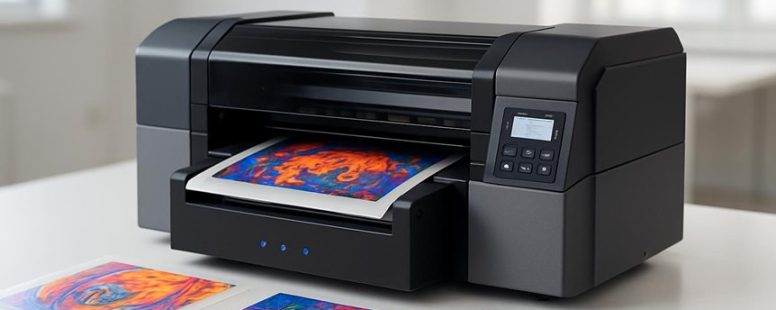
Direct To Film (DTF) printing is a method that allows you to print designs directly onto a special film, which then transfers the image onto fabric. This process makes it easier to produce detailed, colorful images on many types of fabrics, including dark and light-colored materials. Unlike traditional screen printing or heat transfer methods, DTF uses a special film and powder adhesive that sticks the ink to the fabric better.
One big advantage of DTF is how durable the prints are. They usually stay bright and intact even after many washes. Imagine wearing a shirt with a design that still looks new after dozens of washes—that’s what DTF can do. It’s popular with small businesses and hobbyists because it’s simple to learn and works on many fabrics.
But there are some downsides too. DTF printing requires special equipment and materials, which can be expensive at first. Plus, the process can produce a lot of waste if not done carefully. Some people also worry about the environmental impact because of the chemicals used.
If you want to make vibrant, long-lasting designs on shirts, DTF might be a good choice. However, if you’re just starting out or want to keep costs low, it might be better to try simpler methods first. For example, screen printing is cheaper for large runs, but it’s harder to do small or complex designs with it.
In the end, DTF is a powerful tool for printing on fabric, but it’s not perfect. It works well for many projects, but it’s worth considering your budget and goals before deciding if it’s right for you.
Beginner-Friendly Features Of DTF Printers
A beginner-friendly DTF printer is easy to set up and simple to use. These features matter because they help new users start printing quickly without frustration. For example, a printer with clear instructions and an intuitive screen makes the process smoother.
Some DTF printers, like the Epson F2100 or the Jetbest DTF-260, come with step-by-step guides and easy-to-understand menus. This is helpful because many beginners feel overwhelmed when they see complicated controls.
However, not all printers are perfect. Some may claim to be easy but still require a lot of trial and error. Be careful with models that lack clear instructions or have confusing software. It’s good to look for reviews from other beginners who say how simple it was to start.
In short, the best beginner DTF printers are those with straightforward setup, easy-to-use interfaces, and helpful instructions. These features can save you time and frustration, making your first prints more fun. Just remember, no printer is completely foolproof, so keep your expectations realistic.
Easy Setup Process
Setting up a new DTF printer is usually pretty straightforward. Many beginner-friendly models are designed to be simple to install. When I set up my first DTF printer, I followed the clear instructions that came with it. These guides walk you through each step, from unboxing to loading ink and film. You don’t need special tools or technical skills. Just carefully follow the setup steps, and your printer will work smoothly.
Pay attention to how you connect the power and make sure the print heads are aligned properly. Those small details make a big difference in how well your printer works. If you stick to the instructions, you’ll avoid frustration and get your printer ready fast. This simple setup process is a big plus for anyone new to DTF printing, helping you start printing without hassle.
Some models might have a few tricky parts, but most companies include helpful tips to make setup easier. If you’re worried about making mistakes, take your time and double-check connections. Overall, setting up a beginner DTF printer is easier than many people think, and it’s a great first step into the world of custom printing.
User-Friendly Interface
A user-friendly interface is one of the main reasons I suggest beginner DTF printers. These printers are easy to use because their controls are simple and clear. When you’re new to DTF printing, not having to guess what to do next saves you frustration. For example, some printers come with software that works well with popular design tools like Photoshop or CorelDRAW, so you don’t waste time fixing problems. This makes printing smoother and more enjoyable.
The interface also guides you through each step, like changing colors or setting print options, making these tasks simple even if you’re just starting. If you want to learn fast and avoid headaches, pick a DTF printer with an easy-to-understand screen and controls. This feature can turn someone new into a confident printer in a short time.
However, some options might look simple but lack advanced features you might need later. Also, a very basic interface could limit your options as you grow more experienced. Still, for beginners, these printers are a good way to start without feeling overwhelmed.
Balancing Price And Quality For Your DTF Printer
A DTF printer that balances price and quality is key to getting good results without spending too much. The best printers give you clear images, fast printing, and last a long time, but they can cost more. Cheaper models might save you money upfront, but they may not last or print as well.
For example, some brands like Epson and ColDesi make reliable printers that are good for beginners. They might cost around $2,000 to $4,000. These prices are fair because they give decent quality and performance. But beware of very cheap printers, sometimes under $1,000. They often break down quickly or produce poor prints, which can waste your time and money.
Here are two ways to find the right balance:
First, list your needs. Do you want to print small batches or big orders? If you plan to print a lot, invest in a more durable machine. If you just want to try out DTF printing, a cheaper model may be enough.
Second, compare features. Look for good print quality, speed, and easy maintenance. Read reviews from other users to see what they say about durability and support.
Some people prefer spending more on a top brand like Epson or Brother because they last longer and have better quality. Others go for cheaper options, like China-made printers, which work fine for small projects but might need repairs sooner.
Remember, a higher price doesn’t always mean better quality, but very low-cost options often come with hidden problems. Think of it like buying a car—cheap may save money now but could cost more later.
In the end, choose a printer that matches your needs and budget. Don’t get fooled by promises of the “best” at the lowest price. Do your research, compare, and pick what’s right for you.
Affordable Quality Options
Choosing a DTF printer that’s affordable and good quality is possible. The key is to know what to look for so you don’t waste money on a bad choice. A good budget-friendly printer can give you bright, lasting prints without costing a fortune.
Look for printers from brands like Epson or Roland that are known for steady color output and reliable ink systems. These brands often make printers that print sharp images and are easy to use. You don’t need the most expensive model—sometimes a mid-range or older version works just fine.
Focus on features that matter, such as how easy it is to clean and whether it works well with common inks. If a printer is hard to maintain, you might spend more money fixing or replacing parts later. Also, check if the printer can connect to your computer easily, so you can print without hassle.
Some people worry that cheaper printers won’t last or produce good quality. That’s partly true, but many affordable options still do a good job if you pick wisely. Keep in mind that very cheap printers might need frequent repairs, and some may not print as vibrant or durable as pricier models.
On the other hand, some argue that spending extra on a high-end printer is better because it lasts longer and produces perfect results. But if you’re just starting out or on a tight budget, a well-chosen affordable printer can meet your needs without breaking the bank.
Cost Versus Performance
The best way to choose a DTF printer is to compare how well it performs versus how much it costs. Price alone can be misleading because cheaper printers might cost more in the long run. For example, a printer that prints faster, sharper images, and lasts longer will save you money over time, even if it costs a little more upfront.
To do this, you should check key things like how quickly it prints, the quality of the images, and how durable the prints are. These factors affect how many shirts or items you can produce each day and how good the final product looks. Sometimes spending a bit more on a higher-quality printer can reduce downtime and waste. For example, a printer with better ink systems might need fewer refills and less cleaning.
But here’s the warning: not all higher-priced printers are better. Some brands charge a lot but don’t deliver the quality or speed they promise. Do research, read reviews, and compare these details before buying.
Some people say that going cheap might work for small projects, but if you want to grow your business, a better investment is worth it. Remember, a printer that costs more but lasts longer and produces better quality will often save you money and headaches later on.
In the end, don’t just look at the sticker price. Think about what you get for that price—speed, quality, durability—and how it fits your needs. That’s how you find the best value and avoid wasting money on a machine that won’t keep up.
Top Affordable DTF Printers For Beginners
The best affordable DTF printers for beginners are those that balance good quality with a low price. When choosing one, look for printers that are easy to use, produce bright colors, and print clear details. Brands like Epson and Sawgrass make models that many new users find simple to operate. These printers support different design styles, so you can try many ideas without extra costs.
Some printers are better for small businesses or hobbyists who want reliable results without spending too much. For example, the Epson F2100 is popular because it’s easy to learn and produces sharp images. But, some cheaper models might not last long or print as fast. Be careful with very low-priced options, as they might need repairs soon or lack good support.
If you are just starting out, think about how much space you have and what kinds of designs you want to create. Some printers work well with thin fabrics, while others handle thicker materials better. It’s also smart to read reviews and compare features like color vibrancy and printing speed.
You might think, “Will this cheap printer last?” or “Will I get good color quality?” It’s true that cheaper models may have some limits, but with careful choice, you can find a printer that gives you nice results without draining your wallet. Remember, a good starter printer helps you learn and grow, so don’t rush to buy the fanciest model right away. Focus on finding a device that’s easy to use and still produces colorful, detailed prints.
Essential Supplies For DTF Printing
Having the right supplies is key to good DTF printing. If you want your prints to look bright and last long, you need more than just a good printer. You also need tools like heat presses, powder shakers, and curing ovens. These help you get the best results and keep your workflow smooth.
Good quality printing materials are just as important. DTF films, special inks, and adhesive powders make a big difference. If you use cheap or low-quality materials, your prints might come out dull or peel off easily. That wastes time and money. Investing in reliable supplies from the start can save you frustration and help your business grow.
Keep your workspace organized with these basics. It makes printing faster and less stressful. If you want prints that really pop and last, focus on getting the right tools and materials. Without them, even the best printer can’t do its job right.
Some people think you can cut corners, but that often leads to poor quality results. Remember, having the right supplies is the foundation of successful DTF printing. It’s a simple step that makes a big difference.
Easy Setup Tips For Your First DTF Printer
Getting your DTF printer ready for use might seem tricky at first, but it’s pretty simple if you follow a few steps. First, check if your printer works with your computer. Some printers only work with Windows or Mac, so make sure you pick the right one. If you skip this, you could waste time trying to connect and get frustrated.
Next, install the software. This includes the drivers and RIP software, which help your printer understand what to do. Without them, your prints might come out blurry or wrong. Always use the software recommended by the printer brand, like Epson or Roland, to avoid problems later.
Read the quick start guide that comes with your printer. It explains how to load ink and film properly. Imagine trying to bake a cake without reading the recipe — it’s easy to mess things up. Also, calibrate your printer right away. This helps get the colors right and makes sure your prints look sharp.
Some people might tell you to wait before calibrating, but doing it early saves time and headaches. However, be aware that some printers may need extra tweaks over time, so don’t think one setup fixes everything forever.
Getting your DTF printer set up right at the start is like planting a seed — a little care now helps your prints look great later. Just don’t skip steps or rush, or you might end up wasting ink or film. Follow these tips, and you’ll be printing like a pro in no time.
Common Troubleshooting For Beginner DTF Users
Here are simple tips to fix common problems when using a DTF printer for beginners:
Ink clogging: If your print heads stop working or print streaks appear, they might be clogged. To fix this, gently clean the heads with a special cleaning solution made for DTF printers. Doing this regularly can stop clogs from causing bigger problems later. Some brands like Epson or Epson-compatible inks tend to clog less if cleaned often. But be careful not to over-clean, since that can damage the heads.
Film sticking problems: If your prints don’t stick well to the film, it might be because the heat or pressure isn’t right. Try adjusting the heat settings on your heat press or curing machine. Usually, increasing the temperature a little or pressing longer helps the ink stick better. For example, if your prints peel off, increase the heat from 150°C to 160°C and press for a few seconds longer. Always test small prints first to find the best settings.
Uneven colors or fading: If your colors look uneven or the print fades quickly, it could be because of wrong ink type or incorrect printer settings. Double-check that you are using the right ink for your DTF printer, and make sure your color profiles are set correctly in your printing software. Also, ensure your printer is calibrated properly. Sometimes, a simple cleaning or recalibration makes a big difference in print quality.
Following these tips can save you time and frustration. Keep in mind, some issues might need more specific fixes depending on your model. Always test before doing large jobs. With patience and regular maintenance, your DTF printing will improve fast.
Maintenance Tips To Keep Your DTF Printer Running
Keeping your DTF printer working well means doing a few simple maintenance tasks regularly. Here are the most important habits to follow.
First, cleaning your printer often is key. The print heads and rollers can get dirty or clogged, which affects print quality. I clean mine every week using the right tools, like a soft cloth and cleaning solution. If you skip this, you might end up with blurry prints or even costly repairs. Think of it like changing the oil in a car — regular care keeps things running smoothly.
Second, managing your ink properly can save you headaches. Store your inks in a cool, dry place and always close the caps tightly. Running cartridges dry can damage the printer’s system and cause printing issues. Some people use compatible inks, which can save money, but make sure they are from trusted brands. Proper ink care prevents clogs and keeps colors bright.
Third, check your parts often. Look for signs of wear on rollers, belts, and nozzles. Catching small problems early can stop bigger breakdowns later. For example, if a roller looks worn out, replace it before it causes paper jams. This saves time and money in the long run.
Some say that skipping maintenance saves time, but that usually leads to more repairs. Others think a quick check is enough, but a little extra effort can really extend your printer’s life. Be aware that even with good care, printers can sometimes break unexpectedly. Regular maintenance helps avoid stress and keeps your prints vibrant.
Think of your DTF printer like a garden — watering and pruning regularly keeps it healthy. Don’t ignore small issues because they can turn into big problems. Follow these habits, and your printer will produce great prints for a long time. Trust me, taking care of it is the best way to avoid frustration and extra costs.
Where To Get Help And Learn More About DTF Printing
Where To Find Help And Learn More About DTF Printing
If you want to get better at DTF printing, there are some good sources to check out. These can save you time and frustration. Here are the main places to look:
Online forums – These are websites like Reddit or Facebook groups where people share their experiences. They give honest advice and help solve problems. For example, someone might ask how to fix a print streak, and others will give tips based on their own mistakes.
Tutorial videos – Watching videos on YouTube or specialized sites helps you see how to do things step by step. These videos show you the tools and techniques, which makes it easier to learn quickly. For instance, a video on how to apply powder evenly can prevent you from wasting materials.
Manufacturer support – Don’t forget the companies that make your DTF printer and supplies. They often have manuals, FAQs, and customer service teams ready to help. If your printer stops working or you’re confused about settings, contacting support can save you hours of guesswork.
Some people prefer to learn by trial and error, but that can waste time and money. Using these resources can make you more confident faster. Just remember, sometimes online advice can be outdated or not match your specific machine. Always double-check with the manufacturer first.
In the end, seeking help early makes your DTF printing journey smoother. It’s better than guessing and risking mistakes that cost more in the long run. Trust me, doing a little homework upfront can save you headaches later.
To provide the best experiences, we use technologies like cookies to store and/or access device information. Consenting to these technologies will allow us to process data such as browsing behaviour or unique IDs on this site. Not consenting or withdrawing consent, may adversely affect certain features and functions.
Functional
Always active
The technical storage or access is strictly necessary for the legitimate purpose of enabling the use of a specific service explicitly requested by the subscriber or user, or for the sole purpose of carrying out the transmission of a communication over an electronic communications network.
Preferences
The technical storage or access is necessary for the legitimate purpose of storing preferences that are not requested by the subscriber or user.
Statistics
The technical storage or access that is used exclusively for statistical purposes.The technical storage or access that is used exclusively for anonymous statistical purposes. Without a subpoena, voluntary compliance on the part of your Internet Service Provider, or additional records from a third party, information stored or retrieved for this purpose alone cannot usually be used to identify you.
Marketing
The technical storage or access is required to create user profiles to send advertising, or to track the user on a website or across several websites for similar marketing purposes.