Picture watching a stunningly detailed animation or playing a visually breathtaking video game. what’s working behind the scenes to bring those vivid images to life? The answer lies in rendering—the process that transforms raw data into the visuals you see on your screen. But not all rendering is created equal, and this is where the debate between hardware and software rendering begins.
The choice between these two approaches can drastically impact performance, quality, and even cost. Hardware rendering relies on specialized components like GPUs for speed and efficiency, while software rendering leans on your CPU, offering flexibility but often at the expense of processing power. Understanding how they differ isn’t just tech jargon—it’s key to optimizing your experience whether you’re gaming, designing, or streaming.
So how do you decide which one suits your needs? Let’s dive deeper into their strengths and weaknesses.
What Is Rendering?
Rendering is the process of generating an image, animation, or simulation from a model by using software or hardware. It’s the backbone of visual output in industries like gaming, film production, and architecture.
Defining Hardware Rendering
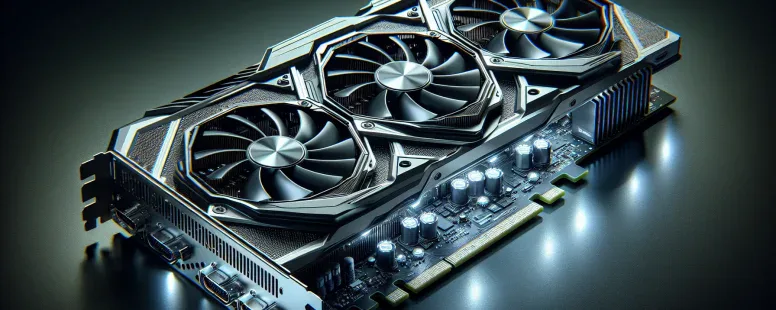
Hardware rendering uses specialized graphics processing units (GPUs) to execute rendering tasks. These GPUs are optimized for parallel processing, making them faster at handling complex visuals. For example, modern video games leverage hardware rendering to deliver high-definition textures and real-time shadow effects with minimal latency.
This method excels in speed and efficiency because GPUs dedicate thousands of cores to graphical computations. Devices like NVIDIA’s RTX series demonstrate this capability by supporting ray tracing—a technique that simulates light behavior for realistic reflections and shadows.
Defining Software Rendering
Software rendering relies on central processing units (CPUs) instead of GPUs to render images. While it’s slower compared to hardware rendering due to limited parallelism, it provides greater control over the rendering process. This flexibility makes it useful in scenarios requiring precision or where GPU compatibility is lacking.
For example, older systems without dedicated graphics cards often depend on software rendering for tasks like running simple 3D models or animations. It also plays a role in debugging graphical workflows since developers can test outputs independent of GPU constraints.
Key Differences Between Hardware And Software Rendering
Understanding the differences between hardware and software rendering helps you decide which method suits specific tasks. Each approach has unique characteristics depending on performance, quality, resource usage, and flexibility.
Performance Comparison
Hardware rendering delivers faster processing due to specialized GPUs designed for parallel data execution. For example, real-time graphics in video games rely on hardware rendering to manage millions of polygons per second. In contrast, software rendering operates through CPUs, prioritizing precision over speed but struggling with intensive workloads like 3D simulations or high-resolution videos.
Quality Of Output
Software rendering often offers greater accuracy and detail by simulating complex visual effects without relying on predefined GPU capabilities. This makes it ideal for applications like CGI film production or architectural visualization where fine details matter most. While hardware rendering produces quick results with high-quality textures and shading in gaming environments, it may sometimes compromise output fidelity under extreme conditions.
Resource Usage
Hardware rendering uses dedicated graphics memory (VRAM) alongside GPU resources, reducing strain on system memory and freeing up CPU power for other tasks. On the other hand, software rendering consumes more RAM and relies heavily on the CPU’s computational capacity. Systems with limited resources might slow down significantly during software-based processes such as ray tracing or volumetric lighting.
Aspect
Hardware Rendering
Software Rendering
Processing Unit
Utilizes GPUs
Depends on CPUs
Speed
Faster
Slower
Resource Demand
VRAM + low CPU usage
High RAM + high CPU usage
Compatibility And Flexibility
Software rendering supports diverse platforms since it’s independent of specific hardware configurations—useful for legacy systems or devices lacking modern GPUs. But, its slower pace limits practical use cases like real-time interactive content creation. Hardware rendering requires compatible GPUs but ensures smoother performance in graphically demanding scenarios such as virtual reality or AAA gaming titles.
Pros And Cons Of Hardware Rendering
Hardware rendering, leveraging specialized GPUs, offers distinct benefits and drawbacks depending on your use case. Understanding these can help you decide when it’s the right choice.
Advantages
High Speed and Efficiency
Hardware rendering processes data faster due to GPU optimization for parallel tasks. For example, modern video games with real-time effects rely on GPUs to render high-definition textures efficiently.
Real-Time Capabilities
Real-time applications like VR or AR benefit from hardware rendering’s low latency. This makes it possible to deliver immersive experiences without noticeable delays.
Dedicated Resources
Hardware rendering uses dedicated graphics memory (VRAM), reducing strain on your CPU and RAM. This improves overall system performance during graphically intensive tasks.
Scalability for Complex Visuals
GPUs scale well for intricate visuals in 3D modeling or simulations, supporting millions of polygons while maintaining frame rates.
Disadvantages
Hardware Dependency
Hardware rendering requires specific GPU compatibility. If your system lacks a powerful graphics card, performance may suffer significantly in demanding scenarios.
Higher Costs
Investing in high-end GPUs can be expensive, especially for professional-grade cards like NVIDIA Quadro or AMD Radeon Pro models used in industries like animation or CAD design.
Limited Flexibility
Unlike software rendering, hardware solutions are less adaptable to non-standard environments or older systems lacking updated drivers and configurations.
Potential Overheating Risks
Intensive GPU usage during prolonged sessions may lead to overheating if cooling mechanisms aren’t sufficient, potentially damaging components over time or throttling performance temporarily under thermal stress conditions.
Pros And Cons Of Software Rendering
Software rendering relies on the CPU to process and generate visuals, offering flexibility and control in various applications. Its utility shines in scenarios requiring precision or compatibility across diverse systems.
Advantages
Precision in Output
Software rendering produces highly accurate visuals by directly processing data through the CPU. This is essential for industries like CGI film production, where minute details matter more than speed.
Platform Compatibility
Software rendering works on nearly any system regardless of hardware specifications. For instance, legacy systems without dedicated GPUs can run software-rendered applications effectively.
Flexibility for Customization
Developers gain greater control over how graphics are processed since software rendering isn’t limited by GPU-specific architecture. This makes it ideal for specialized projects requiring unique graphical results.
Reduced Hardware Dependency
You don’t need a high-end GPU to achieve functionality with software rendering, saving costs on expensive hardware upgrades.
Disadvantages
Slower Performance
Processing graphics solely through the CPU consumes significant time compared to parallel processing offered by GPUs in hardware rendering, leading to delays in real-time applications like gaming or VR environments.
Higher Resource Consumption
Software rendering demands substantial RAM and CPU power, which may strain system resources during intensive tasks such as 3D modeling or video editing.
Limited Scalability for Complex Visuals
Large-scale visual effects with intricate textures or dynamic lighting can overwhelm CPUs due to their lack of parallel computing capabilities inherent in GPUs.
Inconsistent Real-Time Efficiency
Without optimization, achieving smooth frame rates becomes challenging when handling graphically demanding projects on software-rendered platforms like older game engines or simulation tools.
Use Cases For Hardware And Software Rendering
Hardware and software rendering serve distinct purposes depending on the requirements of speed, precision, and resource availability. Understanding their applications helps you make informed decisions in various fields like gaming, animation, or visualization.
Practical Applications For Hardware Rendering
Hardware rendering excels in scenarios demanding high-speed processing and real-time performance. Modern video games frequently use hardware rendering to deliver immersive experiences with detailed textures, dynamic lighting effects, and smooth animations. Titles such as Cyberpunk 2077 leverage GPUs for ray tracing to simulate realistic light behavior.
Virtual reality (VR) environments rely heavily on hardware rendering due to the need for low latency and high frame rates. Devices like Oculus Quest 2 ensure seamless interactivity by utilizing GPU power for rapid scene updates.
Architectural visualization also benefits from hardware rendering when presenting walkthroughs of intricate building designs. Tools like Lumion render photorealistic scenes efficiently using GPU acceleration.
Practical Applications For Software Rendering
Software rendering proves invaluable in fields requiring precision over speed or where specialized hardware isn’t accessible. CGI production studios often use software-rendered frames when crafting complex scenes with intense detail for animated films like Toy Story. The control offered allows meticulous adjustments during post-production.
Legacy systems without modern GPUs depend on software rendering for compatibility across diverse platforms. This approach supports older games or applications that can’t interact with newer graphics cards effectively.
Scientific simulations sometimes opt for software rendering when visualizing data sets where accuracy takes precedence over real-time operation—for instance, meteorological models representing climate patterns.
How To Choose Between Hardware And Software Rendering
Making the right choice between hardware and software rendering depends on your specific needs, project requirements, and system capabilities. Evaluate these factors:
Performance Needs
Hardware rendering delivers faster results due to GPU optimization. If your work involves real-time graphics, such as video games or VR environments, prioritize this option for smooth performance. For example, modern GPUs like NVIDIA RTX series handle ray tracing efficiently.
Output Quality
Choose software rendering when precision is more important than speed. High-quality CGI production or scientific simulations often rely on software rendering for its ability to produce detailed visuals with higher accuracy.
System Resources
Analyze available hardware resources before deciding. Use hardware rendering if you have a robust GPU setup with dedicated memory to minimize CPU strain. But, opt for software rendering in scenarios where systems lack advanced GPUs but offer sufficient CPU power and RAM.
Budget Constraints
Hardware solutions usually involve significant costs due to high-end GPUs and upgrades required over time. Software rendering provides a cost-effective alternative by utilizing existing CPUs without additional investments in specialized components.
Project Compatibility
Consider platform compatibility during selection—software rendering supports diverse operating systems and legacy platforms better than hardware-based methods tied to specific GPU technologies.
Scalability Requirements
If scalability is critical for handling complex visual scenes or expanding workloads over time, hardware rendering offers superior scalability through parallel processing capabilities of modern GPUs.
Real-Time Efficiency
For applications requiring immediate feedback—like live-action gaming or interactive simulations—hardware-rendering ensures quicker response times compared to slower computational speeds of software methods.
Conclusion
Choosing between hardware and software rendering depends on your specific needs and priorities. If speed, efficiency, and real-time performance are critical, hardware rendering is the way to go. On the other hand, if precision, flexibility, or compatibility with legacy systems matters more, software rendering offers unique advantages.
Understanding how each method aligns with your project requirements ensures you make informed decisions that balance performance and quality. By evaluating factors like system capabilities and desired outcomes, you can achieve the best results for gaming, design work, or any creative try.
To provide the best experiences, we use technologies like cookies to store and/or access device information. Consenting to these technologies will allow us to process data such as browsing behaviour or unique IDs on this site. Not consenting or withdrawing consent, may adversely affect certain features and functions.
Functional
Always active
The technical storage or access is strictly necessary for the legitimate purpose of enabling the use of a specific service explicitly requested by the subscriber or user, or for the sole purpose of carrying out the transmission of a communication over an electronic communications network.
Preferences
The technical storage or access is necessary for the legitimate purpose of storing preferences that are not requested by the subscriber or user.
Statistics
The technical storage or access that is used exclusively for statistical purposes.The technical storage or access that is used exclusively for anonymous statistical purposes. Without a subpoena, voluntary compliance on the part of your Internet Service Provider, or additional records from a third party, information stored or retrieved for this purpose alone cannot usually be used to identify you.
Marketing
The technical storage or access is required to create user profiles to send advertising, or to track the user on a website or across several websites for similar marketing purposes.