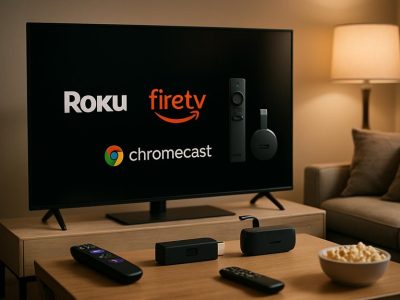
Picture sinking into your couch as the glow from your TV flickers across the room and the aroma of buttery popcorn fills the air. You reach for your streaming remote—Firestick or Roku—and suddenly the choice feels like more than just a click. Each promises to unlock worlds of entertainment but which one truly transforms your living room into a cinematic escape?
You might think all streaming devices are cut from the same cloth yet subtle differences can change everything. From hidden features to unexpected perks these gadgets offer surprises that could tip the scales in ways you never expected. Ready to discover which device fits your streaming style and elevates your binge-watching nights? Let’s peel back the layers and find out.
Overview of Firestick and Roku
When you look at streaming devices, Firestick and Roku often stands in the spotlight, like twin stars on your living room stage. Firestick, a compact stick from Amazon, plugs straight into your TV’s HDMI port, transforming regular screens into gateways for Netflix, Hulu, Disney+, and over 500,000 movies and episodes (TechRadar, 2024). Roku, meanwhile, unfurls a wide range of gadgets, from Roku Express to the feature-rich Roku Ultra, all engineered for easy access to almost every major streaming app available.
If you’ve ever spent ten minutes deciding what to watch while the popcorn cools, Firestick’s Alexa Voice Remote might sound just like magic—just say “open HBO Max” and it listens. Roku, on the other hand, lets you search through apps and channels at once and even include private listening with their mobile app. You could watch the finale of Stranger Things with headphones, while your roommates blast music in the kitchen. Has that ever happened in your house?
Choosing between Firestick or Roku, picture you’re picking keys that unlock different doors: Amazon’s Firestick, bound closely with Prime Video, favors those already invested in Amazon’s ecosystem, such as people who shout “Alexa” to turn on their lights or check the weather. Roku takes a more agnostic approach, placing neutrality first, and rarely pushing you to one platform; Reuters said in 2023 that Roku hosted over 3,000 streaming channels without privileging any one service ahead.
But, make no mistake—these devices are not just hardware. They’re ecosystems. Firestick collects your apps under the Amazon interface, displaying personalized recommendations based on what you binge. Roku’s interface, praised by CNET for its uncluttered design, organizes content by channel logos so you can jump right to what you want, which is often faster if you favors consistency.
Both devices appear small, but the world they unlock—sports, kids’ programming, news, fitness classes—looms far larger than their actual size. Which remote truly feels right in your hand? Are you someone who prefers an endless buffet of choices, or a curated reel tied to your shopping and streaming habits? Firestick and Roku both intends to craft your home theater but you like, yet the stories they tell about you might be different.
Device
Representative Models
Key Features
Brand Affiliation
Notable Strength
Firestick
Fire TV Stick 4K, 4K Max
Alexa Voice Remote, Prime integration
Amazon
Personalized recs
Roku
Roku Express, Roku Ultra
Universal Search, private listening
Neutral
Channel Diversity
Ask yourself: which world fits you better—one shaped by Amazon’s logic, or one built for neutrality? If you reflect on your streaming habits, both Firestick and Roku exists to surprised you, sometimes in ways you didn’t even expect.
Design and User Interface
Design and interface both shape your streaming nights, influencing comfort, ease, and even device loyalty. Compare Firestick and Roku by looking at their form, setup, and how smoothly you jump from app to app.
Device Design and Setup Process
Firestick and Roku both come in compact forms—Firestick resembles a USB stick, Roku’s sticks or pucks sit quietly by the TV. Both plug into your TV’s HDMI port. Firestick often feels seamless with Amazon’s tailored packaging aiming for plug-and-play; you just connect to Wi-Fi, log into your Amazon account, and you’re set. Roku’s setup process uses clear on-screen prompts, and you can finish everything without extra devices; you’ll see a code on your TV, enter it at Roku’s website, and start streaming. Both take less than ten minutes from box to binge. According to TechRadar, Firestick’s remote fits better in hand, while Roku’s textured finish may appeal to those who like tactile surfaces. If you’ve got crowded HDMI ports, Roku Express’s thin cable sometimes solves connection problems easier than sticking a Firestick directly into the slot.
User Experience and Interface Navigation
Firestick’s interface, dominated by Amazon’s branding, displays content recommendations front and center, sometimes prioritizing Amazon Prime Video—even when you search for other services. Navigation remains fast due to robust hardware, but menu layers occasionally bury less-used apps. Alexa voice search works for titles, genres, and controlling smart home devices by voice; for instance, you can say, “Show me Marvel movies,” or “Dim the lights,” and get instant results, making you feel like a movie-night conductor.
Roku’s OS stays neutral and clean, presenting rectangular tiles for each app, so your favorite platforms like Netflix, Disney+, or Apple TV+ sit alongside lesser-known channels. You don’t get forced recommendations, which some users appreciate. Private Listening via the Roku mobile app lets you watch late at night with headphones, a rare feature that often delights apartment dwellers. The universal search function scans every major service without bias, badges the cheapest streaming option, and places user control above branded persuasion. Occasionally, updates slow old Roku models, yet interface stability gets best-in-class scores from reviews at CNET.
Which user experience fits your style—Firestick’s guided immersion or Roku’s calm neutrality? Each design choice shapes not just how you stream but how you discover new favorites. If you swap devices between TVs often, the compact build and intuitive interfaces of both make switching nearly frictionless, yet only Roku lets two people listen via the same TV without waking the neighbors.
Content and App Availability
Content and app availability directly shapes your streaming nights, pushing Firestick and Roku to compete on sheer variety and access. Your options for streaming Netflix or discovering niche channels hinge on these ecosystems.
Streaming Apps and Channel Selection
Firestick and Roku both bring thousands of apps and channels, putting nearly every major streaming service at your fingertips. You’ll find Netflix, Hulu, Disney+, Prime Video, Max, and YouTube preloaded on either device. Roku offers over 4,000 official channels (Roku, 2023), which include specialty networks and international apps like BritBox, Acorn TV, and Viki. Firestick matches with deep support for major U.S., sports, and cable-authenticated apps—think ESPN, Peacock, Paramount+, and Sling TV. Apps in Amazon’s Appstore sometimes arrive later than on Roku. Roku’s neutrality lets you search platforms without favoring a provider; Firestick nudges you toward Amazon Prime Video content whenever it can.
Some users noticed Firestick’s search lists Prime Video titles first, pushing you to rent from Amazon (The Verge, 2023). If neutrality is key, Roku stays hands-off and organized, using universal search to show you where every title lives—by price, not by partnership. With either platform, you stream live TV with Pluto TV, Sling, or Hulu + Live TV, but some smaller apps works more reliably on Roku due to extensibility and fewer background restrictions on updates.
Exclusive Content and Integrations
Exclusive content stays rare, but integrations differ. Firestick deeply integrates with Amazon’s services—Alexa voice search controls smart home devices, purchases digital movies, and recommends shows. For example, saying “Alexa, play The Boys” auto-launches the series in Prime Video and dims your connected lights. It’s a hands-on environment for Prime subscribers who buy inside Amazon’s ecosystem.
Roku, on the other hand, builds a walled garden of free ad-supported content: The Roku Channel streams thousands of movies and original series (“Weird: The Al Yankovic Story,” 2022), requiring no subscriptions. Roku’s integrations mostly focus on AirPlay, Google Assistant, and private listening through its app, letting your phone become a remote or private headphone jack. If you explore smart home tie-ins, Firestick fits better with Echo devices, but Roku lines up with broader platforms, supporting Alexa, Google, and HomeKit.
Choosing means reflecting on whether you want a door to Amazon’s media or a neutral hub primed for diverse discovery—each option shapes your movie nights in subtle, important ways.
Performance and Streaming Quality
Performance and streaming quality set the stage for every movie night, shaping how quickly your favorite scenes appear and just how immersive each sound feels. You’ll notice differences between Firestick and Roku when pixels and seconds count.
Speed and Responsiveness
Speed and responsiveness matter most when you’re flipping through apps or searching for that next episode. Firestick’s quad-core 1.7 GHz processor (in most recent models) pushes apps to load in about 1-2 seconds, while Roku’s latest sticks—like the Roku Streaming Stick 4K—use an ARM Cortex-A55 quad-core CPU, holding their own with similar speeds.
Your experience might change depending on Wi-Fi interference or app size. For example, you may’ve fired up Netflix on a Firestick after a long day, only to find a Prime Video ad slowing down your tap. Roku, on the other hand, keeps its interface lean, rarely bogs you down with branded content, letting you jump into Hulu or HBO Max with fewer prompts.
When lag creeps in, especially on older models, real-life users often mention how Roku recovers faster—navigating back from crashing apps takes a second or two, but Firestick sometimes requires a reboot. Which one fits best? If you want less branded clutter, you may prefer Roku for everyday speed; if you value voice search and integrations, Firestick’s Alexa gives a snappy edge.
Video and Audio Quality
Video and audio quality transform a basic living room into a true cinema. Most current versions—Firestick 4K Max and Roku Streaming Stick 4K included—support 4K Ultra HD at up to 60fps, Dolby Vision, HDR10+, and Dolby Atmos surround sound. Your TV and soundbar decide how much of this magic appears, but the devices support industry standards at parity.
Ever streamed a Marvel action sequence? On Firestick 4K Max, Dolby Atmos can rattle furniture with thunderous clarity while crisp HDR10+ punches up the contrast in night scenes. Roku matches it, streaming a Pixar film’s vibrant colors onto the screen without visible buffer delays, even from The Roku Channel.
Network conditions can be the wild card—Firestick 4K Max supports Wi-Fi 6 (802.11ax), outperforming Roku’s Wi-Fi 5 on congested home networks, especially if your family streams on several devices at once. But if your setup’s basic, both deliver HD brilliance and immersive sound for shows, live sports, and YouTube marathons.
Device
Processor
Wi-Fi Standard
Max Resolution
HDR Support
Audio
Firestick 4K Max
Quad-core 1.7GHz
Wi-Fi 6
4K Ultra HD (60fps)
HDR10+, Dolby Vision
Dolby Atmos
Roku Streaming Stick 4K
Quad-core Cortex-A55
Wi-Fi 5
4K Ultra HD (60fps)
HDR10+, Dolby Vision
Dolby Atmos
Would you rather have snappier app switching or richer movie colors? Both Firestick and Roku can offer silky playback, but your personal priorities and devices tip the balance. Reliable performance paired with your TV’s capabilities decides whether every night feels like a movie premiere or just another average scroll through options.
Features and Customization Options
Exploring the features and customization options helps you realize how dramatically a streaming device can adapt to your lifestyle. Here, subtle tweaks and advanced controls bridge comfort with capability, pushing Firestick and Roku to cater unique viewing habits.
Voice Control and Smart Home Integration
Firestick and Roku both support hands-free voice commands, yet their approaches paint contrasting portraits of convenience. With Firestick, you speak to Alexa like you’re confiding in a personal assistant; “Play the next Stranger Things episode,” you suggest, and Alexa complies instantly. This close integration means you can dim the smart lights, adjust your thermostat, or check Ring doorbell feeds—without even reaching for the TV remote. Amazon’s Fire TV lineup, supporting Alexa Routines and compatible smart home devices (according to Amazon’s Fire TV documentation), pulls your living room into the broader Amazon smart home orbit.
Roku’s voice controls, on the other hand, resemble a helpful tour guide—answering questions, initiating searches, or launching apps. Roku Voice and its Smart Home products focus more on entertainment commands, not home management. For example, you might say “Show me free comedies,” and Roku’s universal search scouts across Netflix, Hulu, and dozens more. If you own Roku cameras or lights, commands function inside Roku’s ecosystem, but integration with outside brands isn’t so deep. Which do you prefer: a device that quietly listens in the background, or one that reserves its power for when you explicitly ask?
Parental Controls and Personalization
Examining parental controls and personalization lets you see how hands-on you’d like to be about content habits. Firestick’s parental controls, enabled via your Amazon account, allow you to set restricting PINs, block purchases, and manage specific app access—life gets a bit easier if you’re monitoring a tech-savvy 8-year-old who knows Alexa’s tricks. Personalized profiles let Firestick cue up “recently watched” lists by user. Amazon’s recommendation engine, learning from your viewing, refines home screen picks—sometimes eerily accurate—based on what you binge.
Roku offers PIN protection for purchases and premium content, along with Kids & Family zones, which filter child-friendly shows. A family about to embark on roadtrip, you can set up a Roku Voice Remote Shortcuts button to instantly launch PBS Kids or Disney+. Private Listening (through the Roku app) transforms your phone into a wireless headphone receiver, letting you stream Cocomelon at midnight without waking the house. Roku’s home screen customizations—rearranging channels, adding themes—remains vendor-neutral, emphasizing user choice over algorithmic nudges.
Both platforms recognize that every viewer’s needs change over time. Do you want a smart streaming companion that anticipates your preferences, or do you value the power to design your own digital landscape? Each brand’s answer to this question opens up unexpected paths—and sometimes, the right feature at the right moment turns a routine movie night into a small adventure.
Pricing and Value for Money
Streaming can transforms your living room in to a cinema-quality experience, but the cost of entry isn’t always obvious. When considering Firestick and Roku, you’ll notices price tags and hidden values vying for your attention. Are you paying more for future-proof features, or just for a fancy remote? Device costs, subscriptions, and update cycles reveal the true bargains behind the brand names.
Device Costs and Subscription Options
Device prices for Firestick and Roku range $29.99 to $99.99, depending on feature set, resolution, and remote technology. Firestick Lite enters at $29.99, matching Roku Express at the same price (Amazon, Roku, 2024). Move into premium territory, Firestick 4K Max sits at $54.99, while Roku Streaming Stick 4K goes for $49.99. Ultra editions—like Roku Ultra—retail for $99.99 but include Ethernet, Dolby Vision, and premium remotes.
Subscription models complicate the landscape. Neither Firestick nor Roku requires monthly hardware fees, but app access means recurring costs. Netflix, Disney+, and Max start at $6.99 monthly. Roku offers free access to The Roku Channel, which hosts live and on-demand content. Firestick bundles Prime Video for Amazon Prime users at $14.99 per month, integrating extra perks.
Whether you want the lowest upfront cost or a streaming experience powerful enough to replace cable, device pricing sometimes tell only half the story. Is voice remote truly a must, or would you choose a standard remote to save $20? The answer depends on your binge-watching priorities.
Device
Entry Price
Premium Price
Included Features
Branded Free Channel
Firestick (Lite to 4K)
$29.99
$54.99
Alexa Voice, Wi-Fi 6 (4K Max)
Prime Video (via Prime acct)
Roku (Express to Ultra)
$29.99
$99.99
Private listening, Dolby Vision
The Roku Channel
Long-Term Value and Updates
Long-term value emerges when you ask: “How long before this tech become obsolete, or that app gets unsupported?” Firestick and Roku both deliver frequent software updates, security patches, and interface refinements. Roku pushes updates quarterly, focusing on stability and new content partners (Roku Newsroom, 2024). Firestick iterates via Alexa’s cloud AI, rolling out new integrations without requiring manual intervention.
Device support lifespans typically stretch 5-7 years. Early example: Roku users from 2016 still receive bug fixes and major content updates. Firestick’s Alexa remote gained new skills and smart home abilities through over-the-air upgrades, keeping older models relevant.
Upgrade fatigue strikes if newer apps or 4K content leaves older sticks lagging. Roku’s ecosystem, being brand-neutral, encourages longer compatibility. Firestick prioritizes synergy with Amazon offerings; when Alexa learns a trick, your Firestick benefits instantly.
When you weigh pricing, subscriptions, and software support, you’re buying more than a device—you’re investing in a living ecosystem. Is it better to select a stick based on its sticker price, or for long-haul harmony with the apps and services you love? Checking update history, considering long-term app support, and weighing ecosystem benefits can guide your decision toward a device that lasts longer than the trends.
Which Is Better: Firestick or Roku?
Choosing Firestick or Roku feels a bit like picking your favorite seat in a crowded theater—both devices open the doors to streaming, but where you sit shapes the entire show. You press the Alexa button on your Firestick remote, ask, “Show me thrillers with Tom Cruise,” and Alexa replies instantly, pulling up Top Gun, Minority Report, and Mission Impossible in seconds. With Roku, you scroll through the universal search bar, type “Tom Cruise,” and suddenly dozens of streaming platforms surface every film he’s ever made, from obscure roles to recent blockbusters, all ranked by cost and availability—no platform bias in sight.
Brand ecosystems create invisible loyalties. When you’re deep in Amazon’s world—maybe you use Echo speakers, shop on Prime, or command smart devices with your voice—the Firestick completes the circle. It syncs up your orders (“Alexa, where’s my delivery?”), dims the lights, and even displays security cameras on your TV. Roku, on the other hand, acts like the friendly usher who stands back, points you toward Netflix, Disney+, Sling, or YouTube TV without nudging you one way or another. It’s more Switzerland, less Amazon.
Private listening on Roku offers an unexpected twist. You plug headphones into your remote—or connect through the Roku mobile app—and settle into bed while your partner sleeps. Even loud action movies become a private affair. Firestick fans counter with slick voice control features—dim lights, check the front door, pause the show—all through Alexa routines, turning your living room into a “smart” stage.
Price tags can be deceiving. Roku’s entry device matches Firestick Lite at $29.99, but as you climb into 4K territory, both cross the $50 mark. Firestick 4K Max tempts with Wi-Fi 6 for faster streaming—especially if your home sits in a Wi-Fi jungle. Roku’s Streaming Stick 4K+ shines with a lost remote finder and a truly neutral home screen. Both save you money with free channels, but you might ask: are the extras worth it when you mostly use just Netflix and HBO Max?
Performance feels equally split. One reviewer compared boot times, and both loaded Netflix in under seven seconds, but he noticed Firestick auto-played Amazon Originals on the home screen. Roku sat quietly, waiting for you to make every move. If you hates branded clutter, Roku’s lean interface quickly wins hearts. Gamers, but, may grumble—neither device replaces a true game console.
If you looks at software updates and longevity, both devices stick around for at least 5 years, according to CNET and TechHive. Firestick rewards loyalty with deep Amazon feature upgrades, but you might find older models eventually get slower compared to Roku’s brand-neutral support and rare interface overhauls.
So which device earns your applause depends on what stage you want to set. Are you comfortable letting Amazon steer your recommendations and control your smart home, or do you prefer a neutral streaming gateway that lets you script your own experience? If you invite friends for movie night and everyone wants their own profile, Firestick’s user accounts make sense. If you have a mix of devices—Android, iOS, smart TVs—and prefer consistency, Roku bridges gaps.
Ask yourself: what’s the most important thing—voice control, device neutrality, app choices, or future-proofing your investment? Firestick and Roku both deliver a great home theater act, but every streaming fan plays their part differently.
Conclusion
Choosing between Firestick and Roku really comes down to your personal streaming style and which features matter most to you. If you’re already invested in Amazon’s ecosystem or love using Alexa for hands-free control Firestick might be a natural fit. On the other hand Roku’s neutral approach and user-friendly interface make it a great choice if you want broad content access without brand bias.
Both devices deliver reliable performance and plenty of entertainment options so you can’t go wrong with either. Take a moment to think about your viewing habits and what will make your movie nights feel just right—your perfect streaming companion is waiting.
To provide the best experiences, we use technologies like cookies to store and/or access device information. Consenting to these technologies will allow us to process data such as browsing behaviour or unique IDs on this site. Not consenting or withdrawing consent, may adversely affect certain features and functions.
Functional
Always active
The technical storage or access is strictly necessary for the legitimate purpose of enabling the use of a specific service explicitly requested by the subscriber or user, or for the sole purpose of carrying out the transmission of a communication over an electronic communications network.
Preferences
The technical storage or access is necessary for the legitimate purpose of storing preferences that are not requested by the subscriber or user.
Statistics
The technical storage or access that is used exclusively for statistical purposes.The technical storage or access that is used exclusively for anonymous statistical purposes. Without a subpoena, voluntary compliance on the part of your Internet Service Provider, or additional records from a third party, information stored or retrieved for this purpose alone cannot usually be used to identify you.
Marketing
The technical storage or access is required to create user profiles to send advertising, or to track the user on a website or across several websites for similar marketing purposes.