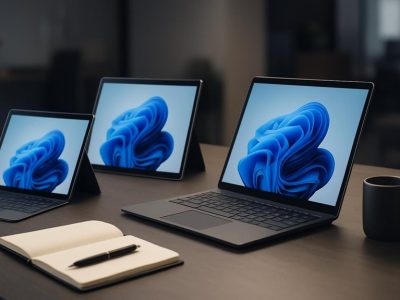
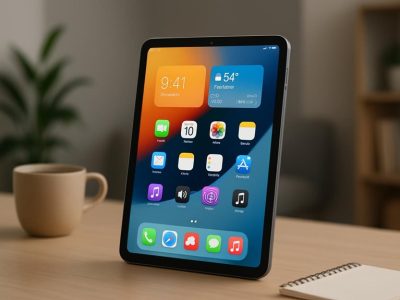
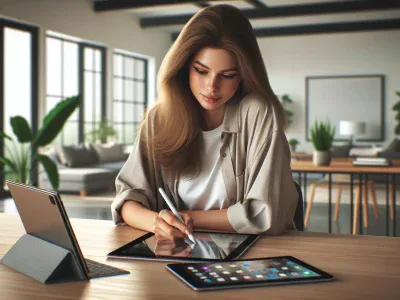
Picture holding a sleek device that fits in your hands yet powers your creativity like a full workstation. Is it the iPad with its vibrant touchscreen and effortless portability, or the laptop with its robust performance and familiar keyboard? Choosing between the two isn’t just about specs—it’s about how you work, play, and create.
You might be drawn to the iPad’s fluid interface and instant-on convenience, perfect for sketching ideas or streaming on the go. Or perhaps the laptop’s multitasking muscle and versatile software library better suit your daily grind. Both offer surprising benefits that can transform your digital experience in unexpected ways. Which one truly fits your lifestyle? Let’s jump into the features that set them apart and find out.
Design and Portability
Understanding design and portability plays a crucial role when choosing between an iPad or a laptop. Both devices offer advantages in their build and form factor that impact how you’ll use them daily.
Size and Weight Comparison
Size and weight directly affect how easy it is to carry a device. iPads generally weigh between 0.68 to 1.5 pounds, depending on the model, while laptops commonly range from 2.5 to 5 pounds, often tipping the scale based on screen size and components. For example, the iPad Air weighs around 1 pound, enabling you to hold it comfortably in one hand during long commutes or quick note-taking sessions. Conversely, ultrabooks like the MacBook Air hover around 2.8 pounds, offering a balance between screen real estate and portability, but demand a backpack or bag for transport.
Does size really matter to you? If mobility defines your lifestyle, the iPad’s slender frame fits most situations better. Laptops, but, deliver a larger keyboard and display that serve complex workflows, although this convenience comes with extra bulk. What fits your routine depends on how often you switch locations or require mobility without sacrificing performance.
Device Type
Typical Weight Range
Typical Thickness Range
iPad
0.68 – 1.5 lbs
0.24 – 0.30 inches
Laptop
2.5 – 5 lbs
0.5 – 0.8 inches
Build Quality and Materials
Materials and build quality define not just aesthetics but durability and user confidence. iPads boast sleek aluminum enclosures that resist bends and scratches, making them premium yet light. The glass front doubles as a multitouch interface, seamlessly integrating design with function. Apple’s rigorous manufacturing standards, measured through scratch tests and drop simulations, ensure iPads endure daily wear with minimal damage.
Laptops often mix metal and polycarbonate shells. High-end models, like the Dell XPS or MacBook Pro, use machined aluminum or carbon fiber, which raises the sturdiness and premium feel. These materials also permit efficient heat dissipation, crucial for maintaining performance. In contrast, budget laptops might rely on plastic, making them vulnerable to flex and damage over time, yet they can be more affordable for wide adopters.
Consider how you handle your device. If your environment involves frequent travel or tight spaces, build quality becomes paramount to protect your investment. The iPad’s precision build lends itself to grab-and-go scenarios, whereas laptops require more careful handling to preserve their components and hinges.
Would you prefer a gadget that’s featherlight but robust or something heftier with comprehensive physical safeguards? Both devices tell different design stories, answering this question hinges on your particular needs.
The interplay of size, weight, and build quality shapes portability in significant ways. Knowing which attributes align with your lifestyle accelerates confident choices—perhaps picking an iPad if sleekness and ease dominate, or a laptop if substance and structure take priority.
Performance and Power
Performance and power play a crucial role when choosing between an iPad and a laptop. Understanding the capabilities of each device helps you match your tech to your tasks.
Processor and RAM
Apple’s M1 and M2 chips elevate iPad performance, delivering blazing speeds for creative apps and gaming, but they still trail behind some high-end laptop processors like Intel Core i9 or AMD Ryzen 9 in raw computing power. iPads typically offer 8GB to 16GB RAM, which suits most mobile tasks but may bottleneck in demanding workflows like video editing or data analysis. Laptops often boast 16GB to 32GB RAM, enabling smoother multitasking and handling of intensive software.
For example, if you’re editing high-resolution 4K videos, a laptop with 32GB RAM and a powerful CPU processes faster, while iPads excel at quick edits or sketching on apps like Procreate. But, some recent high-end iPad models challenge laptops in speed benchmarks, showcasing Apple’s innovation pushing mobile power limits.
Multitasking and Productivity
Laptops support robust multitasking with multiple windows, tabs, and software running simultaneously, often essential for developers, marketers, or researchers juggling diverse applications. The iPad’s iOS supports split-screen and app switching but limits window management and background processes compared to traditional desktop OS.
Picture you’re writing a report while analyzing spreadsheets and monitoring emails. Laptops enable seamless switching and dragging content between apps, enhancing productivity. Meanwhile, iPads serve well for lighter tasks, creative brainstorming, or presentations due to their intuitive touch interface and portability.
Even though iPad multitasking improvements, think critically about your workflow complexity. You might sacrifices some flexibility if you rely on specific software unavailable or limited on iPadOS. Choosing the right device eventually depends on your needs for computational power and the multitasking demands of your projects.
Operating Systems and Software
Operating systems shape your interaction with any device, defining both its capabilities and limitations. Understanding how iPadOS and laptop operating systems handle software reveals which fits better with your digital lifestyle.
iPadOS Features
iPadOS, Apple’s tablet-tailored system, blends mobile agility with productivity tools. It excels in intuitive touch controls and optimized apps designed specifically for the iPad’s hardware. For instance, apps like Procreate transform your screen into a digital canvas, enabling fluid creativity unmatched by many laptops. Also, multitasking has improved with Split View and Slide Over, letting you work on two or more tasks simultaneously–but it still can’t fully match a laptop’s windowed environment, especially for complex workflows.
The App Store offers 1.8 million apps (Statista, 2024), many exclusive or optimized for iPad, providing tools from note-taking to graphic design. But, apps tend to be more streamlined versions, so professionals using niche software or requiring extensive file management might hit roadblocks. Besides, iPadOS relies heavily on cloud services and subscriptions, which could limit offline flexibility for some users.
Laptop Operating Systems (Windows, macOS)
Laptops run versatile OS options like Windows and macOS, each delivering robust software ecosystems supporting broad use cases. Windows powers over 70% of PCs worldwide (StatCounter, 2024), offering compatibility with legacy programs vital for business and engineering. macOS stands out for creative professionals, seamlessly integrating with other Apple devices and software like Final Cut Pro for video editing.
Laptop OSs enable true multitasking with overlapping windows, drag-and-drop file management, and powerful keyboard shortcuts that enhance productivity immensely. You can run full-fledged development environments, virtualization software, and complex databases—all impossible or limited on iPadOS. But, this power demands maintenance: regular updates, security checks, and occasional troubleshooting can disrupt work flow if you’re not prepared.
Choosing between iPadOS and laptop OS hinges on your primary activities. If you mostly browse, stream, and create visual content casually, iPadOS feels natural and efficient. If your focus requires comprehensive software suites, multitasking depth, or specialized applications, laptops stand out. Ask yourself: does your workflow demand software complexity, or would lightweight, app-focused convenience better support you? This reflection guides your choice more than specs alone.
Consider testing both if possible. Notice how response time, app availability, and task-switching speed feel in your routine. Balancing system strengths with your habits leads to device harmony—not just which is “better,” but which empowers your best work.
Battery Life and Charging
Battery life and charging influence your device use daily. Knowing the strengths and limits of an iPad and a laptop here helps you pick what fits your routine best.
Typical Usage Duration
iPads usually provide between 10 and 12 hours of continuous use, depending on the model and activities like streaming video or browsing. Laptops, but, show wider range in usage time, typically from 6 to 10 hours based on hardware and screen brightness. For example, a MacBook Air with an M2 chip can last about 15 hours under optimal conditions (Apple, 2023). If you mostly perform light tasks such as reading or note-taking, an iPad lasts longer due to its optimized power consumption. But when running software-intensive tasks, laptops consume more power, reducing uptime. It’s interesting to note that iPads use Mobile Apps which are well-optimized for battery, while laptops run desktop apps which generally demand more energy. Hence, your daily workflow and power needs decide which device won’t leave you stranded.
Charging Speed and Convenience
iPads typically support fast charging, reaching about 50% battery in a half-hour with a proper charger. Many models use USB-C or Lightning cables, which are widely available and compact to carry. Laptops vary; newer models boast quick charging features, such as the Dell XPS 13’s ability to reach 80% battery in an hour, yet others take longer due to larger battery packs. The convenience also lies in portability — iPads recharge with smaller chargers you can easily stash while laptops require bulkier power bricks, less suited for minimalist carry. Besides, iPads support charging through power banks or even wireless pads in some editions, giving flexibility on the road. These factors matter if you’re often mobile, rely on spontaneous recharging, or face limited power outlets.
Knowing your charging habits, frequency of use away from power sources, and the types of apps you run clarifies which device sustains your productivity best. Have you observed how often each device needs juice during a hectic day? Reflecting on such patterns can guide choices beyond specs and marketing claims. In the end, the device that harmonizes better with your lifestyle and charging realities usually wins the daily battle of battery life.
Accessories and Expandability
When choosing between an iPad and a laptop, the accessories and expandability options play a crucial role in shaping your overall experience. These elements affect how flexibly you can use the device in different scenarios, from professional tasks to entertainment.
Keyboards, Styluses, and Other Peripherals
Whether you’re typing a report, sketching a design, or navigating through apps, the availability and quality of peripherals define device usability. iPads support the Apple Magic Keyboard and Smart Keyboard Folio, offering a surprisingly tactile typing experience for a tablet. They also pair seamlessly with the Apple Pencil, which excels in precision for drawing, note-taking, and annotations. This makes the iPad particularly appealing for creatives and students who benefit from a pen interface combined with portability.
Laptops integrate physical keyboards by design, many featuring backlit keys, ergonomic layouts, and function shortcuts. For users writing long documents or coding, a laptop keyboard reduces fatigue. While stylus support on laptops is rare and usually limited to high-end touchscreen models, external peripherals like graphic tablets or mice expand functionality widely. You might find that laptops offer a broader ecosystem of accessories, including docking stations, external GPUs, and multiple display setups, supporting more complex workflows.
Are you a multitasker who switches between typing, drawing, and touch controls? The iPad’s stylus-keyboard combo might convince you, but if you rely on traditional input methods or need extensive peripheral compatibility, the laptop takes the lead.
Ports and Connectivity Options
Expandability also hinges on how your device connects with other hardware. iPads use the Lightning port or USB-C (on newer models) but often require adapters to connect to standard USB devices, external monitors, or network cables. The limited port variety can restrict direct connections, so you might find yourself juggling dongles for HDMI output, USB drives, or SD cards.
Laptops usually provide an array of ports: USB-A, USB-C, HDMI, Ethernet, and audio jacks, allowing plug-and-play versatility. For example, if you’re presenting in a conference room, your laptop’s HDMI port effortlessly connects to projectors, whereas an iPad would demand an extra adapter or wireless workaround. Beyond physical ports, laptops often support dual-band Wi-Fi, wider Bluetooth compatibility, and sometimes even built-in cellular modems, enhancing connectivity options.
Suppose connectivity without constraints is essential for your work or lifestyle. In that case, laptops cater better to these needs, while iPads prioritize slim design over connectivity breadth — an important trade-off to recognize.
Feature
iPad
Laptop
Keyboard Options
Magic Keyboard, Smart Keyboard
Built-in, external mechanical
Stylus Support
Apple Pencil
Rare, specialized touchscreen pens
Typical Ports
USB-C or Lightning, requires adapters
USB-A, USB-C, HDMI, Ethernet
Connectivity
Wi-Fi, Bluetooth, optional LTE
Wi-Fi, Bluetooth, Ethernet, LTE
Understanding these differences helps you align your choice with your accessory preferences and expandability needs. Think about the peripherals you use daily; the device that best integrates with them will feel the most natural for you.
Price and Value for Money
Understanding the price and value of an iPad versus a laptop helps you make a smart choice. You’ll find that initial costs and long-term benefits impact the overall investment differently for both devices.
Cost Comparison
iPads generally begin at a lower price point compared to laptops. For example, an entry-level iPad costs around $329, while a basic laptop starts closer to $400-$500. You get what you pay for though—iPads offer sleek designs and portability but limit you to app-based software, whereas laptops provide more powerful processors and versatile software options for similar or slightly higher prices.
Consider accessories too: the Apple Pencil and Magic Keyboard, essential for creative tasks on iPads, add up to $269+, while laptops include built-in keyboards and often more ports without extra cost. You might pay less upfront for an iPad, but adding necessary peripherals can narrow the price difference.
Look at real-life case: a student using an iPad for note-taking and web browsing saves money upfront and enjoys portability, but a graphic designer may spend more on a laptop to run demanding Adobe software efficiently.
Long-Term Investment
Evaluating the value over time presents a different perspective. Laptops tend to have longer software support cycles, often receiving updates over 5-7 years. iPads receive regular updates too, but app and OS restrictions may limit future functionality based on changing user needs.
Battery longevity also differs. iPads typically maintain strong battery capacity after years of moderate use; laptops’ batteries degrade faster, sometimes requiring costly replacements. Factoring in repairability, laptops often allow easier hardware upgrades or repairs, extending their usable life, while iPads’ compact design makes repairs more expensive and complicated.
From a resale angle, premium laptops hold value well in the used market, but high-end iPads maintain strong demand too, especially newer models with the M-series chips. Think about your upgrade frequency: if you replace devices frequently, lower iPad cost might benefit you; if you keep your device 4 years or more, a laptop may prove more cost-effective.
Your choice boils down to which features drive your productivity versus your budget tolerance. Do you prioritize upfront savings or total cost of ownership over years? This question determines which device provides stronger value for money tailored to your lifestyle and usage.
Use Cases and Target Audience
Choosing between an iPad and a laptop depends largely on how you intend to use the device and who you are as a user. Understanding the strengths of each platform helps you align your choice with your daily activities and professional demands.
Ideal Uses for an iPad
iPads excel at providing a seamless experience for creative professionals, students, and casual users. You benefit from the touch interface and Apple Pencil for drawing, note-taking, and design work—a photographer editing photos or an artist sketching scenes finds it extremely efficient. For example, graphic designers often prefer iPads for quick concept sketches on-the-go, while students find the portability and intuitive apps ideal for reading and annotating textbooks. If your daily routine involves multimedia consumption, light productivity tasks, or mobile presentations, the iPad’s instant-on capability and long battery life make it the better companion. But, it doesn’t suit users who rely heavily on complex software or multi-window workflows, as iPadOS still lags behind laptop operating systems in these areas (Apple, 2023). Think about the difference between a compact sports car and a heavy-duty pickup truck; the iPad offers that agility and lightness, perfect when speed and maneuverability matter most.
Ideal Uses for a Laptop
Laptops cater to users who demand multitasking, software versatility, and robust processing power. You depend on laptops if your work includes video editing, software development, data analysis, or extensive writing where full-sized keyboards and multiple apps run simultaneously. For instance, programmers often use laptops due to their support for full development environments, while video editors rely on powerful GPUs and large screens to manage complex projects. Also, if your job involves managing files extensively or using niche software that lacks iPad equivalents, laptops stand unrivaled. Even though recent iPad advancements, laptops remain the undisputed champions at handling diverse, demanding workflows. Picture a Swiss Army knife—laptops equip you with multiple tools and options, adapting efficiently across various tasks, unlike the iPad’s more focused toolset.
Your choice should consider these nuanced use cases in relation to your personal and professional contexts. Ask yourself: do you prioritize portability and creativity, or performance and multitasking? This reflection directs your decision towards the device that seamlessly integrates with your lifestyle and maximizes productivity.
Conclusion
Choosing between an iPad and a laptop eventually depends on how you plan to use your device. If portability and creative flexibility are your top priorities, an iPad might be the perfect fit. On the other hand, if you need powerful multitasking and a broader software ecosystem, a laptop will serve you better.
Consider your daily tasks, workflow, and budget carefully. Both devices have unique strengths that cater to different lifestyles and professional demands. Making the right choice means aligning your tech with your personal and work habits, ensuring you get the most value and efficiency from your investment.
To provide the best experiences, we use technologies like cookies to store and/or access device information. Consenting to these technologies will allow us to process data such as browsing behaviour or unique IDs on this site. Not consenting or withdrawing consent, may adversely affect certain features and functions.
Functional
Always active
The technical storage or access is strictly necessary for the legitimate purpose of enabling the use of a specific service explicitly requested by the subscriber or user, or for the sole purpose of carrying out the transmission of a communication over an electronic communications network.
Preferences
The technical storage or access is necessary for the legitimate purpose of storing preferences that are not requested by the subscriber or user.
Statistics
The technical storage or access that is used exclusively for statistical purposes.The technical storage or access that is used exclusively for anonymous statistical purposes. Without a subpoena, voluntary compliance on the part of your Internet Service Provider, or additional records from a third party, information stored or retrieved for this purpose alone cannot usually be used to identify you.
Marketing
The technical storage or access is required to create user profiles to send advertising, or to track the user on a website or across several websites for similar marketing purposes.