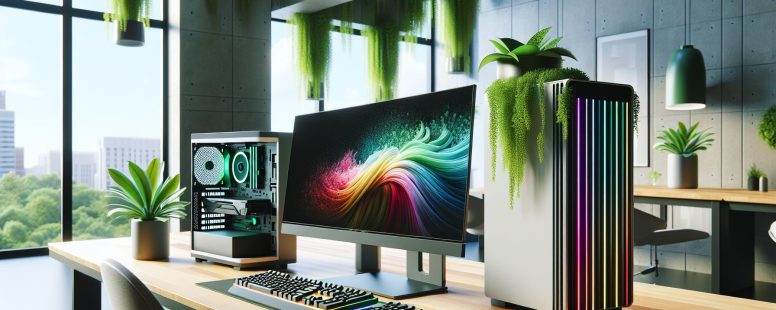
Picture this: you’re setting up your dream workspace, but the decision between a traditional desktop and a sleek all-in-one system has you second-guessing. Both options promise power and performance, yet they cater to different needs and lifestyles. It’s not just about looks or specs—it’s about finding the perfect match for how you work, play, and create.
Do you crave the modular freedom to upgrade and customize, or does the simplicity of an all-in-one’s streamlined design call your name? Each choice comes with its own perks and trade-offs, and understanding them can make all the difference. Let’s jump into what sets these two apart so you can confidently decide which one deserves a spot on your desk.
Understanding Desktops And All-In-One PCs
Choosing between a desktop and an all-in-one PC involves understanding their key distinctions. Both offer unique configurations that cater to varied needs, whether productivity, gaming, or design work.
What Is A Desktop PC?
A desktop PC includes separate components like a monitor, CPU tower, keyboard, and mouse. It’s designed for users who prioritize upgradability. With desktops, you can replace parts such as the GPU or RAM to match your evolving usage. These systems typically outperform all-in-one PCs in terms of raw power, especially for gaming or video editing.
For instance, gaming desktops often use powerful, dedicated graphics cards like the NVIDIA RTX 4090 or AMD Radeon RX 7900 XTX. They’re optimal for handling demanding applications. But, desktops require more physical space, making them less ideal in compact environments.
What Is An All-In-One PC?
An all-in-one PC integrates the CPU and monitor into a single unit, minimizing clutter. These systems are appealing for their sleek design and space-saving nature. They’re often chosen for offices or homes with limited desk space, as only the keyboard and mouse are external.
Popular models like the Apple iMac or HP Envy 34 cater to casual users or creatives prioritizing aesthetics. While all-in-ones lack the modularity of desktops, they simplify setup and maintenance. But, their compactness also makes hardware upgrades rare, which might limit long-term performance growth.
Key Differences Between Desktops And All-In-One PCs
Desktops and all-in-one PCs each have distinct characteristics that cater to various preferences, tasks, and environments. Understanding their differences enables you to select the option best suited to your needs.
Design And Space Requirements
Desktops require several components, including a separate monitor, CPU tower, keyboard, and mouse. These components, like a full-sized gaming tower, can take up significant desk and floor space. Desktops are ideal for setups where space is not a primary concern but flexibility in arranging peripherals is valued.
All-in-one PCs combine the CPU and monitor into one unit, offering a compact design. This saves space and simplifies your workstation, which can be useful if your desk size is limited. For example, an iMac offers both aesthetic minimalism and functional compactness. But, this integrated design leaves less room for rearranging or replacing individual parts.
Performance And Customization
Desktops typically deliver higher performance due to their capacity to accommodate high-end processors, discrete graphics cards, and better cooling systems. They excel in resource-heavy activities, such as 3D rendering or competitive online gaming, where fluid performance is critical.
All-in-one PCs can also handle demanding tasks, but they often rely on mobile CPU and GPU configurations used in laptops. These configurations can limit raw performance compared to desktop counterparts. If your workload involves light tasks, like web browsing or document editing, an all-in-one is a convenient choice, but desktops provide more options for tailored performance configurations.
Upgradability And Maintenance
Desktops’ modular design makes upgrading or replacing individual components, including the graphics card or storage drive, straightforward. This extendable lifecycle allows you to keep your machine competitive with evolving software requirements.
All-in-one PCs, on the other hand, are less modular, and many components like the CPU and GPU are integrated into the motherboard. This limits hardware replacements or upgrades, particularly for advanced needs. While this makes them easier to maintain initially, future-proofing becomes challenging. For instance, adding additional RAM or swapping the screen might not be feasible in an all-in-one.
Pros And Cons Of Desktops
Desktops offer significant advantages in performance, versatility, and customization, but they may present challenges like bulkiness and complex setups. Understanding these aspects can help you determine if a desktop aligns with your needs.
Advantages Of Desktop PCs
Superior Performance: Desktops often deliver higher processing power, better graphics, and greater multitasking capabilities. They’re ideal for activities like gaming, 3D modeling, and video editing, where demanding hardware is essential.
Enhanced Customization: Components like RAM, storage, graphics cards, and CPUs are easily upgradable in most desktop systems. For example, you can add a high-performance GPU for gaming or replace the processor if performance starts lagging.
Cost-Effectiveness: Compared to comparable all-in-one PCs, desktops typically offer better specifications at a lower price point. You might spend less updating only specific parts rather than replacing the whole system.
Connectivity Options: More ports and expansion slots on desktops let you connect multiple monitors, devices, or peripherals without limitations.
Disadvantages Of Desktop PCs
Space Requirements: Desktops usually occupy more space due to separate components like a tower, monitor, keyboard, and mouse. Living in a compact area can make accommodating them challenging.
Complex Setup: Since desktops come with multiple independent components, setting them up takes longer and may require more technical knowledge.
Mobility Issues: Desktops are stationary by design, limiting usability in different locations. Moving a desktop setup to another room often involves disconnecting and reconnecting cables and peripherals.
Power Consumption: High-performance parts in desktops generally consume more electricity, potentially raising energy bills compared to energy-efficient all-in-one alternatives.
Desktops are excellent for power users who value expandability, though they can pose challenges in space and require deliberate setup.
Pros And Cons Of All-In-One PCs
All-in-one PCs combine the monitor and CPU into a compact unit, offering simplicity and sleek design. Understanding their strengths and downsides helps you decide if they’re the right fit for your needs.
Advantages Of All-In-One PCs
Space-Saving Design
All-in-one PCs conserve desk space, making them suitable for smaller workspaces. Unlike traditional desktops, they eliminate the need for a separate CPU tower. For example, models like the Apple iMac take up minimal room while maintaining high visual appeal.
Easy Setup
With fewer components, all-in-one systems simplify the setup process. You only connect the power cable and peripherals like a keyboard or mouse. This streamlined setup frees you from the clutter of multiple wires common in desktops.
Modern Aesthetic Appeal
All-in-one PCs are visually appealing due to their sleek and unified design. Devices such as Microsoft Surface Studio 2 elevate workspace aesthetics, blending functionality with style and reducing visual noise.
Portability Within Workspaces
Although not as portable as a laptop, all-in-ones can be moved easily between rooms compared to desktops. Their integrated build makes relocating the system convenient for home or office rearrangements.
Disadvantages Of All-In-One PCs
Limited Upgradability
Upgrading components like GPUs or RAM is more challenging in all-in-one PCs because of their compact design. This limitation could impact performance longevity compared to desktops, which allow modular part replacements. Many users find themselves needing a complete system replacement instead of small upgrades.
Higher Entry Costs
All-in-one PCs often cost more upfront than their desktop counterparts with equivalent performance. You pay a premium for the integrated design and convenience. For instance, an all-in-one system with midrange specs may cost $1,500+, while a desktop with similar hardware can start at $1,000.
Repair Complexity
Integrated hardware increases repair complications. If one key component malfunctions, like the built-in display, servicing becomes more extensive and costly. This overlap between components can lead to downtime, affecting productivity.
Performance Restrictions
All-in-one PCs often focus on energy efficiency and compactness rather than high-end performance. They’re better suited for everyday computing tasks like browsing, video calls, or document editing but may fall short under graphics-intensive workloads or gaming scenarios.
By considering these factors, determine if an all-in-one PC matches your performance, design, and budget priorities.
Which Is Best For Your Needs?
Selecting between a desktop PC and an all-in-one system depends on how you plan to use it. Evaluate your personal, professional, and budgetary priorities before making a decision.
Considerations For Personal Use
For personal use, your focus might be entertainment, casual browsing, or creative projects. Desktops offer superior performance for gaming and video editing, with example graphics cards like the NVIDIA GeForce RTX series adding powerful real-time rendering capabilities. All-in-ones streamline your workspace, perfect for settings with limited room, such as small apartments or dorms. If you’re a student or casual user looking for convenience, choose an all-in-one system with touchscreen options.
Ask yourself: will you need additional hardware upgrades? Desktops allow you to replace parts like RAM and GPUs over time. While all-in-ones are aesthetic and compact, upgrading their internal components often involves costly or technical repairs.
Considerations for Business Use
In business environments, prioritize reliability and functionality. Desktops, with features like multi-monitor support and faster CPUs like Intel’s Core i9 or AMD Ryzen 9, excel for multitasking and resource-heavy applications such as 3D modeling tools or large financial software. Enterprises often value these capabilities.
All-in-ones reduce clutter, creating sleek, professional workspaces. With fewer cables and integrated designs, models like Apple’s iMac enhance productivity in client-facing settings. For call centers and shared office spaces where desk areas are limited, the compact form factor of all-in-ones makes them a strong choice.
Keep team scalability in mind. Desktops accommodate hardware expansion, helping your business meet growing computational demands. All-in-ones, but, limit upgrades, which may impact efficiency in rapidly scaling organizations.
Budget And Longevity
Desktops generally cost less upfront for comparable specs. Also, they’re cost-effective for long-term maintenance, as individual components can be independently upgraded or replaced. For instance, a faulty motherboard on a desktop doesn’t require replacing the entire system; but, with all-in-ones, repairs or upgrades may require expert intervention and higher expenses.
All-in-ones draw users with their polished, modern aesthetic but at a higher initial price for similar performance specs. Consider longevity in your decision. Desktops maintain long-term relevance through modular upgrades, while all-in-ones could necessitate complete replacements every few years if your needs grow.
Balancing performance, affordability, and future-proofing ensures your choice aligns with both immediate and long-term goals.
Conclusion
Choosing between a desktop and an all-in-one PC comes down to your specific needs and priorities. If you value performance, customization, and long-term flexibility, a desktop might be the better fit. On the other hand, if you’re drawn to a sleek design, space-saving convenience, and hassle-free setup, an all-in-one could be the ideal choice.
Think about how you’ll use your system, your workspace limitations, and your budget. By weighing these factors carefully, you can make a decision that aligns with your lifestyle and ensures you get the most out of your investment.
To provide the best experiences, we use technologies like cookies to store and/or access device information. Consenting to these technologies will allow us to process data such as browsing behaviour or unique IDs on this site. Not consenting or withdrawing consent, may adversely affect certain features and functions.
Functional
Always active
The technical storage or access is strictly necessary for the legitimate purpose of enabling the use of a specific service explicitly requested by the subscriber or user, or for the sole purpose of carrying out the transmission of a communication over an electronic communications network.
Preferences
The technical storage or access is necessary for the legitimate purpose of storing preferences that are not requested by the subscriber or user.
Statistics
The technical storage or access that is used exclusively for statistical purposes.The technical storage or access that is used exclusively for anonymous statistical purposes. Without a subpoena, voluntary compliance on the part of your Internet Service Provider, or additional records from a third party, information stored or retrieved for this purpose alone cannot usually be used to identify you.
Marketing
The technical storage or access is required to create user profiles to send advertising, or to track the user on a website or across several websites for similar marketing purposes.