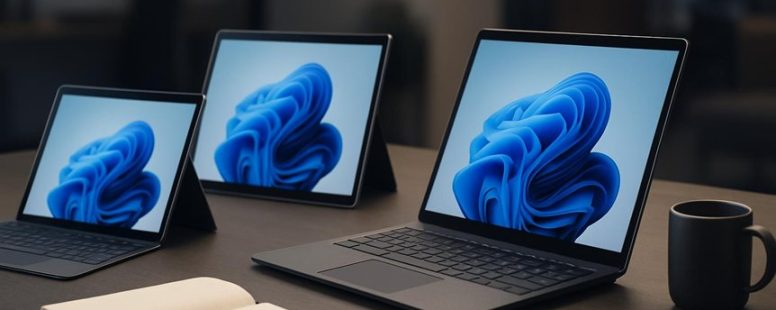
Looking for a device that blends the sleek portability of a tablet with the power of a laptop can feel like searching for a needle in a haystack. The Surface Pro often steals the spotlight, but there are hidden gems out there offering the same versatility without the hefty price tag or compromises.
Imagine holding a lightweight marvel that responds instantly to your touch, with a battery life that lasts through your busiest days. Surprisingly, some alternatives even boast better multitasking capabilities, making your workflow smoother than ever.
Whether you’re on a budget or seeking premium quality, there’s a perfect hybrid waiting to elevate your tech game—no compromises needed.
How to Find the Best Surface Pro Alternative for Your Needs
When looking for a Surface Pro alternative, it is best to decide what features matter most to you. If you use a stylus for drawing or taking notes, focus on stylus responsiveness. A good stylus should track your input smoothly and accurately. If it lags or jitters, writing and sketching can feel frustrating. Some devices, like the Samsung Galaxy Tab S8 or Lenovo Yoga Tab, are known for their responsive styluses.
Battery life is another key factor. You want a device that lasts through your workday without needing a recharge. For example, the Microsoft Surface Laptop 4 has about 12 hours of battery life, making it a strong choice for long days. But some cheaper options might only last 6 to 8 hours, so check reviews before buying.
It is also helpful to consider how these features balance each other. A tablet with great stylus response might have shorter battery life, and vice versa. Think about what you need most. Do you prefer better drawing skills or longer use between charges?
Some people warn that cheaper devices may not have the same stylus accuracy or battery longevity as premium models. For example, a budget tablet might lag when you draw fast lines or run out of power quickly. Others say that some mid-range models, like the ASUS Transformer, can be a good middle ground. They may not be perfect but offer decent stylus support and battery life for less money.
Knowing how stylus responsiveness and battery life affect your daily work will help you pick the best device. Ask yourself if you need the smoothest drawing experience or if longer battery life is more important. This way, you can find a great Surface Pro alternative that fits your needs without sacrificing what matters most to you.
Key Features to Look for in a 2-in-1 Device
A 2-in-1 device is a tablet and laptop in one. To find the best one for you, focus on key features that match how you use it. Two important things to check are stylus support and battery life.
First, stylus compatibility is a must if you plan to draw, take notes, or do detailed work. Make sure the device supports a stylus you like. Brands like Microsoft Surface and Samsung Galaxy Tab S have good stylus options. Some devices work better with certain styluses, especially when it comes to tip sensitivity and pressure. If you prefer a specific stylus, check if the device supports it before buying. Keep in mind, some cheaper models may not have stylus support or may have limited options.
Second, battery life matters a lot. You don’t want your device to die during an important meeting or when you’re working in a coffee shop. Look for models with long-lasting batteries. For example, some Microsoft Surface devices can last up to 15 hours on a single charge. However, if you use your device heavily, even those might need a recharge during the day. Be careful with claims of long battery life—some brands might exaggerate. Read reviews to see how long real users say the battery lasts.
Some people prefer lighter devices for portability, but lighter models sometimes have shorter battery life or less powerful features. On the other hand, more powerful devices might be heavier but can handle more demanding tasks. Think about what you need most—lightweight for travel or power for heavy work.
Top Windows-Based Tablets and Laptops for Versatility
A Windows-based device that works well for both work and fun is called a versatile device. The best ones have strong stylus support and long battery life. These features help you take notes easily and enjoy your device all day without needing to charge it often. For example, the Lenovo ThinkPad X12 and the Dell Latitude 7320 Detachable are popular choices because they support styluses well. They make writing, drawing, or marking documents simple and smooth.
Battery life is also very important. If you’re traveling or don’t have easy access to a charger, a device with all-day battery life saves you from worries. Many models can last 8 hours or more, so you can work on projects or watch movies without interruptions. These devices are light and portable, making it easy to switch from work tasks to entertainment without changing gadgets.
Some people might worry that devices with long battery life or good stylus support cost more or are less powerful. It’s true that some cheaper models might not have the same features or battery life. So, it’s good to check reviews and compare features before buying.
In the end, choosing a Windows device with strong stylus support and long battery life can make your work easier and your fun more enjoyable. Whether you want a tablet that feels like a notebook or a laptop that can turn into a tablet, there are options that fit your needs. Just remember to look for the features that matter most to you.
Best Apple Devices for 2-in-1 Use
Apple devices are some of the best for 2-in-1 use because they work well together. They connect easily, so switching between your iPhone, iPad, and Mac is smooth and simple. For example, you can start a project on your Mac and finish it on your iPad without losing any work.
When choosing the best Apple devices for 2-in-1 tasks, look at how well they work together, how portable they are, and if they have features like touchscreens. The iPad Pro with a keyboard can turn into a laptop, and the iPad Air is light enough to carry everywhere. The MacBook Air is super portable and great for work on the go.
Some people may want a device that is both a tablet and a laptop. The iPad with a Magic Keyboard is a good choice, but it might not be as powerful as a full laptop like the MacBook Pro. Also, keep in mind that switching between devices can sometimes require setting up each one again, especially with apps and files.
In the end, Apple’s ecosystem makes it easier to create and work anywhere, but you should think about what you need most — portability, power, or touchscreen features. Whether you choose an iPad or a MacBook, these devices can help you do more, no matter where you are.
Seamless Ecosystem Integration
Seamless ecosystem integration means your devices work smoothly together. Apple’s lineup of products like the iPhone, MacBook, and iPad connect easily, making it simple to switch between tasks. This connection keeps your calls, messages, and notifications in sync across all your devices. For example, you can start a message on your iPhone and finish it on your MacBook without missing anything.
App integration is also very smooth. You can drag files from one device to another or copy content quickly. Unlocking your devices can even be done with a simple glance if you use Face ID on your iPhone and MacBook. This makes your work faster and less frustrating.
Some people might worry about privacy or security when devices connect so closely. Apple’s ecosystem is designed to keep your information safe, but it still requires you to manage your settings carefully.
Others might say that this system works best if you use only Apple devices. If you have non-Apple products, the integration might not be as good or may not work at all.
High-Performance Portability
High-Performance Portability
If you want a device that is both powerful and easy to carry, the iPad Pro and MacBook Air are two of the best options. These devices are great for people who need to work on the go and want a lightweight, stylish design.
The iPad Pro is a versatile tablet that can do many things. It has a sleek look and is light enough to carry around easily. Its powerful M1 chip helps it handle multiple tasks without slowing down. The battery lasts all day, so you can work or watch videos without needing to plug in. Add the Magic Keyboard, and it becomes like a laptop, perfect for typing reports or emails anywhere. This makes it a favorite for students and professionals who want flexibility.
The MacBook Air is another top choice. It is very slim and lightweight, making it easy to put in a bag. Its battery lasts a long time too, so you can use it during long trips or busy days without worry. The MacBook Air is best for those who prefer a traditional laptop but still want portability. It handles demanding tasks well and looks stylish, but some might find it less flexible than an iPad Pro for creative work or drawing.
Both devices offer high performance and portability, but they have their limits. The iPad Pro works well for touch-based work and media, but not every app functions the same as on a laptop. The MacBook Air is great for typing and software that needs a keyboard, but it is not as versatile as a tablet for drawing or taking notes with a finger.
In the end, your choice depends on what you need most. If you want a device for media and touch use, the iPad Pro is a good pick. If you prefer a lightweight laptop for work, the MacBook Air might be better. Both options are perfect for staying productive while on the move.
Innovative Touchscreen Features
Touchscreen features on devices like the iPad Pro and MacBook Air make them very versatile. These devices are known for being portable and powerful, but their true strength is how well their screens respond to touch and stylus use. The screens are very precise, making drawing, writing, or taking notes feel natural. They respond quickly without lag, which helps users work smoothly.
Brightness is also a key part of the touchscreen experience. When outside or in a bright room, a screen that is too dim can be hard to see. Apple devices have high brightness levels that make the screen clear and colors vibrant. This means you can use your device outdoors without straining your eyes or losing details.
Some people love these features because they let you do many things with just one device. For example, artists can sketch directly on the screen, and students can write notes easily. But keep in mind, high brightness screens can drain the battery faster. Also, some users might find the stylus responsiveness less perfect if they are used to traditional pens.
Affordable Surface Pro Replacements That Still Deliver Performance
Affordable Surface Pro replacements are tablets or laptops that cost less but still work well for everyday tasks. These devices can handle multitasking, like working on documents or browsing the internet, without slowing down. They are also built tough enough to last through daily use.
Some good options include the Lenovo IdeaPad Flex 5, the ASUS ZenBook Flip, and the Microsoft Surface Go. The Lenovo IdeaPad Flex 5 is known for its fast performance and long battery life. The ASUS ZenBook Flip offers a flexible screen that you can fold back, making it good for drawing or watching videos. The Microsoft Surface Go is lightweight and portable, perfect for students or people who need to carry their device around.
However, these options might not have all the features of a high-end Surface Pro. For example, they might not be as powerful for heavy tasks like video editing or gaming. Also, some cheaper models may have shorter battery life or less storage space.
If you want a good balance of price and performance, think about what you really need. If you only browse the internet and use basic apps, a cheaper device could work fine. But if you need to do more complex work, you might want to spend a little more for better specs.
In the end, there is no perfect choice. Always read reviews and compare features before buying. Some people find that budget devices work great for their needs, while others might wish they had spent a little more for extra power. The right device depends on what you use it for most.
Budget-Friendly Hardware Options
If you want a cheap alternative to the Surface Pro that still works well, there are good options out there. These devices give you decent performance for a lower price. When choosing a budget device, it’s smart to compare what they cost and what features they have.
Here are some top choices:
Acer Spin 3 – This is a flexible 2-in-1 laptop that can turn into a tablet. It has enough power for most tasks but costs less than many other options. It’s a good choice if you want something versatile.
Lenovo IdeaPad Flex 5 – Known for being affordable, this laptop can handle daily tasks like browsing the internet and using Office apps. It’s a reliable pick for students or home use.
Samsung Galaxy Tab S6 Lite – This is a strong tablet with a keyboard option. It’s light and portable, great for people who need a device they can carry around easily.
Microsoft Surface Go 3 – This is the cheapest Surface device. It offers a similar experience for basic work and browsing. However, it may not be fast enough for heavy tasks.
A quick cost comparison shows that these devices give good performance without costing a lot. But remember, they may not handle very demanding programs or heavy multitasking like more expensive computers. If you need a device for simple tasks, these options are worth considering.
Strong Multitasking Performance
Affordable devices can handle multiple tasks well if you choose the right one. These options usually have good processors and enough RAM to run several apps without slowing down. For example, a tablet like the Samsung Galaxy Tab A or a Chromebook like the Lenovo IdeaPad Duet can do a decent job at multitasking. Battery life is also important because it lets you work longer without needing to find a charger. Many affordable devices support stylus input, so taking notes or drawing becomes easier and more precise. Imagine switching from a work email to a quick game or a video without waiting for your device to catch up. You do not need the most expensive gadgets to stay productive and entertained. Just look for a device that balances speed and battery life at a fair price. These options show that you do not have to spend a lot to get a useful, versatile device.
Durable Build Quality
Durable tablets and convertibles are built to last longer. They are designed to handle daily wear and tear better than many cheaper options. While they might not feel as fancy as high-end models, they can still give you reliable performance and last a long time.
Here are some ways they stay tough:
Aluminum chassis – This material makes the device lightweight but strong enough to resist bumps and impacts.
Reinforced corners – Extra protection in the corners helps prevent damage if you drop the device.
Corning Gorilla Glass – This glass protects screens from scratches and cracks, keeping the display clear.
Rubberized grips – These make holding the device easier and help stop slips, especially if you are on the go.
Many brands like Samsung and Lenovo focus on using good materials and testing their devices for durability. They want their products to last longer and stay safe from damage. These options might not feel as fancy as premium tablets but are a good choice if you need something tough and affordable.
However, remember that more durable devices can sometimes be heavier or less sleek. Also, even the toughest tablets can still break if dropped from a high place. So, if you need a device to survive rough conditions, look carefully at reviews and durability tests before buying. Durable tablets can save you money in the long run because you won’t need to replace them as often.
Which Devices Offer the Best Performance for Productivity?
The best devices for productivity are those with strong performance. These devices have fast processors and enough RAM to handle many tasks at once. They also work well with styluses, making it easy to take notes, sketch, or edit smoothly and accurately. Battery life is also important because you want a device that lasts through long work sessions without needing to be charged often.
For example, the Microsoft Surface Laptop Studio and some high-end convertibles are great choices. They can run demanding apps and handle multitasking without slowing down. These devices match or even beat traditional laptops in speed and power.
There are two main viewpoints. Some people think high-performance devices are worth the extra cost because they save time and make work easier. Others warn that powerful devices can be more expensive and may have shorter battery life. It’s good to find a device that balances performance and battery life for your needs, especially if you work on detailed projects or juggle many tasks.
Should You Choose a Detachable or Convertible 2-in-1 Device?
A detachable device is one where you can remove the screen from the keyboard, like the Microsoft Surface Pro. A convertible device can change from a laptop to a tablet by flipping or folding the screen, like the Lenovo Yoga.
Detachable tablets usually give you better stylus precision. If you like drawing or taking detailed notes with a pen, a detachable device might be best. For example, artists often prefer the Surface Pro because it feels more accurate when sketching. But detachables might have shorter battery life because they are lighter and use less power.
Convertibles are more flexible. You can switch between a laptop mode for typing and a tablet mode for reading or watching videos. If you need a device for multitasking or want to use it in different ways, a convertible like the HP Spectre x360 could be better. However, convertibles might not be as precise with a stylus as detachables.
Think about how you use your device. Do you mainly take notes or draw? Or do you watch movies and browse the web? Your choice depends on your daily tasks. Keep in mind that detachables are typically better for creative work, but convertibles offer more ways to use the same device.
How to Pick the Right Operating System for Your Lifestyle
Choosing the right operating system (OS) depends on how you use your device every day. An OS is the software that runs your computer, phone, or tablet. It helps you run apps, connect to the internet, and manage files. Picking the best OS means thinking about what matters most to you, like app choices, security, or how easy it is to use.
If you already use Apple devices like iPhones or MacBooks, sticking with iOS or macOS can make your life easier. These systems work well together, making tasks like sharing files or syncing calendars simple. For example, if you take pictures on your iPhone, you can easily access them on your Mac without extra steps. But if you need specific software like Adobe Photoshop or Microsoft Office, Windows or macOS might be better options. These systems support a wide range of professional apps that are popular with students and workers.
Some people prefer mobile OSes like Android for their flexibility and affordability, especially on devices from brands like Samsung or Google. Android phones often offer more options for customization and are usually less expensive than Apple’s iPhones. However, Android devices can be less secure if not updated regularly, so you need to stay on top of security updates.
Each OS has its own strengths and weaknesses. Windows is known for compatibility with many software types and gaming. MacOS is praised for its stability and design, making it great for creative work. iOS is simple and secure, ideal for people who want a straightforward phone experience. Android offers a lot of choices and flexibility, but it might require more effort to keep your device safe.
In the end, think about what apps you use most, how important security and privacy are, and whether you prefer simplicity or customization. If you rely heavily on Microsoft Office, Windows might be the best choice. If you want a device that just works without much fuss, iOS or Android could be better. Choosing the right OS can keep your device working well for you and fit your lifestyle better.
Tips to Evaluate Compatibility and Future-Proof Your Purchase
Before buying a new device, it’s helpful to know if it will work well with what you already have. This is called compatibility. When you check compatibility, you avoid problems later and make sure your new device fits your needs.
First, look at customization options. Can you change settings or add new parts if needed? For example, if you want a faster computer, can you upgrade the RAM or storage? Some laptops, like those from Dell or Lenovo, let you upgrade components easily, while others do not. This can save you money in the future.
Second, think about battery life. Will the device last long enough for your daily use? If you often work outside or travel, a device with a long-lasting battery is better. For example, a MacBook Air can last up to 15 hours, which is great for long days. But some tablets or phones might need frequent charging, which can be annoying.
Third, check if your software works with the new device. Do the programs you depend on daily, like Microsoft Office or Adobe Photoshop, support the device’s operating system? For example, some older software may not run well on the newest versions of Windows or Mac OS. You can usually find this information on the software maker’s website.
Fourth, verify if your accessories will connect easily. Do you have printers, external drives, or monitors? Will they work with your new device? For instance, if you use a USB-C hub on your current laptop, make sure your new one supports the same ports or has adapters available.
Some people also look for future-proof features. This means the device will stay useful for a while. For example, choosing a laptop with the latest Wi-Fi and Bluetooth standards can help you stay connected longer. But remember, technology keeps changing, so no device is perfect forever.
In the end, checking these points helps you avoid surprises later. It makes your purchase more satisfying and saves money in the long run. Think about what’s most important for your daily tasks and choose a device that fits your needs today and tomorrow.
Last Updated: February 26, 2026 at 11:43 am by Ellie B, Site owner & Publisher
To provide the best experiences, we use technologies like cookies to store and/or access device information. Consenting to these technologies will allow us to process data such as browsing behaviour or unique IDs on this site. Not consenting or withdrawing consent, may adversely affect certain features and functions.
Functional
Always active
The technical storage or access is strictly necessary for the legitimate purpose of enabling the use of a specific service explicitly requested by the subscriber or user, or for the sole purpose of carrying out the transmission of a communication over an electronic communications network.
Preferences
The technical storage or access is necessary for the legitimate purpose of storing preferences that are not requested by the subscriber or user.
Statistics
The technical storage or access that is used exclusively for statistical purposes.The technical storage or access that is used exclusively for anonymous statistical purposes. Without a subpoena, voluntary compliance on the part of your Internet Service Provider, or additional records from a third party, information stored or retrieved for this purpose alone cannot usually be used to identify you.
Marketing
The technical storage or access is required to create user profiles to send advertising, or to track the user on a website or across several websites for similar marketing purposes.