Are sky-high monthly fees draining your home security budget? Imagine a fortress that guards your home without the constant drip of additional costs—like a silent sentinel standing firm, without demanding a toll at every turn.
Many affordable systems deliver dependable protection, but choosing the right one can feel like navigating a maze. The secret lies in uncovering features that truly matter—such as no hidden fees—turning your security setup into a clear, cost-effective shield.
Ready to safeguard your home smarter, not pricier?
Why Consider Budget-Friendly Home Security Systems Over Ring?
Budget-friendly home security systems are a good choice for many homeowners. Unlike Ring, which often charges monthly fees, these cheaper systems can save you money over time. They usually have cameras with local storage options, so you don’t have to pay for cloud services. That means less recurring cost and more control over your security. Plus, these systems are often easier to customize. You can choose what cameras and sensors you want without being tied to a subscription plan.
For example, some brands like Arlo or Blink offer cameras that store videos on a local device or SD card. This way, you can watch footage anytime without extra payments. These systems are also compatible with smart home devices like Alexa or Google Assistant, so you can control your security with your voice or phone.
However, there are some downsides to consider. Budget systems might not have all the features of premium options like Ring. For instance, they may lack advanced motion alerts or professional monitoring. Also, some cheaper systems may not be as reliable in bad weather or during power outages.
On the other hand, if you want to avoid monthly charges and prefer more privacy, budget-friendly systems can be a good choice. They give you the basics of home security without breaking the bank. Just remember to read reviews and check if the system fits your needs before buying.
Key Features to Look for in Affordable Security Systems
A good affordable security system is one that is easy to set up without needing a professional. For example, systems like SimpliSafe or Ring usually come with step-by-step instructions that let you install everything yourself. This saves you both time and money.
Reliable monitoring options are also very important. Some systems, like ADT or Nest Secure, offer 24-hour monitoring that alerts you or the authorities if something happens. But keep in mind, some affordable options may only send alerts to your phone, which can be less reliable if you’re not always checking it.
When choosing a security system, think about how simple it is to install and whether it keeps your home protected at all times. Both features matter. Easy setup is nice, but dependable monitoring gives you peace of mind. Some people prefer systems with professional monitoring, while others like DIY setups because they can save money.
In the end, the best system depends on your needs. If you want quick installation and low cost, look for options like Ring or Wyze. If you want added peace of mind, consider those that offer professional monitoring, even if they cost a little more. Remember, no security system is perfect, so weigh the pros and cons carefully before making your choice.
Easy Installation Process
A security system that’s easy to install is a good choice if you want to save time and avoid frustration. These systems are simple to set up, even if you are not good with technology. Look for systems that have clear instructions and don’t need many tools. Many user-friendly systems also come with wireless parts, so you won’t have to deal with messy wiring. Some systems, like Ring or SimpliSafe, include step-by-step guides through their mobile apps, making setup even easier.
To install a security system on your own, follow these steps: first, read the instructions carefully. Next, gather the needed tools, such as screwdrivers or adhesive strips. Then, place the sensors on doors and windows as instructed. Finally, connect the system to your Wi-Fi and test it to make sure it works.
Some people worry that wireless systems might not be as reliable as wired ones. While wireless systems are easier to install, they can sometimes face interference or signal issues. On the other hand, wireless setups are faster to move or change if needed, which is a big plus.
Reliable Monitoring Options
Reliable monitoring is a must if you want your security system to keep your home safe without costing too much. Affordable systems usually include features like smart locks and motion sensors that help protect your home without high monthly fees.
Smart locks are a handy tool. They let you control who can enter your house from your phone. You can give someone a code or change it whenever you want. This means no more carrying around keys or worrying about losing them. For example, if a delivery person comes, you can give them a temporary code instead of leaving a key outside.
Motion sensors are another good feature. They send instant alerts if they notice movement inside or outside your home. This can help catch intruders early or alert you if something unusual happens. Some systems let you set alerts through a smartphone app, so you always know what’s going on.
When choosing a security system, look for ones that include these features along with options for professional monitoring or reliable app alerts. Professional monitoring means a team watches over your home and calls the police if needed. App alerts keep you informed, even if you aren’t home.
However, there are some things to watch out for. Affordable systems might not always include the most advanced features or quick response times. Also, some systems may have hidden fees for professional monitoring or extra sensors.
In the end, finding the right system is about balancing cost and peace of mind. Think about what features you need most and how much you’re willing to spend each month. A well-chosen system can protect your home without making you broke.
Top No-Subscription Security Systems That Save You Money
There are security systems that let you watch over your home without paying monthly fees. These systems are called no-subscription security systems. They save you money because you don’t have to pay for extra monitoring plans every month. Instead, you pay one time for the system, and then you can use it as needed.
For example, some popular brands like SimpliSafe and Ring offer models that don’t require ongoing payments. These systems usually come with cameras, sensors, and a control panel. You can check your home through a smartphone app or a computer without extra costs. This makes them good choices for people who want to keep their homes safe without expensive monthly bills.
However, some no-subscription systems might have limits. They may not send alerts to your phone right away or alert authorities automatically. If you want those features, you might need to pay later. So, it’s good to compare what each system offers before buying. Some people prefer simple systems that record footage locally, while others want full remote monitoring.
In the end, a no-subscription security system can save you money over time. But it’s important to look at what features you really need. If you want quick alerts and professional monitoring, a paid service might be better. If you just want basic protection, a no-subscription system can do the job at a lower cost.
Cost-Effective Monitoring Options
Many homeowners choose no-subscription security systems because they protect your home without needing monthly payments. These systems focus on smart technology and emergency readiness, giving you control without ongoing costs. Here are four affordable options:
Self-monitoring systems – These systems let you use your smartphone to get alerts and respond quickly. For example, you can receive a notification if a door opens when you’re away. This way, you can act fast without paying for a monitoring service. But keep in mind, you are responsible for handling any issues yourself.
Local alarms and sirens – These are loud devices installed around your home that scare off intruders and alert neighbors. They don’t need a monthly fee and are simple to set up. For instance, a loud siren can make a burglar run away before they get inside. However, if no one is nearby, the alarm might not be enough to stop someone determined.
Battery-powered sensors – These sensors detect motion or break-ins and work even if your power goes out. They are a good backup during storms or outages. Imagine a sensor that triggers an alarm if someone tries to open a window during a blackout. The downside is, you need to change batteries regularly to keep them working.
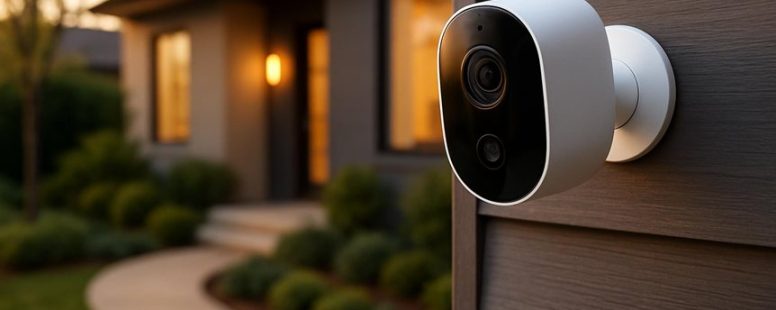
Wireless cameras – These cameras let you watch your property from your phone or computer. They are easy to install and don’t require a costly professional setup. For example, you can check your front door camera while at work. The problem can be internet issues or limited storage for footage, which might mean extra costs later.
Choosing the right security setup depends on your home and budget. Some people prefer simple alarms, while others want real-time video. Remember, no system is perfect, so combining options might be the best way to stay safe without spending a lot of money.
No Hidden Fees
A security system with no hidden fees is a simple and honest choice. These systems tell you upfront what you will pay, with no extra charges later. For example, some companies like SimpliSafe and Ring offer clear prices for equipment and monitoring. They don’t surprise you with costs for upgrades or extra services. This helps you plan your budget better because you won’t have unexpected bills.
Many traditional security companies make their costs confusing. They hide fees in the small print or charge for things like installation or contract changes. Choosing a system without hidden fees means you get straightforward prices and no surprises. You can know exactly what your monthly costs will be, making it easier to decide what works for your family.
Some systems don’t lock you into long contracts either. This gives you freedom to cancel if you need to or switch to a different provider. But keep in mind, systems with no contracts might have slightly higher monthly fees. So, think about what matters most—saving money now or having more flexibility.
In the end, a security system without hidden fees can save you money and reduce stress. It’s a good way to keep your home safe without worrying about hidden charges popping up later. Just be sure to read the details carefully before you buy.
Long-Term Investment Savings
A security system that does not require a subscription can save you money in the long run. These systems are made to last longer and are easier to take care of. They often include features like smart home controls and wireless connections, which can lower installation and maintenance costs. When you avoid monthly fees, you spend less money over time and have more control over your security.
Here are some reasons why no-subscription security systems can be a good investment:
Hardware that lasts longer means you won’t need to replace parts often. For example, cameras from brands like Arlo or Ring are built to stay working for years.
Wireless setups are easier to install and fix. You don’t need to drill holes or run wires through walls.
Built-in smart home features can connect with other devices like lights or thermostats, saving you money on extra equipment.
Batteries that last a long time and simple upkeep help you avoid unexpected costs.
Some people might worry that not having a subscription could limit features like 24/7 monitoring or cloud storage. While free systems can save money, they might not offer the same services as paid options. For example, a free system might store videos locally instead of in the cloud, which could be less convenient if your power goes out or if someone steals your equipment.
In the end, choosing a security system with these qualities can give you better value for your money and fewer surprises. It makes your home safer without costing you too much over the years. Just remember to compare different brands and read reviews to find the best fit for your needs.
How Easy Is It to Set Up and Use These Budget Security Options?
Setting up budget security options is pretty easy and quick. Most of these systems use wireless connections, so you don’t need to drill holes or run wires. For example, companies like Ring and Arlo make security cameras that connect directly to your Wi-Fi. You just need to download an app, follow simple steps, and connect the device to your Wi-Fi network. Many of these systems are made to work with smartphones and tablets, so you can control them from anywhere.
Once they are set up, using these security options is simple. They often have clear buttons and notifications that alert you if something is wrong. You can check your camera feeds, arm or disarm alarms, and get updates with just a few taps. Because they are designed for everyday users, you don’t need to be tech-savvy to operate them.
However, there are some things to watch out for. Wireless systems rely on your Wi-Fi connection, so if your internet is slow or goes out, the security system might not work perfectly. Also, some cheaper options may have limited features or may not be as reliable as more expensive systems. Overall, if you follow the setup instructions carefully, you should be able to get your security system running in no time.
Are No-Subscription Security Systems as Reliable as Paid Plans?
Many people pick no-subscription security systems because they want to avoid paying monthly fees. But they often ask if these systems are just as dependable as paid plans. The answer depends on what you need.
First, no-subscription systems can be reliable if they use good hardware and have a strong Wi-Fi connection. For example, a Ring or Arlo camera without a plan can work well for watching your home. But if your Wi-Fi drops, the system might not send alerts or record videos. So, a stable internet connection is very important.
Second, paid plans usually give you updates and customer support. That means if your system has a problem or needs a new feature, the company can help fix it. No-subscription systems might not get regular updates, which can make them less secure over time. If you need quick help, paying for a plan can be better.
Third, emergency response is a big difference. Paid security services often connect directly to police or fire departments. They can send help automatically if something happens. No-subscription systems usually need you to alert authorities yourself or call for help. That means you might have to act fast to get help in an emergency.
Finally, smart home features are often included in paid plans. These allow your security system to work with devices like smart lights or door locks. For example, a paid service from ADT or SimpliSafe can give you a full smart home experience. Without a plan, your options might be more limited.
Tips to Maximize Your Home Security Without Monthly Fees
You can get the most out of your home security system without paying monthly fees by choosing the right devices and setting them up smartly. The main idea is to pick wireless devices that connect directly to your Wi-Fi. This way, you avoid monthly subscriptions that some security companies charge.
Smart home devices, like cameras, sensors, and alarms, can be controlled from a single app on your phone. For example, brands like Ring or Wyze offer cameras that work without extra costs once you buy them. They send you real-time alerts if something unusual happens. You can also set automation rules, like turning on lights when a sensor detects motion, all without paying monthly.
Position your cameras carefully around your house. Place them at key points like front doors, backyards, and garage entrances. Make sure they cover the most important areas so you don’t miss anything. Regularly update the firmware on your devices. This keeps them running smoothly and protects against hacking.
A strong Wi-Fi connection is essential. A weak signal can make your security system slow or unreliable. If your internet is spotty, consider upgrading your router or using Wi-Fi extenders. Some people also use wired connections for cameras, but that can be more complicated to set up.
There are two main ways to think about this. One, you can save money by skipping monthly fees and just using Wi-Fi connected devices. But, these devices might not have all the features of paid services, like professional monitoring. Two, some users worry that relying only on Wi-Fi devices might leave gaps if your internet goes out. It’s a good idea to combine smart devices with traditional locks and outdoor lighting for better safety.
Pros and Cons of Choosing a No-Fee Security System
Choosing a home security system with no monthly fees means you don’t have to pay every month to keep your home safe. Here’s what you should know about these systems:
Cost Savings: No monthly fees save you money each month. For example, a system like SimpliSafe offers affordable upfront costs without the ongoing charges. This makes it easier for people on a tight budget to get security devices like cameras and alarms. But, keep in mind, you might pay more at the start.
Limited Features: These systems often lack some advanced tools. They might not offer real-time monitoring or smart lock controls. For example, a no-fee system might alert you when someone enters your house but not notify a security company. If you want full protection, you may need extra equipment or paid plans.
Ease of Use: Many no-fee systems are simple to set up and use. You can often install them yourself and control them from your smartphone. But, they might need regular manual checks, like changing batteries or testing sensors. Sometimes, they don’t cover every part of your home well.
Flexibility: Without long-term contracts, you can switch or upgrade your system anytime. That’s good if you change your mind or want better tech. But, switching might mean losing some support or having to buy new equipment again.
To provide the best experiences, we use technologies like cookies to store and/or access device information. Consenting to these technologies will allow us to process data such as browsing behaviour or unique IDs on this site. Not consenting or withdrawing consent, may adversely affect certain features and functions.
Functional
Always active
The technical storage or access is strictly necessary for the legitimate purpose of enabling the use of a specific service explicitly requested by the subscriber or user, or for the sole purpose of carrying out the transmission of a communication over an electronic communications network.
Preferences
The technical storage or access is necessary for the legitimate purpose of storing preferences that are not requested by the subscriber or user.
Statistics
The technical storage or access that is used exclusively for statistical purposes.The technical storage or access that is used exclusively for anonymous statistical purposes. Without a subpoena, voluntary compliance on the part of your Internet Service Provider, or additional records from a third party, information stored or retrieved for this purpose alone cannot usually be used to identify you.
Marketing
The technical storage or access is required to create user profiles to send advertising, or to track the user on a website or across several websites for similar marketing purposes.