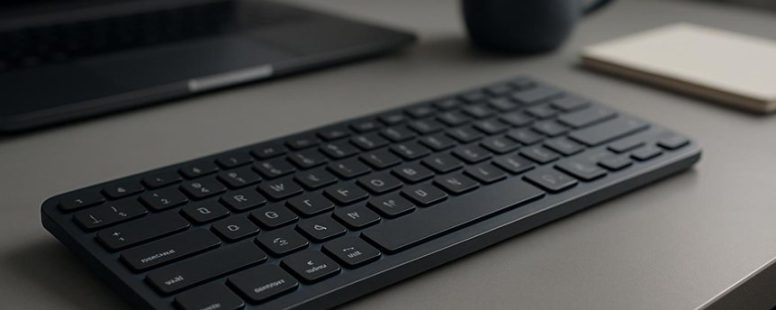
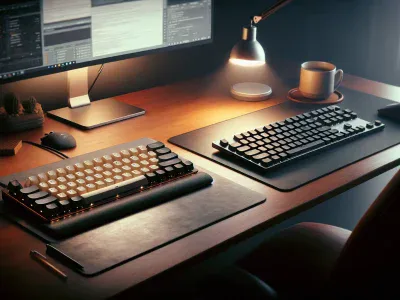
Imagine typing on a keyboard that feels as smooth as silk under your fingertips—without draining your wallet. The Apple Magic Keyboard offers that satisfying glide, but its hefty price tag can make you hesitate.
Luckily, there are affordable contenders that bring similar comfort and functionality, transforming your workspace into a haven of effortless keystrokes. Some even boast ergonomic shapes or customizable keys, turning everyday typing into a personalized symphony.
A lesser-known perk? Many of these alternatives are surprisingly lightweight, making them easy to carry—like a whisper of productivity wherever you go.
Let’s dive into some of the best options that combine comfort, value, and a touch of magic.
Why You Should Consider Alternatives to the Apple Magic Keyboard
The Apple Magic Keyboard is popular because it looks nice and works well with Macs. But, it might not be the best choice for everyone. If you want more options, you might want to consider other keyboards.
One reason to look at alternatives is that the Magic Keyboard comes in only a few colors. If you like to match your keyboard to your desk or style, other brands like Logitech or Corsair offer many colors and designs. For example, some gaming keyboards have bright backlights and fun styles that make your setup more colorful.
Another reason is comfort. The Magic Keyboard is very slim, which might look sleek, but it doesn’t always feel comfortable after long hours of typing. Some other keyboards are designed to help your wrists stay in a better position. This can make a big difference if you type a lot during work or gaming. For example, ergonomic keyboards with a curved shape can reduce wrist pain and make typing easier.
However, there are some downsides to consider. The Magic Keyboard connects easily with Apple devices and has a simple, clean design. But, if you want a keyboard with more features, like extra keys, customizable buttons, or better ergonomics, other options might be better for you.
In short, if you care about style, comfort, or color options, looking at other keyboards might be worth it. They can help you be more comfortable and make your workspace more fun. Just remember that some alternatives might not work as smoothly with Apple products, so check compatibility first. Choosing the right keyboard depends on what matters most to you.
What Features Matter Most in a Budget Keyboard
A budget keyboard is a simple tool for typing or gaming that doesn’t cost much. When choosing one, it’s good to know what features matter most so you get the best value for your money.
First, key switch types are important because they affect how comfortable and fast you can type. Mechanical switches like Cherry MX are popular because they feel nice and last long, but they can cost more. If you want something affordable, rubber dome switches are common, but they might not last as long or feel as good. It’s a good idea to try out different types if you can, to see what feels best for you.
Next, durability is a key feature. A budget keyboard should last through daily use. Look for keyboards with sturdy keys and a solid build. Some brands, like Logitech and Razer, make affordable models that last a long time. But beware, cheaper keyboards may have keys that wear out faster or break sooner. So, check reviews to see how long others have used the keyboard without problems.
Compatibility is also vital. Make sure the keyboard works with your device. If you use a PC, most keyboards will work, but if you want to connect it to a tablet or a smart TV, look for models with Bluetooth. Wired keyboards are simple and reliable, but wireless options give more freedom to move around. Some people prefer wired for gaming because there’s no lag, while others like wireless for a cleaner desk.
In the end, a good budget keyboard balances these features without costing too much. Think about what matters most to you—whether that’s a certain switch type, durability, or connection style—and pick a model that fits your needs. Brands like Logitech, Corsair, and Redragon offer many affordable options that are worth considering. Just remember, not all cheap keyboards are bad, but they might not last as long or feel as nice as pricier ones. So, read reviews and choose wisely.
Key Switch Types
Key switch types are important because they change how a keyboard feels and works. Mechanical switches are popular for their variety of feels, sounds, and how fast they respond. For example, linear switches, like Cherry MX Reds, move smoothly without much resistance, making them good for fast typing or gaming. Tactile switches, like Cherry MX Browns, give a small bump when pressed, helping you know when the key is registered. This can help improve accuracy, especially if you type a lot.
When choosing a switch, think about your needs. If you want quiet typing, look for switches that make less noise. Some brands, like Gateron or Kailh, make switches that are quieter than others. If you work in a shared space or like a quieter keyboard, these are good options. On the other hand, if you like loud clicks, some switches like Cherry MX Blue are very satisfying but can disturb others.
Another thing to consider is the keycap material. Look for PBT keycaps because they last longer and don’t shine or wear out quickly. Cheap keycaps made of ABS can become shiny and look worn after a while. If you want your keyboard to look good even after months of use, PBT is the way to go.
Backlit features are also handy if you work in low light. Some switches work better with backlit keys, so the light shines through evenly. This can make typing in the dark much easier. Be sure to check if the keyboard is compatible with your preferred lighting options.
Some people prefer different switch types depending on their needs. For example, gamers might choose linear switches for quick movements, while writers may prefer tactile switches for better feedback. Both have their pluses and minuses, so think about what matters most to you.
Build Quality Durability
A budget keyboard can last longer if it is built with strong materials that resist damage from daily typing. Durability means the keyboard can handle frequent use without breaking or falling apart. To find a durable budget keyboard, look for ones with a sturdy frame, good quality key switches, and reinforced keycaps. These parts help prevent wear and tear over time. For example, keyboards with metal or hard plastic cases tend to be more durable than cheap, flimsy ones.
Good ergonomics also matter because a comfortable design reduces strain and makes the keyboard last longer. A keyboard that is stable and easy to type on will stay in good shape longer. Even if a keyboard looks nice, it should still be built well. Sometimes, cheaper keyboards look sleek but may fall apart sooner.
One way to tell if a budget keyboard is durable is to read reviews. Many users share if a keyboard keeps working after months of use. Brands like Logitech and Corsair often make budget models with decent durability. But be aware that cheaper parts may wear out faster, especially the key switches or keycaps.
Compatibility and Connectivity
To make sure your budget keyboard works well with your devices, focus on a few key features. First, check its wireless connection. Bluetooth is common, but you should see if it pairs easily and stays connected over a good range. For example, some cheap keyboards may disconnect often or have limited distance, which can be frustrating.
Second, verify compatibility with your operating system. Whether you use Windows, macOS, or Chrome OS, the keyboard should work smoothly with your device. Some keyboards are made for specific systems, so reading reviews or product descriptions can save you trouble later.
Third, think about comfort. An ergonomic design helps prevent hand or wrist strain during long typing sessions. Even a simple keyboard with a slight tilt or cushioned keys can make a big difference.
Fourth, if you use multiple devices, find a keyboard that supports switching between them easily. Some models let you toggle between two or three devices with a button, making it simple to type on your laptop, tablet, or phone without unplugging or reconnecting.
Keep in mind, wireless performance can vary. Some cheaper models may have lag or drop connections if you use them far from your device. Also, multi-device support is handy but may add to the cost or complexity.
In short, prioritize reliable Bluetooth or wireless connection, compatibility with your OS, ergonomic comfort, and easy multi-device switching. These features will help your keyboard connect smoothly and feel good to use, all without spending too much money.
Mechanical vs. Membrane Keyboards: Which Is Better for You?
Mechanical keyboards are better if you want a precise and satisfying feel when you type. They use individual switches for each key, which makes pressing them feel more like clicking a button. Many gamers and typists prefer mechanical keyboards because they can type faster and with more accuracy. But, these keyboards can be louder and may need more cleaning and maintenance over time. For example, brands like Corsair and Razer make popular mechanical keyboards that are loved by many.
Membrane keyboards are quieter and tend to last longer with less care. They use a rubber layer under the keys that presses down to register a key press. These keyboards are often cheaper and lighter, making them good for everyday use. However, they might not feel as responsive or accurate as mechanical ones. If you work in a quiet office or don’t want to spend much money, a membrane keyboard could be a good choice.
Some people choose mechanical keyboards because they want a more engaging typing experience, like pressing down on a real switch. Others prefer membrane keyboards because they are quieter and need less upkeep. Think about your needs—do you type a lot and want accuracy, or do you need a quiet keyboard that is easy to care for? Both types have their pros and cons, so think about what matters most to you before making a decision.
Typing Experience Differences
Choosing between mechanical and membrane keyboards depends on what you want from your typing experience. Mechanical keyboards use individual switches for each key. These switches give a tactile bump and a click sound that many people find satisfying. They feel more responsive and can help you type more accurately. For example, gamers like mechanical keyboards because they can press keys quickly and feel confident about each press.
Membrane keyboards, on the other hand, have a softer surface. Instead of individual switches, they use a rubber membrane under the keys. These keyboards are quieter and softer, which can be easier on your fingers during long typing sessions. They often look sleeker and fit nicely on simple desks or minimalist setups.
Here are some key points:
Mechanical keys require less force to press, which helps reduce finger fatigue. If you type a lot, you might notice less tiredness with mechanical keyboards.
Membrane keyboards often look cleaner and simpler. They are good if you prefer a minimalist style.
Mechanical switches give you clear feedback when you press a key. This can help you type more accurately because you feel when the key registers.
Membrane keyboards are quieter, so they are better for shared spaces like offices or classrooms.
Some people prefer mechanical keyboards because they feel more natural and satisfying. Others like membrane keyboards because they are quieter and cheaper. If you are unsure, try both to see which feels better for you. Remember, comfort, looks, and noise are your main choices.
Durability and Maintenance
Mechanical keyboards are more durable than membrane ones. This is because their switches are built to handle heavy use over time. If you type a lot, a mechanical keyboard will last longer and stay in good shape. It’s also easier to keep it clean since fewer parts break or wear out quickly.
When thinking about comfort, a strong build helps you type for hours without discomfort. Some mechanical keyboards have adjustable height or wrist supports, making them better for long typing sessions. They also look good because you can change the keycaps and add cool lighting. This helps keep your setup looking fresh and personal.
Membrane keyboards are usually cheaper and quieter. But they tend to wear out faster, especially the keys. You might need to replace them sooner. If you want a keyboard that lasts a long time and looks nice, a mechanical one is a better choice. But if you need something cheap or very quiet, membrane keyboards can work too. Just remember that they might not last as long as mechanical models.
How to Ensure Compatibility With Your Devices
How to Make Sure Your Keyboard Works With Your Devices
The most important thing is to know if your keyboard will work well with your device. Here are some simple steps to check:
Find out if the keyboard supports your device’s operating system. For example, Windows, macOS, or Android. Some keyboards only work with certain systems, so check the box or product info.
Look at how the keyboard connects. Does it use Bluetooth or a wire? Make sure your device has the right ports or supports Bluetooth. If you have a newer computer, a wireless keyboard might be easier.
Think about how you like to type. If you prefer an ergonomic design that reduces wrist strain, look for a keyboard that offers that. Some keyboards have curved shapes or cushioned keys.
If you like pretty lights on your keyboard, see if RGB lighting is compatible. Some people enjoy customizing colors, but not all keyboards support that feature.
A good example is the Apple Magic Keyboard. It works perfectly with MacBooks but might need extra steps to connect to Windows or Android devices. Some Bluetooth keyboards can connect to many devices, but they may require switching between them.
Remember, some keyboards are designed only for certain devices. Always check the product details before buying. If you plan to use your keyboard for gaming or long typing sessions, look for features that match your needs.
Build Quality and Durability: What to Expect From Cheap Keyboards
Cheap keyboards might save you money at first, but they often break or wear out fast. These keyboards usually have poor build quality and are not made to last through daily use. For example, keys might stick or stop working after a few months. The plastic used in cheap keyboards can look flimsy and cheap, making the whole device feel less sturdy. Some budget brands, like Dragon Touch or Redragon, may offer decent options, but many unknown brands cut corners to keep costs down, which can lead to quicker breakage.
If you want a keyboard that feels solid and lasts longer, it’s better to spend a little more on a well-known brand like Logitech or Corsair. These brands often make keyboards with better materials and stronger designs. While they cost more, they tend to stay in good shape longer and give you better satisfaction.
Some people think cheap keyboards are fine if you only use them a little. But if you type a lot or use your keyboard every day, cheap options might not hold up. They can be frustrating when keys stick or stop working just after a few months. So, if durability matters, investing in a good-quality keyboard can save you money and trouble in the long run.
Top Budget Keyboards: Our Picks and User Feedback
If you want a good keyboard but don’t want to spend too much money, there are some options that give you a lot for a fair price. These keyboards are popular because they are affordable and have features people like. Here are some of the best budget keyboards based on what users say:
Royal Kludge RK61. This keyboard is small and easy to carry. It has RGB lights that change colors and look cool on your desk. It is a good choice if you want something fun and customizable. Some people use it for gaming or typing because it feels nice to use.
Velocifire TKL02. This keyboard is simple and sturdy. It does not have many fancy features, but it works well for typing. It has a clean design and decent options to change some settings. It’s a good pick if you want something straightforward and reliable.
Keychron K2. This keyboard is flexible and can connect wirelessly or with a wire. It has replaceable keycaps and looks nice on a desk. Many users like it because it works for work and gaming. It is a popular choice for people who want a versatile keyboard.
Anne Pro 2. This small keyboard is very customizable and looks stylish. It is loved for its colors and design. People who want a keyboard that is both pretty and functional often choose this one.
These keyboards are good choices because they give you many features like customization and good looks without costing too much. Keep in mind, they might not have every feature of more expensive keyboards but are still very good for everyday use or gaming on a budget.
Tips for a Comfortable and Efficient Typing Experience
A good typing experience depends on your posture and keyboard setup. The key is to make sure your body is comfortable and your keyboard is arranged so you don’t strain your hands or arms.
First, choose a keyboard that supports natural hand positions. An ergonomic keyboard, like the Microsoft Sculpt or Logitech Ergo K860, can help reduce fatigue. Keep your wrists straight and your elbows at a comfortable angle. If your wrists bend or twist while typing, it can cause pain over time.
Next, adjust your chair and desk height. Your chair should support your lower back, and your feet should be flat on the floor. Your desk should be at a height where your forearms are parallel to the ground when typing. This helps prevent slouching or leaning forward, which can cause discomfort.
Aesthetics matter too when setting up your workspace. Picking a keyboard that looks clean and attractive, like the Logitech MX Keys or Apple Magic Keyboard, can make you more motivated to keep your setup proper.
Proper placement of your keyboard and monitor is also key. Keep the keyboard close enough so you don’t have to reach. The monitor should be at eye level to avoid neck strain. This reduces the need to twist or stretch your neck and shoulders.
Some people might think that a fancy keyboard is just about looks, but it also supports your body during long typing sessions. Remember, making small changes—like adjusting your chair height or positioning your keyboard better—can make a big difference in comfort and efficiency.
There are different opinions on what makes the best setup. Some users prefer mechanical keyboards with clicky keys for better feedback. Others like softer membrane keyboards for silence. Both can work well if they fit your needs and help you stay comfortable.
Keep in mind, even the best setup won’t prevent all discomfort if you sit for hours without breaks. Remember to stretch and take short walks regularly. A good workspace setup is about balancing comfort and productivity.
Final Thoughts: Choosing the Best Affordable Keyboard for Your Needs
Choosing an affordable keyboard that fits your needs is easier than you might think. The key is to look at a few simple factors to find the right one for you.
First, think about ergonomic design. A keyboard with a comfortable shape helps reduce hand and wrist strain, especially if you type a lot. For example, some brands like Logitech and Microsoft make keyboards with curved or split designs that are easier on your hands. If you work long hours, this feature can make a big difference. But, if you only type for short periods, comfort might not be as big of a concern.
Next, consider aesthetic appeal. Do you want your keyboard to match your computer setup or stand out? Some keyboards come with colorful keys or sleek styles, while others are plain black or white. Your choice depends on your workspace style. Just remember that looks are nice, but they should not compromise comfort or quality.
Build quality is also important. A cheap keyboard may break quickly, leading to frustration and extra costs. Look for keyboards with solid plastic or metal parts if you want something that lasts. Reviews from other users can help you see if a certain model holds up over time.
Finally, check compatibility. Make sure the keyboard works with your devices. Most keyboards connect via USB or Bluetooth. If you have a laptop or tablet, wireless models might be better. For desktop computers, wired keyboards are often cheaper and more reliable.
Some people say that spending a little more on a keyboard with good features can be worth it. Others believe that you can find a decent one for under $30. Both viewpoints are valid. Just be careful to avoid very cheap keyboards that might stop working quickly or cause discomfort.
In the end, the best affordable keyboard is one that fits your budget, feels comfortable, looks good if that matters to you, and works well with your devices. It might take a little research, but finding the right one can make your daily typing much more pleasant.
To provide the best experiences, we use technologies like cookies to store and/or access device information. Consenting to these technologies will allow us to process data such as browsing behaviour or unique IDs on this site. Not consenting or withdrawing consent, may adversely affect certain features and functions.
Functional
Always active
The technical storage or access is strictly necessary for the legitimate purpose of enabling the use of a specific service explicitly requested by the subscriber or user, or for the sole purpose of carrying out the transmission of a communication over an electronic communications network.
Preferences
The technical storage or access is necessary for the legitimate purpose of storing preferences that are not requested by the subscriber or user.
Statistics
The technical storage or access that is used exclusively for statistical purposes.The technical storage or access that is used exclusively for anonymous statistical purposes. Without a subpoena, voluntary compliance on the part of your Internet Service Provider, or additional records from a third party, information stored or retrieved for this purpose alone cannot usually be used to identify you.
Marketing
The technical storage or access is required to create user profiles to send advertising, or to track the user on a website or across several websites for similar marketing purposes.