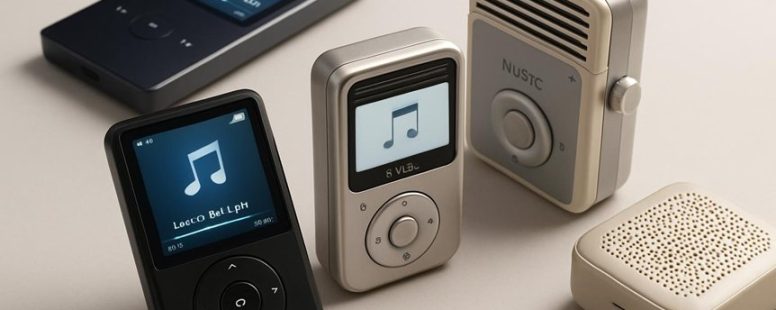
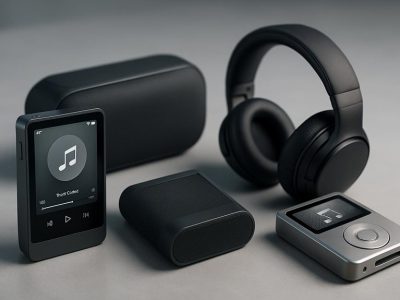
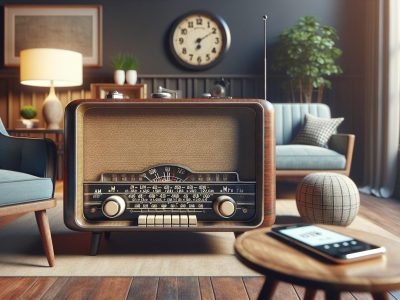
Imagine the crisp click of buttons and the pure, unfiltered sound of your favorite tunes filling the air. Despite the surge of streaming services, nearly 60 percent of music lovers still cling to offline devices—like keeping a secret garden of melodies tucked away just for themselves.
These compact players offer more than convenience; they guard your privacy and eliminate digital distractions. Surprisingly, they also extend your device’s battery life and keep your music library truly yours.
If simplicity and serenity sound appealing, exploring these alternatives might be the key to rediscovering the joy of music on your terms.
Why Choose an Offline Music Player in the Streaming Era?
An offline music player is a device or app that stores your music directly on it, so you can listen without needing an internet connection. This is different from streaming services like Spotify or Apple Music, which require you to be online to listen.
One big advantage of offline players is that you don’t need Wi-Fi or data. If you’re on a plane, in a remote area, or just want to save on data charges, offline players let you enjoy your music anytime. For example, if you’re hiking in the mountains, your music will keep playing even if there’s no internet around.
Another benefit is privacy. Streaming services often track what you listen to and collect your data. Some people don’t like this because it feels like Big Tech is watching. An offline music player keeps your listening habits private, stored only on your device. It’s like having a secret music library that no one else can see.
But, there are some things to watch out for. Offline music players need you to manually add songs, which can take time. Also, if you lose your device or it breaks, your music might be gone unless you have backups. Streaming services can automatically sync your music across devices, but offline players don’t do that.
Some people still prefer streaming because it offers a huge library of music and easy updates. However, if you value control, privacy, and listening without interruptions, an offline music player can be a good choice. It might not be the most popular option today, but it still has its uses.
Key Features to Consider When Picking a Portable Music Device
A portable music device is a tool that lets you listen to music anywhere. The best device for you depends on what you like to do with your music.
If you prefer streaming music, look for a device that works well with popular services like Spotify, Apple Music, or Amazon Music. Some devices, like the Apple iPod Touch or certain Android MP3 players, are great for streaming because they connect easily to Wi-Fi and have good app support. But remember, streaming needs a good internet connection, and it can use a lot of data if you’re not on Wi-Fi.
If you like offline listening, choose a device with enough storage. Devices like the SanDisk Clip Sport or Sony Walkman can hold thousands of songs. Think about how many songs you want to carry around, and pick a device that can fit them all. Moving files should be simple too. Some devices connect via USB, while others support SD cards, making it easy to add or remove music.
Digital rights management or DRM is another thing to consider. This is how some devices handle protected music files bought from stores like iTunes. If you want flexibility to play all your purchased songs, check if the device supports DRM-free files or the specific services you use.
Battery life is key if you listen for long periods. Devices like the Apple iPod Classic and Sony Walkman often last many hours on a single charge. Shorter battery life can mean more frequent charging, which can be annoying when you’re on a trip.
Ease of use matters too. A simple menu and clear buttons make it easier to find your favorite songs. Some devices like the SanDisk Clip Sport have small screens but are very easy to control. Others, like the Apple iPod Touch, have larger screens and touch controls, which can be more convenient but may take longer to learn.
Size and durability are important if you are always on the go. Smaller, lighter devices fit into pockets easily. Devices with rugged cases or water resistance, like some models from Sony or SanDisk, can stand up to rough handling or rain. But they might be bigger or heavier.
Choosing the right portable music device means balancing these features. If you want easy access to many songs and durability, a smaller device with long battery life might be best. But if you love streaming and want quick navigation, a device with a good Wi-Fi connection and a nice screen could be better. Think about how you listen to music and pick what fits your lifestyle best.
Best Budget Offline Music Players Under $X
A good offline music player is one that can store your music files on the device itself, so you don’t need an internet connection to listen. These players are usually simple to use and don’t require a subscription. They are perfect if you want to own your music and listen anywhere, even in places with no Wi-Fi. Many models support microSD cards, giving you extra space for your favorite songs.
When choosing a budget offline music player under $X, look for ease of use, storage options, and compatibility with your music files. Some popular options include the SanDisk Clip Sport, AGPTEK A02, and Ruizu D13. These players usually don’t connect directly to cloud services like Spotify or Apple Music, so you will need to transfer your music files manually from your computer.
However, these players may lack advanced features like touch screens or Wi-Fi. They are simple devices meant for basic listening, which can be a good or bad thing, depending on what you want. If you prefer a device that can do more, like streaming or Bluetooth, you might need to spend more money.
Top Premium Portable Music Devices for Audiophiles
When choosing a premium portable music device, the most important thing is sound quality. Audiophiles look for devices that deliver clear, accurate sound so they can enjoy music as the artist intended. The best models also have a sleek design that makes them easy to carry and look good. Brands like Sony, Astell&Kern, and FiiO make popular devices that meet these needs.
For example, the Sony Walkman NW-ZX507 offers crisp audio with a simple, modern look. It uses high-quality digital-to-analog converters to make music sound rich and detailed. Astell&Kern’s A&ultima SP2000 is known for its high-end sound and elegant craftsmanship. It has a beautiful screen and a sturdy metal body that feels good in your hand.
Some people prefer smaller devices like the FiiO M11 Plus, which is light but still provides great sound for its size. However, it might not have as long of a battery life as larger models. Also, high-end devices can be expensive and might be more than some users need.
When choosing a device, consider how you will use it. Do you want the best sound quality for serious listening? Or do you need something lightweight for travel? Both options can work well but have their limits. High-end models often have more features and better audio, but they can also cost a lot.
In the end, the best portable music device depends on your needs and budget. Think about what matters most to you—sound, style, or price—and pick a device that fits. Whether you’re an audiophile or just love good music, there is a device out there that can make your listening experience better.
Superior Sound Quality
Superior sound quality means your music sounds clear, detailed, and true to the original recording. Premium portable music devices are a great choice for people who want the best sound. These devices are designed to give you rich, accurate sound that captures every note and nuance. They often have special features like advanced digital filters and high-quality digital-to-analog converters (DACs). These parts help improve clarity and cut down on distortion, making your music sound better.
Unlike regular players, these devices can handle high-resolution audio files. That means they can play music in formats that keep the sound very close to what the artist recorded. Because they use high-quality components and are carefully built, they give an immersive and precise listening experience. If you love good sound, investing in one of these devices can make your music sound pure and detailed, just as the artist intended.
Some popular brands like Sony, Astell&Kern, and FiiO offer high-end portable music players that are perfect for audiophiles. But keep in mind, these devices can be more expensive and might require some technical knowledge to get the most out of them. On the other hand, cheaper options may not give you the same sound quality. So, if you want the best possible sound, it’s worth choosing a device with high-quality components and support for high-resolution files.
Elegant Design Options
What is elegant design in portable music devices? It is how the device looks and feels, making your music experience more enjoyable. Good design isn’t just about looks — it also means feeling connected to your device and loving how it fits in your hand.
Many premium options have vintage styles, with brushed metal finishes and retro dials. These designs remind people of old radios or record players, giving a nostalgic yet classy vibe. For example, brands like Sony and Bang & Olufsen offer models with these classic looks that stand out. Some users choose these because they like the charm of the past mixed with modern sound quality.
Another key point is using eco-friendly materials. Devices made with recycled metals or sustainably sourced wood help protect the environment. They look stylish and show you care about the planet. For example, some brands like House of Marley create music players with wood finishes and recycled metals, which appeal to eco-conscious buyers.
Minimalist design also matters. This style focuses on simple, clean lines and smooth textures. It makes the device look elegant and modern without extra decoration. Think of the Apple iPod or Sony Walkman — simple, stylish, and easy to use. These designs appeal to people who prefer a sleek and refined look over flashy features.
Some people like vintage styles because they feel nostalgic or want a unique look. Others prefer eco-friendly materials to support sustainability. But, keep in mind that vintage designs can sometimes be heavier or more fragile, and eco-friendly devices might cost more. So, it’s good to think about what matters most to you before choosing.
How to Transfer and Manage Music on Your Offline Player
Transferring music to your offline player is easy once you know your options. You can use a USB cable, Bluetooth, or special apps. Here are simple steps for each method.
First, using a USB cable is usually the fastest. Connect your device to your computer with the cable. Open your music folder on your computer, then drag and drop songs into your player’s music folder. Make sure your device is turned on and unlocked. This method works well if you have many songs to move at once.
Second, Bluetooth is good if you want to transfer a few songs quickly. Turn on Bluetooth on both your device and your computer or phone. Pair them by selecting your device from the list of Bluetooth devices. Once they are connected, send the music files. Keep in mind, Bluetooth can be slower and may not work with very large files.
Third, some offline players have their own apps or software. For example, Apple Music or Sony’s Music Center. Download and install the app on your computer or phone. Connect your device via USB or Wi-Fi and follow the app’s instructions to transfer music. This can be more organized but might need more setup time.
Two good viewpoints are: Using a USB cable is fast and simple but can be tricky if your device isn’t recognized. Bluetooth is easy for small transfers but may be slow. Apps are organized but sometimes complicated to set up.
Limitations include that not all offline players support Bluetooth or app transfers. Also, transferring large music libraries can take time regardless of the method. Be sure to check your device’s instructions for the best way to add music.
Transfer Methods Explained
Getting your music onto an offline player can seem tricky, but knowing the transfer options makes it easier. Different methods work better depending on your device and needs. Here are three common ways to do it:
USB Transfer: The simplest way is to connect your device to your computer using a USB cable. Once connected, you can just drag and drop your music files into your device’s folder. This method gives you quick control over what music you put on your player. But remember, some devices may require specific drivers or software to work properly.
Music Management Software: Programs like MediaMonkey or Foobar2000 help you organize your music library and transfer songs more easily. These tools can sync your playlists and keep your files in order. They are especially useful if you have lots of music or want to keep everything organized. However, they might take some time to learn if you are new to them.
Cloud Downloads: You can also download music from authorized sources like Amazon Music or Google Play onto your device. This way, you can access your songs offline without a cable or software. But you should always double-check that you have the right to store and play the music offline, especially if it is licensed or streamed content. If not, you risk violating copyright laws.
Each method has good points and some limits. USB transfer is simple but can be slow if you have many files. Software can organize better but might need a little setup time. Cloud downloads are easy but require good internet and legal rights to use the songs offline.
Knowing your options helps you keep your music collection safe, legal, and ready to enjoy anywhere. Just pick the method that works best for your device and how much music you want to move.
Organize Music Efficiently
Organizing your music library makes it easier to find and enjoy songs. A good organization helps you listen faster and keeps your collection neat. First, create playlists based on genres like rock or pop, moods like relaxing or energetic, or your favorite artists. This makes it simple to pick music for any mood or activity.
Next, use clear and consistent names for your files and folders. For example, name songs as “Artist – Song Title” so you can find them quickly. Regularly check for duplicate files and delete them. Also, update song information like titles, album covers, and artist names to keep everything accurate. This makes your library look nice and helps music players display the correct info.
Backing up your music is also important. Save a copy on an external drive or cloud storage so you don’t lose your collection if your device breaks. Some tools like iTunes or MediaMonkey can help you organize and fix your library easily. But be aware that if your library gets very big, organizing it might take some time.
In the end, a well-organized music library saves you time and makes listening more fun. Whether you prefer creating playlists or just keeping files tidy, a good system helps you enjoy your music more. Just remember to keep everything updated and backed up regularly.
Maximizing Battery Life and Storage for Your Music Player
Keeping your music player’s battery alive and storage space free is key if you want it to keep up with your busy day. Here are some simple tips to help you do that.
First, the battery lasts longer when you turn down the screen brightness. Bright screens use a lot of power. Also, turn off Bluetooth or Wi-Fi when you’re not using them. These features drain the battery even if you’re not connected. Avoid fully charging or draining the battery often because that can wear it out faster. Instead, keep the charge between 20 and 80 percent for better battery health.
Second, to save space on your device, delete songs or files you no longer listen to. You can also compress music files to take up less room. For example, using formats like MP3 instead of WAV saves space without losing too much sound quality. If your storage gets full quickly, consider adding a microSD card if your player supports it.
Finally, keeping your device updated with the latest software can help it run more efficiently. Updates often fix bugs and improve battery use. You can check for updates in the device settings or through the music player app itself.
Some people might worry that turning off features or deleting files could be inconvenient. But these small steps can make your music player last longer and store more music. Just remember, reducing background activity and managing files are quick ways to keep your device running smoothly. Do you have a favorite music app? Try these tips to make it work better for you!
Which Music Player Is Easiest to Use? User Interface Comparisons
The easiest music player to use is the one with a simple and clear interface. When comparing options, I look for a design that helps me find songs quickly and without confusion. An easy-to-use music player should have big, easy-to-read buttons and simple controls like play, pause, and skip. For example, players like Spotify and Apple Music have clean layouts that make listening simple, even for beginners.
Some music apps have many features, but they can be hard to understand. If the controls are cluttered or confusing, it can take longer to find what you want. A good music player should be consistent and respond quickly when I press buttons. Clear labels and straightforward functions help me enjoy my music without getting frustrated.
Different people might prefer different players. Some might like a minimal look like Google Play Music, while others want extra options like equalizers or playlists. Overall, the best music player for ease of use is the one that feels natural to operate and helps me find my favorite songs fast. It should reduce the learning time and make listening to music fun and simple.
Will Your Music Library Work With These Devices? Compatibility Tips
Your music library will only work with certain devices if their file formats match. Some players only support popular formats like MP3 and AAC, while others can handle FLAC or WAV files. For example, Apple’s iPod mainly uses MP3 and AAC, but some Android devices support more formats. Checking what formats your music files are in and what your new device supports can save you trouble later.
Transferring files can also be a challenge. Some devices need specific apps or software, like iTunes for Apple devices or Windows Media Player for others. If you don’t know how to move your music, you might get stuck. For instance, moving music from a computer to a Spotify playlist is different from copying files to a Sony Walkman. It’s a good idea to look up the transfer process before buying a new device.
There are two main ways to look at compatibility. Some people prefer devices that support many formats and easy file transfer, making switching simple. Others are okay with some extra steps but want better sound quality or features. Just remember that not all devices will work perfectly with your current library. Checking formats and transfer methods ahead of time helps avoid surprises and makes your new device work smoothly.
File Format Compatibility
File formats are the most important thing to think about when you want to play your music on a new device. Different devices support different music file types, and if your files aren’t compatible, they might not play. Here’s what you should do:
Know what formats your device supports. Common formats include MP3, AAC, and WAV. Check your device’s manual or website to see the list.
Convert your music files if needed. If your library has formats like FLAC or ALAC and your device doesn’t support them, use free tools like VLC Media Player or Audacity to change the files into supported formats.
Watch out for DRM restrictions. Some music files, especially from services like Apple Music or paid downloads, have digital rights management. This can stop them from playing on different devices. Make sure you understand the rules before trying to listen on a new device.
Knowing about file format compatibility can save you from frustration. For example, if you have a large collection of high-quality FLAC files and buy a new MP3 player that doesn’t support FLAC, you’ll need to convert your files. Otherwise, your music might not work. Being prepared helps keep your music listening fun and worry-free.
Device Transfer Methods
When transferring your music library to a new device, understanding the different options is key. The best method depends on what kind of music you have and how you like to listen.
If you want a simple way, direct file transfers via USB or Bluetooth work well. For example, plugging your phone into a computer with a USB cable allows you to copy music files directly. Bluetooth can also send songs wirelessly between devices, but it might be slower and less reliable. These methods are great if you want to keep the exact files you already have.
Some devices mainly use streaming services like Spotify, Apple Music, or Amazon Music. These can sync your playlists online so you don’t need to transfer files. If you mainly listen to online playlists, check that your device can access your streaming account. For instance, if you switch to a new phone, make sure it supports the app you use. Streaming is easy for online music, but it needs a good internet connection and may not work offline unless the app offers offline listening.
For offline music, you need to check if the device supports the music formats you use. Formats like MP3 or AAC are common, but some devices may not support others like FLAC or OGG. Also, see if you can import your music library from your current device or cloud storage like Google Drive or iCloud. Some apps or tools, such as iTunes or Windows Media Player, can help move large libraries quickly.
There are different ways to transfer music, including using dedicated apps like Samsung Smart Switch or cloud storage services. Be aware that some methods can take longer or require extra steps. For example, using cloud storage might involve uploading your music first and then downloading it on the new device.
How to Care for and Protect Your Offline Music Player
Your offline music player needs proper care to work well and last a long time. Here are some simple steps to keep it safe and working smoothly.
First, use a protective case. This can stop scratches, drops, or bumps from hurting your device. Imagine dropping your music player on the floor — a case can be the difference between a small scratch and a broken screen.
Next, take care of the battery. Don’t let it run all the way down to zero or stay plugged in at 100% all the time. Both can hurt the battery’s lifespan. For example, if you always keep your device charged at 100%, the battery might not hold a charge as long over time. Try to keep the battery between 20% and 80% for the best results.
Cleaning your music player is also important. Use a soft cloth to wipe dust and fingerprints. When not using it, store it in a cool, dry place, away from direct sunlight or high humidity. This helps prevent damage from heat or moisture.
Be gentle with the headphones and charging cables. When plugging or unplugging, do it carefully. For example, pulling on the cord can damage the ports over time. Damaged ports can make your device harder to use or cause it to stop working.
Some people might worry about how often they should care for their music player. If you do these small steps regularly, your device will stay reliable and ready to play your favorite songs. Just like taking care of a car or a bike, simple maintenance makes a big difference.
Should You Use a Dedicated Music Player or a Smartphone Alternative?
A dedicated music player is a device made only for listening to music, while a smartphone is a phone that can also play music. If you want a simple way to listen to music without distractions, a dedicated player might be better. It helps you focus since it does not have notifications or apps. This can be useful if you want to relax or concentrate. It also keeps your personal data private because you are not using a device that tracks your browsing or messages.
On the other hand, smartphones are very useful because they do many things in one device. You can listen to music, send messages, make calls, and use apps all in one. If you like having everything in one place, a smartphone is convenient. But, it can also distract you more with notifications and social media. Plus, smartphones collect data about your habits, which can be a privacy concern.
If you value simplicity and privacy, a dedicated music player is a good choice. It can give you offline music without interruptions. But if you want a device that does more than just play music, a smartphone might be better. Just remember, a dedicated player may not be as versatile, and smartphones can sometimes make it harder to focus.
In the end, think about what matters most to you. Do you want quiet music without interruptions? Or do you prefer having your music along with your messages and apps? Both options have their strong points and some limits. Choose what fits your lifestyle best.
To provide the best experiences, we use technologies like cookies to store and/or access device information. Consenting to these technologies will allow us to process data such as browsing behaviour or unique IDs on this site. Not consenting or withdrawing consent, may adversely affect certain features and functions.
Functional
Always active
The technical storage or access is strictly necessary for the legitimate purpose of enabling the use of a specific service explicitly requested by the subscriber or user, or for the sole purpose of carrying out the transmission of a communication over an electronic communications network.
Preferences
The technical storage or access is necessary for the legitimate purpose of storing preferences that are not requested by the subscriber or user.
Statistics
The technical storage or access that is used exclusively for statistical purposes.The technical storage or access that is used exclusively for anonymous statistical purposes. Without a subpoena, voluntary compliance on the part of your Internet Service Provider, or additional records from a third party, information stored or retrieved for this purpose alone cannot usually be used to identify you.
Marketing
The technical storage or access is required to create user profiles to send advertising, or to track the user on a website or across several websites for similar marketing purposes.