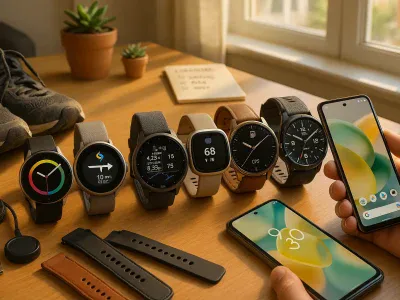
Picture effortlessly tracking your fitness goals, monitoring your heart rate, and staying on top of your health—all from the convenience of your wrist. If you’re an iPhone user considering a Fitbit, you might wonder if these two tech giants play well together. After all, compatibility is key syncing devices seamlessly into your daily routine.
Does Fitbit Work With iPhone?
Fitbit devices are compatible with iPhones, allowing you to track your health and fitness metrics seamlessly. You can pair a Fitbit with an iPhone through the official Fitbit app available on the Apple App Store. This app supports devices running iOS 15 or higher, ensuring compatibility with recent iPhone models like the iPhone 14 or older versions such as the iPhone SE (2nd generation).
Once connected, your Fitbit syncs data like steps taken, heart rate, sleep patterns, and exercise routines directly to your phone. For example, you can view detailed graphs of daily activity or set personalized goals within the app. Notifications for calls, texts, and calendar events also appear on most Fitbit models when paired with an iPhone.
Keep Bluetooth enabled on both devices during use to maintain synchronization. Without active Bluetooth connectivity in range, data won’t transfer from your Fitbit device to the app until reconnected.
Compatibility Between Fitbit And iPhone
Fitbit devices integrate seamlessly with iPhones, enabling you to track health and fitness data directly from your wrist. This compatibility enhances convenience for users wanting real-time insights synced to their Apple devices.
Supported iPhone Models
Most modern iPhones work with Fitbit devices as long as they run on iOS 15 or higher. Examples include the iPhone 14 series, the iPhone SE (2nd generation), and older models like the iPhone 11. But, if you’re using an outdated operating system, updating is necessary for optimal performance.
Specific features might vary depending on your phone model and OS version. For example, newer iPhones often provide faster Bluetooth connectivity ensuring smoother syncing of your Fitbit’s data.
Fitbit App Requirements
The official Fitbit app is essential for pairing a device with an iPhone. Available on the Apple App Store, it requires a stable internet connection during installation and regular updates. The app functions efficiently when granted permissions such as location access and notifications.
Ensure enough storage space since downloading additional plugins within the app may be needed for advanced features like guided workouts or mindfulness sessions.
Features Available With iPhone
Fitbit devices offer various features when connected to your iPhone, enhancing your fitness and health tracking experience. These features range from detailed activity monitoring to seamless integration with Apple Health.
Health And Activity Tracking
You can track steps, calories burned, heart rate, and sleep patterns directly on your Fitbit device. This data syncs with the Fitbit app on iPhones running iOS 15 or newer. Detailed graphs in the app help you analyze trends over days or weeks. For example, you’ll see how consistent your step count has been or whether you’re meeting your sleep goals.
Advanced models like the Fitbit Charge 5 also monitor stress levels using electrodermal activity (EDA) sensors. Pairing this feature with mindfulness exercises available in the app lets you manage stress more effectively.
Notifications And Syncing
Fitbit devices display notifications for calls, texts, and calendar events when paired via Bluetooth with an iPhone. Keeping Bluetooth active ensures real-time syncing of alerts and activity data. The Fitbit Versa series supports quick replies for messages if you’re using an Android phone; but, this function isn’t available on iPhones due to Apple’s restrictions.
Automatic syncing occurs multiple times daily as long as both devices are within a close range. If connectivity issues arise, restarting both devices often resolves them quickly.
Integration With Apple Health
Although Fitbit doesn’t natively sync with Apple Health, third-party apps like “Sync Solver” bridge this gap by transferring data between platforms. You can share metrics such as steps taken and calories burned from Fitbit to Apple Health for consolidated tracking across all health apps.
This integration is particularly useful if you use other fitness tools compatible solely with Apple Health but still prefer wearing a Fitbit for daily activities and workouts.
Limitations To Be Aware Of
While Fitbit devices offer seamless compatibility with iPhones, understanding potential limitations can help optimize your user experience.
Missing Features
Not all Fitbit features integrate fully with iPhones. For instance, Fitbit doesn’t natively sync data with Apple Health, which is the default health tracking app for iOS users. If you rely on Apple Health to consolidate fitness metrics from multiple platforms, you’ll need a third-party app like “Sync Solver” to bridge the gap. This may introduce additional costs and requires manual setup.
Some advanced functionalities found in Apple’s ecosystem, such as ECG readings through an Apple Watch, may not be available on certain Fitbit models. Devices like the Charge 5 or Sense include similar features but lack the direct integration that an Apple Watch provides for iPhone users.
Connectivity Issues
Bluetooth connectivity between Fitbits and iPhones occasionally encounters disruptions. Syncing might fail if either device’s signal strength weakens or Bluetooth isn’t consistently enabled. Older iPhone models running outdated operating systems are more prone to these issues compared to newer ones like the iPhone 14.
Background syncing also depends heavily on stable internet access and permissions granted within the Fitbit app settings. Disabling notifications or location services could interrupt real-time updates for activity stats or call alerts directly on your wrist.
If you’re using multiple Bluetooth devices simultaneously—like wireless earbuds while syncing your Fitbit—you might face temporary conflicts requiring re-pairing of devices manually through settings menus.
Tips For Optimizing Fitbit And iPhone Usage
Enhancing the performance of your Fitbit and iPhone pairing involves proper setup, consistent syncing, and regular maintenance. Follow these steps for a smoother experience.
Setting Up Your Fitbit With iPhone
Start by downloading the official Fitbit app from the Apple App Store. Confirm that your iPhone runs on iOS 15 or higher to ensure compatibility with newer models like the iPhone 14. Enable Bluetooth on both devices, as it’s required for initial pairing and ongoing data synchronization.
Open the app and create an account if you’re new to using Fitbit, or log in with your existing credentials. Select “Set up a Device” in the menu, then choose your specific model (e.g., Versa 4 or Inspire 3). Follow on-screen prompts carefully; skipping any step may lead to incomplete configuration.
Grant permissions such as location access and notifications during setup. These allow features like call alerts or GPS tracking during workouts to function seamlessly.
Maintaining Seamless Syncing
Keep Bluetooth active at all times when syncing your Fitbit with an iPhone. Avoid having multiple devices connected simultaneously via Bluetooth since this can disrupt communication between devices.
Update both your phone’s operating system and the Fitbit app regularly to prevent compatibility issues. Check storage availability because insufficient space might block updates or downloads of additional plugins needed for advanced features like guided breathing sessions or stress management tools.
Restarting both devices occasionally helps resolve minor glitches impacting sync reliability. If connection errors persist even though troubleshooting efforts, you could try unpairing then re-pairing them through settings within the app interface.
Conclusion
Fitbit’s compatibility with iPhones provides a seamless way to track your fitness and health goals while staying connected. By leveraging the Fitbit app, you can unlock a range of features that enhance your daily routine and overall wellness. Ensuring proper setup, regular updates, and consistent syncing will help you get the most out of your device.
While there are some limitations like the lack of native Apple Health syncing, third-party solutions can bridge this gap effectively. With the right approach, you can maximize the benefits of using a Fitbit with your iPhone for an enriched user experience tailored to your needs.
To provide the best experiences, we use technologies like cookies to store and/or access device information. Consenting to these technologies will allow us to process data such as browsing behaviour or unique IDs on this site. Not consenting or withdrawing consent, may adversely affect certain features and functions.
Functional
Always active
The technical storage or access is strictly necessary for the legitimate purpose of enabling the use of a specific service explicitly requested by the subscriber or user, or for the sole purpose of carrying out the transmission of a communication over an electronic communications network.
Preferences
The technical storage or access is necessary for the legitimate purpose of storing preferences that are not requested by the subscriber or user.
Statistics
The technical storage or access that is used exclusively for statistical purposes.The technical storage or access that is used exclusively for anonymous statistical purposes. Without a subpoena, voluntary compliance on the part of your Internet Service Provider, or additional records from a third party, information stored or retrieved for this purpose alone cannot usually be used to identify you.
Marketing
The technical storage or access is required to create user profiles to send advertising, or to track the user on a website or across several websites for similar marketing purposes.