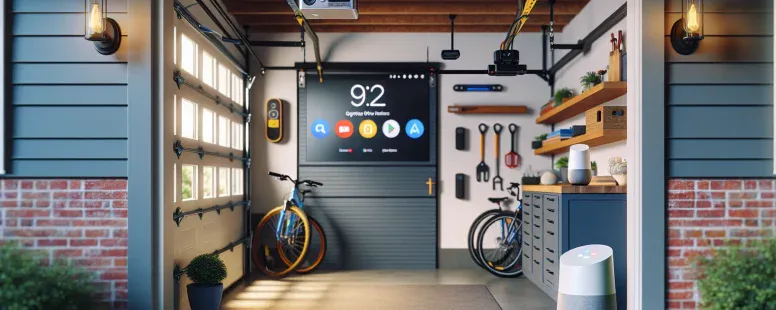
Picture controlling your garage door with just your voice, seamlessly integrating it into your smart home ecosystem. As technology transforms everyday tasks into effortless experiences, you might wonder if MyQ—the popular smart garage system—plays nicely with Google Home. After all, the convenience of managing everything in one place is hard to resist.
The compatibility between MyQ and Google Home has sparked plenty of curiosity among homeowners looking to streamline their routines. Can these two systems work together to create a truly connected home? Understanding how they interact could unlock new levels of efficiency and ease for your daily life.
What Is MyQ?
MyQ is a smart garage control system developed by Chamberlain Group. It lets you remotely manage your garage door through a smartphone app, providing enhanced convenience and security for homeowners. By using Wi-Fi connectivity, it communicates with compatible devices to control and monitor access.
You can open or close your garage door from anywhere, receive notifications if the door’s left open, and even schedule operations at specific times. For instance, you might set it to automatically close every night at 10 PM. This functionality ensures you maintain better control over your home’s access points.
The MyQ ecosystem includes products like the Smart Garage Hub and integrated smart openers. These devices work together seamlessly to turn traditional garages into connected spaces without needing major hardware upgrades. The system also supports integrations with various third-party platforms like Amazon Key for secure package deliveries inside your garage.
What Is Google Home?
Google Home is a smart speaker powered by Google Assistant, designed to streamline your daily tasks. It uses voice recognition technology to provide hands-free assistance for activities like setting reminders, controlling smart devices, or playing music. By integrating with various third-party services, it creates a connected ecosystem within your home.
Key features include compatibility with devices such as lights, thermostats, and TVs from brands like Philips Hue or Nest. For example, you can dim the lights by saying, “Hey Google, turn off the living room lights.” The system also supports routines that automate multiple actions simultaneously—for instance, activating a “Good Morning” routine might adjust the thermostat while reading you the news.
Google Home offers personalized responses based on individual voice profiles. This means when you ask about your schedule or commute time, you’ll receive tailored information rather than generic updates.
Does MyQ Work With Google Home?
MyQ does not natively integrate with Google Home. While both systems enhance smart home functionality, they currently don’t offer direct compatibility for seamless operation.
Compatibility Overview
MyQ works with several platforms, including Amazon Alexa and IFTTT, but lacks built-in support for Google Home. To connect the two indirectly, you can use third-party solutions like IFTTT or paid integrations via services such as SimpleCommands. For example, creating applets in IFTTT allows limited automation between MyQ and Google Assistant commands. But, these setups require extra configuration and may introduce delays compared to native integration.
Limitations And Restrictions
Direct voice control of MyQ through Google Assistant isn’t possible due to the absence of official support. Paid subscriptions like Chamberlain’s myQ Premium plan are necessary when linking some third-party services, adding costs to achieve compatibility. Also, indirect methods lack full feature access; for instance, you might only open or close garage doors but won’t receive real-time notifications from your Google Home device.
Alternatives To MyQ And Google Home Integration
You can explore several alternatives when integration between MyQ and Google Home isn’t directly available. These options provide flexibility for managing your smart garage system efficiently.
Third-Party Apps And Services
Third-party apps and services bridge the gap between MyQ and Google Home. Platforms like IFTTT (If This Then That) allow you to create automated routines linking the two systems. For example, you could program a routine where opening your garage door via MyQ triggers Google Assistant to turn on interior lights. Subscription-based services, such as SimpleCommands, also offer integration solutions by acting as intermediaries, but they might involve additional costs.
These tools require some configuration but enable voice commands or automation that wouldn’t otherwise be possible natively. But, consider latency issues; third-party integrations may not always operate in real-time.
Other Smart Garage Door Openers
Other smart garage door openers with native Google Home compatibility simplify operations. Models from brands like Nexx Garage or Tailwind IQ3 work seamlessly with Google Assistant without relying on additional apps or subscriptions. Nexx Garage offers features such as geofencing to automatically open your door when you’re nearby, while Tailwind IQ3’s advanced sensors ensure accurate vehicle detection before any action occurs.
Evaluate whether switching devices aligns with your budget and technical requirements if full integration is essential for your home setup.
Tips For Setting Up A Smart Garage System
A smart garage system improves convenience, security, and efficiency in your home. Proper setup maximizes these benefits with minimal hassle.
Ensuring Device Compatibility
Check compatibility between your devices to avoid integration issues. MyQ works seamlessly with platforms like Amazon Alexa and IFTTT but doesn’t natively support Google Home. Use third-party tools such as SimpleCommands or IFTTT applets to bridge this gap.
Verify firmware updates for both MyQ hardware (e.g., Smart Garage Hub) and connected devices. Outdated software can cause operational conflicts, disrupting automation routines or notifications.
Consider alternative options if full compatibility is essential. Devices like Nexx Garage offer native Google Home support, allowing direct voice control without third-party apps or subscriptions.
Maximizing Security Features
Enable all available security features on your smart garage system to protect against unauthorized access. Use two-factor authentication on the MyQ app to add an extra layer of protection beyond passwords alone.
Schedule door closures through the app to ensure it doesn’t remain open unintentionally overnight or when you’re away from home. This feature reduces risks of theft while maintaining convenience.
Integrate external cameras with the garage door opener for real-time monitoring. For example, pairing a Nest Cam with MyQ provides video surveillance alongside door control, enhancing overall security awareness within your smart home ecosystem.
Conclusion
While MyQ offers impressive smart garage capabilities, its lack of native integration with Google Home may be a limitation for some users. Relying on third-party solutions can bridge the gap but often involves extra steps or costs. If seamless compatibility is crucial for your setup, exploring alternative devices with built-in Google Home support might be worth considering.
Eventually, whether you stick with MyQ or opt for another solution depends on your priorities and how much you’re willing to invest in achieving a fully connected home ecosystem.
To provide the best experiences, we use technologies like cookies to store and/or access device information. Consenting to these technologies will allow us to process data such as browsing behaviour or unique IDs on this site. Not consenting or withdrawing consent, may adversely affect certain features and functions.
Functional
Always active
The technical storage or access is strictly necessary for the legitimate purpose of enabling the use of a specific service explicitly requested by the subscriber or user, or for the sole purpose of carrying out the transmission of a communication over an electronic communications network.
Preferences
The technical storage or access is necessary for the legitimate purpose of storing preferences that are not requested by the subscriber or user.
Statistics
The technical storage or access that is used exclusively for statistical purposes.The technical storage or access that is used exclusively for anonymous statistical purposes. Without a subpoena, voluntary compliance on the part of your Internet Service Provider, or additional records from a third party, information stored or retrieved for this purpose alone cannot usually be used to identify you.
Marketing
The technical storage or access is required to create user profiles to send advertising, or to track the user on a website or across several websites for similar marketing purposes.