Imagine trying to stream your favorite show, but the buffering wheel keeps spinning. Frustrating, right? You might start wondering if the issue lies with your router or modem. These two devices are the backbone of your internet connection, yet so many people confuse their roles. While they often work together seamlessly, their functions are entirely different and understanding this can make a world of difference in troubleshooting or upgrading your network.
Think of a modem as the bridge that connects your home to the vast world of the internet, while the router acts as the traffic controller, directing data to the right devices. They’re partners in bringing you online, but each plays a unique role. If you’ve ever wondered why you need both or how they impact your internet speed and reliability, you’re not alone. Let’s unravel the mystery and break down the key differences between these essential devices.
What Is a Router?
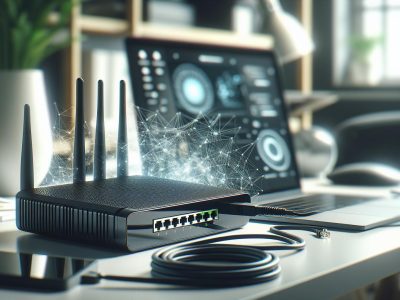
A router is a device that connects multiple devices within a network and manages the traffic between them. It ensures that data packets reach the correct destination efficiently.
Key Features of a Router
Data Distribution
Routers transmit data between devices in a network. For example, your laptop, smartphone, and smart TV can simultaneously connect to the same Wi-Fi network through a router.
Network Security
They provide a firewall, offering protection against unauthorized access. If you enable WPA3 encryption, your wireless network becomes more secure.
IP Address Management
Routers assign unique IP addresses to devices in the network. This ensures seamless communication without conflicts.
Wireless Connectivity
Many routers feature Wi-Fi capabilities, eliminating the need for cables. Dual-band routers operate on both 2.4 GHz and 5 GHz frequencies, offering better flexibility.
Wired Routers
Wired routers connect devices via Ethernet cables. These are ideal for setups requiring low latency, such as gaming or video conferencing.
Wireless Routers
These devices broadcast Wi-Fi signals, allowing wireless connections. For example, homes and offices widely use these devices due to convenience.
Edge Routers
Edge routers configure data transfer between external and internal networks. These are common in large enterprises or ISPs managing substantial traffic volumes.
Virtual Routers
These software-based routers run on a virtual machine, offering flexible network management. They’re useful in scenarios like cloud environments.
Routers play a vital role in your network’s overall functionality, complementing modems by creating a reliable bridge between your devices and the internet.
What Is a Modem?
A modem establishes your internet connection by communicating with your Internet Service Provider (ISP). It modulates and demodulates data, converting analog signals to digital and vice versa for seamless data transmission.
Key Features of a Modem
Signal Conversion
A modem converts analog signals from your ISP into digital data, which your devices can understand. This function enables fast and reliable internet access.
Direct ISP Communication
The modem directly connects to your ISP through a cable, DSL, or fiber optic line, enabling access to the internet. Without a modem, no internet connection exists.
Separate IP Addressing
Modems provide a unique public IP address to your network. This feature distinguishes your internet traffic from others on the web.
Single Device Connection
A modem connects one device to the internet. To share internet with multiple devices, you’d need a router along with it.
Cable Modem
It connects via coaxial cables to deliver internet services. Common in urban areas, it supports high-speed connections for streaming and gaming.
DSL Modem
DSL modems use telephone lines for internet access. They’re suitable for areas with existing landline infrastructure but offer slower speeds compared to cable modems.
Fiber Optic Modem
These modems use fiber optic technology for ultra-fast internet speeds. Availability is limited to regions with fiber infrastructure.
Dial-Up Modem
Dial-up modems, now outdated, connect through phone lines. They provide very slow speeds and are infrequently used.
Integrated Modem-Router
Combines a modem and router in one device, offering a compact solution for internet and network management. Integration can limit flexibility compared to separate devices.
Key Differences Between Router And Modem
Understanding the differences between a router and a modem is crucial for managing your home or office internet connection efficiently. Each device serves specific purposes to ensure stable and secure access to the web.
Functionality
A modem connects directly to your Internet Service Provider (ISP) and converts signals into data that your devices can access. Without a modem, internet access isn’t possible. A router, on the other hand, manages and distributes this internet connection to multiple devices. For example, if your modem is the “translator” of the internet, your router acts as the “distributor.” Routers also establish a local network, allowing devices within the network to communicate with each other.
Connection and Network Management
Modems provide a single point of internet access. They connect to one device, which could be your router, computer, or a smart TV if no router is present. Routers expand this functionality by creating a network for multiple devices, supporting both wired (e.g., Ethernet) and wireless (e.g., Wi-Fi) connections. For instance, while a modem alone supports only one connection, a router enables dozens of devices to connect simultaneously across a larger range.
Security Features
Routers typically offer advanced built-in security features, such as firewalls, VPN configurations, and password-protected access points. These safeguards protect your devices from unauthorized access or cyber threats. Modems lack these security mechanisms since their primary role is signal conversion and ISP communication. If you’re relying solely on a modem, your network is more vulnerable to attacks.
Placement and Usage
Positioning a modem is straightforward because it only needs a connection to the ISP. Routers, but, require strategic placement to ensure effective Wi-Fi signal coverage. For example, placing the router in a central location within your space improves signal distribution and minimizes dead zones. Modems, limited to their primary role and connection point, don’t impact connectivity range.
Do You Need Both a Router and a Modem?
Determining whether you need both a router and a modem depends on your internet setup and network needs. Each device serves a specific purpose, and the right combination ensures efficient connectivity.
When a Modem Is Enough
A modem alone is sufficient if you’re connecting just one device to the internet, like a desktop computer. Since modems communicate directly with your ISP to provide internet access, they don’t require additional hardware for a single-device setup. For example, in a basic home office with only a single wired connection, a modem can handle the workload.
But, modems limit functionality because they can’t create a local network or support multiple devices. If your goal is simple internet access for one device, and security or additional connections aren’t concerns, a modem is adequate.
When a Router Is Essential
A router becomes essential when you need to connect multiple devices to the internet or establish a wireless network. It distributes the modem’s internet connection, allowing smartphones, tablets, laptops, and smart home devices (e.g., smart TVs or security cameras) to share the same network. Routers also enhance security with features like firewalls and network encryption.
For instance, a family relying on multiple devices across various rooms needs a router to maintain seamless connectivity. If your area has dead zones, upgrading to a router with advanced features like mesh networking can resolve those issues.
For integrated solutions, modem-router combinations streamline setups but may compromise upgrade flexibility. When choosing between separate and combined devices, factor in your network’s complexity and potential future expansion needs.
Choosing the Right Device for Your Needs
Selecting between a router, a modem, or a combined device depends on your internet usage, number of devices, and networking preferences.
Factors to Consider
Evaluate your network requirements before purchasing a device. If you only need to connect one device, like a desktop computer, a standalone modem suffices. But, for households with several devices, such as smartphones, laptops, or gaming consoles, a router becomes essential to distribute the connection effectively.
Consider your internet speed and standards. Advanced routers, for example, support Wi-Fi 6, which enhances speed and reduces congestion for multiple devices. Modems need to be compatible with your ISP, whether you have cable internet or fiber optic. An outdated modem can bottleneck your internet speed, even if your subscription includes high-speed tiers.
Examine your network’s security needs. Routers with built-in firewalls, VPN support, or parental controls enhance protection for your connected devices. Modems lack these features, making a router indispensable for users prioritizing cybersecurity.
Factor in long-term scalability. If you plan to upgrade your broadband or add smart devices to your home, investing in a high-performance router ensures seamless expansion. For basic and stable setups, a modem-router combo can be simpler.
Combining Router and Modem in One Device
Integrated modem-router combinations offer convenience, particularly for small-scale setups. These devices reduce hardware clutter, are cost-effective, and require minimal configuration. For instance, a household with basic streaming and browsing needs may prefer a modem-router over separate devices to save space.
Even though their simplicity, combo devices come with limitations. They often lack advanced router features like mesh networking or high-level customization options. Upgrading becomes costly as you’d need to replace the entire unit. For example, if your ISP upgrades to a new connection type (like fiber optic), you may need a separate modem to ensure compatibility.
If flexibility is your priority, standalone devices provide better longevity. Pairing a high-end router with a compatible modem enables tailored configurations, such as using a gigabit router for a large family home or multiple floors. Though combo devices are appealing, a two-device setup is essential for power users.
Choose a device by weighing convenience against performance and expansion potential. For diverse user setups, understanding these options ensures reliable and efficient network connectivity.
Conclusion
Understanding the roles of routers and modems is key to building a reliable and efficient network. Whether you’re setting up a simple connection or managing a complex system with multiple devices, knowing what each device does helps you make informed decisions.
By evaluating your internet needs, security requirements, and future scalability, you can determine whether to use standalone devices or an integrated solution. This ensures your network not only meets your current demands but is also prepared for growth and technological advancements.
Choosing the right equipment empowers you to optimize connectivity, enhance security, and create a seamless online experience for all your devices.
Published: July 25, 2025 at 9:16 am by Ellie B, Site owner & Publisher
To provide the best experiences, we use technologies like cookies to store and/or access device information. Consenting to these technologies will allow us to process data such as browsing behaviour or unique IDs on this site. Not consenting or withdrawing consent, may adversely affect certain features and functions.
Functional
Always active
The technical storage or access is strictly necessary for the legitimate purpose of enabling the use of a specific service explicitly requested by the subscriber or user, or for the sole purpose of carrying out the transmission of a communication over an electronic communications network.
Preferences
The technical storage or access is necessary for the legitimate purpose of storing preferences that are not requested by the subscriber or user.
Statistics
The technical storage or access that is used exclusively for statistical purposes.The technical storage or access that is used exclusively for anonymous statistical purposes. Without a subpoena, voluntary compliance on the part of your Internet Service Provider, or additional records from a third party, information stored or retrieved for this purpose alone cannot usually be used to identify you.
Marketing
The technical storage or access is required to create user profiles to send advertising, or to track the user on a website or across several websites for similar marketing purposes.