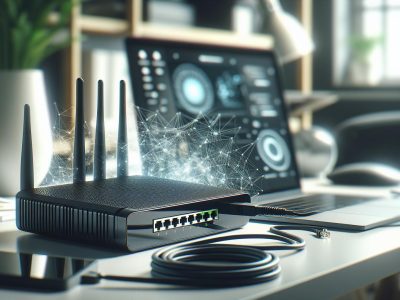
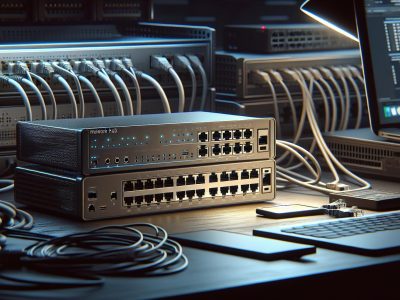
Imagine exploring a bustling city without street signs or traffic lights. Chaos, right? That’s what your network would feel like without the right devices directing traffic. Switches and routers are the unsung heroes of your digital world, ensuring data flows smoothly and reaches its destination. But while they might seem similar, their roles are distinct and essential in keeping your network organized.
You’ve probably heard the terms tossed around, but do you really know what sets them apart? Understanding the difference isn’t just tech jargon—it’s key to optimizing your home or business network. Whether you’re streaming your favorite show or managing a company’s data, knowing how these devices work together can make all the difference. Ready to jump into the intriguing area of switches and routers? Let’s untangle the wires and break it down.
What Is a Switch?
A switch acts as a central device in a network, connecting multiple devices and enabling them to communicate effectively. It transfers data packets between devices within the same network, ensuring efficient data flow.
Key Features of a Switch
Layer 2 Device: Switches primarily operate on the data link layer of the OSI model. They transfer data based on MAC addresses.
Port Density: Designed with multiple ports, switches support several devices simultaneously, such as computers, printers, and IP cameras.
Traffic Management: Switches use packet filtering and forwarding, reducing network congestion.
VLAN Support: Many switches allow VLAN configuration for better traffic segmentation and security.
How Switches Operate
Switches operate by learning the MAC addresses of connected devices. They maintain a CAM table to store these addresses and use it to direct data packets precisely. Upon receiving a packet, the switch examines the destination MAC address, matches it in the CAM table, and forwards it to the appropriate port. If the address isn’t recognized, the switch floods the packet across all ports except the incoming one to locate the device.
Modern switches often include features like port mirroring, enabling network monitoring, and network security layers like access control lists.
Improved Performance: Switches reduce collisions in network traffic by segmenting collision domains.
Scalability: You can expand your network easily by adding more switches and devices.
Enhanced Security: Switches support features like port authentication and network segregation through VLANs.
Energy Efficiency: Some switches use energy-saving tech, dynamically adjusting power usage.
Switches play a critical role in both small and large networks by efficiently managing connections, conserving bandwidth, and enhancing security.
What Is a Router?
A router is a critical network device that directs data traffic between different networks, ensuring data reaches its intended destination. Unlike switches, which manage internal communication within a local network, routers connect multiple networks, like those of your home, office, or internet service provider (ISP).
Key Features of a Router
IP Address Handling: Routers use IP addresses to identify devices across networks. For example, when accessing a website, your router assigns an IP to your device and fetches the data from the website’s IP.
Wide Area Network (WAN) Connection: Routers bridge local area networks (LANs) to wider networks, including the internet, enabling seamless communication.
Network-wide Security Features: Routers include functionalities like firewalls, virtual private network (VPN) support, and content filtering to secure data transfer.
Wireless Connectivity: Many home and office routers function as wireless access points, enabling devices to connect via Wi-Fi.
How Routers Operate
Routers process data packets using routing tables and protocols to determine the most efficient paths for delivery. If a packet is destined for another network, the router analyzes its destination IP address and forwards it accordingly. Dynamic routing protocols, like OSPF and BGP, help routers adapt to network changes by updating routes in real-time.
For example, when you stream a movie, your router ensures the video data packets arrive accurately and quickly while prioritizing other network activities like browsing or file downloads. Without a router maintaining these pathways, data collisions or slow network speeds would occur.
Improved Scalability: Routers allow you to integrate multiple networks without overwhelming a single system, supporting large-scale operations.
Enhanced Security: Routers help monitor and block unauthorized access with features like NAT (Network Address Translation) and firewalls.
Inter-Network Communication: By connecting different networks, routers enable both intranet and internet connectivity for businesses and personal use.
Incorporating a router into your network ensures efficient communication with other networks while safeguarding your data.
Major Differences Between Switch and Router
Switches and routers, while often used together, serve distinct purposes and transform how networks operate. Understanding their differences is essential for enhancing network performance and functionality.
Functionality
Switches function primarily to connect devices within the same local area network (LAN). They enable communication between computers, printers, and other devices by sending data directly to the intended recipient using their MAC addresses. For example, a switch ensures a file sent from your computer reaches a specific printer without interfering with other devices.
Routers, on the other hand, operate to link multiple networks. They manage traffic between a LAN and external networks, such as the Internet. For instance, when you access a website, a router determines the best route to transfer your data packets from your home network to a server located thousands of miles away.
Data Transmission
Switches transmit data based on Layer 2 (Data Link Layer) of the OSI model, using MAC addresses. This ensures efficient packet delivery within the network. Advanced switches may even support Layer 3 functionality for routing within subnetworks.
Routers handle data transmission at Layer 3 (Network Layer), which involves IP addressing. They use routing protocols, such as BGP or OSPF, to find the best path for data delivery. If you’re streaming a movie, the router ensures data packets arrive in the correct sequence for seamless playback.
Networking Capabilities
Switches excel in creating and managing local networks. They provide high port density, making them ideal for expanding networks within offices, schools, or homes. Managed switches offer VLAN support for segmenting networks and improving traffic control. For example, office departments can have separate VLANs to prevent data collisions.
Routers demonstrate broader networking capabilities by connecting different networks and enabling devices in separate LANs to communicate. Wireless routers add functionality by integrating access points, allowing devices like smartphones to connect to the network without cables.
Security Features
Switches include basic security features like port security and VLAN isolation to limit unauthorized access within a network. Many modern switches also support features like MAC address filtering to enhance internal security.
Routers offer robust security features to protect network boundaries. They often include firewalls, VPN support, and intrusion detection to safeguard data from external threats. A router, for example, can block access to malicious websites, preventing malware from entering your network.
Switches and routers are essential for any modern network, each playing a distinct role in facilitating reliable communication and security.
When to Use a Switch vs. a Router
Choosing between a switch and a router depends on the specific requirements of your network setup. Each device excels in certain scenarios, and understanding these use cases helps optimize your network’s performance.
Ideal Scenarios for a Switch
A switch is optimal for networks that require multiple devices to communicate within a local area. It works best in environments where you need to connect computers, printers, and other peripherals within a single LAN. For example, in an office with ten workstations and shared resources like printers, a switch ensures efficient data transfer and reduces collisions.
Switches are highly effective for managing traffic within VLANs. In a large business with segmented departments, VLAN-capable switches enhance network security and organization by isolating traffic. They also support high-density connections, making them ideal for environments like call centers or data centers.
Energy-efficient switches are suitable if you prioritize sustainability. Modern switches offer reduced power consumption and efficient performance, benefitting businesses focused on lowering their carbon footprint.
Ideal Scenarios for a Router
A router is essential for connecting multiple networks, especially when linking a LAN to external networks like the Internet. In a home network, routers are crucial for distributing internet access to various devices, such as smartphones, laptops, and smart TVs.
Routers perform well in scenarios demanding advanced security. They provide firewall protections and VPN capabilities, making them a top choice for remote workers or businesses managing sensitive data. For example, a healthcare provider transmitting patient records between branch offices would rely on a router’s encryption and secure protocols.
Wireless routers are ideal for environments requiring mobility and flexibility. In public spaces like cafés or libraries, routers deliver Wi-Fi access to a wide range of devices, ensuring seamless connectivity without additional cabling.
Conclusion
Understanding the unique roles of switches and routers empowers you to design a network that meets your specific needs. Whether you’re managing a local network with multiple devices or connecting to external networks, knowing how these devices work together ensures seamless communication and enhanced security. By leveraging the strengths of both switches and routers, you can create a reliable and efficient network infrastructure for your home or business.
To provide the best experiences, we use technologies like cookies to store and/or access device information. Consenting to these technologies will allow us to process data such as browsing behaviour or unique IDs on this site. Not consenting or withdrawing consent, may adversely affect certain features and functions.
Functional
Always active
The technical storage or access is strictly necessary for the legitimate purpose of enabling the use of a specific service explicitly requested by the subscriber or user, or for the sole purpose of carrying out the transmission of a communication over an electronic communications network.
Preferences
The technical storage or access is necessary for the legitimate purpose of storing preferences that are not requested by the subscriber or user.
Statistics
The technical storage or access that is used exclusively for statistical purposes.The technical storage or access that is used exclusively for anonymous statistical purposes. Without a subpoena, voluntary compliance on the part of your Internet Service Provider, or additional records from a third party, information stored or retrieved for this purpose alone cannot usually be used to identify you.
Marketing
The technical storage or access is required to create user profiles to send advertising, or to track the user on a website or across several websites for similar marketing purposes.