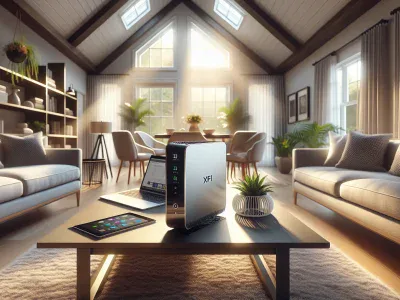
Picture transforming your home’s internet into a seamless, lightning-fast network that keeps up with your every need. If you’re an Xfinity user eyeing the sleek, reliable Eero mesh Wi-Fi system, you might be wondering—do they play well together? With so many devices and connections relying on strong, uninterrupted signals these days, finding the perfect setup is more important than ever.
Eero promises to eliminate dead zones and simplify your internet experience, but does it truly deliver when paired with Xfinity? Whether you’re battling buffering during movie nights or struggling to keep all your smart devices connected, understanding how these two technologies work together could be the key to unlocking hassle-free connectivity. Let’s dive deeper into how Eero integrates with Xfinity and what it means for your digital lifestyle.
What Is Eero And How Does It Work?
Eero is a mesh Wi-Fi system designed to provide seamless internet coverage across your home. It eliminates dead zones by using multiple devices, called nodes, that work together to create a unified network.
Overview Of Eero Mesh Wi-Fi System
The Eero system uses mesh networking technology to distribute Wi-Fi signals evenly throughout your space. Instead of relying on a single router, it connects several access points strategically placed around your home. Each node communicates with the others in real-time, ensuring consistent connectivity even if one device faces interference.
For example, if you live in a two-story house with thick walls, placing an Eero node on each floor helps maintain strong signal strength everywhere. The primary device connects directly to your modem while additional units expand the coverage area efficiently.
Benefits Of Using Eero
Enhanced Coverage: With multiple nodes, you experience fewer dead zones and improved signal strength across large areas or multi-level homes.
Easy Setup: The companion app simplifies installation by guiding you through connecting devices and optimizing their placement.
Smart Traffic Management: Eero balances bandwidth between connected devices like smartphones and smart TVs for optimal performance during high usage periods.
Automatic Updates: Regular software updates keep the system secure and enhance functionality over time without manual intervention.
Compatibility With Xfinity: When paired with Xfinity’s internet service, Eero integrates seamlessly for faster speeds and stable connections across all devices.
These features make Eero ideal for households requiring reliable Wi-Fi solutions tailored to modern connectivity demands.
Understanding Xfinity Internet Services
Xfinity, a widely-used internet service provider in the US, delivers high-speed broadband to millions of households. Its advanced network infrastructure supports various online activities, from streaming HD content to online gaming and remote work.
Key Features Of Xfinity Internet
Speed Options: Xfinity offers tiered plans with speeds ranging from 50 Mbps to 1200 Mbps. Higher-speed tiers cater to bandwidth-intensive tasks like 4K streaming and simultaneous device usage.
Wi-Fi Gateway Devices: Xfinity provides its xFi Gateway modem-router combo for seamless connectivity and built-in security features. It simplifies home networking by integrating multiple functions into one device.
Extensive Coverage: With over 29 million customers nationwide, Xfinity’s fiber-coaxial hybrid network ensures reliable internet access across urban and suburban areas.
xFi App Integration: The companion app allows you to monitor connected devices, pause Wi-Fi for specific users, set parental controls, and troubleshoot issues remotely.
Bundling Options: Combine internet services with TV or phone packages at discounted rates for convenience and lower costs overall.
Compatibility Requirements For Third-Party Devices
To use third-party devices like Eero with Xfinity’s service effectively:
Modem Support: Ensure your modem is compatible with DOCSIS 3.0 or higher standards since these align better with Xfinity’s infrastructure requirements.
Bridge Mode Activation: Disable the router functionality on the xFi Gateway by enabling bridge mode when connecting a separate mesh system like Eero.
Device Registration: Register new hardware through the Xfinity portal or support team before establishing an active connection.
Firmware Updates: Keep your equipment updated regularly; outdated firmware can cause compatibility problems or reduced performance levels.
Does Eero Work With Xfinity?
Eero works seamlessly with Xfinity, enabling you to enhance your home Wi-Fi experience. By using Eero with Xfinity, you can eliminate dead zones and enjoy consistent connectivity across all areas of your home.
Compatibility Between Eero And Xfinity
Eero is fully compatible with Xfinity’s internet service when paired with a supported modem. Ensure that the modem adheres to DOCSIS 3.0 or higher standards for optimal performance. If you’re using an xFi Gateway, activating bridge mode disables its router functions, allowing Eero to act as the primary Wi-Fi system.
Xfinity supports third-party devices like the Eero mesh system without restrictions on speed tiers. For example, if your plan offers up to 1200 Mbps, Eero Pro 6 can handle gigabit speeds efficiently while supporting multiple connected devices simultaneously.
Configuration Steps For Eero With Xfinity
Connect The Modem: Power off your existing modem and connect it directly to the main Eero device via an Ethernet cable.
Enable Bridge Mode: Access the admin settings of your xFi Gateway through the web interface or app and enable bridge mode if applicable.
Set Up The Network: Use the Eero app (available on iOS and Android) to configure your network by following on-screen instructions.
Test Connectivity: After completing setup, test connection stability in various parts of your home using tools within the app.
During configuration, ensure firmware updates are installed on both devices for compatibility improvements and enhanced security features provided by manufacturers.
Common Issues And Troubleshooting
Eero works well with Xfinity, but occasional issues may arise. Identifying and resolving these problems ensures a smooth internet experience.
Addressing Connectivity Problems
Connectivity problems can occur if your Eero or Xfinity modem isn’t configured properly. Check that your modem supports DOCSIS 3.0 or higher and ensure bridge mode is enabled on the xFi Gateway to prevent IP conflicts between devices. Restart both the modem and Eero network when experiencing drops in connection.
Ensure proper placement of Eero nodes to avoid dead zones. For instance, keep nodes within 30 feet of each other, especially in multi-story homes, for better signal distribution. If speeds remain inconsistent, test using an Ethernet cable between the gateway and Eero router to rule out wireless interference.
Optimizing Eero And Xfinity Performance
Maximize performance by updating firmware regularly on both devices to address compatibility issues and security vulnerabilities. Use the Eero app’s built-in tools to monitor connected devices and prioritize bandwidth for high-demand activities like streaming or gaming.
Minimize interference from physical obstructions by placing your main router at a central location away from thick walls or electronic appliances like microwaves. For homes with heavy network usage (e.g., multiple users streaming simultaneously), consider upgrading your Xfinity plan above 300 Mbps for seamless operation with Eero’s traffic management system.
Alternatives To Eero For Xfinity Users
For those exploring options beyond Eero, several mesh Wi-Fi systems offer seamless compatibility with Xfinity. These alternatives provide robust performance and advanced features tailored to diverse home networking needs.
Other Popular Mesh Wi-Fi Systems
Google Nest Wi-Fi
Google Nest Wi-Fi combines strong coverage with smart home integration. Each node doubles as a smart speaker, supporting Google Assistant for added functionality. It suits users seeking intuitive management via the Google Home app and reliable connectivity for streaming or gaming.
Netgear Orbi
Netgear Orbi delivers exceptional speed and coverage, ideal for large homes or high-bandwidth activities like 4K streaming. Models such as the Orbi AX6000 support Wi-Fi 6 technology, enhancing network efficiency in device-heavy environments.
TP-Link Deco
TP-Link Deco offers budget-friendly solutions without compromising on features. The Deco X20 supports gigabit speeds and parental controls, making it suitable for families prioritizing security alongside performance.
Asus ZenWiFi
Asus ZenWiFi stands out with its customizable settings through the Asus Router app, offering advanced users greater control over their network configuration. Its AiProtection Pro ensures enhanced security against cyber threats.
Amazon eero Pro 6E
An upgrade to standard eero models, the eero Pro 6E supports tri-band connectivity and higher capacity handling, catering to households with heavy internet usage across multiple devices.
Comparing Features And Performance
Speed Capability: While most mesh systems support gigabit speeds, newer models like Netgear Orbi AX6000 surpass others by utilizing Wi-Fi 6 technology.
Coverage Area: Systems such as Asus ZenWiFi excel in covering up to 6000 square feet when paired with additional nodes.
Ease of Setup: Google Nest Wi-Fi simplifies installation through voice-guided instructions on its app.
Cost Efficiency: Consider TP-Link’s offerings if affordability is a priority without sacrificing core functions like dual-band support or guest networks.
Conclusion
Pairing Eero with Xfinity can transform your home internet experience, delivering seamless coverage and reliable performance. By addressing dead zones and optimizing connectivity, Eero ensures your network keeps up with modern demands.
Whether you’re streaming, gaming, or managing smart devices, the combination of Eero’s advanced mesh technology and Xfinity’s high-speed plans creates a powerful solution for consistent Wi-Fi throughout your home.
To provide the best experiences, we use technologies like cookies to store and/or access device information. Consenting to these technologies will allow us to process data such as browsing behaviour or unique IDs on this site. Not consenting or withdrawing consent, may adversely affect certain features and functions.
Functional
Always active
The technical storage or access is strictly necessary for the legitimate purpose of enabling the use of a specific service explicitly requested by the subscriber or user, or for the sole purpose of carrying out the transmission of a communication over an electronic communications network.
Preferences
The technical storage or access is necessary for the legitimate purpose of storing preferences that are not requested by the subscriber or user.
Statistics
The technical storage or access that is used exclusively for statistical purposes.The technical storage or access that is used exclusively for anonymous statistical purposes. Without a subpoena, voluntary compliance on the part of your Internet Service Provider, or additional records from a third party, information stored or retrieved for this purpose alone cannot usually be used to identify you.
Marketing
The technical storage or access is required to create user profiles to send advertising, or to track the user on a website or across several websites for similar marketing purposes.