Imagine you’re curled up with your favorite device, ready to jump into a gripping story or an insightful guide. But as you open the file, it doesn’t quite fit—text feels rigid, the layout’s off, or resizing seems impossible. That’s where the choice between PDF and EPUB comes into play. These two popular formats shape your reading experience in ways you might not expect.
PDFs offer a fixed, print-like layout, perfect for preserving design and structure. EPUBs, on the other hand, are fluid and adaptable, molding effortlessly to your screen size. Whether you’re a casual reader or a professional juggling documents, understanding the key differences can transform how you interact with digital content. So, which format truly fits your needs? Let’s explore.
Overview Of PDF And EPUB
PDF and EPUB are two widely used file formats for digital documents, each serving distinct purposes. Understanding their features helps you choose the right format for your needs, whether it’s for reading or sharing.
What Is A PDF?
A PDF, or Portable Document Format, is a file format developed by Adobe Systems in 1993. It captures text, images, and formatting of a document, ensuring it appears the same across different systems. PDFs are commonly used for official documents like contracts, manuals, and e-books that require consistent layout regardless of the device.
The fixed layout of PDFs makes them ideal for preserving graphic-heavy content, such as brochures or presentations. For example, an academic research paper formatted as a PDF retains its layout, even on a smartphone. But, their rigidity can limit readability on smaller screens, as text and images don’t reflow to fit varying screen sizes.
What Is An EPUB?
An EPUB, or Electronic Publication, is an open e-book standard maintained by the International Digital Publishing Forum (IDPF). Introduced in 2007, EPUBs were designed to provide a flexible reading experience. They’re compatible with e-readers like Kindle, Nook, and reading apps on smartphones and tablets.
Unlike PDFs, EPUBs use a reflowable layout, meaning the content adjusts dynamically to the screen size and user preferences, such as font size or style. For instance, when reading a novel on a Kindle, the text can reflow to fit the screen, enhancing readability. This adaptability makes EPUBs ideal for text-centric content but less effective for documents requiring precise formatting, like detailed engineering diagrams.
Key Differences Between PDF And EPUB
PDF and EPUB differ significantly in their structure, usability, and adaptability, making each suitable for specific needs. These distinctions impact how you interact with text and media on various platforms.
Format And Layout
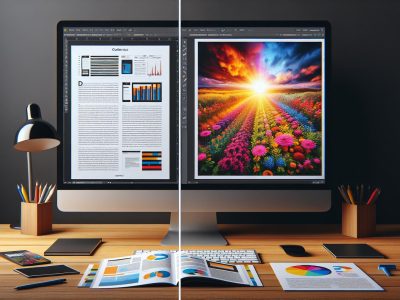
PDF uses a fixed format, preserving the original design and layout regardless of device. This is suitable for official documents, presentations, or graphic-rich content. For example, a PDF of a brochure ensures that all visual elements stay aligned, even on a smartphone.
EPUB adopts a reflowable format, allowing text and images to adjust dynamically to screen size. This benefits text-heavy content like eBooks, where readability matters more than static design. Text automatically resizes on smaller screens, providing a better reading experience.
Flexibility And Accessibility
PDF offers limited adaptability, often requiring zooming and scrolling on smaller screens. This reduces accessibility for users who rely on mobile devices or assistive technologies. Complex tables or images might not display well.
EPUB enables font resizing, background customization, and text-to-speech options. It’s compatible with e-readers and screen readers, improving accessibility for visually impaired readers. Custom themes also make EPUBs more user-friendly.
File Size And Compression
PDF files often retain larger sizes due to embedded fonts, images, and fixed layouts. For instance, a high-quality scanned document with images might exceed 10 MB, affecting storage and sharing.
EPUB files generally remain smaller because they use advanced compression techniques for text and images. An EPUB eBook with 300 pages might be under 2 MB, making it easier to download and store.
Compatibility With Devices
PDF works universally across desktops, tablets, and smartphones through applications like Adobe Reader. It’s ideal for professional settings but may not integrate fully with e-reader devices.
EPUB is optimized for e-readers like Kindle, Nook, and Kobo, along with apps such as Apple Books and Google Play Books. This makes it the preferred format for digital book distribution and consumption.
Advantages Of Each Format
Each format offers distinct benefits tailored to specific use cases, ensuring flexibility depending on your reading or sharing requirements.
Benefits Of PDF
PDFs maintain a consistent layout across all devices. This makes them ideal for official documents, presentations, and graphic-heavy files like brochures or catalogs. For example, the formatting of a company report with charts and tables remains unchanged, ensuring professional presentation. PDFs support password protection and permissions, enhancing security for sensitive content.
The format is universally compatible with different devices and operating systems without requiring specific software. You can open a PDF on Windows, macOS, Android, iOS, or even through most browsers. If you frequently deal with legal or academic documents that require annotation, PDFs allow highlights, comments, and digital signatures, making them an essential tool for collaborative work.
Benefits Of EPUB
EPUBs adapt dynamically to various screen sizes, improving the reading experience on e-readers, tablets, and smartphones. Unlike PDFs, which may require constant zooming, EPUBs reflow text to match small screens. For example, when reading a novel on an e-reader app, text size adjusts for better readability.
The format supports multimedia elements like audio, video, and interactive content. This makes it suitable for educational materials or children’s books designed to engage users visually and audibly. EPUB’s compatibility with text-to-speech features caters to visually impaired users, enhancing inclusivity.
EPUB files are often smaller due to efficient compression, saving storage space on your device. Also, its support for customizable fonts, styles, and themes allows you to personalize your reading experience. For avid readers or students studying on-the-go, EPUB’s flexibility and device integration provide unmatched convenience.
When To Choose PDF Vs. EPUB
Choosing between PDF and EPUB relies on the type of content, intended use, and device compatibility.
Best Use Cases For PDF
PDF excels in professional and graphic-heavy contexts. Official documents like contracts, reports, and presentation slides benefit from its fixed layout and exact visual preservation. For example, a marketing presentation or an architectural design file retains its precise structure across all devices. PDFs support annotations and form inputs, making them crucial in collaborative workflows.
Graphic designers, educators, and businesses often use PDFs for material requiring consistent formatting, like manuals or brochures. Password protection and restricted permissions add a security layer, essential for sensitive projects such as legal filings or company plans.
Best Use Cases For EPUB
EPUB stands out where readability and adaptability dominate. Digital books, online courses, and instructional guides often use EPUB for its reflowable format. For instance, a novel adjusts text size, font, and margins dynamically on an e-reader or smartphone, improving user experience.
Multimedia integration makes EPUB ideal for interactive textbooks or tutorials. It supports videos, audios, and hyperlinks, enhancing engagement. Students, casual readers, and accessibility-focused users benefit greatly from its compatibility with features like text-to-speech and screen readers. Besides, EPUB’s efficient compression suits large digital libraries, optimizing storage on lightweight devices.
Conclusion
Choosing between PDF and EPUB eventually depends on your specific needs and how you plan to use the file. PDFs are perfect for preserving design and structure, making them ideal for professional and graphic-heavy content. On the other hand, EPUBs offer unmatched flexibility and adaptability, providing a seamless reading experience across devices.
By understanding the strengths of each format, you can select the one that aligns best with your goals. Whether you’re prioritizing layout consistency or enhanced readability, both formats have distinct advantages to offer.
To provide the best experiences, we use technologies like cookies to store and/or access device information. Consenting to these technologies will allow us to process data such as browsing behaviour or unique IDs on this site. Not consenting or withdrawing consent, may adversely affect certain features and functions.
Functional
Always active
The technical storage or access is strictly necessary for the legitimate purpose of enabling the use of a specific service explicitly requested by the subscriber or user, or for the sole purpose of carrying out the transmission of a communication over an electronic communications network.
Preferences
The technical storage or access is necessary for the legitimate purpose of storing preferences that are not requested by the subscriber or user.
Statistics
The technical storage or access that is used exclusively for statistical purposes.The technical storage or access that is used exclusively for anonymous statistical purposes. Without a subpoena, voluntary compliance on the part of your Internet Service Provider, or additional records from a third party, information stored or retrieved for this purpose alone cannot usually be used to identify you.
Marketing
The technical storage or access is required to create user profiles to send advertising, or to track the user on a website or across several websites for similar marketing purposes.