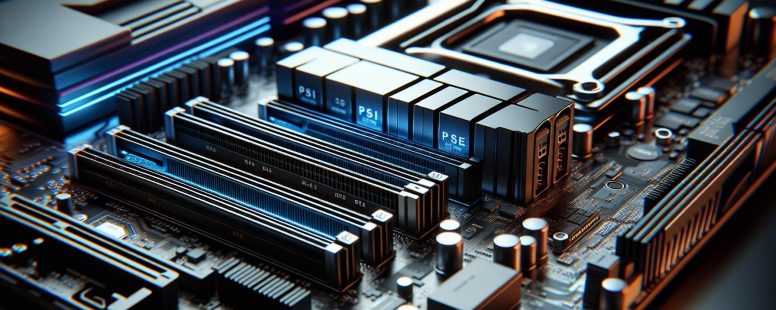
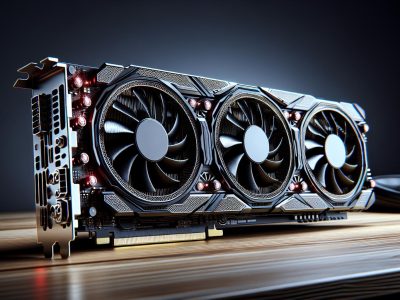
Imagine you’re building your dream PC, and you’re faced with a maze of components and connectors. Among these, PCI and PCIe slots stand out, each promising to enhance your system’s performance. But what sets them apart? Picture PCI as the seasoned veteran, a reliable workhorse that once powered countless devices. In contrast, PCIe emerges as the sleek, modern successor, offering faster speeds and greater efficiency.
As you investigate into the world of computer hardware, understanding the difference between PCI and PCIe becomes crucial. It’s like comparing a classic car to a high-performance sports vehicle; both have their merits, but they serve different needs. Whether you’re upgrading your graphics card or expanding storage, knowing which interface suits your requirements can make all the difference. So, let’s begin on this journey to explore the intricacies of PCI and PCIe, unraveling the secrets behind these essential components.
Understanding PCI and PCIe
Differentiating PCI from PCIe involves grasping their unique features and historical contexts. Both impact system performance but serve different roles in computer architecture.
What Is PCI?
PCI, short for Peripheral Component Interconnect, emerged in the early 1990s. It replaced older interface standards like ISA and VESA. PCI lets multiple hardware devices, such as network cards and sound cards, communicate with the computer’s central processor, but at a slower speed. With a maximum data transfer rate of 532 megabytes per second, PCI often creates bottlenecks in modern systems.
What Is PCIe?
PCIe, or Peripheral Component Interconnect Express, succeeded PCI with significant advancements. Introduced in 2003, PCIe offers higher serial communication speeds. It uses lanes where each lane can achieve speeds of up to 250 megabytes per second, with these aggregate as more lanes are used. This capability makes PCIe ideal for high-performance components like graphics cards and SSDs, revolutionizing how current systems handle demanding tasks.
PCIe’s scalability has led to its dominance over PCI, especially in newer systems. For example, you’ll find PCIe slots in various sizes, from x1 to x16, which accommodate a range of peripherals.
Historical Background
Understanding PCI and PCIe involves looking into their origins and technological evolution. Each has distinct milestones that influenced computer architecture.
Development of PCI
PCI, which stands for Peripheral Component Interconnect, debuted in the early 1990s, transforming how devices communicated with the CPU. It standardized hardware connectivity, enabling motherboards to support graphics cards, sound cards, and network adapters. Created by Intel, PCI was a major step forward from ISA slots. It introduced a more efficient bus structure, reducing complexity and allowing for plug-and-play capabilities. At its peak, PCI slots were pivotal for desktops, though their uniform data transfer rate (532 MB/s) eventually became limiting.
Evolution of PCIe
PCIe, or Peripheral Component Interconnect Express, emerged in 2003, offering a superior interface with multiple lanes. Each lane provided a data transfer rate of up to 250 MB/s, creating potential speeds far exceeding PCI’s limits. As your hardware demands increased, PCIe’s scalable architecture allowed adaptation. Manufacturers released different form factors like x1 through x16 slots. These variations ensured that high-performance components, such as modern graphics cards, SSDs, and network interfaces, functioned optimally. Over time, PCIe’s flexibility and speed led to its dominance.
Technical Specifications
Examining the technical specifications of PCI and PCIe showcases key distinctions in architecture and performance capabilities. These factors significantly influence how each interface supports various hardware components.
Architecture Differences
PCI slots use a parallel communication method, where data travels simultaneously across multiple lines. This setup leads to potential bottlenecks since each device shares the same bandwidth. PCI’s architecture, limited by a fixed slot size, restricts flexibility and adaptability for modern hardware advancements.
PCIe, on the other hand, employs a point-to-point serial connection, effectively eliminating the shared bandwidth issue. Data transmits through lanes—bundles of data pathways—which can be scaled for higher performance. Available in various configurations like x1, x4, x8, and x16, PCIe slots cater to different performance requirements. This scalability offers users flexibility—that’s why PCIe has become indispensable in high-performance applications.
Data Transfer Rates
Data transfer rate is crucial in evaluating the efficacy of PCI and PCIe interfaces. PCI tops out at a modest 133 Mbps per lane due to its parallel nature, which can became inadequate for demanding modern applications.
PCIe dramatically outshines its predecessor, with data rates increasing exponentially. For instance, PCIe 3.0 delivers up to 1 Gbps per lane, while PCIe 4.0 doubles this figure to 2 Gbps. These improve data throughput, ensuring quicker communication between components, meeting the needs of advanced graphics cards and SSDs.
Use Cases and Applications
Understanding the use cases of PCI and PCIe helps determine which interface suits specific hardware requirements. Each serves distinct purposes and excels in certain applications.
Typical Uses of PCI
PCI technology, even though it’s slower data rates, remains relevant in several areas. Networking cards, for example, have traditionally relied on PCI slots for their stable performance. Audio cards and legacy video cards also often use PCI because of its widespread support across older systems. PCI’s role in industrial computing cannot be underestimated either. Many industrial applications still use specialized PCI cards tailored for automation and control systems where high-speed data transfer is not a priority but reliability and legacy support are critical.
Typical Uses of PCIe
PCIe technology has become dominant in modern systems due to its superior speed and flexibility. Graphics cards are the prime example of PCIe’s capability, enabling high-performance gaming, video editing, and 3D modeling. PCIe SSDs have transformed storage solutions by drastically reducing load times and improving data transfer efficiency. High-speed network interfaces, such as 10 Gigabit Ethernet cards, are another application where PCIe shines due to its ability to handle large bandwidths. PCIe’s scalability and speed also support advanced applications like machine learning, data mining, and scientific simulations, where data-intensive tasks require fast and reliable throughput.
Every high-performance component, think of a graphics card processing stunning visuals or a PCIe SSD enabling lightning-fast data retrieval, relies on PCIe’s robust architecture.
Performance Comparison
Analyzing PCI and PCIe, you’ll notice distinct differences in their performance metrics. These differences significantly impact your device’s capability in handling data-intensive tasks efficiently.
Speed and Efficiency
PCI, with a maximum data transfer rate of 533 MB/s, finds itself increasingly overwhelmed by modern applications. It’s akin to driving a 1995 compact car on a race track—you’ll get there, but not very quickly. PCIe, on the other hand, takes speed to a new level. Breaking through with serial connections, PCIe 3.0 promises up to 1 GB/s per lane, while PCIe 4.0 ramps it up to 2 GB/s. Visualize upgrading to a sports car that zooms past everything on the same track. This speed boost isn’t just theoretical—it’s evident when you’re running demanding software like 3D modeling programs or data analysis tools, where each command execution speeds up significantly.
Scalability
Another decisive factor is scalability, which PCIe handles with finesse. PCI operates on a shared bus architecture, meaning all devices share the same data path, leading to congestion similar to rush hour traffic. With its point-to-point architecture, PCIe eradicates this bottleneck. When you install additional hardware, PCIe seamlessly adapts by providing more lanes (x1, x4, x8, x16), akin to adding more lanes to a highway for smoother traffic flow. This flexibility benefits those who continuously upgrade components to keep up with technological advances. For instance, fitting a high-performance GPU or multiple SSDs capitalizes on PCIe’s adaptive nature, providing not just connectivity but enhanced data throughput, making your system future-proof.
Market Relevance
Shifts in technology demand influence the market relevance of PCI and PCIe. While PCI serves specific sectors with its legacy support, PCIe dominates the broader market with its superior performance capabilities.
Current Trends in PCI
Some industries value PCI for its enduring compatibility and reliability. Manufacturing sectors, for example, continue using PCI slots in legacy systems. Enhanced durability and support for older software make PCI appealing for industrial machines reliant on specialized hardware. Although PCI isn’t the latest technology, its place in niche markets shows its ongoing importance. Decision-makers prioritize maintaining stable operations over incorporating newer solutions in long-established infrastructures.
Current Trends in PCIe
Rapid technological advancements drive the uptake of PCIe in diverse markets. PCIe slots provide unmatched scalability and speed, making them essential in consumer electronics and cutting-edge computing fields. In gaming, for instance, PCIe graphics cards deliver immersive experiences with smooth visuals and fast rendering. Data centers rely on PCIe SSDs for quick data access and storage, enhancing performance in cloud computing and big data applications. The perpetual adoption of PCIe showcases its critical role in future-proofing systems. If you’re upgrading a device for performance-intensive tasks, PCIe ensures top-tier results.
Conclusion
Understanding the difference between PCI and PCIe is crucial when building or upgrading your PC. While PCI has its place in certain legacy applications, PCIe’s modern architecture and superior performance make it the go-to choice for most users. As technology advances, PCIe continues to evolve, offering unmatched scalability and speed for high-performance tasks. By choosing the right interface for your needs, you ensure your system is optimized for both current demands and future upgrades. Whether you’re a gamer, a content creator, or a professional in data-intensive fields, recognizing the strengths of PCIe will empower you to make informed decisions for your setup.
To provide the best experiences, we use technologies like cookies to store and/or access device information. Consenting to these technologies will allow us to process data such as browsing behaviour or unique IDs on this site. Not consenting or withdrawing consent, may adversely affect certain features and functions.
Functional
Always active
The technical storage or access is strictly necessary for the legitimate purpose of enabling the use of a specific service explicitly requested by the subscriber or user, or for the sole purpose of carrying out the transmission of a communication over an electronic communications network.
Preferences
The technical storage or access is necessary for the legitimate purpose of storing preferences that are not requested by the subscriber or user.
Statistics
The technical storage or access that is used exclusively for statistical purposes.The technical storage or access that is used exclusively for anonymous statistical purposes. Without a subpoena, voluntary compliance on the part of your Internet Service Provider, or additional records from a third party, information stored or retrieved for this purpose alone cannot usually be used to identify you.
Marketing
The technical storage or access is required to create user profiles to send advertising, or to track the user on a website or across several websites for similar marketing purposes.