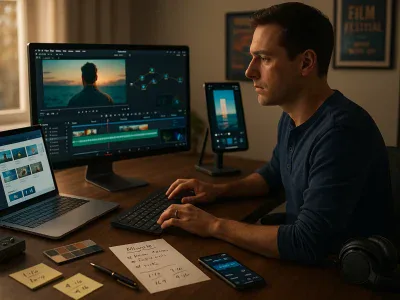
Navigating the realm of video editing software can be daunting, especially with the abundance of options available. Among these, Filmora and Shotcut emerge as two prominent tools, each with distinct features and capabilities. This article aims to equip you with a clear understanding of their differences, guiding you toward making an well-informed choice based on your specific needs.
Introduction to Filmora and Shotcut
Overview of Filmora
Filmora, developed by Wondershare, is renowned for its user-friendly interface and an extensive library of creative tools. Designed for both beginners and semi-professionals, Filmora provides features such as drag-and-drop functionality, a rich effects library, and built-in transitions.
Overview of Shotcut
Shotcut, an open-source video editor, offers a broad spectrum of features suitable for more technically inclined users. It’s characterized by its versatility, compatibility with various platforms, and support for a wide range of video formats.
Key Features Comparison
User Interface and Usability
Filmora provides an intuitive interface designed to make video editing accessible from the outset. Shotcut, on the other hand, offers a more modular experience, allowing advanced users to customize their workspace for efficiency.
Editing Tools and Capabilities
While Filmora focuses on ease-of-use with its all-inclusive effects and templates, Shotcut provides a deeper range of customization options for video editing, which might require a bit of a learning curve for users new to editing.
Supported File Formats and Export Options
Filmora supports a wide array of modern file formats, ensuring compatibility across devices. Shotcut excels in this department as well, with support for numerous formats and codecs, appealing to users with diverse technical requirements.
Performance and System Requirements
Both Filmora and Shotcut are compatible with major operating systems, including Windows and Mac. Filmora typically boasts smoother performance on mid-range hardware, whereas Shotcut may require more powerful systems, especially for editing high-resolution videos.
Target User Base and Applications
Filmora is ideal for beginners or those who prefer quick, polished results without requiring substantial technical skills. Shotcut appeals to professionals or hobbyists who value flexibility and detailed customization in their projects.
Pricing and Cost Considerations
Filmora offers various pricing plans, tailored for personal, educational, and business use. Shotcut, being open-source software, is primarily free to use, making it an attractive option for budget-conscious video editors.
To provide the best experiences, we use technologies like cookies to store and/or access device information. Consenting to these technologies will allow us to process data such as browsing behaviour or unique IDs on this site. Not consenting or withdrawing consent, may adversely affect certain features and functions.
Functional
Always active
The technical storage or access is strictly necessary for the legitimate purpose of enabling the use of a specific service explicitly requested by the subscriber or user, or for the sole purpose of carrying out the transmission of a communication over an electronic communications network.
Preferences
The technical storage or access is necessary for the legitimate purpose of storing preferences that are not requested by the subscriber or user.
Statistics
The technical storage or access that is used exclusively for statistical purposes.The technical storage or access that is used exclusively for anonymous statistical purposes. Without a subpoena, voluntary compliance on the part of your Internet Service Provider, or additional records from a third party, information stored or retrieved for this purpose alone cannot usually be used to identify you.
Marketing
The technical storage or access is required to create user profiles to send advertising, or to track the user on a website or across several websites for similar marketing purposes.