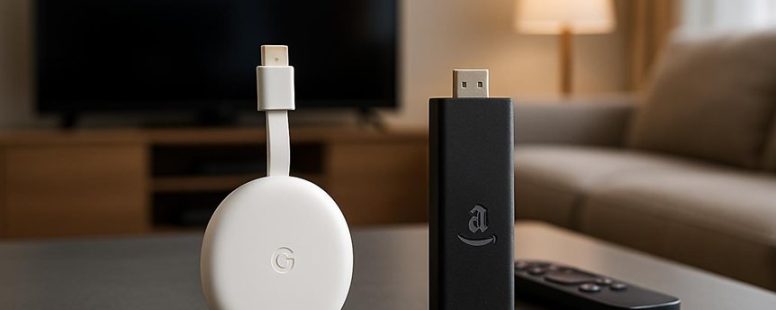
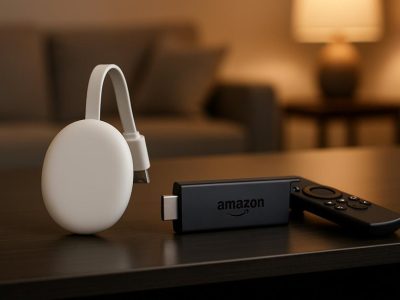
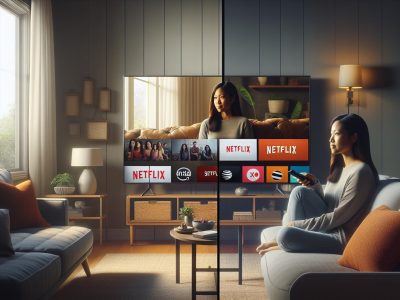
Imagine settling in for a movie night and realizing your streaming device could be the difference between a seamless binge and endless frustration. At first glance, Chromecast and Fire Stick seem like similar players in your entertainment setup. But beneath the surface, tiny differences can ripple into big impacts on performance and compatibility.
These subtle distinctions are like hidden gears in a finely tuned machine—small, yet crucial. Surprisingly, one might unlock a lesser-known advantage that elevates your streaming experience to a whole new level.
Let’s dive into what truly sets them apart and help you choose the perfect fit for your digital ecosystem.
Chromecast vs. Fire Stick: What’s the Main Difference?
Chromecast and Fire Stick are both popular devices for streaming TV shows and movies. The main difference is how they deliver content. Chromecast is a device that lets you cast content from your phone or tablet to your TV. For example, if you want to watch a YouTube video, you tap the cast button on your phone and it shows up on your TV. You control what plays from your device, which makes the interface simple and easy to use.
Fire Stick works more like a traditional TV app. It has a menu with different apps like Netflix, Hulu, and Amazon Prime Video. You pick what you want to watch from the Fire Stick remote or voice commands. The Fire Stick also uses Alexa, Amazon’s voice assistant, so you can search for shows or control playback just by talking.
If you like to control what you watch from your phone, Chromecast might be better. But if you want a device with a built-in menu and voice control, Fire Stick gives you that. Both have their pros and cons. For example, Chromecast is simple but needs your phone to control everything. Fire Stick is more like a tiny smart TV with a remote and voice features but might be a little more complicated to set up.
In the end, the best choice depends on how you like to watch TV. Do you want to cast from your phone, or do you prefer using a remote and voice commands? Both devices can make your TV smarter, but they work in different ways.
How Do Their Interfaces and Navigation Compare?
The interfaces and navigation of Chromecast and Fire Stick are different. Chromecast has a simple and clean design that makes it easy to use. It mostly shows your apps and casting options on a plain screen. Fire Stick, on the other hand, has a traditional menu system with many options and icons. It feels more like a regular TV remote control.
Moving around each device is simple. Chromecast shows your content in a straightforward way, and you can cast from your phone or computer easily. Fire Stick’s remote has buttons for Netflix, Prime Video, and other apps, so finding what you want is quick.
Some people prefer Chromecast if they want a clean look without many menus. Others like Fire Stick if they want lots of apps and features on the screen. Keep in mind, Fire Stick’s remote can be easier for browsing, but it also means more buttons to learn.
Both devices work well, but your choice depends on if you want a simple or feature-rich experience. For example, if you like a minimal setup, Chromecast might be best. If you want quick access to many apps, Fire Stick is a good pick.
User Interface Design
Chromecast and Fire Stick have different designs that affect how you use them. Chromecast uses a simple, clean look. It focuses on showing big pictures of your content. The colors are soft and blend into the background. This makes it easy to find what you want without distractions. If you want a calm and straightforward way to browse, Chromecast is a good choice.
Fire Stick, on the other hand, has a brighter and busier look. It uses bold colors and organizes apps and shows into layers. This makes it easier to find different categories or suggestions quickly. But sometimes, it can feel cluttered because there are many options on the screen at once. If you like a colorful, lively interface that guides you through options, Fire Stick might be better.
Both devices use visual styles that help users find content easily. Chromecast keeps things simple and quiet, while Fire Stick uses colors and layers to draw attention. Choosing between them depends on whether you prefer a minimal look or a vibrant one. Keep in mind, some people find Fire Stick too busy, but others enjoy the energetic feel.
Ease of Navigation
Chromecast and Fire Stick make it easy to find and watch your favorite shows, but they do it in different ways. Chromecast mainly uses voice control through Google Assistant. You can say things like “Play my favorite show” or “Pause” without touching the device. Its look is simple, showing you options to cast content from your phone or tablet instead of browsing directly on the device. This means you need a compatible device nearby to find what you want.
Fire Stick offers a more traditional way to browse. It has a menu with icons for apps like Netflix, Hulu, and Prime Video. You can scroll through the menus to pick what to watch. Fire Stick also has Alexa voice control, so you can ask it to find shows or change volume. Plus, it has parental controls, so parents can block certain content, making it safer for kids.
Both devices want to make watching TV easy, but they do it differently. Chromecast is great if you like using your phone to control shows with your voice. Fire Stick is better if you prefer a menu you can see and browse through easily. But, keep in mind, Chromecast needs a device nearby to cast content, while Fire Stick has everything built in. Depending on what you like, either could be the right choice for your living room.
Remote Control Features
A Fire Stick remote is a simple tool that helps you control your streaming device easily. Unlike Chromecast, which you mostly control with your phone or tablet, the Fire Stick comes with its own remote. This makes it easier for many people to use, especially if they don’t want to keep picking up their phone all the time.
The Fire Stick remote has a few key features. First, it has voice control. You can press a button and tell it what you want to watch, like “Find funny movies,” and it will do the search for you. This saves time and makes searching faster. Second, the remote has special buttons for popular streaming apps like Netflix, Hulu, and Amazon Prime Video. These buttons make it quick to open your favorite shows without looking through menus. Third, parental controls are easy to set up using the remote. Parents can block certain shows or limit screen time through simple menu options.
Some people might find the remote very helpful for quick control and safety. But others might prefer Chromecast if they like using their phone for everything or don’t want to buy a new remote. The remote is designed to be easy to use, but if you lose it, you might have to use your phone again. Still, for most users, the dedicated remote makes watching TV easier and more fun.
Which Devices Are Compatible With Your TV?
The most important thing is to check if your TV can work with a Chromecast or Fire Stick. Both devices need a HDMI port to connect. If your TV has an HDMI input, setting up a Chromecast or Fire Stick is usually easy. Just plug it into the HDMI port and follow the on-screen instructions.
If your TV is older and does not have an HDMI port, you will need an adapter to connect these devices. Some older TVs only have RCA or other types of inputs, so check what inputs your TV has before buying. Also, look at how many HDMI ports your TV has. If you want to connect more than one device, make sure there are enough ports.
Another thing to consider is the HDMI version. Some newer devices need a certain HDMI version for full compatibility. Usually, HDMI 1.4 or higher works fine. But if your TV only supports an older version, you might have some limitations.
How Do Ecosystem Integrations Affect Your Streaming Experience?
Ecosystem integrations are key to making your streaming experience better. They define how well your devices work together. When your streaming device connects easily with your smart home or other platforms, it’s simpler to control everything. If the devices don’t work well together, it can be frustrating.
Here are three ways ecosystem integration affects your streaming:
Smart Home Control – It’s easier to manage your streaming device along with your smart lights, thermostat, or security system. For example, you can turn off your TV and lights with one voice command. If devices don’t connect well, you might have to control them separately, which can be annoying.
Content Sharing – You can cast or mirror videos from your phone or tablet to your TV without trouble. If your devices are from the same brand, like Apple or Samsung, sharing content is usually smoother. But if they are from different brands, you might face some problems or limited options.
Unified Voice Commands – Using voice assistants like Alexa or Google Assistant, you can control many devices at once. For instance, saying “Good night” might turn off your TV, lights, and set your thermostat. Some voice systems work better with certain brands, so check which ones are compatible before buying.
Choosing a streaming device with good ecosystem integration makes your smart home more convenient. But remember, not all devices work perfectly with every platform. Sometimes, certain features might be limited or require extra setup. So, look for devices that match your existing smart home system for the best experience.
What Are the Costs and Value of Each Streaming Stick?
Streaming devices like the Chromecast and Fire Stick are popular tools to watch TV shows and movies. The main difference is their cost and what they offer for that price.
The Fire Stick usually costs around $40 to $50. You can find basic models or pay more for higher-end versions with extra features. Chromecast devices are often a little cheaper or cost about the same, around $30 to $50. Both devices support popular streaming services like Netflix, Hulu, and Disney Plus.
Subscription plans are needed to access most streaming content. These plans cost extra but give you access to many shows and movies. Both Chromecast and Fire Stick work well with these plans. If you like Amazon’s ecosystem, the Fire Stick is a good choice. If you prefer Google’s services, Chromecast might suit you better.
Customer support is another thing to consider. Amazon offers many resources online and easy ways to get help. Google support for Chromecast is generally good but may not be as extensive as Amazon’s.
When deciding which device to buy, think about how much you want to spend and what content you watch most. Both options give good value. But if you’re tied to Amazon products or want a simple interface, the Fire Stick might be better. If you prefer Google services and a lower price, Chromecast is a solid choice.
Which Device Offers Better Performance and Reliability?
The best device for performance and reliability is the one that keeps streaming smooth and connection steady. When comparing devices like Roku, Amazon Fire TV, and Apple TV, look at how well they handle Wi-Fi signals, how quick they respond, and how often they have interruptions. Some devices, like Roku Ultra, are known for better Wi-Fi handling, which helps keep your picture clear even if your internet isn’t perfect. Others, like Apple TV 4K, may respond faster and have fewer pauses.
For example, if you watch a lot of fast-moving sports or action movies, a device that stays steady without buffering is a big plus. But be aware that some devices might struggle if your Wi-Fi isn’t strong enough, causing interruptions. It’s also good to think about how quickly the device reacts when you press buttons or change channels.
In the end, a device that responds faster and has fewer dropped connections will usually be more dependable for everyday streaming. Still, it’s worth reading reviews and checking how different devices perform with your specific internet speed before buying.
Streaming Quality Consistency
Streaming quality can differ a lot between Chromecast and Fire Stick. The main factor affecting this is how steady your internet connection is. Other things that matter include device updates and how each device handles buffering.
The Fire Stick usually gives more reliable streaming. It has dedicated apps and uses adaptive bitrate technology, which adjusts video quality based on your internet speed. This helps prevent pauses and interruptions during your shows.
Chromecast’s streaming quality depends a lot on the device you use as a controller, like your phone or tablet. It works very well with voice commands and integrates smoothly with Google Assistant. If you like using voice to control your TV, Chromecast might be better for you.
Parental controls are also an important part. Fire Stick has stronger controls that help keep streaming safe for kids. It also responds quickly to voice commands, making it easier for families to use.
In the end, both devices work well, but they have different strengths. Fire Stick is often more reliable for steady streaming and safety features. Chromecast is good if you want simple voice control and good Google Assistant support. Think about what matters most for your viewing habits to choose the best device.
Connection Stability Factors
The most important thing for your streaming is a stable internet connection. When comparing the Chromecast and Fire Stick, the device that keeps a steady connection is better for watching shows without interruptions. Both devices can be affected by Wi-Fi interference. If your Wi-Fi signal is crowded with many devices or if the signal is weak, your streaming can slow down or buffer.
The Fire Stick usually gives a more reliable connection because it has a better antenna and is more compatible with Wi-Fi. This means it can hold onto the signal better in busy Wi-Fi environments. On the other hand, Chromecast can sometimes struggle if your Wi-Fi isn’t strong or if there is interference. You might notice more buffering or lag with Chromecast in those cases.
Think of it like trying to have a clear phone call. If the signal is strong and clear, your call goes smoothly. If not, you hear crackles or get disconnected. The same idea applies to streaming devices. The device that has a stronger signal and is less affected by interference will give you a better watching experience.
Keep in mind, both devices can perform well if your Wi-Fi is strong and not crowded. But if your network is busy or weak, the Fire Stick might be the better choice for consistent streaming.
Device Responsiveness Speed
The Fire Stick generally responds faster than Chromecast when you use it. It moves quickly through menus and opens apps with less delay. The Fire Stick’s interface feels smoother, especially when you give voice commands. These commands are more accurate and come back faster. When setting up the device, the Fire Stick also starts up quicker, so you don’t have to wait as long.
Fire Stick’s hardware makes it more responsive, especially for voice control. It uses better tech to process commands quickly. On the other hand, Chromecast’s speed can depend on your internet connection. If your Wi-Fi is slow, opening apps on Chromecast might take longer.
The Fire Stick’s design helps cut down on lag. It makes browsing menus and starting shows easier and faster. But keep in mind, both devices respond well most of the time. If your Wi-Fi isn’t strong, Chromecast might seem slower than it usually is. Overall, for a quick and smooth experience, the Fire Stick usually wins.
Can You Access Your Favorite Apps on Both Devices?
Yes, you can access many of your favorite apps on both Chromecast and Fire Stick, but there are some differences. The main thing to remember is that app availability and how you use them can vary a lot.
Fire Stick has a bigger app library because it uses the Amazon Appstore. This makes it easier to find and open popular streaming apps like Netflix, Hulu, or Disney+. If you want quick access to these, Fire Stick might be the better choice.
Chromecast works differently. It doesn’t have a big app store built in. Instead, it lets you cast or send content from your phone or tablet. For example, if you want to watch a YouTube video, you open YouTube on your phone and send it to Chromecast. This can be simple, but sometimes it causes delays or less smooth playback. Some apps work better with casting, but others may be limited or won’t work at all.
Some apps are only available on one device. For example, some niche or regional apps might be exclusive to Fire Stick because of Amazon’s partnerships. Conversely, Chromecast works well with apps that support casting, like Spotify or Google Photos.
In the end, it depends on how you want to watch your content. If you prefer using an app directly on your device, Fire Stick offers a wider selection. If you like casting content from your phone or tablet, Chromecast is a good choice. Just keep in mind that not all apps work perfectly on both, and sometimes you might face delays or limited features.
Do Small Differences Matter for Your Watching Habits?
Small differences can really affect how you watch shows and movies. The choices between Chromecast and Fire Stick matter more than just which app they support. Small features, like how easy it is to use the device or how you control it, can change your watching habits a lot.
For example, think about how simple it is to find your favorite streaming service. If one device makes it easier to add shortcuts to Netflix or Hulu on the home screen, you might watch more often. Or imagine how voice control works. If one device responds faster to your commands, you’re more likely to use it regularly.
Here are some points to consider:
Can you change the home screen or make shortcuts that fit your habits? This makes finding shows quicker.
How fast can you get to your favorite content? Some devices load apps faster or have better menus.
Does the device’s look and feel match how you like to watch? If you prefer a simple layout, one device might suit you better.
Even small differences like these can make a big difference in how much you enjoy your streaming time. Some people might not notice at first, but over time, these small changes can shape your overall watching experience.
Which Streaming Device Is Best for Your Needs?
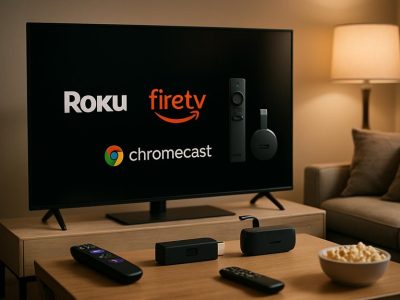
Choosing the best streaming device depends on what you want to do. If you want easy access to your favorite shows and apps, look for a device with a simple and fast interface. For example, the Roku Streaming Stick has a straightforward menu and a wide selection of apps. If you like personalized suggestions, some devices are better at recommending shows based on what you watch.
Voice control is another key factor. If you want to control your device with your voice, pick one that has a good voice assistant. The Amazon Fire Stick works well with Alexa and responds quickly to commands. Chromecast, on the other hand, uses Google Assistant, which is great if you already have Google smart home devices. Think about your current smart home setup and which ecosystem you prefer.
Some devices are better for certain needs. For example, if you want a device with a lot of customization, Roku might be the best choice. If you want simple setup and quick streaming, Fire TV Stick or Chromecast are good options. Keep in mind that some devices may have limitations, like fewer app choices or less accurate voice control.
To provide the best experiences, we use technologies like cookies to store and/or access device information. Consenting to these technologies will allow us to process data such as browsing behaviour or unique IDs on this site. Not consenting or withdrawing consent, may adversely affect certain features and functions.
Functional
Always active
The technical storage or access is strictly necessary for the legitimate purpose of enabling the use of a specific service explicitly requested by the subscriber or user, or for the sole purpose of carrying out the transmission of a communication over an electronic communications network.
Preferences
The technical storage or access is necessary for the legitimate purpose of storing preferences that are not requested by the subscriber or user.
Statistics
The technical storage or access that is used exclusively for statistical purposes.The technical storage or access that is used exclusively for anonymous statistical purposes. Without a subpoena, voluntary compliance on the part of your Internet Service Provider, or additional records from a third party, information stored or retrieved for this purpose alone cannot usually be used to identify you.
Marketing
The technical storage or access is required to create user profiles to send advertising, or to track the user on a website or across several websites for similar marketing purposes.