Best Alternatives to Apple Tv
Are you missing out on streaming devices that could turn your TV into a powerhouse of entertainment? Many settle for Apple TV without realizing there are hidden gems out there that might suit their needs better or save them money.
Think of it as exploring a vast jungle of options where some devices offer surprising perks like advanced gaming or seamless smart home integration—that’s a game changer. Before you commit, consider these factors carefully.
You might find a device that feels like a breath of fresh air in your living room, unlocking new worlds of entertainment you never knew existed.
Key Features to Consider When Choosing Apple TV Alternatives
When choosing an Apple TV alternative, the most important features are ease of use and how well it works with other devices. A simple, clear interface is key. It should be easy to find your favorite shows without digging through many menus. If it’s complicated, you might get frustrated and give up.
Another big point is multi-device sync. Imagine starting a movie on your tablet and then watching the rest on your TV without stopping. That’s a smooth experience and makes watching more fun. Some options like Roku or Amazon Fire Stick do this well, but not all devices are perfect at it.
However, not every alternative is perfect. Some might be easy to use but don’t sync well across devices. Others might work great with one device but not others. So, it’s smart to check reviews and test features before buying.
In the end, look for a device that is simple to operate and keeps your movies and shows moving across your gadgets. This way, switching from Apple TV feels less like a hassle and more like a natural fit for your lifestyle.
Best Budget Streaming Devices Compared to Apple TV
A budget streaming device can give you a good streaming experience without costing a lot. These devices, like the Roku Express and Amazon Fire TV Stick, can be compared to Apple TV based on speed, picture quality, and app support.
The Roku Express is easy to use and offers clear picture quality. It supports 4K content, so your movies and shows look sharp. The Fire TV Stick is also fast and supports 4K, plus it has a lot of apps ready to go. Both devices are much cheaper than Apple TV but still let you watch your favorite shows without problems.
Some people worry about buying cheaper devices. They might think they will break easily or not have all the features. While these options are good for most people, they may not have some advanced features like Apple TV does, such as a voice-controlled remote or a more polished interface. Also, some apps might be slower to load or not work perfectly all the time.
If you’re looking to save money but still want a reliable streaming device, these options can work well. They are simple, affordable, and do most of what Apple TV does. Just remember, they might not have every feature or highest picture quality.
Choosing Between Streaming Sticks and Set-Top Boxes
Choosing Between Streaming Sticks and Set-Top Boxes
If you want to watch shows and movies on your TV, you need to pick between a streaming stick and a set-top box. Both do the same thing—bring online content to your TV—but they have different strengths.
Streaming sticks are small and simple. They plug directly into your TV’s HDMI port. Because they are tiny, they save space and keep your living room neat. They work well for casual viewers who just want easy access to Netflix, Hulu, or Disney+. However, they usually don’t handle heavy apps or 4K videos as smoothly as larger boxes.
Set-top boxes are bigger and more powerful. They often have faster processors and better menus. This makes them better for people who watch a lot of content, use apps that need more power, or want extra features like voice control. But, because they are larger, they take up more space and can look cluttered.
Here are some points to consider:
- Space: If you want a clean look, streaming sticks are better because they are small. A Chromecast, Fire TV Stick, or Roku Stick can hide behind your TV easily. Set-top boxes like Apple TV or Roku Ultra are bigger and need more room.
- Performance: For smooth 4K streaming or playing big apps, set-top boxes are usually better. They often handle heavy tasks without lag. Streaming sticks can sometimes freeze or slow down during intense use.
- User Interface: Set-top boxes often have a more detailed menu system that is easier to customize. If you like browsing through many options or using voice commands, they can be more user-friendly.
Some people might choose a streaming stick for quick, simple streaming. Others who want a richer experience with more features might prefer a set-top box. Think about your needs: Do you want a clean setup, or do you need power and extra features?
Both options have limits. Streaming sticks are less powerful and might struggle with heavy apps. Set-top boxes cost more and take up more space. So, pick what works best for how you watch TV and how much space you have.
Counter-Strategies:
- The Ruthless Competitor would say that neither option is perfect and that many people should just get a smart TV instead, which often includes all features.
- The Cynical Consumer would wonder if these devices really work as promised or if they just slow down after a few months.
- The Distracted Scroller might forget the details and just want something quick and cheap, ignoring the long-term value.
Which Alternatives Work Best Across Your Devices?
The best devices work well with your other gadgets like smartphones, tablets, and smart TVs. They also connect easily to popular streaming services like Netflix, Hulu, or Disney Plus. If you want a device that fits into your existing setup without headaches, look for one that is compatible across different devices and platforms. For example, the Apple TV works great with iPhones and iPads, while Roku is known for supporting many different streaming apps and devices.
Some devices may promise smooth compatibility but fall short because of limited app support or tricky setup. For example, a cheaper streaming stick might not work well with your smart TV or may not support all your favorite apps. On the other hand, choosing a well-known brand like Amazon Fire TV or Google Chromecast can give you more reliable performance and better integration.
Device Compatibility Overview
Device compatibility is very important when choosing a streaming device. The best ones work well with many types of gadgets and apps. If a device is not compatible, it can cause problems and make streaming frustrating.
Here is what I look for:
- Cross-platform support: Does the device work with Android phones, iPhones, Windows computers, and Mac computers? For example, Google Chromecast works on Android and iOS, but some devices only support one platform.
- Streaming protocols: Can it connect using AirPlay from Apple, Chromecast from Google, or Miracast from Windows? These are the ways devices send content to your TV. If a device only supports one, it limits your options.
- Ecosystem integration: Does it work with your smart home gadgets, like lights or thermostats? Does it work with voice assistants like Alexa or Siri? For example, Apple TV works well with HomeKit and Siri, but not so much with Alexa.
Some devices are better for certain setups. For example, if you use Apple products, Apple TV is a good choice because it works smoothly with Apple services. But if you use a mix of Android and Windows, a Chromecast or Roku might be better.
However, be careful. Not all streaming devices support every protocol or ecosystem. Some might work with one feature but not another. Always check what protocols and apps your setup needs before buying.
Choosing a device that fits your gadgets saves you from headaches later. It makes streaming easier and more fun. Think about what devices you already own and pick one that works with them. That way, you get the most out of your streaming experience without surprises.
Streaming Platform Integration
Streaming devices connect you to your favorite shows, movies, and apps. The key to choosing a good one is how well it works with different streaming platforms. The best alternatives to Apple TV are those that deliver clear picture quality and work smoothly with many apps. They should load content quickly and let you switch between apps easily.
Devices with multiple user profiles and parental controls help families manage what everyone watches. These features make it simple to keep kids safe and let each person see their own content without trouble. When picking a streaming device, look for one with strong app support and easy interaction across devices. This way, you can enjoy your favorite shows whether you’re on your phone, tablet, or TV.
Remember, good integration makes watching TV less frustrating. If a device doesn’t work well with your apps or is slow to respond, it can ruin your experience. Some devices might have limited app selection or tricky menus. So, check reviews and compare features like picture quality, ease of use, and compatibility.
In the end, the best streaming device is the one that fits your needs and makes watching TV simple and fun. Keep in mind that not all devices are perfect. Some might be more affordable but lack features. Others might have great apps but be harder to set up. Think about what matters most to you before buying. With a little research, you’ll find a device that helps you enjoy your favorite shows without hassle.
Streaming Platforms With the Widest App and Content Selection
Streaming platforms differ a lot in how many apps and shows they offer. If you’re looking for the most choices, some platforms stand out because of their huge libraries and variety. These platforms give you access to countless apps and a wide range of content, from niche genres to popular hits. Here’s what makes them special:
- Roku has thousands of apps and a huge selection of shows and movies, including international options. Imagine turning on your TV and instantly finding something from any country or genre you like.
- Amazon Fire TV offers a large app store along with exclusive content. If you want shows you can’t find elsewhere, Fire TV might be the best choice for you.
- Android TV provides a wide range of apps, giving you the freedom to customize your streaming experience. You can mix and match many services to fit your taste.
If having lots of options matters to you, these platforms are worth considering. Just remember, more choices can sometimes make it harder to find what you want quickly, and some apps may not be available in all regions. But overall, they give you more flexibility to enjoy your favorite shows and movies.
Best Apple TV Alternatives That Offer More Value
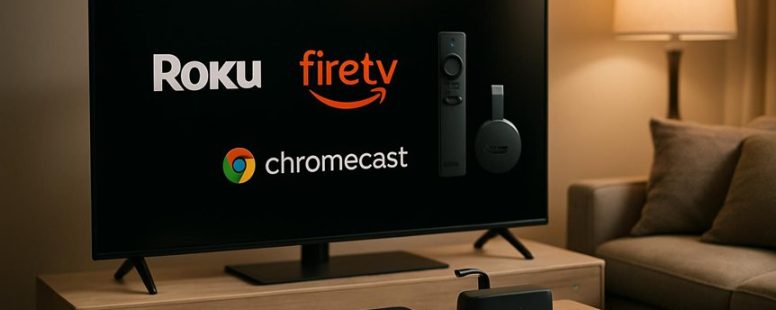
If you want streaming devices that give you more for less money, there are good options that beat Apple TV in value. These devices often cost less but still work well with many apps and features. For example, Roku, Amazon Fire TV, and Google Chromecast are popular choices. They can connect easily to your TV and offer access to streaming services like Netflix, Hulu, and Disney Plus.
Some of these devices even have better features than Apple TV, such as built-in voice control or 4K support at lower prices. But be careful, not all cheaper options are perfect. Sometimes they don’t have as many updates or might not support every app you want. For some users, Apple TV’s smooth interface and extra features might still be worth the higher price.
Affordable Streaming Device Options
Affordable Streaming Devices Explained
If you want a streaming device that costs less but still works well, here are some good choices. They compare well on price and features. These devices are simple to use and give you access to many streaming apps.
Here are my top picks for affordable streaming devices:
- Amazon Fire TV Stick 4K: Offers good picture quality and fast streaming at a low price. It is easy to set up and works with many apps like Netflix and Hulu.
- Google Chromecast with Google TV: Has a helpful interface and lots of app options. You can control it with your phone or remote.
- Roku Express: Good for basic streaming. It’s simple to connect and use, perfect if you don’t need fancy features.
Some people worry about buying cheap devices. They might not last long or have all the latest features. Also, cheaper options might not support 4K videos or have limited app choices. Be sure to read reviews before buying.
In the end, you don’t need to spend a lot to enjoy streaming content. These devices give you a smooth experience without costing a lot. But remember, the cheapest device might not be the best for heavy streaming or high-quality videos. Always check what features matter most to you before choosing.
Enhanced Features and Compatibility
Enhanced Features and Compatibility
The best streaming devices offer more than just basic watching options. They include features that make your experience easier and more fun. For example, a good device should have simple controls and a clear layout so you can find your shows quickly. If the menu is confusing, it can ruin the experience, so look for devices with smooth, easy-to-understand interfaces.
Content access and app options are also important. A device that works with many streaming services like Netflix, Hulu, or Disney Plus means you won’t miss out on your favorite shows. For example, the Roku Ultra and Amazon Fire TV stick both support hundreds of apps, making sure you get what you want without extra trouble.
Device compatibility is another key factor. Your streaming device should fit well with the other gadgets you own. For example, Apple TV works smoothly with Apple iPhones and Macs. But if you have an Android phone, you might prefer a Chromecast or Fire TV because they work better with your device ecosystem.
Performance is also a big deal. Some devices load shows faster or give better picture quality. For example, the Nvidia Shield TV is known for high performance and sharp video. However, it can be more expensive, so think about your budget.
Customization options and remote controls matter too. Some devices let you change settings or use voice commands. For example, the Xiaomi Mi Box includes voice control, making it easier to search for shows. But more buttons can sometimes confuse users, so simplicity is better.
In the end, the right streaming device needs to combine these features well. The best options give you easy access to content, work with your other gadgets, and perform smoothly. That way, you can enjoy your shows without frustration, making your entertainment setup smarter and more flexible.
What Makes These Devices’ Interfaces Different From Apple TV?
Devices that are not Apple TV have different interfaces, and knowing these differences can help you pick the right one. Here are three main ways they differ:
First, user interface design. Some devices have simple, easy-to-understand screens that make finding what you want quick. Others focus on making the screen look fancy with lots of visuals. For example, Roku’s interface is straightforward, while Fire TV offers more colorful images and animations. If you want easy use, a simple design might be better. But if you like lots of visuals, a more decorated interface might appeal.
Second, how you move around or search for content. Some devices focus on helping you find shows fast with personalized suggestions or quick menu options. For example, Chromecast with Google TV suggests movies based on what you watched before. Other devices may require more steps or less help to find something. If you want to watch something fast, look for devices with smart recommendations.
Third, how much you can change the interface and how accessible it is. Some brands give you options to change the layout, add apps, or make things easier for people with disabilities. For example, Amazon Fire TV lets you customize your homepage or turn on voice commands. If you like tweaking your device or need special features, these options matter.
In the end, these differences affect how simple or fun your daily use will be. Some people prefer clean, easy setups, while others want lots of visuals or customization. Knowing these points can help you pick the best device for your needs. But remember, no device is perfect. Some might have more options but be harder for new users, and others might look good but lack features. Always consider what matters most to you.
Voice Control and Smart Home Features in Apple TV Alternatives
Voice control and smart home features are key parts of many streaming devices. Apple TV is known for its good voice control and smart home options, but other devices can be just as helpful or even better in some ways. For example, Amazon Fire TV and Google Chromecast work well with voice assistants like Alexa and Google Assistant. This means you can turn on your TV, change channels, or control smart lights just by speaking.
Many of these devices also connect easily with different brands of smart home gadgets such as lights, thermostats, and security cameras. If you want more choices outside of Apple’s system, these alternatives offer simple voice commands and plenty of smart home options. However, they might not work perfectly with all devices or have the same level of integration.
Best Apple TV Alternatives for Gaming and Media Power Users
If you need a device that handles more than just streaming, especially for gaming or heavy media use, Apple TV may not be enough. These devices are built to run intense games and support many media formats easily. Here are the best Apple TV alternatives for power users:
- NVIDIA Shield TV: Known for its gaming power thanks to a strong GPU. It also supports many media formats, so you can watch almost anything. It’s like having a mini gaming console and media center in one box.
- Amazon Fire TV Cube: This device is great for streaming movies and TV shows. It also has Alexa voice control, which makes it easy to control your smart home and ask questions. If you like to combine media and smart home control, this is a good pick.
- Xbox Series S: It is a gaming console that also streams videos well. It can run high-end games and supports many popular media apps. It is perfect if you want a console that doubles as a media player.
Some people may think Apple TV is enough, but if you want serious gaming or heavy media use, these options stand out. They are better at handling graphics and multiple formats. However, keep in mind that some of these devices can be more expensive or harder to set up compared to Apple TV. Choose based on what you need most: gaming, media, or both.

- Best Cdm of All Time - September 20, 2026
- Bgc Competitors - September 20, 2026
- GBSKI Competitors: Top Brands in the Ski & Winter Sports Market - September 19, 2026
by Ellie B, Site Owner / Publisher