You can get a great TV without emptying your savings. Picture sinking into a couch, the room dark except for a crisp show opening that looks far better than you expected, all paid for without buyer’s remorse. Budget TVs today deliver surprising picture quality, smart features, and gaming chops when you pick wisely. This guide cuts through marketing noise and shows you how to choose, where to buy, which models shine for each use case, and the simple tweaks that lift a cheap set into a satisfying living-room centerpiece.
How To Choose A Budget TV That Fits Your Needs
Fact: The right budget TV matches your room, content, and devices. Start there: everything else follows.
Screen Size And Viewing Distance
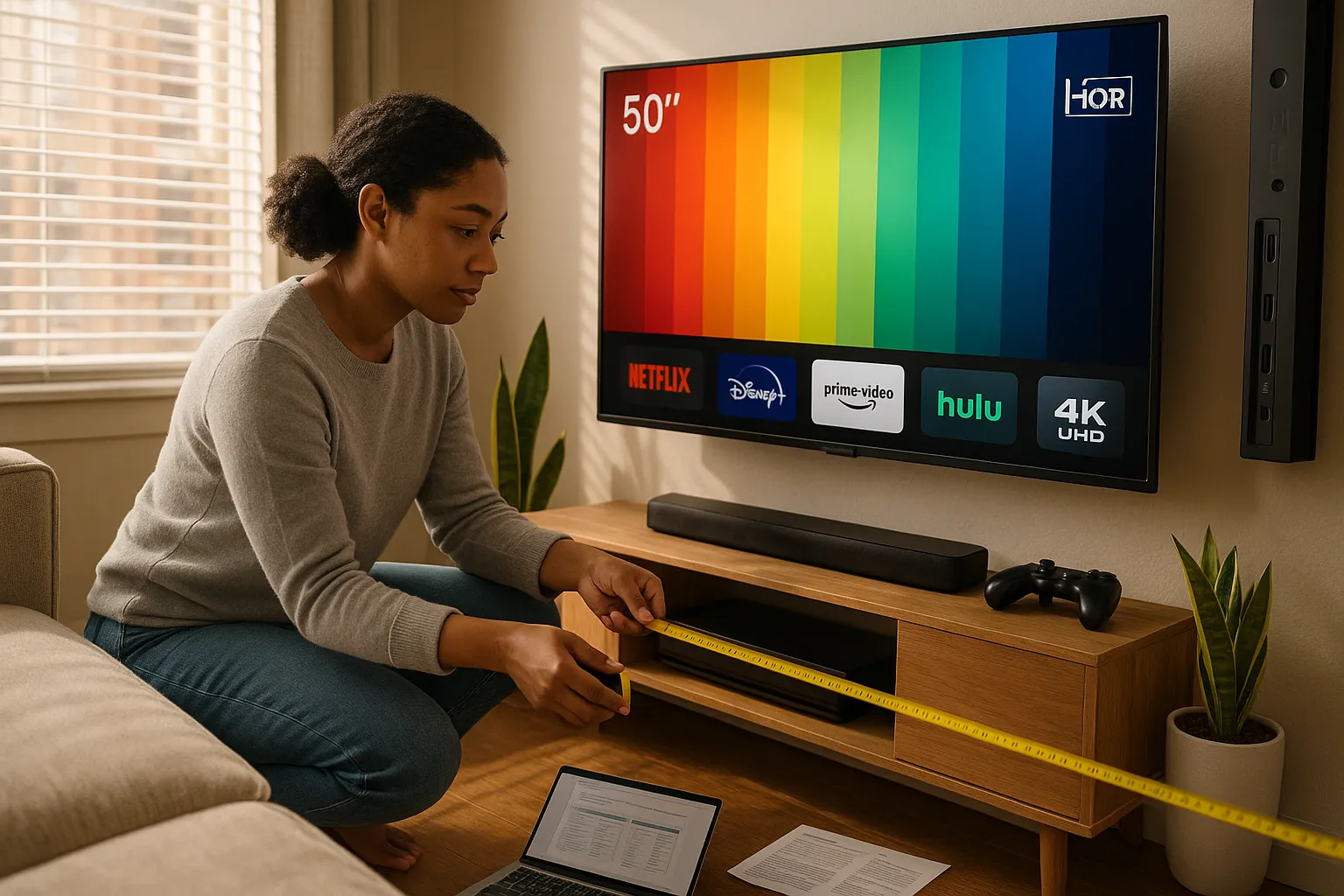
Rule: Match screen size to viewing distance for clarity and comfort. A 55-inch 4K screen looks best from about 6.5 to 9 feet. If you sit closer, choose a smaller size or accept you’ll notice pixels and details. In small apartments, a 43–50 inch set often provides the best trade-off between immersion and space. Measure your couch-to-screen distance before browsing.
Resolution, HDR, And Picture Quality Tradeoffs
Fact: 4K resolution is common: HDR quality varies widely. You should prefer 4K if you watch streaming and newer discs, but understand HDR is where brand and panel matter. Low-cost TVs may claim HDR but deliver limited peak brightness and color volume. Look for specific HDR support (HDR10 is standard: Dolby Vision is a plus). If you watch mostly broadcast TV or cable, resolution matters less than contrast and color accuracy.
Panel Type, Contrast, And Brightness Considerations
Fact: VA panels usually give better contrast: IPS panels give wider viewing angles. If you watch with others from off-center seats, pick an IPS-style panel (common in some TCL and Hisense models). If your room has controlled lighting and you crave deep blacks for movies, VA is better. Brightness and local dimming on budget models are modest, so avoid expecting perfect HDR highlights in bright rooms.
Refresh Rate, Motion Handling, And Gaming Needs
Fact: Native refresh rate and input lag decide gaming performance. You want low input lag (under 20 ms for fast-paced games) and a native 60Hz or 120Hz panel depending on your console. Many budget 4K TVs use motion interpolation or effective refresh marketing. Look for HDMI 2.1 or at least variable refresh support if you own a PS5, Xbox Series X, or a high-end PC. If gaming is your main use, prioritize input lag over fancy HDR claims.
Smart Platform, App Support, And Updates
Fact: The smart platform determines your daily experience. Roku TV, Google TV, and Amazon Fire TV have broad app support and consistent updates: some proprietary systems lag behind. Pick a platform you already use, you’ll avoid learning a new interface and limit app issues. Check that your favorite streaming apps are supported (Netflix, Disney+, Apple TV, HBO Max/Max, Paramount+) and read recent reviews about software updates and ads.
Inputs, Ports, And Device Compatibility
Fact: The right ports keep your current devices working. Ensure you have enough HDMI ports for game consoles, soundbars, and streaming boxes. If you use a soundbar, confirm ARC or eARC support. Optical audio still works, but eARC allows higher-quality audio passthrough. Also check USB ports, Ethernet jack, and a reliable wireless chipset for stable streaming.
Top Budget TV Picks By Use Case
Fact: Different budgets suit different priorities, no single model wins every category. Below are solid, current choices that balance price and performance while naming the brand.
Best Overall Budget TV
TCL 6-Series (R655) often wins this spot. It gives strong contrast, a capable mini-LED backlight in recent generations, and Roku TV’s user-friendly interface. You get color and contrast that punch above the price. I bought one for a guest room and found the night scenes looked better than my expectations, for under $700, that’s rare.
Best Budget 4K TV
Hisense U7 or U6 models deliver aggressive value for 4K and HDR. They often include Dolby Vision and high peak brightness for dramatic highlights. If you stream a lot of UHD content, these give the most picture per dollar. Be mindful: firmware updates vary by region, so check current reviews before purchase.
Best Budget TV For Gaming
Samsung’s lower-tier Q series (or mid-range Samsung models) and TCL 6-Series provide low input lag and game modes. Look for HDMI 2.1 features like VRR and ALLM if you play on PS5 or Xbox Series X. I once undervalued input lag and regretted it, games felt floaty. You don’t need every spec, but prioritize lag and VRR.
Best Budget TV For Small Rooms And Apartments
TCL 4-Series and Samsung AU8000 are reliable 43–50 inch picks. They have compact cabinets and solid smart platforms. Small spaces benefit from tidy bezels and simpler stands that fit narrow consoles.
Best Budget Smart TV Platform
Roku TV and Google TV (on some Sony and TCL sets) offer the widest app libraries and least bloat. Roku is pure and simple: Google TV integrates well with Android ecosystems and Google Assistant. Pick the platform you already use on your phone or smart home devices.
Best Value 55-Inch And 65-Inch Options
55-inch: Vizio M-Series gives a pleasing balance of contrast and smart features in that sweet spot. 65-inch: TCL 6-Series often gives the best large-screen performance for price. These sizes commonly hit major holiday sales and become high-value purchases.
Where To Buy And When To Get The Best Deals
Fact: Timing and seller choice can cut hundreds off the sticker price. Plan purchases around sale windows and trusted sellers.
Seasonal Sales, Refurbished Units, And Open-Box Savings
Black Friday, Prime Day, and back-to-school sales usually offer the deepest discounts. Refurbished and open-box TVs from Best Buy, Amazon Renewed, and manufacturer outlets often have steep discounts with short warranties. I once saved 30% on an open-box set and it worked fine, but check return policies first.
Price Comparison, Warranty, And Return Policies
Fact: A low price is only good if the return window and warranty protect you. Compare final price including taxes and delivery. Prefer sellers with at least a 30-day return window and clear warranty steps. Manufacturer warranties typically cover panel defects but not accidental damage.
Trade-Ins, Bundles, And Credit Card Offers
Fact: Trade-in programs and bundle deals lower net cost. Retailers often accept old TVs for trade credit, and some credit cards offer extended warranties or purchase protection. Look for bundle discounts with soundbars or streaming devices that reduce overall system cost.
Setup, Calibration, And Accessories On A Budget
Fact: Simple setup and a few cheap accessories can vastly improve your viewing experience.
Placement, Mounting, And Room Lighting Tips
Place the TV at eye level when seated. Wall-mounts are affordable and free up space, but make sure studs align with your bracket. Control ambient light with curtains or bias lighting behind the TV to reduce eye strain and improve perceived contrast. I used inexpensive LED bias lights and the blacks looked deeper: the effect is real.
Essential Picture Settings To Improve Image Quality
Start with the Movie or Cinema mode, it usually gives the most accurate color and contrast. Turn off aggressive noise reduction and sharpness settings: those create artificial edges. Adjust brightness and backlight to match room lighting. If available, run an auto-calibration app or use test patterns from RTINGS calibration guides for step-by-step adjustments.
Affordable Sound Solutions And Cable Management
Fact: TV speakers are thin: a soundbar dramatically improves dialogue and presence. Budget soundbars from Vizio or TCL cost around $100–$200 and offer clear improvement. For cables, use short HDMI runs and label them. Adhesive cable channels hide wires cheaply and keep the setup tidy.
Common Buying Mistakes To Avoid
Fact: Mistakes typically cost more than you expect. Avoid the common traps below.
Overpaying For Features You Won’t Use
Many buyers pay extra for gimmicks like extreme peak brightness or niche filters they never use. If you don’t own next-gen consoles or HDR masters, skip premium HDR claims and spend the savings on a better soundbar or larger size.
Ignoring Input And Future-Proofing Needs
Ignoring inputs leads to frustration. Buy a TV with at least two HDMI ports plus ARC/eARC if you plan a soundbar. If you upgrade consoles later, getting a TV with HDMI 2.1 or VRR support may save you from replacing the set earlier.
Relying Solely On Specs Without Real-World Testing
Specs lie without context. Low input lag on paper may feel different in your setup. Read real-world reviews from RTINGS and Consumer Reports, and test the TV in-store if possible. Bring an HDMI thumb drive with test clips or stream a familiar scene, you’ll notice things specs don’t reveal.
Vulnerable moment: I once chose a bright, feature-packed TV based on promos and regretted it: the menus were slow and voice search failed. Lesson learned: prioritize daily experience over flashy specs. Now, when I help friends buy, I tell them to try the UI and check apps before paying.
To provide the best experiences, we use technologies like cookies to store and/or access device information. Consenting to these technologies will allow us to process data such as browsing behaviour or unique IDs on this site. Not consenting or withdrawing consent, may adversely affect certain features and functions.
Functional
Always active
The technical storage or access is strictly necessary for the legitimate purpose of enabling the use of a specific service explicitly requested by the subscriber or user, or for the sole purpose of carrying out the transmission of a communication over an electronic communications network.
Preferences
The technical storage or access is necessary for the legitimate purpose of storing preferences that are not requested by the subscriber or user.
Statistics
The technical storage or access that is used exclusively for statistical purposes.The technical storage or access that is used exclusively for anonymous statistical purposes. Without a subpoena, voluntary compliance on the part of your Internet Service Provider, or additional records from a third party, information stored or retrieved for this purpose alone cannot usually be used to identify you.
Marketing
The technical storage or access is required to create user profiles to send advertising, or to track the user on a website or across several websites for similar marketing purposes.