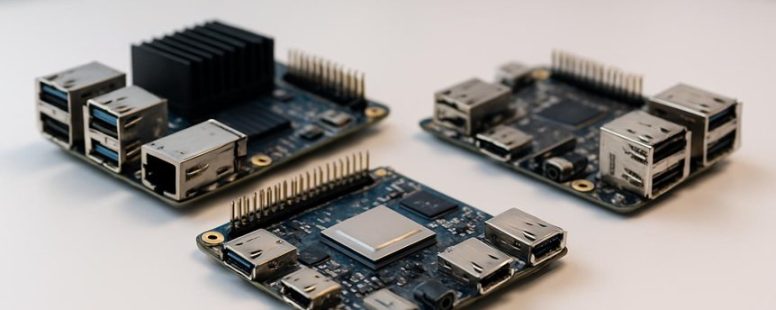
Building a home automation system can feel like orchestrating a symphony of blinking lights and humming devices.
When the Raspberry Pi struggled to keep up with the growing demands—more processing power, stronger connectivity—it was like trying to tame a wild stallion with a gentle hand.
If you’ve ever hit a wall with the Pi’s limits, you’re not alone.
Luckily, there are hidden gems among its alternatives that can transform your project from a modest tune into a full-blown concerto.
Surprisingly, some options offer better durability in harsh environments or lower power consumption, turning your setup into an energy-efficient powerhouse.
Ready to discover what tools can elevate your next creation?
How to Choose the Best Raspberry Pi Alternative for Your Needs
Choosing the best Raspberry Pi alternative depends on what you need. The first thing to look at is power consumption. If you plan to run your project on batteries or want it to use as little energy as possible, pick a board that uses less power. Smaller power use means your device can run longer without recharging. For example, some boards like the Odroid or ASUS Tinker Board use less energy than a Raspberry Pi, making them good choices for portable projects.
Next, check if the board works with the software you want to use. The Raspberry Pi runs on Raspberry Pi OS, and many programs are made for it. Not all alternatives support these programs or operating systems. So, if you need specific software, pick a board that supports Linux or Windows IoT. Support from a big community can also help you fix problems faster. For example, if you get stuck, a large community on forums can give you tips and updates.
Some people want a fast processor for heavy tasks, but these boards might use more power. Others prefer a simple, energy-efficient board that handles basic projects well. Keep in mind that not every alternative is perfect. Some may be cheaper but offer less software support, while others might be more powerful but drain batteries quickly.
If you want a good Raspberry Pi alternative, focus on these two things: how much power it uses and whether it supports your favorite software. This way, you can find a board that fits your project without wasting money or energy. Remember, no single board is best for everything, so pick based on your main needs.
Single-Board Computers With Better Performance
Single-board computers with better performance are devices that give you more power than a standard Raspberry Pi. The Raspberry Pi is good for many projects, but sometimes you need something faster for tough tasks. These boards have stronger processors, more memory, and better graphics. For example, the Odroid N2+ and ASUS Tinker Board are popular choices because they run faster, have more RAM, and handle graphics better.
When choosing a high-performance board, look at real-world speed tests called benchmarks. They show how fast the device really is. Also, check the hardware specs like the CPU speed, amount of RAM, and GPU features. This helps you see if the board can run your software smoothly.
Some people might worry these boards are more expensive or bigger. That is true, but they often deliver better performance for heavy multitasking, media streaming, or AI projects. Keep in mind, these boards can use more power and may need cooling.
If you want an alternative to the Raspberry Pi that works faster or handles heavier jobs, these options are worth a look. They are small but powerful, perfect if you need more speed without losing the compact size. Just remember, not all high-performance boards are the same, so compare carefully before buying.
Affordable Raspberry Pi Alternatives for Beginners
Affordable Raspberry Pi Alternatives for Beginners
If you want a cheap way to learn about computers and electronics, there are good options besides the Raspberry Pi. Here are some popular choices explained simply.
Arduino boards are great if you want to work with sensors and motors. They are simple to use and give you hands-on control. For example, you could make a robot or a weather station with an Arduino. They are inexpensive and easy for beginners.
BeagleBone Black offers more power than some other options. It costs a little more but can run bigger projects. If you want to learn more advanced programming or run more complex programs, this is a good choice. It is perfect if you want a balance between price and power.
NanoPi Duo is small but capable. It is a tiny computer that fits in your hand. You can use it for small projects, like a smart mirror or a home automation device. It’s a neat choice if space is limited but you still want some processing power.
Odroid C4 gives you more speed while still being budget friendly. It can handle more demanding tasks, like media streaming or running multiple programs. But keep in mind, it might be a little more complicated for total beginners.
Pine A64 is affordable and versatile. It can do many things, from media projects to learning Linux. It’s a good all-around pick if you want a little of everything without spending too much.
Some people say these options are great for starting because they don’t cost much and cover different needs. But others warn that some boards can be tricky to set up or limited in what they can do. For example, Arduino is simple but not as powerful as Odroid.
If you are new, think about what you want to do first. Do you want to learn basic electronics? Choose Arduino. Want more processing power? Look at Odroid or BeagleBone. Just remember, no matter what you pick, you might need some time to learn how to use it.
Sources: Arduino official site, Hardkernel (Odroid), Pine64, and community reviews.
This list helps beginners find an affordable way to try projects without wasting money. Do some research, pick what fits your needs, and start creating!
Raspberry Pi Alternatives With Enhanced Connectivity
The best Raspberry Pi alternatives focus on better connectivity options. They are important if you want your device to stay online and connect easily with other gadgets.
Some of these boards have stronger Wi-Fi and Bluetooth. That means they can send and receive data faster and more reliably without needing extra cables. For example, the NVIDIA Jetson Nano has good Wi-Fi, making it easier to connect to the internet or other devices wirelessly.
Many models also offer gigabit Ethernet ports. These give you faster wired internet speeds, which is helpful if your projects need a steady and quick connection. However, not all alternatives have this feature, so check before you buy if wired speed is a must for you.
USB ports are another feature to look at. More ports allow you to connect multiple peripherals like keyboards, mice, or cameras without unplugging things all the time. Some boards have four or more USB ports, making them more flexible for complex setups.
GPIO pins are used to connect sensors and hardware modules. If you want to customize your project or add sensors, look for boards with plenty of GPIO options. Some alternatives offer more pins than the Raspberry Pi, which can be useful for advanced projects.
Choosing the right board depends on what you need. If wireless connection is your top priority, go for models with strong Wi-Fi and Bluetooth. If you need fast wired networks, look for gigabit Ethernet options. Keep in mind, more ports and GPIO pins can make your setup easier and more flexible.
Some alternatives offer these features at a lower price than Raspberry Pi, but they might not have the same community support or software options. Think about what matters most for your project and pick the board that offers the best connection features for your needs.
Raspberry Pi Alternatives for Media and Gaming Projects
If you want a board that can handle media and gaming without lag, the Odroid N2+ or the NVIDIA Jetson Nano are good choices. These boards have strong graphics processors and enough memory to show clear images and run games smoothly. Unlike some basic single-board computers (SBCs), they can play high-definition videos and run complex game emulators easily. Their HDMI ports and audio features make it simple to connect to your TV or speaker system.
Some people think these boards are better than many Raspberry Pi models for media and gaming because of their power. But keep in mind, they are more expensive and can be harder to set up. They also may need extra cooling since they generate more heat.
If you want to improve your media or gaming projects, these options could make your experience more fun and less frustrating. However, if you are just starting or want something cheaper, a Raspberry Pi might still work for basic tasks. Just remember, the more powerful boards can do more, but they also come with higher costs and complexity.
Raspberry Pi Alternatives for Industrial and IoT Use
Raspberry Pi boards are popular for many projects, but they are not always the best choice for industrial and IoT uses. These settings need hardware that can handle tough environments, run nonstop, and have special features. Raspberry Pi boards often lack certifications and durability for these tasks.
Alternatives like the BeagleBone Black or Intel NUC are better suited for industrial and IoT work. The BeagleBone Black has more I/O ports and is designed for real-time processing, which is important for automation. The Intel NUC offers a sturdy build and more powerful hardware, making it good for demanding tasks. Both support secure connections, which is key for IoT gateways and industrial systems.
However, these options can cost more and might require more technical skill to set up. Raspberry Pi boards are cheaper and easier to use, but they may fall short in harsh environments or long-term deployments. If you need reliable, long-lasting performance in tough conditions, choosing a specialized industrial board is a smart move. Investing in these alternatives can save you trouble and prevent downtime later on.
In short, if your project needs durability and real-time features, look beyond Raspberry Pi. Brands like BeagleBone or Intel NUC give you the reliability and certifications that many Pi boards lack. But if your budget is tight or your environment is not harsh, Raspberry Pi still works. It’s all about matching your needs with the right hardware.
Matching Raspberry Pi Alternatives to Your Project Needs
Choosing the right Raspberry Pi alternative depends on what your project needs most. If you want the best performance, look at CPU speed, RAM, and input-output options. For example, building a media server requires good graphics and lots of memory. On the other hand, if you are making an IoT device with many sensors, focus on GPIO pins and low power use. Not all boards are good at everything. Some are faster but use more energy. Others have better connectivity but less power.
Think about software support too. Some boards work better with certain operating systems or tools. For example, the NVIDIA Jetson Nano is great for AI projects because it has a powerful GPU. The Odroid N2+ is faster for processing but might be harder to set up. Be careful with specs alone. A board with high specs might not have enough community help or software options for your project.
Remember, a board that matches your project’s needs makes development easier and gives better results. For example, if you’re building a smart home hub, choose a board that has enough ports, good Wi-Fi, and low energy use. If you pick a board just because it’s popular but it doesn’t fit your project, you’ll waste time and money.
In short, know what you need first. Then compare boards based on key features like speed, RAM, I/O, power, and software support. That way, you find the best alternative for your project.
To provide the best experiences, we use technologies like cookies to store and/or access device information. Consenting to these technologies will allow us to process data such as browsing behaviour or unique IDs on this site. Not consenting or withdrawing consent, may adversely affect certain features and functions.
Functional
Always active
The technical storage or access is strictly necessary for the legitimate purpose of enabling the use of a specific service explicitly requested by the subscriber or user, or for the sole purpose of carrying out the transmission of a communication over an electronic communications network.
Preferences
The technical storage or access is necessary for the legitimate purpose of storing preferences that are not requested by the subscriber or user.
Statistics
The technical storage or access that is used exclusively for statistical purposes.The technical storage or access that is used exclusively for anonymous statistical purposes. Without a subpoena, voluntary compliance on the part of your Internet Service Provider, or additional records from a third party, information stored or retrieved for this purpose alone cannot usually be used to identify you.
Marketing
The technical storage or access is required to create user profiles to send advertising, or to track the user on a website or across several websites for similar marketing purposes.