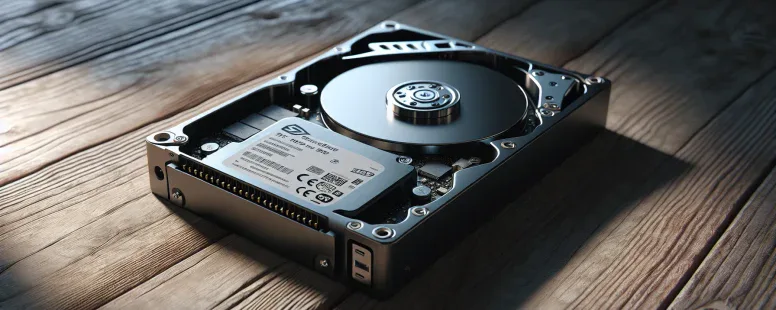
Picture this—you power up your laptop and the screen springs to life in seconds, no grinding noises or endless spinning. In a world where every second counts, the heart of your device makes all the difference. Choosing between an SSD or an HDD isn’t just about storage; it’s about speed, reliability, and the way you experience technology.
Picture working late into the night, the quiet hum of your computer blending into the background, files opening in a blink. Yet, there’s more to this debate than speed alone. Hidden beneath the surface are surprising benefits and trade-offs that could change the way you think about storage forever. Are you ready to discover which drive truly fits your digital life?
Understanding SSDs and HDDs
Some folks say that SSDs and HDDs shape your daily digital life more than you realize. Every tap, click, or search you make at your desk depends on these silent memory guardians tucked inside your device. Let’s dig into what makes each one tick.
What Is an SSD?
SSDs use flash memory chips—no spinning disks or mechanical arms inside. You can think of them as digital vaults, storing data in microseconds. Because they don’t use moving parts, SSDs are almost silent and shock-resistant. If an SSD was a sprinter, it’d outpace nearly any HDD in opening apps, copying files, or booting up Windows. Companies like Samsung and Western Digital produce SSDs with sequential read speeds hitting 5,000 MB/s (PCMag, 2023). Curious why your tablet wakes instantly? You’re probably using an SSD. Some users still recalls the first experience of an SSD upgrade—suddenly, their laptop felt reborn.
What Is an HDD?
HDDs rely on spinning platters, magnetic coating, and read-write heads, all orchestrated inside a sealed cavity. You can compare an HDD to a record player, with data stored on circular platters like vinyl grooves. Each time you retrieve a file, the head moves over the disk just like a DJ finding a beat on the turntable. Seagate and Toshiba are classic HDD makers, offering drives up to 20TB for massive photo archives or backup servers (Seagate Product Catalog, 2024). If you ever heard a soft ticking while your laptop works late at night, that’s likely the HDD. HDDs can be bulkier, a bit heavier, and you’ll usually deal with slower boot times compared to SSDs.
Even though both drives store your songs, photos, and work files, an SSD wins for access speed, but an HDD tends to cost less per gigabyte and last longer when idle. So, which would you trust for your priceless memories—a digital vault, or a high-capacity library?
Key Differences Between SSD and HDD
Key differences between SSD and HDD give you a clearer path toward better storage decisions. SSDs and HDDs shape your digital life with unique strengths and trade-offs that go far beyond just price tags.
Speed and Performance
Speed and performance highlight the most visible gap between SSD and HDD. SSDs load files almost instantly, launching your operating system in 10 seconds or less on most modern laptops—meanwhile, HDDs often take 40 seconds or more for the same task (PCMag, 2023). Real-world examples include game loading times: games stored on SSDs start in 6 seconds, but games on HDDs take up to 30 seconds. Desktop apps, system boots, and file transfers benefit dramatically from SSD technology, with transfer rates for SSDs reaching 5,000 MB/s (PCIe Gen4 NVMe models) versus 100-200 MB/s for average HDDs. If speed is your north star, SSDs map the quickest route.
Durability and Reliability
Durability and reliability give SSD an upper hand, especially if you travel or move your devices a lot. SSDs, lacking moving parts, resist drops, shocks, and vibrations (Kingston, 2022). HDDs—built with mechanical platters, read/write heads, and motors—fail up to 10 times more often when subjected to impacts (Backblaze, 2023 drive study). Picture dropping a laptop: your SSD survives, your HDD might not. While SSDs eventually wear out after repeated data writes, consumer drives average 300TB total bytes written—years for most users (Samsung, 2023).
Storage Capacity
Storage capacity favors HDD, putting raw gigabytes ahead of speed. You’ll spot HDDs with mainstream capacities up to 20TB for desktops and servers, with affordable pricing: $25 for a 1TB HDD, as opposed to $80 for a 1TB SSD (Newegg, 2024). SSDs max out around 8TB in consumer models. If you collect movies, RAW photos, or run surveillance archives, HDDs stack data like shelves in a library. But, you’ll sacrifice quick access.
Power Consumption
Power consumption matters if battery life, energy bills, or heat output are priorities. SSDs sip power: a 1TB SSD idles at 0.015W and maxes at 2-3W under heavy use, while a 1TB 3.5″ HDD sits at 4W idle and spikes above 8W when working (Seagate, 2023 specs). Gamers and travelers notice this—laptops last up to 45 minutes longer on a single charge with SSDs. This efficiency also means less heat and a more stable system overall.
Noise and Heat
Noise and heat separate silent digital vaults from whirring machines. SSDs produce no sound, even under stress—no spinning, no clicking. HDDs hum, whir, and click when accessing files, and can warm up a room after prolonged use. If you edit audio, sleep near your PC, or work in shared spaces, SSD silence feels like a hidden upgrade. Lower heat output as well: SSDs rarely surpass 50°C, while HDDs run hotter, especially in poor airflow setups.
Metric
SSD (Example Value)
HDD (Example Value)
Citation
Boot Time
8-10 seconds
40-50 seconds
PCMag 2023
Max Read Speed
5,000+ MB/s
200 MB/s
Kingston 2022
Power Consumption
2-3W
8W
Seagate 2023
Max Consumer Capacity
8TB
20TB
Newegg 2024
Failure Rate (High Shock)
1%
10%
Backblaze 2023
Your digital choices echo through speed, durability, capacity, power, and peace. Every time you access your data, the differences between SSD and HDD write your technology story.
Cost Comparison
Comparing SSD pricing vs HDD costs, you’ll instantly notice big differences. SSDs often cost about $0.08 per GB for consumer models like the Samsung 870 EVO, whereas HDDs such as Seagate Barracuda prices hover near $0.02 per GB (Statista, 2024). Look at the table below for recent examples:
Drive Type
Common Capacity
Average Price
Cost per GB
SSD
1 TB
$80
$0.08
HDD
2 TB
$40
$0.02
You can see, for storing tons of family photos or backing up years of video footage, HDDs give you the most bang for your buck. When you want to archive hefty datasets, media libraries, or surveillance footage, HDDs shine as budget-friendly workhorses. If you’re building a home NAS and don’t mind a little waiting during access, classic spinning disks look pretty attractive—at least, they does until you factor in other elements like speed or noise.
On the other end, SSDs demand a higher upfront investment. Want to equip your ultrabook with 2TB of storage? You might pay $200–$250 for a quality SSD, an amount quadruple that of a same-sized HDD. Some might wonder, “Why pay more?” Here’s something to consider: SSD prices have dropped drastically since 2010, falling by 90% according to TrendForce, and trends suggest you’ll continue to get better deals as NAND technology advances.
Beneath the numbers, question remains: is the immediate savings of HDDs worth the trade-off in performance? For developers, gamers, and content creators, time is money. Picture your video projects rendering in half the expected duration or games loading in mere seconds instead of minutes — SSDs deliver that speed edge, yet only if your budget bends.
Making storage decisions, ask yourself—does initial cost weigh most, or do daily efficiency gains mean more in the long run? You might find that spending more at first yields big returns for years. On the other hand, for pure data hoarding, nothing beats the per-gigabyte economy of the trusty HDD.
Use Cases: When to Choose SSD or HDD
Picture yourself on a Monday morning, laptop blinking awake in under 10 seconds—no, that’s not magic, that’s the prowess of an SSD at work. SSDs shine in scenarios where speed, portability, and reliability are non-negotiable. For example, busy freelancers editing 4K videos or gamers craving seamless load times leap miles ahead with SSDs. Your files open almost instantly, letting you dive straight into heavy workloads or high-stakes matches. Google, Apple, and Microsoft—some tech titans—equip SSDs in premium devices because milliseconds can transform your workflow and creativity (source: PCMag, 2024).
HDDs, on the another hand, can feels like the trusty old bookshelf: it’s bulkier, maybe a bit noisy, but holds mountains of prized volumes. If your main concern is storing thousands of family photos, years of backup data, or massive music collections, HDDs provide sheer volume at a wallet-friendly price. Think about a research student archiving 12TB of climate data—HDDs turn the impossible into mundane. Video production studios, universities, and cloud storage providers like Backblaze rely on arrays of high-capacity HDDs to keep costs manageable (source: Backblaze, 2023).
Is your workflow mostly about opening lightweight docs, storing photos or archiving old projects? Then ask yourself: Do I need lightning speed or cavernous storage? Many users find a hybrid approach brings harmony. Some laptops and desktops combine a smaller SSD for system speed with a large HDD for deep storage, blending the best of both words.
The story of storage isn’t about numbers alone, its about matching memory to your pace of life. Will you join the SSD speed race, or is dependable storage space your home base? Each path hold its own adventure—choose on the horizon you strive for.
Pros and Cons Summary
Explore drive types by looking at the pros and cons side-by-side, blending direct experience with user stories and unique user contexts.
Pros of SSDs:
Speed
Access files almost as if ideas snap into your mind; apps launch, operating systems boot, and games load in seconds—Samsung 970 EVO Plus clocks read/write speeds up to 3,500/3,300 MB/s (Samsung, 2023). Developers running multiple virtual machines or video editors exporting 4K clips find SSDs cut waiting time so they stays in the creative flow.
2. Durability
No moving parts means SSDs withstand drops from a desk without losing your project folder—students report dragging backpacks across campus all semester with zero SSD failures (Backblaze Report, 2023).
3. Silence and Coolness
No whirring, no humming; if you’re editing a podcast late at night, you hear the ideas, not the hardware. SSDs, operating at just 30-40°C, emit little noise and heat.
4. Energy Efficiency
Less power draw (up to 50% lower than HDDs), leading to true all-day laptop lifespans and lower utility bills for studios managing content libraries.
Cons of SSDs:
Cost per GB
Higher cost per gigabyte means archiving 10 TB of raw video demands a big budget—$800+ versus about $200 with HDDs (Tom’s Hardware, 2024).
2. Write Wear
NAND cells degrade with extensive rewriting—if you’re running heavy database logging, SSD life could be outpaced by backup strategies.
3. Limited Capacity for Price
High capacity SSDs (8TB+) remain rare in consumer laptops while large HDDs fill NAS devices and archival closets with ease.
Pros of HDDs:
Price Efficiency
Store massive libraries of footage, datasets, or backups affordably—research labs archiving satellite data routinely pick 16TB HDDs at $250 apiece.
2. Mature Longevity
Well-tested SMART monitoring—data centers stagger their upgrades because some HDDs last a decade (Backblaze, 2023).
3. Wider Capacity Range
Consumer-grade HDDs stretch to 20TB—photographers preserve decade-spanning archives without jettisoning old wedding gig files.
Cons of HDDs:
Slower Speed
Waiting for transfers—picture a 50GB game install that takes 25 minutes, while your friend’s SSD finishes in three.
2. Vulnerability to Shock
A knocked-over desktop or dropped portable drive can result in scratch-platter heartbreak and irretrievable family photos.
3. Noise and Heat
Buzzing and clicking intrude in quiet spaces, reminding you the backup drive’s humming in the next room.
Feature
SSD (Solid State Drive)
HDD (Hard Disk Drive)
Average Read Speed
500–3,500 MB/s (NVMe SSD)
80–160 MB/s
Cost per GB
~$0.08
~$0.02
Max Consumer Capacity
8TB (as of 2024)
20TB
Energy Consumption
Lower (2–4W typical laptop use)
Higher (6–9W typical desktop use)
Physical Resistance
Excellent, resists shock
Poor, mechanical parts fail from knocks
Noise/Heat Output
Silent, runs hot only under sustained write load
Audible, gets warm after lengthy usage
So, think about your mission: Are you racing toward instant access, packing up archives for the long haul, or balancing both worlds? Your storage choice shapes the pace, safety, and cost of every digital pursuit—pick the tool that match not only your work, but how you live in the data-driven world.
Conclusion
Choosing between an SSD and an HDD really comes down to how you use your device and what matters most to you. If you need lightning-fast performance and portability you’ll find SSDs hard to beat. If you’re looking for affordable storage for massive files HDDs still offer solid value.
Take a moment to assess your budget and your daily needs before making your choice. Whether you go with speed reliability or sheer capacity the right drive will make a noticeable difference in your digital life.
To provide the best experiences, we use technologies like cookies to store and/or access device information. Consenting to these technologies will allow us to process data such as browsing behaviour or unique IDs on this site. Not consenting or withdrawing consent, may adversely affect certain features and functions.
Functional
Always active
The technical storage or access is strictly necessary for the legitimate purpose of enabling the use of a specific service explicitly requested by the subscriber or user, or for the sole purpose of carrying out the transmission of a communication over an electronic communications network.
Preferences
The technical storage or access is necessary for the legitimate purpose of storing preferences that are not requested by the subscriber or user.
Statistics
The technical storage or access that is used exclusively for statistical purposes.The technical storage or access that is used exclusively for anonymous statistical purposes. Without a subpoena, voluntary compliance on the part of your Internet Service Provider, or additional records from a third party, information stored or retrieved for this purpose alone cannot usually be used to identify you.
Marketing
The technical storage or access is required to create user profiles to send advertising, or to track the user on a website or across several websites for similar marketing purposes.