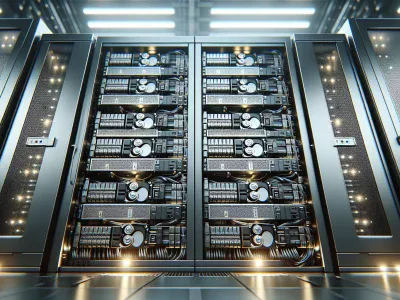
Picture your data as a treasure trove, and RAID is the safeguard that ensures it’s always protected and accessible. But when faced with the choice between software RAID and hardware RAID, how do you decide which guardian suits your needs best? Each option offers unique strengths, but understanding their differences can feel like navigating a maze of technical jargon.
Whether you’re managing critical servers or setting up storage for personal use, this decision impacts performance, reliability, and cost. Software RAID relies on system resources to handle data redundancy while hardware RAID uses dedicated controllers for added speed and independence. The stakes are high—choosing the right solution could mean seamless operations or unexpected headaches.
Understanding RAID: An Overview
RAID, or Redundant Array of Independent Disks, enhances data storage by combining multiple physical drives into a single logical unit. It prioritizes performance, redundancy, or both, depending on the configuration chosen. RAID offers diverse levels like 0, 1, 5, and 10, each catering to different needs.
RAID 0: Focuses solely on performance by striping data across drives without redundancy. For example, it suits applications needing high-speed access but tolerates no drive failure.
RAID 1: Mirrors data between two drives for redundancy. It’s ideal for critical personal files where fault tolerance is essential.
RAID 5: Strikes a balance with striping and parity distribution across at least three disks. Databases often use this for its blend of speed and reliability.
RAID 10: Combines mirroring and striping for optimal performance and redundancy but requires at least four drives.
Software RAID depends on the system’s CPU to manage these arrays via operating system utilities like Windows Storage Spaces or Linux MDADM. Hardware RAID employs dedicated controllers with onboard processors to handle tasks independently of the host CPU.
Understanding these configurations helps you align storage solutions with specific operational priorities while weighing factors like cost efficiency versus resource allocation limits.
What Is Software RAID?
Software RAID relies on your system’s operating system to manage data redundancy and disk storage configurations. It doesn’t require dedicated hardware components, utilizing existing resources to create and maintain RAID arrays.
Benefits Of Software RAID
Cost Efficiency
Software RAID eliminates the need for expensive hardware controllers, making it a budget-friendly solution. For example, small businesses or personal users can configure RAID 1 (mirroring) with basic hard drives without additional investment.
Flexibility
It’s compatible with various operating systems like Windows, Linux, and macOS, offering adaptability across platforms. You can carry out multiple RAID levels depending on specific needs without being tied to proprietary hardware.
Ease of Setup
Built-in utilities simplify configuration processes for most modern OS environments. On Linux-based systems, tools such as mdadm allow quick creation of arrays through command-line instructions.
Drawbacks Of Software RAID
Performance Impact
Since software RAID uses CPU cycles for processing tasks like parity calculations in RAID 5 or striping in RAID 0, overall system performance might decrease under heavy workloads.
Limited Support During Failures
Recovery options may be constrained if the operating system fails since the array relies on software-level management instead of independent controllers managing recovery protocols.
Scalability Constraints
Expanding or upgrading existing setups could become challenging due to dependency on the host machine’s capabilities rather than external hardware solutions designed for scalability in enterprise environments like SANs (Storage Area Networks).
What Is Hardware RAID?
Hardware RAID uses a dedicated controller card or built-in module to manage disk arrays independently from the host system. This setup provides faster data processing and reliable redundancy by offloading tasks from the CPU.
Benefits Of Hardware RAID
Performance Optimization
Hardware RAID enhances read/write speeds through specialized processors, making it ideal for high-demand applications like databases and virtualization environments. Dedicated cache memory further accelerates operations compared to software-based solutions.
System Independence
Since hardware RAID operates outside the operating system, you can maintain consistent performance even during intensive tasks. For example, video editing and large-scale backups benefit from uninterrupted operations driven by independent controllers.
Advanced Features
Many hardware RAID controllers offer features like battery-backed write caches and automatic rebuilds after drive failures. These functionalities minimize downtime in critical systems, ensuring smooth workflows in enterprise environments.
Scalability Options
Expanding storage is simpler with hardware RAID due to compatibility with multiple drives without burdening system resources.
Drawbacks Of Hardware RAID
Higher Costs
The initial investment for hardware controllers can be significantly higher than software setups, especially when purchasing enterprise-grade models designed for robust performance.
Complex Implementation
Setting up hardware RAID requires technical expertise to configure the array properly; incorrect settings may lead to data loss or inefficiencies during operation.
Proprietary Dependence
Some controllers rely on proprietary firmware that complicates troubleshooting or recovery if the unit fails unexpectedly.
Limited Flexibility Across Systems
Moving a hardware-configured array between different machines often necessitates identical or compatible controllers, restricting cross-platform portability in certain scenarios like migrations or upgrades.
Key Differences Between Software And Hardware RAID
Understanding the distinctions between software and hardware RAID helps you choose the right solution for your data storage needs. Each option offers unique advantages and challenges.
Performance Comparison
Hardware RAID delivers superior performance by utilizing a dedicated controller to manage disk operations independently of the host system’s CPU. For example, during intensive tasks like database queries or video editing, hardware RAID processes read/write operations faster due to advanced caching mechanisms.
In contrast, software RAID relies on system resources, which can slow down performance under heavy workloads. If your server handles multiple concurrent users or high I/O applications, software RAID may struggle as it competes with other processes for CPU cycles.
Cost Considerations
Software RAID is cost-effective since it doesn’t require additional hardware beyond standard disk drives and an operating system. Many operating systems include built-in tools for configuring and managing software RAID at no extra expense.
But, hardware RAID involves higher upfront costs due to specialized controller cards or modules. These devices often include features like battery-backed cache or hot-swappable support but significantly increase overall expenses—especially in enterprise environments with large-scale deployments.
Flexibility And Scalability
Software RAID provides greater flexibility across different platforms and operating systems. You can configure arrays on Linux servers using mdadm or Windows systems via Disk Management without concern about proprietary dependencies.
On the other hand, hardware RAID offers easier scalability when expanding storage capacity within an existing array setup. Its modular design simplifies adding new disks while maintaining array integrity but limits cross-platform compatibility because of vendor-specific requirements.
Reliability And Maintenance
Hardware RAID enhances reliability through independent operation from the host machine and advanced failover options such as redundant controllers in enterprise-grade setups. In case of a drive failure, rebuilding arrays occurs without taxing CPU resources—minimizing downtime risks.
Meanwhile, software RAID depends heavily on the host system’s durability; if that fails completely (e.g., motherboard damage), recovering data becomes more complex compared to swapping components in a hardware-based configuration.
Choosing Between Software And Hardware RAID
Choosing between software and hardware RAID depends on your performance needs, budget, and system requirements. Each option offers distinct advantages that align with specific use cases.
Consider Performance Requirements: Hardware RAID delivers faster data processing using dedicated controllers, making it suitable for high-performance environments like enterprise servers or intensive database management. Software RAID, while cost-effective, relies on the CPU for tasks, which might bottleneck performance during resource-heavy operations like video editing.
Evaluate Budget Constraints: For tight budgets, software RAID is often a practical choice since it uses existing system resources without additional hardware costs. But, if long-term reliability or advanced features like battery-backed write caches are priorities, hardware RAID justifies its higher upfront investment.
Assess Scalability Needs: If you anticipate future expansion of storage arrays, hardware RAID scales more efficiently due to its independent architecture. Software RAID scalability remains tied to the host machine’s limitations and may require significant reconfiguration as demands grow.
Prioritize System Independence: Hardware RAID operates independently from the operating system. This independence ensures consistent redundancy and recovery options even during OS failures. Conversely, software RAID integrates with the OS but could compromise reliability in critical failure scenarios.
Analyze Maintenance Complexity: Maintenance involves trade-offs; software RAID simplifies configuration through built-in tools but requires manual intervention during failures. Hardware RAID supports hot-swapping drives with minimal downtime but can demand technical expertise for setup and troubleshooting.
Align your choice with operational priorities by weighing these factors against workload demands and long-term goals.
Conclusion
Choosing between software and hardware RAID depends on your unique storage needs and priorities. By evaluating factors like performance, budget, scalability, and system independence, you can identify the solution that aligns with your goals. Both options offer distinct advantages, so understanding their differences is key to optimizing your data management strategy.
Whether you’re managing critical servers or personal storage setups, a well-well-informed choice ensures better efficiency and reliability for your operations. Assess your requirements carefully to carry out the RAID configuration that delivers the best balance of cost-effectiveness and performance for your specific use case.
To provide the best experiences, we use technologies like cookies to store and/or access device information. Consenting to these technologies will allow us to process data such as browsing behaviour or unique IDs on this site. Not consenting or withdrawing consent, may adversely affect certain features and functions.
Functional
Always active
The technical storage or access is strictly necessary for the legitimate purpose of enabling the use of a specific service explicitly requested by the subscriber or user, or for the sole purpose of carrying out the transmission of a communication over an electronic communications network.
Preferences
The technical storage or access is necessary for the legitimate purpose of storing preferences that are not requested by the subscriber or user.
Statistics
The technical storage or access that is used exclusively for statistical purposes.The technical storage or access that is used exclusively for anonymous statistical purposes. Without a subpoena, voluntary compliance on the part of your Internet Service Provider, or additional records from a third party, information stored or retrieved for this purpose alone cannot usually be used to identify you.
Marketing
The technical storage or access is required to create user profiles to send advertising, or to track the user on a website or across several websites for similar marketing purposes.