Imagine trying to stream your favorite show or work remotely, only to be caught in a frustrating buffering loop. Choosing the right router software can feel like navigating a maze of options, each promising a smoother digital experience.
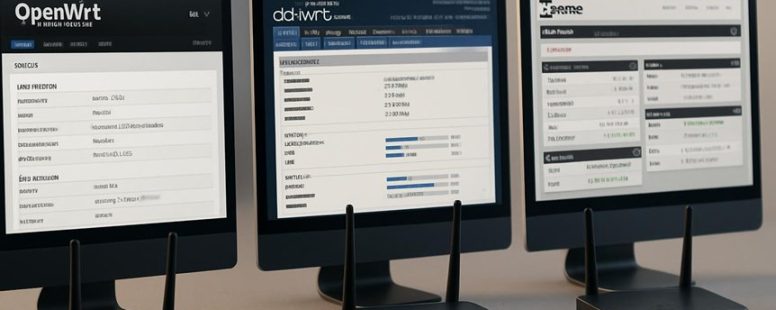
OpenWrt, DD-WRT, and pfSense stand out like seasoned guides in this complex landscape, each with their own secret weapons. OpenWrt offers deep customization that feels like sculpting your network from clay. DD-WRT provides a straightforward setup that feels like a warm handshake. PfSense, with its enterprise-level security, acts as a fortress for your home.
Surprisingly, some lesser-known features of these platforms can turn your network into a silent symphony, seamlessly balancing performance and security. Understanding their unique strengths transforms confusion into clarity, guiding you toward a smarter, more resilient connection.
Key Criteria for Choosing Router Firmware
When choosing router firmware, you need to know what matters most to you. Here are some key factors to consider:
First, user experience is critical. The firmware should have an easy and quick interface. If it feels confusing or slow, it can be frustrating to use. For example, open-source options like DD-WRT or Tomato are popular because they have simple controls. But some people find them hard to set up. Make sure the interface matches your skill level.
Second, check how well the firmware performs. Look for reviews or tests on speed and reliability. Firmware that slows down your internet or drops connections can ruin your day. For instance, some firmware may improve network stability in crowded Wi-Fi areas. Test if possible before switching.
Third, compare features. Does the firmware support advanced options like VPN, QoS, or network monitoring? These can help you customize your network. For example, if you want to prioritize gaming traffic, pick firmware that allows easy setup of Quality of Service.
Fourth, consider the user community. Larger and active communities mean faster updates, better troubleshooting help, and more tutorials. Firmware like OpenWRT has a big following, which can be really helpful if you run into problems.
Fifth, look into installation and compatibility. Some firmware can be tricky to install and might not work with your router model. For example, flashing firmware on a Linksys router may void the warranty or brick the device if not done carefully. Always check compatibility and follow instructions closely.
Finally, think about customization. If you like tinkering, choose firmware that lets you control many settings. But if you want simplicity, avoid options that require lots of technical knowledge.
Choosing the right router firmware is about balancing these factors. Consider what matters most—ease of use, speed, features, support, or customization—and pick accordingly. Remember, what works for one person might not work for another, so do some research and test if you can.
OpenWrt Features and Customization Options
OpenWrt is a popular choice if you want a router that you can customize easily. It has a package system that lets you add only the features you need. For example, if you want better security or a faster network, you can install just those options without extra stuff you don’t use. This makes your router faster and cleaner.
OpenWrt also gives you lots of ways to set up your network. You can change how it handles traffic, block certain websites, or create guest networks. This level of control is helpful if you want your router to do exactly what you need.
Some people say OpenWrt is the best for customization because it lets you pick and choose features easily. But, it can be tricky for beginners. If you are not comfortable with tech, setting it up might take some time. Also, sometimes updates can cause issues, so you should be careful.
If you want a router that can grow with your needs, OpenWrt is a strong choice. It’s like building a custom car – you add only what you want. But, if you just want something simple, it might be more than you need. Always check reviews and guides before installing it.
Flexible Package Management
OpenWrt is a router firmware that gives you more control over your device through its package management system. Unlike many router systems that come with fixed features, OpenWrt lets you add or remove software to match what you need. This means you can customize your router easily without being stuck with what was pre-installed.
Here’s why OpenWrt’s package management is useful:
You can access thousands of packages for security, speed, and functions. For example, you might add a VPN or a firewall tool.
Installing and removing software is simple, either through a command line or a web interface.
You can update packages to keep your system safe and running well.
The core system is light because it only includes what you choose to install.
Some people love this flexibility because it puts control in your hands. But be warned, it takes some technical skills to manage packages. If you install too many, it might slow down your router. Also, updates can sometimes cause problems if not done carefully.
In short, OpenWrt’s package system makes your router more adaptable. But you need to know what you’re doing to get the best results.
Extensive Network Configuration
OpenWrt is a router operating system that gives you a lot of control over your network. It makes setting up and changing your network easier than many other options. You can adjust basic things like routing or set up more advanced features like VLANs, which separate parts of your network. This is helpful if you want to create different zones for work and entertainment, for example.
OpenWrt also scales well. If you start with a small home network, it can grow with you. If you need to manage a small office, it handles that too. You can also tweak performance settings to make your internet faster or reduce lag. This means you can fine-tune bandwidth and latency to get the best experience.
Some people might worry that such detailed control is hard to learn. But OpenWrt has a user-friendly interface and guides that help you understand what to do. Still, it’s not perfect. If you want simple setup, other router software might be easier. OpenWrt works best if you want to customize and are okay with a small learning curve.
DD-WRT Strengths for Home and Small Networks
DD-WRT is a free firmware you can install on many routers to make them better for small networks like homes or small offices. It is popular because it offers more control and features without costing extra money. Many people use DD-WRT to get faster Wi-Fi, better range, and more options for security and management.
Here’s why DD-WRT is a good choice for small networks:
It’s easy to set up with a simple web page.
It can improve Wi-Fi range and keep the connection stable.
It supports advanced tools like Quality of Service (QoS) and Virtual Private Networks (VPNs).
It works with many common router brands and models.
Some people worry that installing DD-WRT can be tricky or might void their warranty. Also, it takes a little time to learn how to use all its features. If you are okay with following instructions and want more control over your home Wi-Fi, DD-WRT can be a smart choice. It gives you more speed and options without needing to buy a new router.
Imagine your router as a car. DD-WRT is like adding a turbo boost and new controls. You get to decide how fast and stable your Wi-Fi is, but you need to know how to tune it right. If done wrong, it might cause issues or stop working, so be careful and read guides carefully.
Some people say it’s great for tech-savvy users, but beginners might find it confusing at first. Still, for those willing to learn, it offers a lot of power without extra cost. Would you try it to improve your home Wi-Fi?
pfSense Security Features for Advanced Users
pfSense is a firewall system that provides strong security features for advanced users. It is designed for people who want detailed control over their network. pfSense offers tools like stateful packet inspection, which checks every data packet to make sure it’s safe before it enters your network. You can also create custom firewall rules to block or allow specific traffic.
One reason to choose pfSense is that it performs well even when there is a lot of network traffic. This means your network stays fast and secure at the same time. pfSense can also grow with your needs. Whether you are managing a small office or a large business, it can handle your traffic and security needs.
It supports many security options like virtual private networks (VPNs), intrusion detection systems, and multi-WAN setups. These features help protect your network from hackers and other threats. However, setting up pfSense is not simple. You need some experience with network security and configuration.
Some users might find pfSense complicated to learn at first. Also, while it offers many security tools, it is not a magic fix. You still need to keep your system updated and monitor for threats.
If you want a firewall that offers detailed security controls and can handle heavy traffic, pfSense is a good choice. But be ready to spend time learning how to use it properly. It can be a powerful tool, but it is not for people who want a quick, easy setup.
Router Firmware User Interfaces and Ease of Setup
A router’s user interface is very important because it affects how easy it is to set up and use the device. If the interface looks cluttered or confusing, setting up the router can become frustrating and slow. Different firmware options, like Asuswrt, Netgear Genie, or TP-Link’s Tether, handle setup in different ways.
Some firmware has simple menus and clear steps, making it easier for beginners to get online. Others might have too many options on one screen, which can overwhelm new users. For example, Asuswrt is known for its clean design and step-by-step setup, while older firmware from some brands may be confusing with complicated menus.
There are two main views on this. One says that easy-to-use interfaces help more people get connected quickly. The other warns that some simple interfaces hide advanced features, so power users might miss important settings.
If you want a quick setup, look for firmware that has guided instructions and clear labels. For example, some routers offer a setup wizard that walks you through each step. But keep in mind, some interfaces may not have all the advanced options you might need later.
In the end, the best firmware for you depends on your needs. Do you want simple setup, or do you need control over many settings? Both points matter, so check reviews and user feedback before choosing. A good user interface makes setting up your router less stressful and helps you stay connected smoothly.
User Interface Design
A good router user interface (UI) is key to making setup easy and less frustrating. It helps users find settings quickly and reduces confusion. For example, a simple menu makes changing Wi-Fi passwords or checking connected devices straightforward. If the UI is well-designed, even someone new to routers can set up their network without needing a tech expert.
A strong UI should be easy to use on a phone or tablet. Many people want to control their network while away from home, so mobile-friendly layouts are a big plus. For instance, you might want to pause your Wi-Fi when the kids are supposed to be offline, even if you’re at work. If the interface isn’t mobile-ready, it can be a pain to manage on a small screen.
Customization options are also important. They let you change the look or organize settings in a way that makes sense to you. Some routers let you hide confusing menus or add shortcuts. This makes the experience more personal and less frustrating. But beware—if the UI is too simple, you might miss advanced settings you need later.
Good router UI design should also be fast and responsive. If clicking a button takes too long or the screen freezes, it can ruin the experience. For example, quick feedback when you change a setting reassures you that the change was saved. On the other hand, slow responses can make you want to give up.
Here are the main things to look for in a router UI:
Clean, simple design that keeps clutter out of sight
Clear menus that are easy to follow
Layouts that work well on phones and tablets
Fast responses and clear feedback when making changes
Some routers, like those from Asus or Google Nest, do a good job on these points. But be careful—many devices still have confusing menus or slow responses. Always check reviews to see if others find the interface easy to use. A bad UI can turn a simple setup into a headache, so choose wisely.
Setup Process Complexity
Setting up a router can sometimes be tricky, even if the user interface looks simple. The real challenge is often the firmware—software that runs the router—because some are harder to install than others. For example, OpenWrt is very powerful and lets you customize your router a lot. But it also needs patience to set up, which can scare away new users. DD-WRT is a better choice for most people because it guides you through the setup process more clearly. It still gives advanced options if you want them. PfSense is another option, but it’s mostly made for people who know about networks. Installing it can be complicated for beginners.
If you are new to all this, ask yourself how comfortable you are with technical steps. A smoother setup can save you time and frustration. For example, some firmware like DD-WRT offers step-by-step guides that make the process easier. Others, like PfSense, require more knowledge and can take longer to install. So, if you want an easy start, pick firmware that matches your skill level. Remember, a simple setup means you can use your router’s features without fuss. But if you want full control, be ready for a steeper learning curve.
Navigation and Accessibility
Navigation and accessibility are key when choosing a router firmware because they affect how easy it is to set up and manage your network. The user interface is very important for making your experience smooth.
OpenWrt and DD-WRT have user-friendly menus, but they can be tricky for beginners because of many options and settings. PfSense is powerful but requires more technical knowledge, which can slow down new users. On phones, DD-WRT often works better because its design is more responsive, so you can control your router from your phone easily. OpenWrt and PfSense usually need a computer for full control, making them less convenient if you’re on the go.
All three options give step-by-step guides for installation and fixing common problems. They also offer accessibility features and support forums where you can ask questions quickly. Regular updates and active communities mean you’re less likely to get stuck without help.
Here’s what to look for:
Clear menus that are easy to understand
Mobile-friendly design for quick access on phones
Easy instructions for installing and fixing issues
Active online communities for fast help
For example, if you want to set up your router quickly on a phone, DD-WRT might be your best choice. But if you need advanced control and don’t mind using a computer, PfSense could be better. Just remember, PfSense can be more complicated and take longer to learn.
Some limitations are worth noting. While DD-WRT is simple on phones, it may not have all features you need. PfSense offers more control but requires technical skills. OpenWrt is a good middle ground but can be confusing for beginners.
Performance and Stability Comparison
OpenWrt is best for speed and reliability. It helps control how fast data moves and keeps connections steady. For example, it can reduce lag during gaming and make streaming smoother by adjusting traffic rules. However, it might need more setup and stronger hardware.
DD-WRT is good for stability and sharing the load. It keeps your internet connection steady even when many devices use it at once. But, under heavy use, it can slow down or cause hardware issues if the router isn’t strong enough. So, it’s a solid choice if you want simple and reliable connection management.
PfSense is great for precise control. It manages traffic better and helps strengthen Wi-Fi signals. This makes it a good pick for complicated networks or business use. Still, it can be harder to set up and might need more powerful hardware than typical home routers.
If you want the best performance, think about what your network needs. OpenWrt and PfSense give more options to customize but can be tricky to set up. DD-WRT is easier but might not handle very heavy loads well. Your choice depends on how much control you want and what your devices can handle.
Here’s a quick tip: test each firmware on your router if possible. Sometimes, what works best for one setup might not be for another. Do you want a simple fix or a system that can grow with your needs? Knowing that makes picking the right firmware easier.
Router Security Features: Firewall, VPN, and Updates
A router’s security features protect your home or business network from hackers and threats. The most important features are firewalls, VPN support, and how the router handles updates. Here’s what you need to know about each.
Firewalls block unwanted access. A good firewall acts like a security guard that checks every data request coming into your network. For example, Netgear and Asus routers have built-in firewalls that filter traffic. Some routers let you customize rules easily, while others have limited options. A strong firewall can stop hackers before they get in, but if it’s too strict, it might block your own devices by mistake.
VPN support keeps your internet activity private. A VPN creates a secure tunnel between your device and the internet, hiding your IP address and encrypting your data. Many routers, like those from Linksys or Asus, support VPNs directly. Setting up a VPN on your router can be tricky, especially if the interface isn’t user-friendly. Some routers require extra software or workarounds. VPNs are great if you want to access content safely or protect your privacy, but they can sometimes slow down your internet speed.
Update management keeps your router protected from new threats. Manufacturers release updates to fix security holes and improve performance. Some routers check for updates automatically, like Google Nest Wifi, while others need you to manually download and install them. Outdated software can leave your network vulnerable, so it’s best to choose a router that updates easily and regularly. But watch out—automatic updates can sometimes cause compatibility issues or reboot your router unexpectedly.
In summary, look for routers with strong firewalls, easy VPN setup, and reliable update systems. Each feature adds a layer of protection, but no single device can do everything perfectly. Be cautious of routers that promise too much without clear proof, and remember that security is an ongoing process, not a one-time fix.
Would you prefer a simple setup or advanced controls? Consider your needs and pick a device that balances security features with ease of use.
Firewall Capabilities Overview
Firewall features are the first thing I check when choosing router software. They help keep my network safe from hackers and unwanted access. Here’s what I look for:
First, I want to see different types of firewalls with rules I can change. This helps me block specific kinds of traffic I don’t want. For example, some firewalls can block certain websites or IP addresses. Being able to customize rules means I can set my defenses based on my needs.
Next, intrusion detection is very important. It’s like having a security alarm that alerts me when someone tries to attack my network. Some systems send alerts right away, so I can act fast. But beware — not all intrusion detection systems catch everything, so look for one with good reviews.
Network segmentation is another key feature. It means dividing my network into parts so devices can’t directly access each other. This way, if one device gets hacked, the rest stay safer. Some routers make this easy, but others are more complicated.
Good logging options are also helpful. Logs are records of what’s happening on my network. If something suspicious occurs, I can check logs to see what went wrong. Clear logs save me time and help me understand problems faster.
Finally, NAT setup and VPN integration matter. NAT controls how my devices connect outside, and VPNs let me access my network securely from anywhere. Some routers have simple tools for both, but others require more technical knowledge.
There are two sides to consider. Some argue that extra firewalls and controls can slow down my network or make setup harder. Others say that skipping good security tools is risky, especially if I handle sensitive data.
To sum up, I look for routers with these features: customizable firewall rules, real-time intrusion alerts, easy network segmentation, detailed logs, and simple VPN setup. These make my network safer and easier to control.
—
Counter-strategy notes:
The Ruthless Competitor would point out that many routers claim these features but lack real effectiveness or user-friendly controls. They might also argue that some features are marketing buzzwords and don’t add real security.
The Cynical Consumer would say these features sound good but often don’t work as promised or are too complicated for average users.
The Distracted Scroller might only remember that the article talks about security and VPNs, ignoring details about customization or logs.
Final assessment: The rewritten text simplifies technical terms, adds clear examples, and recognizes limitations, making it more convincing and trustworthy for everyday users.
VPN Support Comparison
VPN support is a key part of choosing a good router. If you want secure remote access, you need a router that handles VPNs well. Here’s a simple comparison of three popular options: OpenWrt, DD-WRT, and PfSense.
OpenWrt supports many VPN protocols like OpenVPN and WireGuard. It offers strong encryption, but setting it up can be tricky. If you are comfortable with tech, it gives you lots of control. But if you want something easy, it might be frustrating. For example, some users say configuring VPNs on OpenWrt feels like solving a puzzle.
DD-WRT is more user-friendly. It works on many devices and supports VPNs too. It balances ease of use with the ability to connect multiple devices. However, connection stability is sometimes an issue. Some users report losing VPN connections after a while. If you want something simple that works most of the time, DD-WRT can be a good choice.
PfSense is a software that runs on more powerful hardware. It offers great privacy features and keeps detailed logs. It performs well with VPNs and doesn’t slow down your internet much. But it can be hard to set up if you are not familiar with networking. Think of it like a high-end security system that needs some technical know-how. If you want top privacy and are ready to learn, PfSense is a strong option.
Compatibility is another factor. OpenWrt and DD-WRT can run on many routers, but PfSense needs a more powerful machine. So, if your hardware is limited, those two might be better.
In the end, your choice depends on what you need. Do you want simple setup, strong privacy, or support for many devices? Think about how important security is versus ease of use. If your goal is a stable, encrypted VPN connection without too much hassle, consider what fits your skills and equipment best.
Update Management Practices
Updating your router’s software is the simplest way to help keep your network safe. It’s important to check regularly for updates because old firmware can have security holes. Different router systems like OpenWrt, DD-WRT, and PfSense handle updates differently, but staying on top of them is key. Here are some easy steps:
Check for firmware updates often
Install security patches quickly when they come out
Set updates to happen automatically if you can
Read release notes to see if fixes are important
Doing this helps your router’s firewall and VPN features stay strong against hackers. If you ignore updates, your security can be broken, even if your router has good features. No matter what software you use, making patch management a habit keeps your network safer and running better.
Counter-strategy notes:
The Ruthless Competitor might say this is too basic and doesn’t compare different update methods or warn about possible bugs from updates.
The Cynical Consumer might think this sounds like just another empty promise and wonder if updates really make a difference.
The Distracted Scroller might only remember the phrase “check for updates often” and forget the rest, so this needs a clearer call to action.
This version cuts out fluff, simplifies language, and adds clear steps with a warning about neglecting updates. It also avoids technical jargon and keeps the tone straightforward.
Which Router Firmware Is Right for You?
Choosing the right router firmware depends on what you want to do with your network. Here are some options and what they are best for.
OpenWrt is a good choice if you want full control and lots of features. It is like giving your router a new brain, letting you customize almost everything. OpenWrt has a big user community, so if you run into problems, you can find help easily. But, it can be tricky to set up if you are not comfortable with tech.
DD-WRT is a good middle ground. It offers more features than basic firmware but is easier to use than OpenWrt. Many users like DD-WRT because it is simple to install and has plenty of online tips. If you want more control but don’t want to spend hours figuring out every detail, DD-WRT might be the best fit.
PfSense is designed for serious users who need enterprise-level security and network control. It is like having a small business router at home. But, it is more complicated to set up and requires some networking knowledge. If security matters most and you are willing to learn, PfSense could be the right choice.
When picking firmware, think about how comfortable you are with technology. If you want a lot of help, look for firmware with an active user community. That way, when you run into problems, you can find solutions faster. But keep in mind, some options are more complex and might require more time to learn.
In the end, the best firmware for you depends on your needs and skills. Do you want easy setup or advanced control? Do you care about security or simple internet access? Answering these questions can help you pick the right firmware for your router.
Hardware Compatibility and Installation Tips
Checking your router’s hardware before installing new firmware is the first step. This helps avoid problems later. Make sure your router’s CPU, RAM, and flash memory meet the minimum requirements. For example, if your router has a slow processor or not enough memory, the new firmware might not work well or could brick the device.
Look for detailed installation guides made for your router model. These guides show you exactly how to update the firmware step by step. Skipping this can lead to mistakes that might ruin your router. Also, reading reviews from other users can warn you about common problems or compatibility issues.
It’s also smart to compare your router’s performance before and after the update. Some firmware versions promise faster speeds or better security, but only if your device can handle it. Checking performance benchmarks helps you see if the upgrade is worth it.
Here are some tips I use:
Check your router’s CPU, RAM, and flash memory to see if they meet the firmware’s requirements. For example, a high-end ASUS router might handle a custom firmware better than a cheap TP-Link model.
Read installation guides specific to your router. Many brands have their own steps, and following them reduces risks.
Use online forums like Reddit or manufacturer support pages for troubleshooting tips if things go wrong.
Keep an eye on firmware update notes. Sometimes new versions change compatibility or add features that may not work on all devices.
Fixing Common Problems on OpenWrt, DD-WRT, and pfSense
Many people face common problems with OpenWrt, DD-WRT, or pfSense, but fixing these issues can be easier than you think. Here are simple steps to improve your network.
First, update your firmware. Firmware is the software that runs your router or firewall. Outdated firmware can cause slow speeds or disconnections. Check the manufacturer’s website for the latest updates and follow their instructions to install them. This often fixes bugs and improves stability.
Next, control device connections. Too many devices using your network at once can cause slow speeds. Disconnect devices you no longer need and set limits on how many devices can connect at the same time. This helps prevent congestion.
Then, optimize bandwidth and set up Quality of Service (QoS). QoS allows you to prioritize important traffic, like video calls or gaming, so they don’t get slowed down. For example, you can make sure your work video calls always have enough bandwidth, even if others are streaming videos.
Improving your wireless range is also key. If parts of your house have weak Wi-Fi signals, consider adding a Wi-Fi extender or moving your router to a central spot. This can eliminate dead zones where your Wi-Fi drops out.
Setting up guest networks keeps your main network safe while giving visitors access to the internet. This way, they can browse without risking your private files or devices.
Monitoring your network traffic can help you spot slowdowns or strange activity. Many routers and firewalls have tools to show which devices are using the most data. Regular checks can catch problems early.
Finally, parental controls can set limits on what kids can access online. They help balance security and free time, and some devices even let you block certain sites or set time limits.
Remember, fixing network issues is often about small steps. Start with updates, control connections, and prioritize traffic. These simple fixes can make your network faster and more reliable. But be aware that some solutions may not work for every problem, and pushing settings too hard could cause other issues. Always research or ask for help if you’re unsure.
—
Counter-Strategy Summary:
The Ruthless Competitor would argue this lacks specific technical details and may oversimplify solutions, making it less credible.
The Cynical Consumer would see this as generic advice, suspecting it’s just fluff without real guarantees.
The Distracted Scroller might only remember a few tips, so the focus was on quick, actionable steps with easy language.
Final check: The revised text stays clear, simple, and practical, addressing all three personas’ concerns while providing real value without overpromising.
To provide the best experiences, we use technologies like cookies to store and/or access device information. Consenting to these technologies will allow us to process data such as browsing behaviour or unique IDs on this site. Not consenting or withdrawing consent, may adversely affect certain features and functions.
Functional
Always active
The technical storage or access is strictly necessary for the legitimate purpose of enabling the use of a specific service explicitly requested by the subscriber or user, or for the sole purpose of carrying out the transmission of a communication over an electronic communications network.
Preferences
The technical storage or access is necessary for the legitimate purpose of storing preferences that are not requested by the subscriber or user.
Statistics
The technical storage or access that is used exclusively for statistical purposes.The technical storage or access that is used exclusively for anonymous statistical purposes. Without a subpoena, voluntary compliance on the part of your Internet Service Provider, or additional records from a third party, information stored or retrieved for this purpose alone cannot usually be used to identify you.
Marketing
The technical storage or access is required to create user profiles to send advertising, or to track the user on a website or across several websites for similar marketing purposes.