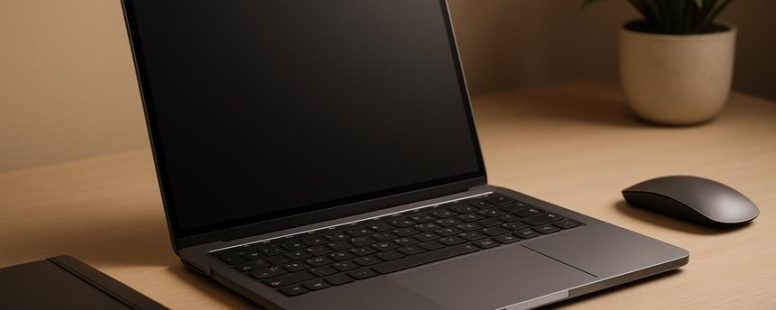
Looking for a laptop that combines the sleek elegance of a MacBook with powerful performance but without the hefty price tag? Imagine holding a device that feels as smooth as glass in your hands, with a screen that sparks your creativity and a keyboard that invites you to type your next big idea.
Several stellar alternatives deliver this experience, offering a surprising benefit—many come with longer battery life, so you can go unplugged without worry.
Exploring these options is like finding hidden gems in a sea of tech, each one promising to elevate your everyday computing.
What Features Make a Laptop Feel Like a MacBook?
A laptop feels more like a MacBook when it has certain design, build, and user features. First, a sleek and simple look makes it resemble a MacBook. Apple’s laptops are known for their clean lines and minimal style. Choosing a laptop with a sturdy, high-quality body helps it feel solid and durable. For example, many Windows laptops from brands like Dell XPS or HP Spectre have metal cases that give a premium feel similar to MacBooks.
Performance is also key. MacBooks are smooth and fast for everyday tasks. To get that feeling, pick a laptop with a good processor like Intel’s i5 or i7, or AMD’s Ryzen series. A responsive keyboard and a smooth touchpad are also important. For example, Apple’s trackpad is famous for being accurate and easy to use. Some Windows laptops now have touchscreens and large, responsive touchpads that mimic this experience.
Display quality makes a difference too. MacBooks have bright, sharp Retina displays. You can find similar screens on high-end laptops like the MacBook Pro or some Dell XPS models. They show colors vividly and are easy to work on for long hours.
Battery life matters as well. MacBooks usually last for many hours. To feel like a MacBook, choose a laptop that can stay powered for at least six to eight hours on a single charge. Some cheaper options may not last as long, but there are affordable models that do.
Gaming performance is not a focus for MacBooks. However, for casual gaming or watching videos, a laptop with a dedicated GPU like Nvidia GeForce or AMD Radeon can make games run smoothly. Keep in mind that this adds to the cost and weight of the laptop.
Price is another factor. Many laptops that look and feel like MacBooks cost less. For example, the ASUS ZenBook or Lenovo ThinkPad X1 Carbon offer similar features at a lower price. But be aware that they might not have the same level of software integration or build quality as a real MacBook.
Some people might prefer a cheaper laptop that looks similar but doesn’t quite match the feel of a MacBook. Others might find that trying to replicate the design and features can’t replace the experience of Apple’s carefully crafted laptops.
What Should I Look for in a MacBook Alternative?
When looking for a MacBook alternative, the most important thing is to find a laptop with features that fit your needs. First, battery life matters a lot. You want a computer that can last through your workday without needing to be charged all the time. For example, some Windows laptops like the Dell XPS 13 or Asus ZenBook can last around 12 hours on a single charge, making them good options.
Next, look at the ports. Many newer laptops have only USB-C ports, but you might want a model that gives you more options like HDMI, SD card slots, or traditional USB-A ports. This way, you won’t need to keep buying extra adapters. For instance, the Lenovo ThinkPad series offers a good mix of ports, making it easy to connect your favorite devices.
Build quality is also key. You want a sturdy, well-made laptop that can handle daily use. A bright, clear screen is important too, especially if you work on visual projects or stream videos. Performance matters as well. Make sure the laptop has enough power to run your apps smoothly. For basic tasks, a mid-range Intel or AMD processor works well, but for heavier work, consider a model with a faster chip like an Apple M1 or newer.
Some people prefer lightweight laptops for portability, but these might sacrifice some ports or battery life. Others might prioritize a bigger screen and better keyboard, even if the device is heavier. Both viewpoints are valid, so think about what matters most for your daily use.
Best Windows and ChromeOS Laptops That Feel Premium
When choosing premium Windows or ChromeOS laptops, the most important thing is how they feel to use. A good device should have a strong build with high-quality materials that make it feel sturdy and durable. Think of it like a well-made piece of furniture – it should feel solid in your hands. Brands like Dell XPS, HP Spectre, and Google Pixelbook Go are known for their high-end feel.
The screen also matters a lot. Look for laptops with sharp, bright displays that show colors vividly. This makes watching videos and editing photos much better. For example, the MacBook Air has a bright Retina display that makes everything pop. Some ChromeOS devices, like the ASUS Chromebook Flip, also have nice screens for their price.
The keyboard and touchpad are other key parts. A smooth, responsive keyboard makes typing easier, especially if you write a lot. The touchpad should feel smooth and respond quickly to your touches. Think about how comfortable it is to type for hours or scroll through websites without feeling frustrated.
Some people prefer a device that feels more like a luxury item, with metal covers and slim designs. Others might need a laptop that’s tough enough to travel with daily. Keep in mind that a premium feeling often comes with a higher price tag, so it’s good to decide what features matter most to you.
In the end, a premium laptop isn’t just about looking nice. It’s about how it feels when you use it every day. When you choose well, your laptop will feel like a trusty partner, ready for work or fun.
Build Quality and Materials
A laptop that feels high quality usually has a good build and solid materials. The best laptops often use aluminum or magnesium for the chassis because they are sturdy and look nice. These materials also give a premium feel, much like a MacBook. Some brands, like Dell XPS or HP Spectre, offer different colors so you can pick a finish that matches your style.
Having many ports is also helpful. Laptops with multiple USB-C, Thunderbolt, or even older ports give you more options for connecting devices. This means you don’t need many adapters, which can be annoying to carry around. For example, a Lenovo ThinkPad offers a variety of ports and is known for its durability.
When choosing a laptop, look closely at the materials used and how well it’s put together. A well-made device will last longer and feel better in your hands. Keep in mind, some cheaper laptops might look good but are not built to last. Also, not all premium materials are perfect—aluminum can scratch easily if not cared for.
Some people prefer lightweight laptops for portability, but these might sacrifice some durability or port options. Other users want a more rugged build that can handle rougher use. Both choices have good points but consider what matters most for your needs.
Display and Visuals
Here’s what to know about good laptop screens:
First, a high screen resolution is key. Look for at least 1920 by 1080 pixels. That makes images and videos look sharp and clear. If you get a lower resolution, everything can seem blurry or pixelated. Some premium laptops, like the MacBook Air, have even higher resolutions, which makes watching movies or editing photos much nicer.
Next, wide color support, like DCI-P3 color gamut, matters. This feature makes colors look more vibrant and accurate. For example, if you’re editing photos or watching a movie, you want the colors to pop and look real. Not all screens support this, so check the specs before buying.
Brightness is also important. A good screen should be bright enough for indoor use but also handle outside sunlight. If the display isn’t bright enough, you might struggle to see what’s on the screen when you’re outside or in bright rooms.
Some laptops with these features cost more, but they give you a more premium viewing experience. For instance, gaming laptops or high-end Apple models often have these features. But be careful — sometimes, a screen might be bright and colorful but not very durable or have poor viewing angles. Always read reviews before buying.
In the end, a good display makes a big difference whether you’re working or relaxing. It adds to the overall feel and usefulness of your laptop. So, look for high resolution, wide color support, and good brightness to get the best visual experience.
Keyboard and Touchpad Experience
A good display is important, but the feel of your keyboard and touchpad also makes a big difference in how your laptop feels. A comfortable keyboard is key—keys should respond quickly and feel smooth, with enough travel to prevent tired fingers during long typing. For example, the ThinkPad X1 Carbon from Lenovo is known for its comfortable keyboard that gives satisfying feedback.
The touchpad’s sensitivity is just as important. It should respond fast and be accurate, without lag or accidental clicks. High-end Chromebooks like the Google Pixelbook have touchpads that feel natural and respond smoothly, making navigation easy. Some users prefer a touchpad that feels very precise, while others might find overly sensitive touchpads frustrating if they respond to even light touches.
Having a well-made keyboard and touchpad makes using your laptop more enjoyable. It can make even a non-Apple device feel more premium and fun to use every day. But keep in mind, some keyboards may be too stiff or too soft depending on personal preference. Trying out different models can help you find what feels best for you.
How Do These Laptops Compare in Design and Build Quality?
The design and build quality of a laptop tell you how it looks and how strong it is. When comparing laptops, look at the materials used and how they feel. For example, a metal body like aluminum feels sturdy and looks sleek, while plastic can be lighter but may not last as long. Finishes also matter—smooth, matte, or glossy surfaces can change how the laptop looks and how comfortable it is to hold.
Durability is another key point. Some laptops, like the MacBook Air, are built to last years with careful use, but others might get scratches or dents more easily. Think about how you plan to use the laptop. If you carry it around a lot, a tough case might be a good idea.
There are different opinions on what makes a good build. Some say a lightweight design is best for travel, but it might sacrifice some strength. Others prefer a heavier, more solid feeling that can handle bumps better. For example, Dell XPS models are known for their slim and attractive design, but some users worry they might not handle rough handling as well as thicker laptops.
In the end, comparing design and build quality means looking at how the materials feel, how sturdy they are, and if they match your needs. Both factors matter, but what works for one person might not be best for another. Think about how you will use the laptop most and choose one that feels good and can take a little wear and tear.
Material and Finish Quality
Material and finish quality are key factors that tell you if a laptop is high quality or just cheap. Good materials make a device look better and feel more durable. They also show that the company cares about sustainability. Here are three main points to look at:
The surface feel – a smooth, polished finish that feels nice in your hand and looks professional.
The construction – it should be tight with no gaps or rough edges, giving a clean appearance.
The materials used – recycled plastics or reclaimed aluminum show a company’s effort to be eco-friendly.
These parts affect how the laptop looks and how it feels when you use it. A well-made device can last longer and look more stylish. When shopping for a new laptop, check these details. They help you pick a device that is both attractive and kind to the environment. Some brands like Apple MacBooks and Dell XPS are known for their high-quality finishes, but even budget models can have good surface feels if you look closely. Keep in mind that while premium materials cost more, they often last longer and feel better to use.
Structural Durability and Sturdiness
The best way to judge a laptop’s durability is to look at its build quality. A strong, well-made chassis helps the laptop stand up to daily use. Metal cases, like those made from aluminum or magnesium alloys, are usually more sturdy than plastic. They resist bending and warping better over time. For example, Apple’s MacBook uses a metal chassis that feels solid and lasts for many years.
Shock absorption is another important factor. Laptops with reinforced frames or rubberized edges can better handle drops or bumps. Imagine dropping your phone—sometimes it survives, sometimes it cracks. The same idea applies to laptops. Some models with extra padding or tough frames help prevent cracks and internal damage if you accidentally drop them.
However, not all durable laptops are heavy. Some brands, like Dell’s XPS series, manage to combine light weight with good sturdiness using special materials. But keep in mind, sometimes stronger materials can make a laptop heavier and less portable.
Which Alternatives Offer the Best Performance and Battery Life?
If you want a laptop that gives you both good speed and long battery life, these options are great choices. They are designed to work well for many hours without needing to be plugged in. Here’s what makes each one stand out:
Dell XPS 13 – This laptop is known for its fast performance and battery that lasts a long time. It’s great if you need a computer that can handle heavy tasks and still stay powered up during your day. For example, you can use it for work, streaming videos, or even some light photo editing without worrying about running out of juice.
HP Spectre x360 – This device combines strong hardware with good energy use. It can last all day, making it perfect for students or people who work outside an office. Some users say it’s like having a portable powerhouse that you can carry around easily.
ASUS ZenBook 14 – This laptop is light but still offers excellent battery life and smooth performance. It’s ideal if you want something that won’t weigh you down but can handle your daily tasks without needing a charge often.
Each of these laptops gives a good mix of speed and battery life. Keep in mind, some models may cost more or have features you don’t need. It’s smart to think about what tasks you’ll do most often and pick the one that fits best. For example, if you travel a lot, battery life might be your top priority. If you do a lot of editing or gaming, performance might matter more.
How Do User Experience and Software Compatibility Vary?
User experience and software compatibility are two key points to think about when picking a laptop. User experience is about how easy and comfortable it is to use the device. Software compatibility means whether your important programs will work well on the laptop.
Some laptops have simple and clear menus that make it easy to do your work. Others might feel confusing or slow, which can make your tasks take longer. For example, a MacBook has a user-friendly design that many find easy to use. But if you prefer Windows or need specific software only available on Windows, a MacBook might not be the best choice.
Software compatibility can vary a lot between brands and operating systems. For instance, creative professionals using Adobe Photoshop or video editors may need a computer that runs these programs smoothly. Some laptops may not support certain software well, especially if they use less common operating systems or hardware.
There are two main views here. One says that a good user experience and strong software support make a big difference in how well you can work daily. The other warns that sometimes, a laptop with the best user interface might lack compatibility with key programs you need. This can cause frustration or slow down your work.
When choosing a laptop, think about what you value most. Do you want a device that’s easy to use every day? Or do you need one that supports all the software you rely on? Both are important — just make sure they match your needs.
Which MacBook Alternative Is Right for Your Needs?
Choosing the right MacBook alternative depends on what you need and prefer. If you want a device that is easy to use, compatible with your favorite software, or fits your budget, keep these tips in mind:
Battery life matters most if you are often on the move. Devices like the Dell XPS 13 or the Lenovo ThinkPad X1 Carbon often last all day, so you won’t need to find an outlet every few hours. Imagine working on a plane or coffee shop without worrying about charging. But some cheaper laptops may run out of juice faster, so check their battery ratings before buying.
Look at the ports you need. Do you connect a lot of external devices? If yes, models like the HP Spectre or ASUS ZenBook often have multiple USB ports, SD card slots, and HDMI outputs. These help you plug in cameras, external monitors, or storage without needing adapters. But if you only use a few devices, a slim and minimal laptop might work fine, like the MacBook Air or the Google Pixelbook.
Performance should match what you do most. If you only browse the web, watch videos, or use simple apps, a basic Chromebook or a budget Windows laptop can be enough. But if you edit videos, run creative software, or do heavy multitasking, look for something with a faster processor and more RAM. For example, the MacBook Pro or Dell XPS 15 can handle demanding tasks without slowing down. Remember, a device that is too weak will frustrate you, but one that is overpowered may cost too much.
Some people prefer lightweight, portable devices, while others want more power and features. Think about your daily routine and what matters most. Whether you pick a Chromebook, Windows laptop, or a different brand, choosing a device that fits your needs will make your work easier and more enjoyable.
To provide the best experiences, we use technologies like cookies to store and/or access device information. Consenting to these technologies will allow us to process data such as browsing behaviour or unique IDs on this site. Not consenting or withdrawing consent, may adversely affect certain features and functions.
Functional
Always active
The technical storage or access is strictly necessary for the legitimate purpose of enabling the use of a specific service explicitly requested by the subscriber or user, or for the sole purpose of carrying out the transmission of a communication over an electronic communications network.
Preferences
The technical storage or access is necessary for the legitimate purpose of storing preferences that are not requested by the subscriber or user.
Statistics
The technical storage or access that is used exclusively for statistical purposes.The technical storage or access that is used exclusively for anonymous statistical purposes. Without a subpoena, voluntary compliance on the part of your Internet Service Provider, or additional records from a third party, information stored or retrieved for this purpose alone cannot usually be used to identify you.
Marketing
The technical storage or access is required to create user profiles to send advertising, or to track the user on a website or across several websites for similar marketing purposes.