Picture you’re shopping for a new monitor or TV, and the terms “QHD” and “4K” keep popping up. They sound impressive, but what do they really mean? Choosing the right display can feel overwhelming when every pixel promises sharper visuals and more vibrant colors. Understanding these resolutions isn’t just about tech jargon—it’s about finding the perfect fit for your viewing experience.
QHD and 4K might seem similar at first glance, but their differences can transform how you work, game, or watch movies. Whether you’re chasing crystal-clear detail for gaming marathons or cinematic brilliance for movie nights, knowing what sets them apart helps you make smarter choices. So, which one truly elevates your screen time? Let’s jump into the details to uncover what makes each resolution unique—and why it matters to you.
What Is QHD?
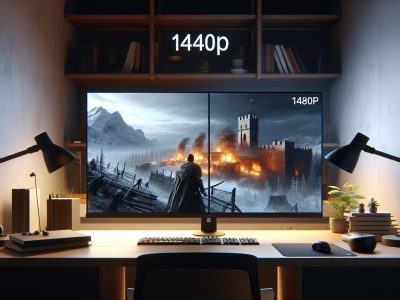
QHD, or Quad High Definition, refers to a display resolution of 2560 x 1440 pixels. It’s commonly abbreviated as 1440p and offers four times the definition of standard HD (720p).
Resolution And Pixel Density
QHD delivers a total pixel count of approximately 3.7 million. This level of detail results in sharper images than Full HD (1080p) displays but falls short compared to the over 8 million pixels found in 4K resolutions (3840 x 2160). With a higher pixel density on smaller screens, like monitors under 27 inches, QHD provides crisp visuals without visible pixelation.
For larger screens, the benefits diminish unless you sit closer to the display. For example, when gaming or editing photos on a QHD monitor at typical desk distances, you’ll notice enhanced clarity and smooth textures compared to lower resolutions.
Common Uses Of QHD
QHD is popular in gaming monitors because it balances performance and visual quality. Most mid-range graphics cards can handle QHD at high refresh rates without compromising frame rates significantly. Gamers often prefer this resolution for immersive experiences that don’t strain hardware resources.
Content creators also use QHD for tasks like video editing and graphic design. It provides sufficient workspace while maintaining sharp image previews. Also, many premium smartphones feature QHD displays for vibrant colors and fine details in videos or photos.
What Is 4K?
4K, also called Ultra High Definition (UHD), refers to a resolution of 3840 x 2160 pixels. This results in over 8.3 million total pixels, producing highly detailed and sharp visuals.
Resolution And Pixel Density
With four times the pixels of Full HD (1080p), 4K achieves exceptional clarity and detail. Its pixel density enhances viewing on larger screens, where lower resolutions might show visible pixelation. For example, a 55-inch TV with 4K resolution displays crisper images compared to QHD at the same size due to its higher pixel count.
Common Uses Of 4K
Content creators often use 4K for filmmaking and video editing because it captures intricate details. Streaming platforms like Netflix and Amazon Prime Video offer movies and shows in 4K for enhanced viewer experiences. Gamers benefit from lifelike environments when playing games optimized for this resolution, particularly on large monitors or TVs exceeding 27 inches.
Key Differences Between QHD And 4K
Understanding the key differences between QHD and 4K helps you choose the right display for your needs. Both resolutions excel in specific scenarios, but factors like resolution, clarity, and compatibility set them apart.
Resolution Comparison
QHD offers a resolution of 2560 x 1440 pixels, providing approximately 3.7 million total pixels. In comparison, 4K boasts a resolution of 3840 x 2160 pixels with over 8.3 million total pixels. This means that a single image in 4K contains more than double the pixel count of QHD.
For example, on screens larger than 27 inches, the higher pixel density of 4K ensures sharper visuals without noticeable pixelation. Meanwhile, QHD performs effectively on smaller displays where its moderate resolution balances performance and quality without taxing hardware resources excessively.
Image Quality And Clarity
The enhanced pixel count in 4K produces finer details and greater depth compared to QHD images. You’ll notice this difference especially when viewing high-definition content or engaging in creative work like photo editing or video production.
For gaming enthusiasts, both resolutions deliver immersive experiences but cater to different preferences. Gamers prioritizing smooth frame rates might lean towards QHD due to its lower system requirements; but those aiming for photorealistic environments will find better results with games optimized for native-4K rendering.
On streaming platforms such as Netflix or YouTube that offer Ultra HD content options—like blockbuster movies—you’ll experience richer colors and textures on a compatible device supporting true-4k output rather than downscaled versions seen on lesser resolutions.
Device Availability
QHD monitors are widely available across mid-range laptops and gaming setups due to their affordability combined with decent visual quality. Many portable devices (e.g., tablets) also incorporate this resolution ensuring clear text readability alongside vibrant graphics at manageable costs.
Pros And Cons Of QHD And 4K
Understanding the pros and cons of QHD and 4K helps you evaluate which resolution suits your needs best. Each offers distinct benefits, but their differences play a crucial role in performance, cost, and compatibility.
Advantages Of QHD
QHD provides sharper visuals than Full HD while maintaining affordability. With a resolution of 2560 x 1440 pixels, it’s ideal for smaller screens or monitors between 24-27 inches. Gamers often choose QHD for its balance of visual quality and smoother frame rates since higher resolutions like 4K can strain graphics cards during intense gameplay.
QHD’s reduced pixel count compared to 4K ensures better performance on mid-range GPUs without compromising image clarity on appropriately sized displays. For example, competitive gamers playing fast-paced titles like “Valorant” or “CS:GO” benefit from the fluidity offered by QHD at high refresh rates (120Hz+). Also, many laptops use QHD displays as they provide crisp visuals without significantly impacting battery life.
Advantages Of 4K
With over twice as many pixels as QHD (3840 x 2160), 4K delivers incredibly detailed images perfect for larger screens exceeding 27 inches. Streaming platforms such as Netflix offer Ultra HD content that takes full advantage of this resolution’s superior clarity and depth.
Content creators often prefer working with 4K due to its ability to capture intricate details necessary for professional photo editing or video production. For instance, filmmakers producing cinematic-quality videos appreciate how the extra pixels allow precise color grading and post-production adjustments.
Which Resolution Is Right For You?
Choosing between QHD and 4K depends on your specific needs, usage patterns, and budget. Each resolution offers unique advantages tailored to different user groups.
Considerations For Gamers
For gaming enthusiasts, performance often outweighs pure resolution. QHD monitors provide a sweet spot for fluid gameplay at higher frame rates due to lower demands on your GPU compared to 4K. This makes it ideal for fast-paced games like “Call of Duty” or “Overwatch,” where responsiveness is crucial.
But, if you’re into immersive single-player titles such as “Cyberpunk 2077” or enjoy open-world exploration in “Red Dead Redemption 2,” 4K might enhance the experience with its lifelike visuals and intricate details. Ensure your graphics card supports native 4K rendering for optimal results.
Considerations For Professionals
Professionals in design, video editing, or photography benefit significantly from high resolutions. A QHD display suits tasks requiring moderate detail levels like graphic design or coding while maintaining affordability.
On the other hand, fields such as filmmaking or architectural rendering demand the precision of a 4K monitor. Editing Ultra HD footage or working on detailed CAD models becomes more efficient when every pixel counts. Check that your software supports scaling options for increased productivity.
Considerations For Casual Users
Casual users watching videos, browsing web pages, or performing everyday tasks should consider screen size when deciding between these resolutions. A QHD monitor suffices for screens under 27 inches by delivering crisp visuals without overpaying.
If you stream movies from platforms offering UHD content—like Netflix—or own a large TV above 40 inches, opting for a 4K display ensures sharper image quality and better viewing experiences at closer distances.
Conclusion
Choosing between QHD and 4K eventually depends on your specific needs, preferences, and budget. Both resolutions offer distinct advantages for gaming, content creation, and everyday use. By considering factors like screen size, intended usage, and hardware capabilities, you can select the resolution that delivers the best balance of performance and visual quality for your setup.
Understanding what each resolution brings to the table ensures you get the most out of your viewing experience while aligning with your goals. Whether you prioritize affordability or crave ultra-sharp detail on larger screens, making an well-informed choice will help you enjoy a display tailored to your lifestyle.
To provide the best experiences, we use technologies like cookies to store and/or access device information. Consenting to these technologies will allow us to process data such as browsing behaviour or unique IDs on this site. Not consenting or withdrawing consent, may adversely affect certain features and functions.
Functional
Always active
The technical storage or access is strictly necessary for the legitimate purpose of enabling the use of a specific service explicitly requested by the subscriber or user, or for the sole purpose of carrying out the transmission of a communication over an electronic communications network.
Preferences
The technical storage or access is necessary for the legitimate purpose of storing preferences that are not requested by the subscriber or user.
Statistics
The technical storage or access that is used exclusively for statistical purposes.The technical storage or access that is used exclusively for anonymous statistical purposes. Without a subpoena, voluntary compliance on the part of your Internet Service Provider, or additional records from a third party, information stored or retrieved for this purpose alone cannot usually be used to identify you.
Marketing
The technical storage or access is required to create user profiles to send advertising, or to track the user on a website or across several websites for similar marketing purposes.