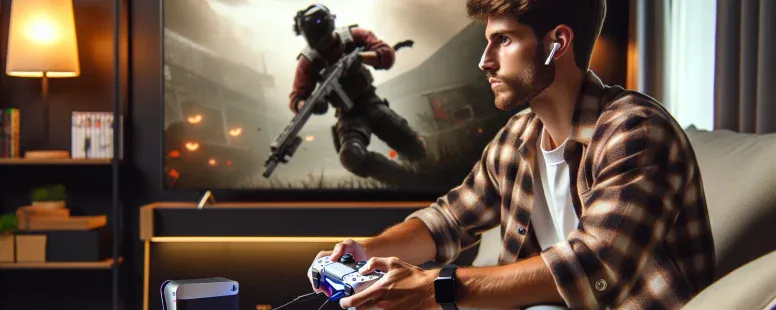
Picture settling into your gaming chair, ready to jump into an intense session on your PS5. You reach for your AirPods—sleek, wireless, and perfect for immersive sound—but then pause. Will they even work with the console? It’s a question that’s left many gamers scratching their heads, especially with Sony’s proprietary approach to accessories.
The allure of pairing AirPods with a PS5 is undeniable: crystal-clear audio without the hassle of wires. But compatibility isn’t always straightforward in the tech world, and figuring out how—or if—it works can feel like solving a puzzle. Whether you’re looking to elevate your gaming experience or simply make use of what you already own, understanding this connection could change the way you play forever.
Understanding AirPods Compatibility With PS5
AirPods don’t natively connect to the PS5 because Sony’s console lacks built-in Bluetooth audio support. The PS5 primarily supports its proprietary accessories, including the Pulse 3D wireless headset, which uses a USB dongle instead of standard Bluetooth.
To use AirPods with a PS5, you need additional hardware like a Bluetooth adapter or transmitter compatible with the console. These devices plug into the USB port or headphone jack on your controller and enable wireless connectivity for non-Sony headphones, including AirPods. For example, adapters like Avantree Leaf or Creative BT-W3 provide reliable connections.
Latency may be an issue when using AirPods via a third-party adapter since Bluetooth audio often introduces delay. In fast-paced games where timing is crucial, this could impact performance. Always consider latency ratings when selecting a Bluetooth transmitter for gaming purposes.
PS Remote Play offers another workaround by streaming gameplay to mobile devices paired with AirPods. But, this method depends on stable network conditions and doesn’t directly resolve in-console compatibility issues.
Understanding these limitations ensures realistic expectations when pairing AirPods with your PS5 setup for optimal gaming experiences.
How To Connect AirPods To PS5
Connecting AirPods to a PS5 involves overcoming the console’s lack of native Bluetooth audio support. You can achieve this using external devices or alternative methods.
Using Bluetooth Adapters
Bluetooth adapters enable wireless connection between your AirPods and the PS5. Plug a USB adapter into one of the console’s ports, or use a transmitter with the controller’s headphone jack for portability. Once connected, set your AirPods to pairing mode by pressing and holding their case button until it blinks white.
Next, activate pairing on the adapter; most have a button or switch for this purpose. When both devices recognize each other, they’ll automatically connect. But, latency might occur during gameplay—particularly noticeable in fast-paced titles like “Call of Duty”—due to Bluetooth limitations.
To minimize sound delays, choose low-latency adapters like those supporting aptX codec. Though pricier than standard models, these improve syncing accuracy between game visuals and audio cues.
Alternative Connection Methods
PS Remote Play offers another option for connecting AirPods indirectly. This app streams gameplay from your PS5 to mobile devices like iPhones or iPads while routing audio through connected headphones—including AirPods.
To use this method:
Download and install PS Remote Play on your device.
Log in with your PlayStation Network credentials.
Pair your AirPods with the mobile device before launching Remote Play.
Although convenient for some scenarios (e.g., late-night gaming), network stability directly impacts performance quality here—a weak Wi-Fi signal may result in laggy visuals or dropped connections during intense moments in games such as “Fortnite.”
Pros And Cons Of Using AirPods With PS5
Using AirPods with the PS5 introduces both conveniences and challenges. Understanding these factors helps you decide whether this setup aligns with your gaming preferences.
Advantages
Wireless Convenience
AirPods deliver a wireless audio solution, eliminating the clutter of cables during gameplay. This enhances mobility, letting you sit comfortably without restrictions.
Compatibility Through Adapters
With Bluetooth adapters, AirPods can connect to the PS5. These devices bridge the native incompatibility gap, enabling you to use existing headphones for gaming sessions.
Multi-Device Use
Switching between devices becomes seamless when using AirPods. You can pair them with your phone or laptop after gaming without additional steps like re-pairing.
Compact Design
The small size of AirPods and their case makes them easy to store and transport compared to bulkier headsets like Sony’s Pulse 3D headset.
Limitations
Latency Issues
Bluetooth connections via adapters may introduce noticeable latency in audio output during fast-paced games such as “Call of Duty” or “FIFA.” Low-latency adapters reduce but don’t eliminate delays entirely.
No Built-In Support
PS5 lacks integrated Bluetooth support for third-party headphones like AirPods, requiring external hardware for connectivity, which adds an extra cost and setup step.
Potential Sound Quality Loss
Adapter-based connections might compress audio signals, resulting in diminished sound quality compared to native solutions designed specifically for the console.
Network Dependency For Remote Play
If you’re using PS Remote Play paired with AirPods as an alternative method, performance depends on having a stable Wi-Fi connection; otherwise, lag disrupts gameplay experiences significantly.
These pros and cons highlight essential aspects of pairing AirPods with a PS5 so that you can set realistic expectations before investing time or money into this configuration.
Alternatives To AirPods For PS5
Not all wireless headphones work seamlessly with the PS5, but several options can enhance your gaming experience without requiring additional adapters or configurations.
Wireless Headset Options
Wireless headsets designed for gaming often provide better compatibility and audio quality on consoles like the PS5. Models such as the SteelSeries Arctis 7P+ offer native support, eliminating the need for external devices. These headsets use a USB dongle to connect directly to the console and typically deliver low-latency sound, ideal for fast-paced games.
The Sony Pulse 3D Wireless Headset, optimized for 3D audio in supported titles, ensures immersive gameplay. This headset pairs effortlessly with the PS5 and supports features like Tempest 3D AudioTech. It’s an excellent choice if you’re seeking precise directional sound during competitive matches.
For versatile usage across platforms, consider options like the Razer BlackShark V2 Pro. It connects wirelessly via a USB receiver and provides clear audio with minimal delay. These headsets often include detachable microphones and adjustable settings to match individual preferences.
Dedicated Gaming Headsets
Dedicated gaming headsets prioritize performance over portability, offering superior sound isolation and comfort during extended sessions. The HyperX Cloud II, available in wired or wireless versions, delivers robust build quality alongside virtual surround sound support for an enhanced sense of spatial awareness within games.
The Logitech G Pro X is another notable example that combines high-quality materials with customizable EQ settings through companion software. While primarily focused on PC gamers, its flexibility makes it suitable for console players using dual-platform setups.
Premium choices like the Astro A50 Wireless Gaming Headset cater to audiophiles who value exceptional clarity and depth in game audio. Its charging base station simplifies connectivity while providing long-lasting battery life—an advantage during marathon gaming sessions.
Conclusion
While AirPods can work with the PS5 through additional tools like Bluetooth adapters or Remote Play, they aren’t the most seamless solution for gaming. These workarounds come with potential trade-offs such as latency or network limitations, which might impact your experience in demanding games.
If you’re looking for hassle-free performance and optimized audio quality, exploring dedicated gaming headsets designed for the PS5 could be a better option. Weigh your priorities carefully to decide what setup fits your needs best.
To provide the best experiences, we use technologies like cookies to store and/or access device information. Consenting to these technologies will allow us to process data such as browsing behaviour or unique IDs on this site. Not consenting or withdrawing consent, may adversely affect certain features and functions.
Functional
Always active
The technical storage or access is strictly necessary for the legitimate purpose of enabling the use of a specific service explicitly requested by the subscriber or user, or for the sole purpose of carrying out the transmission of a communication over an electronic communications network.
Preferences
The technical storage or access is necessary for the legitimate purpose of storing preferences that are not requested by the subscriber or user.
Statistics
The technical storage or access that is used exclusively for statistical purposes.The technical storage or access that is used exclusively for anonymous statistical purposes. Without a subpoena, voluntary compliance on the part of your Internet Service Provider, or additional records from a third party, information stored or retrieved for this purpose alone cannot usually be used to identify you.
Marketing
The technical storage or access is required to create user profiles to send advertising, or to track the user on a website or across several websites for similar marketing purposes.