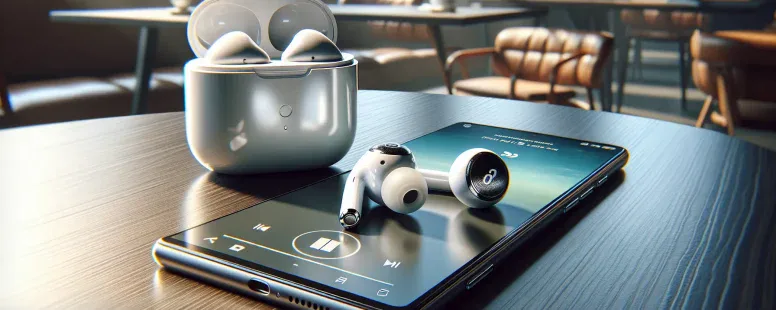
Picture this: you’re eyeing a sleek pair of AirPods, but there’s one lingering question—will they play nice with your Android device? While Apple’s earbuds are famously designed for the iPhone crowd, their allure isn’t limited to just Apple users. The thought of blending premium sound quality with your trusty Android phone might seem like a tech mismatch, but is it really?
Overview Of AirPods
AirPods are Apple’s popular wireless earbuds, known for their sleek design and seamless integration with iOS devices. They use Bluetooth technology to connect with various devices, providing high-quality audio and convenience. Originally launched in December 2016, AirPods quickly became a market leader in the true wireless earbuds category.
The primary features include automatic ear detection, quick pairing through Apple’s H1 or W1 chip (depending on the model), and touch controls. Models such as AirPods Pro offer advanced noise-cancellation and transparency modes. The battery life ranges from 5 to 6 hours per charge, with additional charges provided by the accompanying case.
Even though being optimized for Apple products like iPhones and MacBooks, AirPods remain compatible with Android devices. But, some exclusive features such as Siri integration or auto-switching between Apple devices aren’t available when paired with Android smartphones or tablets.
Their popularity stems not just from functionality but also from their minimalist aesthetic appeal. If you’re an Android user considering AirPods, understanding their capabilities and limitations can help you decide if they suit your needs effectively.
Compatibility Of AirPods With Android
AirPods connect to Android devices using Bluetooth, offering basic functionality even though being designed for Apple’s ecosystem. But, some advanced features are unavailable without an iOS device.
Key Features That Work Well
Bluetooth Connectivity: AirPods pair with Android smartphones or tablets through standard Bluetooth technology. Once connected, you can listen to music, watch videos, and make calls seamlessly.
Audio Quality: You still experience high-quality sound on Android devices. Features like crisp audio playback and reliable microphone performance remain unaffected.
Basic Controls: Tap gestures for play/pause or skipping tracks work in most cases. For example, double-tapping the AirPods may allow you to control media playback depending on your device’s compatibility.
Features That May Be Limited
No Siri Integration: Siri voice commands don’t function with Android systems since they’re exclusive to Apple devices. Alternatives like Google Assistant require separate configurations.
Limited Battery Status Visibility: While iPhones display detailed AirPod battery levels automatically, you’d need third-party apps on Android (e.g., “AirBattery”) for similar information.
Auto-Pausing Audio: The automatic ear detection that pauses content when removing an AirPod may not always work consistently outside of Apple’s ecosystem.
How To Connect AirPods To Android Devices
Connecting AirPods to an Android device uses Bluetooth technology, ensuring basic functionality like audio playback and calling. While some Apple-exclusive features won’t be available, the process is straightforward.
Step-By-Step Pairing Guide
Activate Pairing Mode on Your AirPods
Open the case with your AirPods inside, then press and hold the button on the back of the case until you see a white flashing light. This signals that your AirPods are in pairing mode.
Open Bluetooth Settings on Your Android Device
Navigate to “Settings,” then select “Connections” or “Bluetooth.” Ensure Bluetooth is turned on so it can search for nearby devices.
Select Your AirPods from Available Devices
Wait for your Android device to detect your AirPods, which will appear as “AirPods” or their customized name under available devices. Tap their name to establish a connection.
Confirm Connection
Once connected, you’ll hear a sound through your AirPods indicating successful pairing. They will now be ready for media playback or calls.
Troubleshooting Common Issues
Device Not Detecting AirPods: Ensure they’re in pairing mode by checking if the white light is blinking; otherwise, reset them by holding the button longer.
Connection Drops Frequently: Move closer to your device since obstacles or distance can interfere with Bluetooth signals.
Battery Level Visibility: Download third-party apps like “Assistant Trigger” for real-time battery status since this feature isn’t natively supported on Android.
Audio Quality Problems: Check volume settings and clean earbud speakers if sound appears muffled during use.
Pros And Cons Of Using AirPods With Android
Using AirPods with Android has its advantages and limitations. Understanding these aspects helps you decide if they fit your needs.
Benefits
High-Quality Audio
AirPods deliver premium sound quality, ensuring a rich audio experience for music, podcasts, and calls. For instance, their well-balanced bass and clear treble enhance listening enjoyment across various genres.
Easy Bluetooth Connectivity
Connecting AirPods to an Android device is straightforward through standard Bluetooth pairing. This allows you to use them seamlessly without requiring additional accessories or software.
Sleek Design And Comfort
The lightweight design ensures long-lasting comfort during extended usage periods like workouts or commutes. Their compact charging case also adds portability for on-the-go users.
Compatibility Across Devices
Even though missing some Apple-specific features, basic functions like playback controls and call management work reliably on Android phones such as Samsung Galaxy or Google Pixel models.
Drawbacks
Limited Features On Android
Some advanced features are unavailable when paired with non-iOS systems; for example, Siri voice assistant integration can’t be utilized with Android devices.
No Automatic Switching Between Devices
While AirPods switch effortlessly between Apple devices linked to the same iCloud account, this functionality isn’t supported on Android platforms due to compatibility constraints.
Battery Status Visibility Issues
Without third-party apps like “AirBattery” or “Assistant Trigger,” monitoring battery levels directly from your phone becomes challenging since native support doesn’t exist in most cases.
Inconsistent Auto-Pause Functionality
Features such as automatic ear detection may not operate consistently when connected via Bluetooth outside Apple’s ecosystem—a common limitation faced by many users seeking seamless experiences beyond iOS environments.
Alternative Wireless Earbuds For Android Users
Choosing wireless earbuds designed for Android devices ensures compatibility and access to full features. Several options offer excellent sound quality, advanced functionality, and seamless integration.
Samsung Galaxy Buds Series
Samsung’s Galaxy Buds Pro, Live, and 2 models stand out with their impressive audio quality and compatibility with Android. Features like active noise cancellation (ANC), customizable touch controls, and the Galaxy Wearable app enhance user experience. For instance, the app lets you adjust equalizer settings or update firmware directly from your phone.
Google Pixel Buds
Google’s Pixel Buds A-Series provides deep integration with Android through Google Assistant support. Real-time translation via Google Translate is a unique feature that simplifies communication across languages during travel or business interactions.
Sony WF-1000XM4
These premium earbuds deliver top-notch ANC and high-resolution audio supported by LDAC codec technology. With an adaptive sound control system, they adjust audio based on activity levels or surrounding environments.
Jabra Elite Series
Jabra’s Elite 85t and 75t models combine comfort with robust performance tailored for calls and media playback on Android devices. Their MySound personalization feature calibrates the sound profile according to individual hearing preferences.
Anker Soundcore Liberty Air Series
Anker’s affordable yet reliable Liberty Air buds include models like the Liberty Air 2 Pro offering hybrid ANC, customizable EQ presets through the Soundcore app, and long battery life suitable for daily use.
Bose QuietComfort Earbuds
Known for exceptional noise-cancellation capabilities, Bose QuietComfort earbuds provide immersive sound ideal for music enthusiasts or frequent travelers prioritizing high-quality listening experiences on Android devices.
Each alternative combines varying price points with distinct features catering to different needs—whether it’s superior noise cancellation or integrated smart assistant functionalities optimized specifically for Android users’ convenience.
Conclusion
AirPods can work with Android devices, offering premium sound quality and essential functions like music playback and calls. But, they lack some of the advanced features available to iOS users. If you’re looking for a more tailored experience with full compatibility, exploring alternatives designed specifically for Android might be worth considering.
Whether you stick with AirPods or choose an alternative, the key is finding earbuds that meet your needs for audio quality, comfort, and functionality.
To provide the best experiences, we use technologies like cookies to store and/or access device information. Consenting to these technologies will allow us to process data such as browsing behaviour or unique IDs on this site. Not consenting or withdrawing consent, may adversely affect certain features and functions.
Functional
Always active
The technical storage or access is strictly necessary for the legitimate purpose of enabling the use of a specific service explicitly requested by the subscriber or user, or for the sole purpose of carrying out the transmission of a communication over an electronic communications network.
Preferences
The technical storage or access is necessary for the legitimate purpose of storing preferences that are not requested by the subscriber or user.
Statistics
The technical storage or access that is used exclusively for statistical purposes.The technical storage or access that is used exclusively for anonymous statistical purposes. Without a subpoena, voluntary compliance on the part of your Internet Service Provider, or additional records from a third party, information stored or retrieved for this purpose alone cannot usually be used to identify you.
Marketing
The technical storage or access is required to create user profiles to send advertising, or to track the user on a website or across several websites for similar marketing purposes.