Dlp Competitors
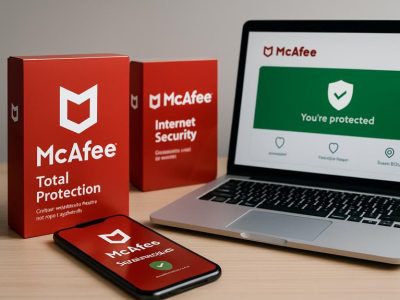
As I delved into data loss prevention options, I was struck by how the market has exploded with powerhouse contenders like Symantec, McAfee, and Forcepoint. Each promises the perfect mix of security and ease-of-use, but navigating this crowded battlefield feels like trying to find a needle in a haystack.
Surprisingly, some lesser-known vendors hide hidden gems—features that could tip the scales in your favor. Understanding how these giants truly compare can be the key to avoiding costly missteps and finding a solution that feels tailor-made for your needs.
Key Criteria for Comparing DLP Competitors
When choosing a Data Loss Prevention (DLP) solution, you need clear criteria to compare options. First, data classification is key. A good DLP must correctly identify and organize sensitive data like passwords, credit card numbers, or personal info. If it can’t do this quickly and accurately, it might slow down your work or miss threats. For example, some tools label data as sensitive by keywords, but that can miss complex cases.
Second, understanding user behavior is crucial. Not all threats come from outside attacks. Sometimes employees accidentally share data or act suspiciously. The best DLP tools analyze how users behave over time. They spot unusual patterns, like sending large files at odd hours, before data leaks happen. Some solutions only block threats after they occur, which can be too late.
Third, adaptability matters. Security threats change fast. A DLP should update its rules and learn from new risks. If a tool is stuck with old settings, it may become useless against new tactics. For example, hackers now use encrypted channels to hide data, so your DLP must keep up or become blind.
Some people say that focusing only on features is enough. But really, the best DLP solutions are those that combine accurate data classification, insight into user behavior, and the ability to grow with new threats. If a solution only does one or two of these well, it might leave your organization open to risks.
Top DLP Vendors and Their Features
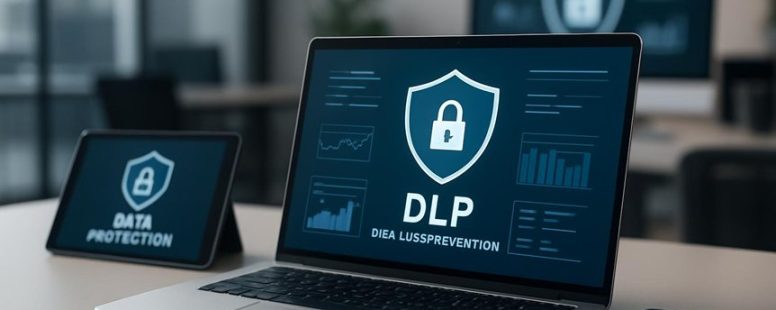
A good Data Loss Prevention (DLP) solution helps protect sensitive data from being stolen or leaked. But no one DLP tool works perfectly for every company. To choose the right one, you need to understand what top vendors like Symantec, McAfee, and Forcepoint offer. These companies stand out because they use new features like artificial intelligence to classify data and protect cloud storage. Their systems are good at making sure your company follows laws and rules. They also let you create customized policies that fit your specific business needs. Many of their products work across devices, networks, and cloud services, so your data stays safe no matter where it is.
When picking a DLP, ask yourself how well each vendor’s features match your compliance goals and data risks. For example, if your company handles health records, you need a system that meets privacy laws. Or if your team works in the cloud most of the time, look for solutions that protect cloud storage. Keep in mind that some systems may be easier to set up and manage than others.
However, be careful because no DLP system is perfect. Some may be too complicated or slow down work. Others might not catch every data leak. It’s smart to compare different vendors based on how well they fit your needs and how easy they are to use. This way, you’ll find a DLP that is powerful enough to protect your data but simple enough for your team to handle.
Strengths and Weaknesses of Leading DLP Solutions
Knowing which DLP solution to pick depends on your company’s specific needs. The best solutions are good at spotting threats and encrypting data, so sensitive information stays safe. They also make it easier to follow privacy rules. For example, companies like Symantec and McAfee offer tools that help find risky data and protect it. But some solutions have trouble working smoothly with cloud services like Google Cloud or Microsoft Azure. This can make it harder to see all your data or set flexible rules.
Another problem is user training. Even the best tools can fail if employees don’t know how to use them properly. For instance, if staff ignore alerts or don’t understand policies, data could still be lost. Different DLP products also have various incident alerts. Some give real-time warnings, helping you stop problems right away. Others might only send reports after the fact, which is less helpful.
When choosing a DLP solution, you need to weigh these factors. Do you want strong threat detection or easy cloud integration? Do your staff need simple tools or detailed control? No one solution is perfect. You should look for one that balances good technical features with easy use and compliance. Remember, a tool is only as good as how well your team uses it. Making sure everyone understands the policies is just as important as the software itself.
This way, you can pick the right DLP tool that keeps your data safe without slowing down your work. Just be aware that some solutions might look good on paper but fall short in real-world use. Always test and ask for demos before making a final choice.
Understanding DLP Pricing Models
The most important thing about choosing a DLP (Data Loss Prevention) solution is understanding how much it costs. Many vendors base their prices on the number of users, the number of devices, or how much data you want to protect. It’s like buying a phone plan where costs depend on how many calls or gigs of data you use. Knowing what you pay for helps you avoid surprises later.
Some companies include everything in one price. You pay once and get all features and support. Others charge separately for things like extra modules or premium support. This can make the total cost go up quickly. For example, a vendor might advertise a low initial price but then add charges for updates or additional security features.
It’s smart to compare pricing models. Ask questions like: Does the price change if I add more users? Will I pay more as I grow? Do they charge for updates or support? Do they have hidden fees? When I understand these details, I can pick a DLP that fits my budget and needs.
Some people prefer simple, all-in-one pricing because it’s easier to plan. Others are okay with paying for extras if it means better protection. Be aware that some vendors may not tell you the full costs upfront. Always read the fine print or ask for a clear breakdown.
In the end, the goal is to find a DLP that protects your data well without costing more than you can afford. Comparing different models and understanding what you’re paying for makes this easier. And remember, a cheaper solution may not always be better if it doesn’t cover everything you need.
DLP Solutions for Small and Large Businesses
A good DLP (Data Loss Prevention) solution is one that fits your business size and budget. The best options have clear features like data monitoring, control over who can access information, and easy setup. For small businesses, look for simple tools that save money but still protect sensitive data. Big companies need scalable options that grow with them, so they should choose solutions that can handle more users and data over time.
Some popular DLP products include Symantec, McAfee, and Digital Guardian. These companies offer different plans to match small or large business needs. When comparing, check if the tool can protect emails, cloud data, and endpoints. Also, see if it’s easy to use and doesn’t slow down work.
Remember, cheaper solutions may save money now but could lack features or support you’ll need later. On the other hand, very advanced tools can be too complex or costly for small businesses. Decide what features are most important for your business and pick a plan that fits your budget.
Best DLP Features
Every business needs a Data Loss Prevention (DLP) solution that actually works. The best DLP features are easy to understand and do what they promise. First, data discovery is key. You have to know exactly where your sensitive information is stored. Without this, you are guessing and could miss leaks. Think of it like trying to find a needle in a haystack without knowing where the needle is.
Next, effective incident response is crucial. It’s not enough to just see that a breach happened. Your DLP should help you act quickly to stop it. Look for tools that send real-time alerts and have automated steps to fix problems fast. For example, if someone tries to send confidential files outside your company, the system should stop it immediately and notify you.
Seamless integration with your current tools is also important. Your DLP should work smoothly with your email, cloud storage, and security systems. This saves time and prevents gaps that hackers could use. Some solutions like Symantec or McAfee offer these features, but not all DLPs are equal.
Be careful—some products claim to be the best but lack real-time alerts or easy setup. Others may be too complicated to use daily. Remember, a good DLP should protect your data without slowing down your work. It’s like a guard dog that alerts you instantly but doesn’t get in your way.
In the end, a smart DLP solution will help prevent data leaks before they happen and respond quickly if they do. It’s what every business should aim for to keep their sensitive info safe.
Scalability for Business Sizes
Choosing a data loss prevention (DLP) solution depends a lot on your business size. Large companies often need strong, complex tools to handle massive data flows. Smaller businesses want something simple and affordable that still keeps their sensitive data safe.
A good rule is to pick a DLP that can grow with your business. For example, cloud-based solutions like Microsoft 365 or Symantec DLP can expand easily as your company grows, so you don’t have to buy new tools every few years. Smaller businesses should look for lightweight options that don’t require heavy infrastructure—think of it like choosing a compact car instead of a freight truck. Large enterprises, on the other hand, need powerful systems that can process huge amounts of data without slowing down.
There are two sides to this. Some argue that big DLP tools are overkill for small businesses because they cost too much and are too complicated. Others believe that smaller companies might miss out if they don’t pick scalable solutions early.
For example, a local bakery may only need basic email and file protection, while a multinational bank needs advanced controls across multiple offices. Companies should ask, does this solution grow as my business does? Will it support my needs tomorrow, not just today?
Cost-Effective Security Options
The best way to protect your data without spending too much money is to choose affordable DLP (Data Loss Prevention) solutions. You don’t need to buy expensive tools to stay safe. Many inexpensive options can work well if you pick the right ones.
Here are three simple ways to save money on security:
- Use cloud-based DLP tools. These services, like Microsoft Azure or Google Cloud, cost less than building your own security system. They let you pay for what you use and avoid expensive hardware.
- Combine DLP with systems you already have. If you already use security tools like firewalls or antivirus software, see if your DLP can work with them. This way, you won’t need extra licenses or big upgrades.
- Try open-source or modular tools. These are free or low-cost programs you can customize. For example, some companies use open-source DLP programs like Apache Metron. They can be adjusted to fit your needs without extra costs.
Some people worry that cheaper options aren’t safe enough. While it’s true that very low-cost tools might lack some features, many affordable options still protect your data well. It’s about choosing solutions that match your budget and needs. For small businesses or startups, these options let you stay secure without overspending.
But remember, no security tool is perfect. Cheaper solutions might need more setup or management. They might not have all the bells and whistles of expensive systems. So, weigh the risks and benefits before you decide.
In the end, smart choices can keep your business safe and save money. Do you have limited funds? Don’t worry. There are ways to be secure that don’t cost a lot but still work well.
Integrating DLP With Your Technology Stack
Integrating DLP with your technology tools is a smart way to better protect sensitive data. It’s like adding a security guard who works quietly in the background. When DLP works well with your email, cloud services, and devices, it can spot and stop data leaks right away. But if it doesn’t fit smoothly with your tools, you might miss problems or slow down your team, which can cause frustration.
To make this work, choose a DLP platform that is easy to connect with the tools you already use. For example, some platforms have built-in features for popular services like Microsoft 365 or Google Workspace. That way, your security is strong without making work harder.
Keep in mind, some DLP tools might not be compatible with older software or custom setups. This can leave gaps in protection. Also, overloading your system with too many security steps can slow everyone down, so balance is key.
In the end, good tech integration makes your data protection stronger and easier to manage. It’s not just about adding new security—it’s about making your whole system work better together. Think of it like a team where every player knows their part and works smoothly. That’s how you keep your sensitive info safe without stopping the flow of work.
Evaluating DLP Options Based on Your Security Needs
Choosing the right Data Loss Prevention (DLP) solution is not about picking the most popular brand or the one with the most features. It’s about finding one that fits your specific security needs. To do this, start by understanding what types of data your organization handles most and what rules you need to follow.
Here are some simple steps to help you pick the right DLP tool:
- Check if the DLP protects the data you care about. For example, if you handle medical records, make sure it can safeguard health information.
- Make sure it can handle the compliance rules your industry requires. For example, HIPAA for healthcare or PCI DSS for credit card data.
- See if it works well with your current technology. A DLP that does not integrate easily can cause problems and slow down your work.
Some companies prefer a well-known brand like Symantec or McAfee, but a less popular tool might suit your needs better if it fits your data types and compliance rules. Also, be aware that some solutions might be too complicated or expensive for your size or budget.
Remember, the best DLP is not the one with the most features. It is the one that keeps your critical data safe without making your work harder. Always compare options carefully and choose what makes sense for your organization.
This approach helps prevent data leaks and keeps your company compliant. But be cautious — no solution is perfect, and some tools might miss new risks or require ongoing updates. Take your time, test options, and pick what works best for your specific needs.

- Mikrotik Product Comparison - October 20, 2026
- Fbm Competitors - October 19, 2026
- When Is Best for Pregnancy Test - October 18, 2026
by Ellie B, Site Owner / Publisher