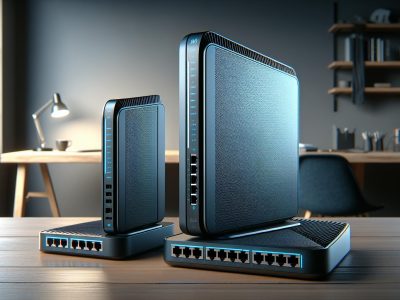
Imagine streaming your favorite show without a single buffer or uploading files at lightning speed. The way you connect to the internet—Wi-Fi or Ethernet—can make all the difference. Both options have their perks, but choosing the right one depends on how you use the web. Are you after the convenience of wireless freedom, or do you crave the rock-solid reliability of a wired connection?
Wi-Fi lets you roam freely, offering flexibility and ease of use, while Ethernet delivers unmatched stability and speed. Whether you’re working from home, gaming, or just browsing, understanding these two technologies helps you make smarter choices for your digital life. So, which one suits your needs better? Let’s break it down.
What Is Wi-Fi?
Wi-Fi is a wireless technology that connects devices to the internet or local networks using radio waves. It eliminates the need for physical cables, making it a popular choice for modern connectivity in homes and businesses.
Key Features of Wi-Fi
Wireless Connectivity: Wi-Fi enables internet access without physical cables, offering mobility within its coverage range.
Frequency Bands: Operates on 2.4 GHz and 5 GHz bands, providing options for better speed or range. For instance, 2.4 GHz covers larger areas, while 5 GHz offers faster speeds but shorter range.
Versatility: Supports a wide range of devices, including smartphones, laptops, tablets, smart TVs, and IoT devices.
Encryption Protocols: Includes security features like WPA3 for encrypted communications, though proper configurations are essential.
Advantages of Wi-Fi
Mobility: You can connect multiple devices across large areas without being tethered to one spot, ideal for homes, offices, and public spaces.
Easy Setup: Setting up a Wi-Fi network is simpler than Ethernet, which requires cable installation and configuration.
Device Compatibility: Almost all modern devices are Wi-Fi compatible, ensuring out-of-the-box connectivity.
Access in Public Areas: Wi-Fi hotspots in airports, cafes, and hotels provide convenient internet access when you’re on the go.
Signal Interference: Metal objects, walls, and other devices can weaken signals. For example, microwaves operating near the same frequency disrupt connections.
Security Risks: Public networks expose devices to hacking risks if proper precautions, like VPNs or firewalls, aren’t used.
Variable Speeds: Speeds fluctuate depending on distance from the router, signal congestion, or number of connected devices.
Limited Coverage: Signal strength diminishes with distance, making it less effective in larger spaces or across multiple floors.
What Is Ethernet?
Ethernet is a wired networking technology that links devices to a local area network (LAN) using physical cables. It provides stable and high-speed connections, often preferred for tasks demanding reliability like online gaming or streaming.
Key Features of Ethernet
Wired Connectivity: Ethernet relies on physical cables, ensuring consistent data transmission and reducing the risk of interruptions. Cat 5e and Cat 6 cables are common examples.
High Bandwidth: Supports speeds up to 10 Gbps in standard configurations, surpassing most Wi-Fi networks.
Low Latency: Delivers minimal lag, crucial for activities like real-time communication or high-performance applications.
Security: Direct device-to-device connections reduce vulnerability to external breaches compared to wireless setups.
Compatibility: Works seamlessly with routers, modems, and modern network interface cards (NICs).
Advantages of Ethernet
Speed Stability: Unlike Wi-Fi, Ethernet connections maintain consistent speeds without interference. It’s ideal for steady downloads or uploads.
Enhanced Security: Direct connectivity limits unauthorized access, making it suitable for sensitive data exchanges.
Lower Interference: By bypassing environmental factors like walls or devices, Ethernet avoids signal disruption common to Wi-Fi.
Scalability: Adapts to various environments, from single-device connections to complex office networks.
Limited Mobility: Ethernet demands fixed connections, restricting device movement. You’re bound by the cable’s length.
Setup Difficulty: Installing cables and ports can be labor-intensive, particularly for larger areas.
Clutter: Multiple cables create a messy workspace without proper cable management.
Hardware Dependence: Requires compatible cables, ports, and often switches for extended connections.
Key Differences Between Wi-Fi And Ethernet
When comparing Wi-Fi and Ethernet, understanding subtle distinctions helps determine the best fit for different needs. Both options cater to unique scenarios, but their performance, reliability, security, and installation can vary significantly.
Speed Comparison
Ethernet generally offers higher speeds than Wi-Fi, with potential rates up to 10 Gbps on modern networks. For downloading large files or streaming 4K videos, this consistent performance proves invaluable. Wi-Fi, while convenient, often delivers slower speeds due to interference from walls, other devices, and its reliance on shared bandwidth. For example, if you’re in a crowded cafe using Wi-Fi, your internet connection might lag compared to Ethernet at home.
Reliability Factors
Ethernet ensures stable connectivity by eliminating external disruptions like radio wave interference or distant access points. This makes it ideal for tasks like online gaming or video conferencing, where dropouts can be frustrating. Wi-Fi, but, may rely on signal range and environmental factors, leading to inconsistencies. For instance, moving between rooms in your house might weaken the Wi-Fi signal, while Ethernet retains the same performance regardless of location.
Security Considerations
Ethernet connections offer enhanced security since they require physical access to the network, reducing risks of unauthorized intrusion. Conversely, Wi-Fi presents vulnerabilities, especially on public or poorly secured networks. Encryption protocols like WPA3 improve safety, but an open signal can still be exploited. If you’re using Wi-Fi in a public area like an airport, the potential for data interception increases compared to a wired Ethernet setup.
Installation and Setup
Wi-Fi is easier to set up, requiring just a router and compatible devices, making it more user-friendly for everyday settings. Ethernet, while offering superior performance, demands physical cables and often additional hardware like switches or adapters. For instance, setting up Ethernet in a multi-story home can involve drilling holes or routing cables through walls, which is more labor-intensive compared to simply activating Wi-Fi.
When to Use Wi-Fi vs. Ethernet
Choosing between Wi-Fi and Ethernet depends on your specific tasks, usage environment, and device limitations. Each has unique strengths that excel in different scenarios.
Best Use Cases for Wi-Fi
Wi-Fi is ideal for scenarios where mobility and ease of use matter most. Use Wi-Fi to stay connected across multiple rooms or floors without being tethered. For instance, when browsing social media, streaming music in a different room, or attending online meetings in public spaces, Wi-Fi offers unmatched flexibility.
In smart home setups, Wi-Fi enables seamless communication between devices like smart speakers, thermostats, and security cameras. Public areas such as cafes, libraries, or airports leverage Wi-Fi to provide accessible internet; but, avoid sensitive tasks on unsecured networks to ensure data safety.
Traveling with lightweight devices like tablets or smartphones also favors Wi-Fi’s convenience. With practical encryption standards such as WPA3, modern Wi-Fi networks enhance security provided you configure them correctly.
Best Use Cases for Ethernet
Ethernet suits situations demanding speed and stability. Activities involving large file uploads or downloads, 4K video streaming, or online gaming benefit from Ethernet’s superior performance. For example, professional gamers prefer Ethernet to avoid latency spikes during competitive interactions.
Work settings with secured environments like offices or schools rely on Ethernet for its consistency and reduced vulnerability to hacking compared to Wi-Fi. If multiple wired workstations are needed, Ethernet aids in creating an efficient, high-speed LAN.
Ethernet proves valuable in areas with dense wireless activity or signal interference. For instance, apartment buildings with overlapping Wi-Fi networks can result in speed and consistency issues, where Ethernet provides uninterrupted reliability. Wired connections also help connecting physical servers or NAS (Network Attached Storage) for enhanced data handling.
When consistent connection quality outweighs mobility, such as live broadcasting events or remote work with heavy software, Ethernet becomes the practical choice. Setup effort is higher, but the long-term benefits often outweigh the initial inconvenience for these use cases.
Conclusion
Choosing between Wi-Fi and Ethernet eventually depends on your specific needs and priorities. If you value mobility and convenience, Wi-Fi is a versatile option that suits most casual internet activities. On the other hand, Ethernet delivers unmatched speed and reliability, making it ideal for tasks that demand stable performance.
Consider your usage environment, the devices you rely on, and the type of activities you perform online. By understanding the strengths and limitations of each connection type, you can make an well-informed choice that enhances your overall internet experience.
To provide the best experiences, we use technologies like cookies to store and/or access device information. Consenting to these technologies will allow us to process data such as browsing behaviour or unique IDs on this site. Not consenting or withdrawing consent, may adversely affect certain features and functions.
Functional
Always active
The technical storage or access is strictly necessary for the legitimate purpose of enabling the use of a specific service explicitly requested by the subscriber or user, or for the sole purpose of carrying out the transmission of a communication over an electronic communications network.
Preferences
The technical storage or access is necessary for the legitimate purpose of storing preferences that are not requested by the subscriber or user.
Statistics
The technical storage or access that is used exclusively for statistical purposes.The technical storage or access that is used exclusively for anonymous statistical purposes. Without a subpoena, voluntary compliance on the part of your Internet Service Provider, or additional records from a third party, information stored or retrieved for this purpose alone cannot usually be used to identify you.
Marketing
The technical storage or access is required to create user profiles to send advertising, or to track the user on a website or across several websites for similar marketing purposes.